 ProMapRanker
Best Home Buying Apps in 2026

Key takeaways
- The best house app for most buyers is the one with fresh listings in your area, plus alerts that reach you before a good home goes under contract.
- Zillow offers the widest search, Realtor.com leans on direct MLS feeds, and Redfin pairs search with its own brokerage and tour booking.
- Trulia and Homes.com add neighborhood context, while Compass, Rocket Homes, Movoto, and StreetEasy suit specific cities or buying paths.
- Browsing is free on all of these apps, so use two or three together and cross-check any home you like before you tour it.
- This is not financial advice. A home purchase involves mortgage, tax, and legal decisions, so talk to a licensed agent and lender about your own situation.
Quick comparison
| Pick | Great for | Pricing starts at | Free tier | |
|---|---|---|---|---|
 Zillow | Widest home search | Free | Yes | Visit |
 Redfin | Tours and brokerage in one app | Free | Yes | Visit |
 Realtor.com | Fresh MLS listings and data | Free | Yes | Visit |
 Homes.com | Neighborhood video and agent detail | Free | Yes | Visit |
 Trulia | Neighborhood lifestyle insight | Free | Yes | Visit |
 Compass | Agent collaboration in major metros | Free | Yes | Visit |
 Rocket Homes | Search plus mortgage path | Free | Yes | Visit |
 Movoto | Clean MLS search | Free | Yes | Visit |
 StreetEasy | New York City buying | Free | Yes | Visit |
The best home buying apps
Buying a home starts on a phone for most people: saved searches, price alerts, photos, and tour bookings, all before an agent is involved. The apps below all let you browse for free, so the real differences are listing freshness, neighborhood data, tour booking, and how each app connects you with an agent.
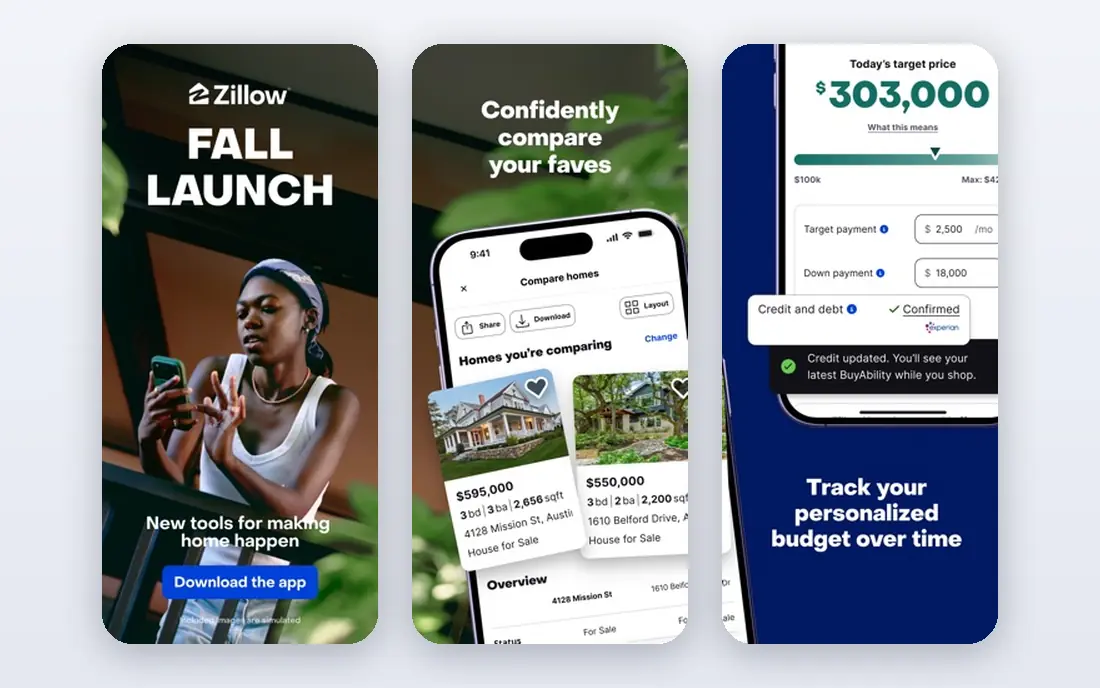
Zillow is the default starting point for most US buyers because its search covers the most ground: active listings, rentals, sold homes, and owner-posted homes. Draw-your-own-boundary map search, saved searches, and push alerts make it easy to watch a neighborhood closely. The Zestimate gives a rough value sense for almost any address, which helps early budgeting.
Treat that estimate with care. A Zestimate is an automated guess, not a valuation, and it can miss condition, renovations, or local quirks. Listing status can also lag the MLS by hours, so a home that looks available may already be under contract. Use Zillow for discovery, then confirm status with an agent or a second source before planning a tour.
- Very large listing database including rentals and off-market homes
- Zestimate value estimates
- Saved searches and alerts
- Listing status can lag behind MLS updates
- Zestimate is an estimate, not an appraisal
- Contact requests may go to a partner agent
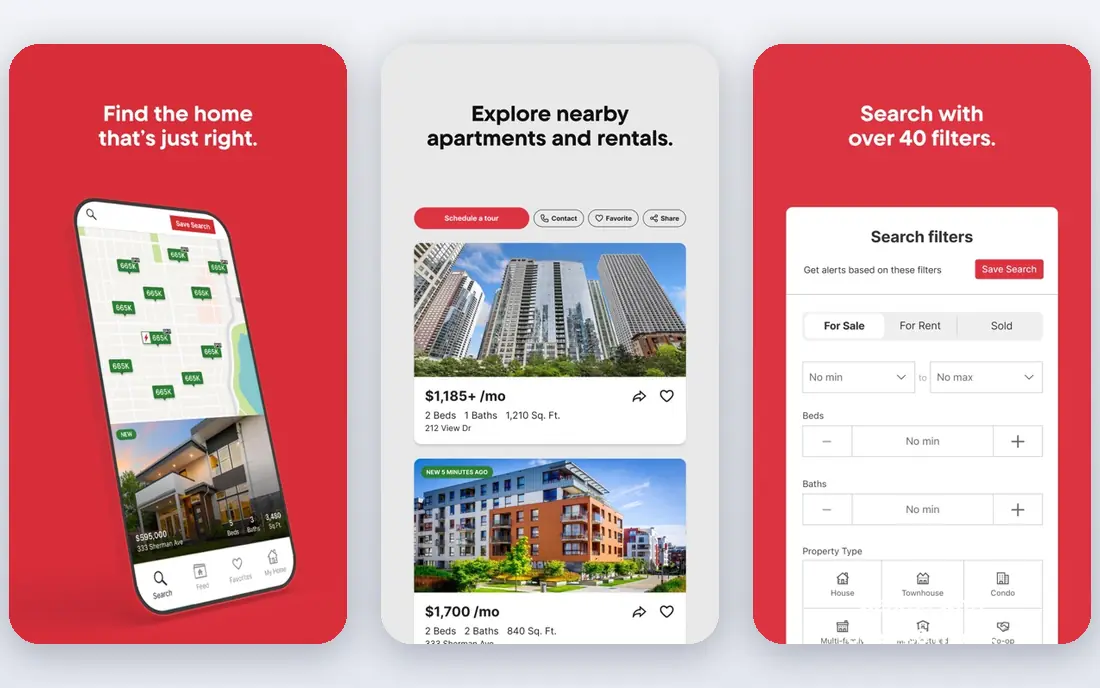
Redfin combines a search portal with its own brokerage, which changes the experience for buyers in its markets. You can book tours from the app, often quickly, and work with a salaried Redfin agent rather than an agent who paid for your lead. The app also highlights days on market, price history, and sold comparisons that help you judge a listing.
The limit is coverage: Redfin agents and tour services do not cover every US market equally. In areas without Redfin brokerage, the app still works as a search tool, but the booking advantage fades. If you buy in a Redfin market and want fast tours, Redfin is a strong first app.
- Fast map search with real-time data in its markets
- On-demand tour booking
- Salaried Redfin agents in covered areas
- Brokerage services are limited to Redfin markets
- Tour availability varies by area
- Rebate and fee details vary by state
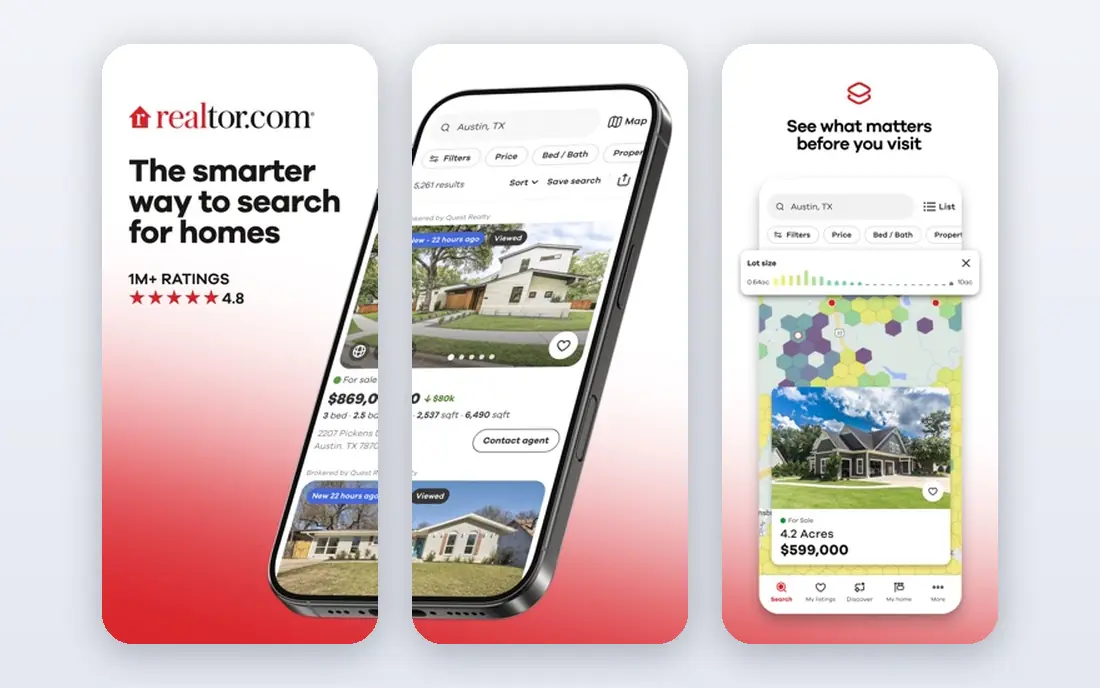
Realtor.com earns its place on listing freshness. Because it draws heavily on direct MLS feeds, status changes often appear faster here than on aggregators, which matters in a fast market where a good home can go under contract in days. School pages, commute estimates, and affordability calculators add useful context for comparing neighborhoods.
The trade-off is breadth: you will see fewer off-market and owner-posted homes than on Zillow. The data-rich pages can also feel dense for a casual browser. Use Realtor.com as your freshness check: when Zillow shows a home you like, confirm it here before you call an agent.
- Direct MLS feeds for fresh listing status
- Deep school, commute, and neighborhood data
- Affordability tools
- Fewer off-market listings than Zillow
- Contact requests go to the listing agent in many cases
- Interface can feel data-heavy
Homes.com has grown into a useful second source, especially for neighborhood research. Video tours and local guides cover many areas, and agent profiles are more detailed than on some rivals, which helps when you are choosing who to contact. Its stated approach of sending inquiries toward the listing agent appeals to buyers who want to reach the person handling the sale.
Homes.com still trails Zillow in overall audience and in some markets in listing depth, so it works best as a companion app rather than your only search. Use it to cross-check a neighborhood, watch area videos, and compare agent profiles before you reach out.
- Neighborhood video tours and local insight
- Detailed agent profiles
- Contact goes toward the listing agent
- Smaller audience and history than Zillow
- Listing depth varies by market
- Fewer advanced search tools in some areas
Trulia, part of Zillow Group, focuses on what a neighborhood feels like to live in. Its "What Locals Say" reviews, lifestyle filters, and maps for schools and crime help early-stage buyers compare areas before they fixate on a single home. That context is valuable when you are moving to a city you do not know well.
Because Trulia shares much of its listing feed with Zillow, it adds less as a second listing source than Realtor.com does. Resident reviews are also subjective, so treat them as color, not fact, and verify school and safety data from official sources. Use Trulia to narrow neighborhoods, then search for homes with a fresher source.
- Resident reviews and neighborhood lifestyle filters
- School and crime context
- Saved searches and alerts
- Shares much of its feed with Zillow
- Listing freshness can lag the MLS
- Neighborhood reviews are subjective
Compass suits buyers who already work with, or plan to work with, a Compass agent in a major metro. Listings look polished, collections and notes make it easy to share shortlists with your agent, and the app supports the back-and-forth of tours, feedback, and offers. In Compass-heavy cities, that collaboration feels smoother than a generic portal.
Outside those metros, Compass adds less. If no Compass agent covers your area, the app is still a decent search tool, but its main advantage fades. Choose Compass when your agent is on Compass and you want one shared workspace for the search.
- Polished listings with rich photos and data
- In-app collaboration with a Compass agent
- Strong in major metro markets
- Strength varies sharply by city
- Most useful once you work with a Compass agent
- Smaller reach in rural markets
Rocket Homes pairs home search with a mortgage path through Rocket Mortgage, which suits buyers who want search, agent matching, and pre-approval in one flow. The app guides first-time buyers through steps, from budget to offer, and that structure helps when the process feels overwhelming.
The honest catch is independence: a lender linked to the search app may not offer your best mortgage terms, so compare at least two other lenders before committing. Use Rocket Homes for search and for understanding the steps, but shop your mortgage separately. That combination gives you convenience without giving up comparison.
- Nationwide listings with agent matching
- Links to Rocket Mortgage pre-approval
- Guided buying steps
- Financing tie-ins may steer you toward one lender
- Compare mortgage offers independently
- Listing freshness varies
Movoto, now part of Lower, offers a clean MLS-based search that some buyers prefer to the busier pages of larger portals. The interface stays focused on the home, the map, and the key facts, which helps when you scan dozens of listings a day. Agent connections and lender links are available when you are ready to move from browsing to buying.
Movoto lacks the neighborhood depth of Trulia and the scale of Zillow, so it works best as a tidy daily search app alongside a freshness check. If you find large portals noisy, Movoto is a calm alternative worth adding to your phone.
- MLS-based search with a clean interface
- Agent and lender connections
- Improving search and app experience
- Smaller brand presence than the largest portals
- Coverage and features vary by market
- Fewer neighborhood extras
StreetEasy is essential for New York City and almost irrelevant elsewhere, which is exactly why it belongs here. Its building pages, floor plans, listing history, and NYC-specific filters cover co-ops, condos, and rentals in a way national portals do not. Buyers in the city use it to research buildings, compare units, and track price changes over time.
If you are not buying in New York City, skip StreetEasy entirely. If you are, install it first and use national apps only as a backup. No general portal matches its building-level depth in that one market.
- Deepest New York City listing and building data
- Building pages with floor plans and history
- NYC-specific filters
- Only useful for New York City
- Limited value outside that market
- Some premium features need a paid plan
How we picked these
We compared official app pages, listing sources, and public feature lists for home buying apps available in the US in 2026. We favored apps with broad or deep listing coverage, saved searches and alerts, tour booking or agent connections, and a free browsing tier. We did not buy a home with each app, and we note where listing freshness, fees, or coverage vary by market instead of presenting one app as best everywhere.
What to check before you tour
Start with pre-approval, not just browsing. A lender pre-approval clarifies your budget, strengthens an offer, and prevents wasted tours of homes outside your range. Compare mortgage offers from more than one lender, and ask about total monthly cost, including taxes, insurance, and any association fees, not just the loan rate.
Next, verify every home you like on two sources. Check listing status, price history, days on market, and sold comparisons, and ask your agent to confirm details the portal may miss, such as pending offers or needed repairs. Photos can flatter a home, so a tour, and ideally a second visit at a different time of day, matters more than a polished listing page.
Finally, research the neighborhood beyond the app. Visit at commute times, check school and safety data from official sources, and talk to future neighbors if you can. An app can show you a home, but only time on the ground shows you the street, the noise, and the daily routine that come with it.
Frequently asked questions
What is the best home buying app?
The best home buying app for most buyers is Zillow for widest search, paired with Realtor.com for fresh MLS status. Redfin suits buyers in its markets who want fast tour booking with its own agents. Use two apps together rather than relying on one feed.
What is the best house app for first-time buyers?
Redfin and Rocket Homes suit first-time buyers well, because both guide the process and connect search with agents and mortgage steps. Zillow and Realtor.com remain useful for search and comparison. Get pre-approved early, compare lenders, and use an agent you trust for offers and contracts.
Are home buying apps free?
Yes, browsing, saved searches, and alerts are free on Zillow, Redfin, Realtor.com, Homes.com, Trulia, Compass, Rocket Homes, Movoto, and StreetEasy. Agent commissions, lender fees, and closing costs still apply to a purchase itself, so free browsing does not mean a free home purchase.
Which app has the most accurate listings?
Realtor.com is often cited for fresh MLS-driven status, while Zillow offers the widest range including off-market homes. No portal is perfect in every market, so cross-check a home you like on two apps and confirm status with an agent before scheduling a tour.
Can I buy a house entirely through an app?
An app can handle search, tours, documents, and communication, but a purchase still involves an agent or attorney, a lender, inspections, appraisals, and closing steps that vary by state. Treat the app as your search and coordination tool, not as a replacement for professional advice on a major financial decision.
Which app is best for New York City?
StreetEasy is the best app for New York City buying, with building pages, floor plans, and listing history that national portals do not match. Buyers outside New York City should use Zillow, Redfin, or Realtor.com instead, since StreetEasy adds little value in other markets.
Sources
See where you really rank - block by block
ProMapRanker scans Google Maps across a grid of your service area. Simple monthly plans from $19, white-label on every plan.
Start freeKeep reading
 wpforms alternatives
Best WPForms Alternatives in 2026
We compare 9 wpforms alternatives for WordPress forms, with free and paid options, current pricing notes, and honest limits for small business sites in 2026.
Read → windows task scheduler alternatives
Best Windows Task Scheduler Alternatives in 2026
Looking for Windows Task Scheduler alternatives? We compare 9 schedulers for Windows and cross-platform work, from free tools to enterprise automation.
Read → which ai video service is best
Which AI Video Service Is Best in 2026
which ai video service is best? We compare 10 legitimate AI video services on price, avatars, editing and output quality to help you pick the right tool.
Read →