 ProMapRanker
Best GPS App in 2026: 9 Apps Compared

All-round driving, walking, and transit · Pricing starts at: Free
Key takeaways
- Google Maps is the best all-round GPS app for most people, with Waze as the best free choice for live traffic and hazard alerts.
- Apple Maps suits iPhone users who want a clean, private-by-default navigation experience without extra apps.
- For family tracking, Life360, Find My, and GeoZilla lead, but consent and privacy settings matter more than any feature list.
- Offline maps matter for rural trips and travel abroad: check download limits and expiry before you leave coverage.
Quick comparison
| Pick | Great for | Pricing starts at | Free tier | |
|---|---|---|---|---|
| Google Maps | All-round driving, walking, and transit | Free | Yes | Visit |
 Waze | Live traffic and hazard alerts | Free | Yes | Visit |
 Apple Maps | iPhone navigation with privacy focus | Free | Yes | Visit |
 Life360 | Family location and driving safety | See website | Yes | Visit |
 Find My | Apple device and family location | Free | Yes | Visit |
 Glympse | Temporary location sharing | Free | Yes | Visit |
 Sygic | Offline navigation for drivers | See website | Free trial | Visit |
 TomTom GO | Reliable offline driving navigation | See website | Free trial | Visit |
 GeoZilla | Family location with safety alerts | See website | Yes | Visit |
The best GPS app
We compared official app pages, app store listings, privacy pages, and public reviews to find the best GPS app options for navigation and family tracking. The best tracking app for family use is judged here on consent controls and privacy as well as location accuracy, since a family tracker without clear consent is a poor choice even when it works well.
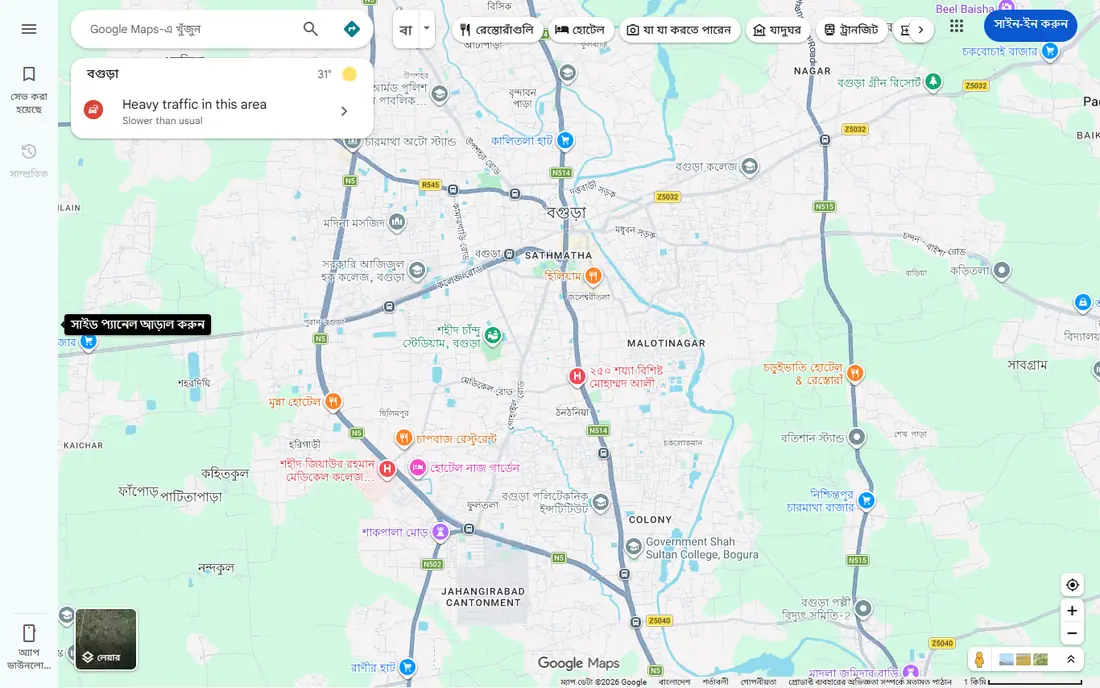
Google Maps is the default answer for most users because it covers the most trip types well. Driving directions include live traffic, walking routes include paths and crossings, and transit directions include schedules and service alerts. Business listings, reviews, and opening hours help at the destination as well as on the road.
Privacy settings deserve a few minutes of attention. Location history, timeline, and ad personalization can be reviewed and limited in account settings, and location sharing should be time-limited unless a family member needs ongoing access. For most trips, Google Maps needs no other navigation app beside it.
- Driving, walking, cycling, and transit directions in one app
- Live traffic and business information
- Offline map downloads
- Location history and data settings need review
- Battery use rises with live navigation
Waze suits drivers who care most about what lies ahead on the road. Other drivers report accidents, hazards, speed traps, road closures, and traffic jams, and Waze reroutes around problems quickly. That community layer is the reason many commuters keep Waze alongside Google Maps.
The focus on driving is also the limit. Walking, cycling, and transit directions are thinner than in Google Maps, and the app shows ads. In rural areas with few Waze users, reports will be sparse, so check coverage on your regular routes before relying on it alone.
- Real-time hazard, police, and traffic reports from drivers
- Fast rerouting around jams
- Free on iPhone and Android
- Ads in the app
- Fewer walking and transit options than Google Maps
- Community reports vary by area
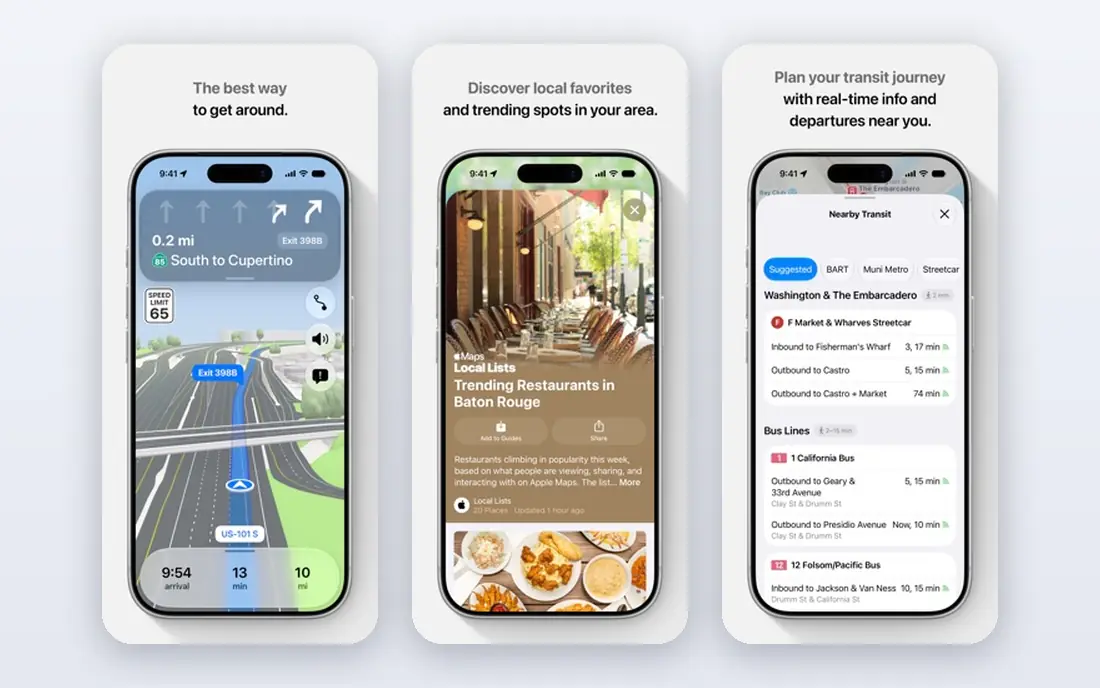
Apple Maps is the natural pick for iPhone users who want navigation without installing another app. Directions, traffic, transit, and guides are built in, and CarPlay integration is smooth. Apple describes its maps data handling as minimizing personal identifiers, which appeals to privacy-conscious users.
The main limit is platform. Apple Maps is not a full Android navigation app, so mixed-device families will need a cross-platform choice for sharing. Business coverage also varies by region, so compare listings for your area if local search matters as much as routing.
- Clean interface and voice guidance
- Built into iPhone, iPad, and CarPlay
- Location data handling is more limited by design in Apple descriptions
- Android users cannot use it as a main app
- Some regions have thinner business data than Google Maps
Life360 is the best-known family tracker, and its Circle model is easy to understand: family members join one Circle, see each other on a map, and receive alerts for places such as home and school. Paid tiers add longer location history, unlimited place alerts, driving reports, crash detection, and roadside help, depending on the plan.
Consent and privacy note: use Life360 only with the clear agreement of every adult in the Circle, and talk with teen family members about what is shared, when, and why. Continuous location sharing can damage trust if it replaces conversation, so agree on alerts and check-in times together. Also review the current privacy policy, since Life360 faced public criticism in past years over data sharing practices, and confirm what data is sold or shared today before subscribing.
- Family Circles with place alerts
- Driving reports and crash detection on paid tiers
- Works on iPhone and Android
- Paid tiers gate most safety features
- Continuous tracking can feel intrusive
- Past data practices drew public criticism
Find My suits Apple households that want simple, free family location sharing. A family member can share location with approved relatives through Family Sharing, and the same app finds iPhones, iPads, AirTags, and other Apple items. There is no subscription for basic location sharing, which keeps the cost at zero.
Consent and privacy note: share location only with family members who have agreed to it, and review sharing settings regularly, especially after a child gets a first phone. Find My includes alerts for unknown AirTags nearby, which helps guard against unwanted tracking. For Android family members, choose a cross-platform tracker instead.
- Free and built into Apple devices
- Family sharing location for approved members
- Device, item, and friend location in one app
- Apple devices only for full use
- Location accuracy depends on device settings and connectivity
Glympse takes a lighter approach to location sharing. Send a Glympse for a set time, such as a drive home or a meetup, and the recipient sees your live location until it expires. No ongoing tracking continues after that window, which many people prefer for friends, deliveries, and short trips.
That temporary model is also the limit. Glympse is not a replacement for a family safety app with place alerts and history. Consent and privacy note: even temporary sharing should be agreed in advance, and the sender should set the shortest time that covers the trip. For a school run or a late arrival, that balance works well.
- Time-limited sharing with no account needed for recipients
- Works across platforms
- Simple ETA sharing for meetups
- Not built for always-on family tracking
- Features depend on the current app version and platform
Sygic suits drivers who travel where mobile signal is weak or expensive. Download maps for a country or region before a trip, then navigate offline with voice guidance, speed limits, and lane help. That offline reliability matters on rural roads, in mountains, and abroad, where roaming data can be costly.
Pricing varies by license and region, so confirm the current price for the map region you need. A free trial or limited free tier lets you test routing on familiar roads first. For daily city driving with good signal, Google Maps or Waze will usually be simpler and free.
- Offline maps for many countries
- Speed limit and safety camera warnings in supported areas
- CarPlay and Android Auto support
- Full features need a paid license
- Map updates and premium features vary by plan
TomTom GO brings a long navigation history to a phone app, with a focus on accurate driving routes and clear guidance. Offline maps cover the trip when signal drops, and lane guidance helps at complex junctions. Drivers who prefer a dedicated navigation feel, rather than a general maps app, often like TomTom GO.
The cost is the main difference from free rivals. Full use needs a paid subscription after a trial, and local business search is thinner than Google Maps. For a driver who values offline reliability and a focused driving interface, that price may be worth it. For most city drivers, a free app will do.
- TomTom traffic and routing heritage
- Offline maps
- Clear lane guidance and speed information
- Subscription needed for full use after trial
- Fewer local search features than Google Maps
GeoZilla is a cross-platform family tracker with place alerts, location history on paid tiers, and safety features for families. It suits a household that wants Life360-style tracking but prefers a different app, or that already uses GeoZilla for other family safety tools. Cross-platform support matters when a family mixes iPhone and Android devices.
Consent and privacy note: agree location sharing with every family member in advance, set clear rules for teens, and review privacy settings and data retention before paying. GeoZilla is smaller than Life360, so check recent app store reviews for your devices before committing, since performance can vary by phone model and operating system version.
- Family location sharing with place alerts
- Safety features for families
- Works on iPhone and Android
- Smaller user base than Life360
- Pricing and premium features vary by store and region
How we picked these
We compared official app pages, app store listings, privacy pages, and public reviews. We favored apps that are actively available in October 2026, that provide real GPS navigation or family location sharing, and that cover free, offline, and family use cases. We did not claim hands-on testing of any app. Where pricing varied by store, region, or plan, we wrote See website. For family trackers, we weighed consent controls and privacy practices alongside accuracy, since those factors decide whether a tracker is suitable for a household.
How to choose a GPS app for your needs
Start with the trip type. Daily drivers need live traffic and fast rerouting, walkers and transit users need paths and schedules, and travelers need offline maps. No single app leads on every trip type, so many users keep two apps: one for daily driving and one for walking, transit, or offline travel.
Next, check offline and battery behavior. Download maps for your region before a rural or overseas trip, and test navigation with your usual battery and car setup. An app that drains a phone quickly, or that needs signal for every reroute, will fail on the trip where it matters most.
Family tracking with consent and privacy
Family tracking works best as an agreement, not as surveillance. Talk with every person tracked about what will be shared, which places trigger alerts, and how long history is kept. For children, explain the safety reason, set an age-appropriate level of sharing, and revisit the agreement as they grow older. Adults should never be tracked without their clear consent, and location data should never be used to control or pressure a family member.
Check privacy settings on any family tracker before paying. Review what data is collected, how long it is kept, whether it is sold or shared with third parties, and how to delete an account and its history. Turn off sharing you do not need, use time-limited sharing where possible, and keep the app updated so security fixes apply.
Frequently asked questions
What is the best GPS app for driving?
Google Maps is the best all-round driving app, with live traffic, rerouting, and business information in one place. Waze is the best free choice when live hazard and traffic reports matter most. Apple Maps is a strong free choice for iPhone drivers who prefer a clean, built-in app.
What is the best tracking app for family use?
Life360 is the best-known family tracker, with Circles, place alerts, and driving safety features, while Find My suits Apple-only households for free. GeoZilla is a cross-platform alternative with family alerts. The best tracking app for family use is the one every family member agrees to, with clear privacy settings and consent.
Is there a good free GPS app with offline maps?
Yes. Google Maps allows offline map downloads for regions, and Sygic and TomTom GO offer offline navigation with trials or paid licenses for full use. Download maps before you travel, and check download size and expiry, since offline maps can expire and need refreshing.
Can I share my location temporarily without a family tracker?
Yes. Google Maps and Glympse both support time-limited location sharing with chosen contacts. Set the shortest time that covers the trip, and stop sharing when you arrive. Temporary sharing suits meetups, airport pickups, and late arrivals without ongoing tracking.
Do family GPS apps drain battery?
Yes, continuous location sharing uses more battery than occasional navigation, especially with high-accuracy settings. Keep the app updated, allow location only while using it where possible for navigation, and use battery settings that suit your phone. For family tracking, a lower update frequency can save battery while still showing useful locations.
How accurate is phone GPS tracking?
Phone GPS is usually accurate to a few meters outdoors with a clear sky view, but accuracy drops indoors, in car parks, and between tall buildings. Wi-Fi and cell signals help in cities, while rural areas may show larger errors. If a tracker shows a stale or drifting location, check permissions, battery optimization, and signal before assuming the app is broken.
Sources
See where you really rank - block by block
ProMapRanker scans Google Maps across a grid of your service area. Simple monthly plans from $19, white-label on every plan.
Start freeKeep reading
 free alternatives to grok imagine
Free Alternatives to Grok Imagine in 2026
We compared the best free alternatives to grok imagine for image generation, from fast daily credits to design tools, so you can create without paying.
Read → best tools for instagram content creation
Best Tools for Instagram Content Creation in 2026
Compare the best tools for Instagram content creation, from Canva and CapCut to Later and Buffer, on design, video, planning, scheduling, and price in 2026.
Read → best tool to split pdf files
Best Tool to Split PDF Files in 2026
We compared the best tool to split pdf files on split modes, file limits, privacy and price, so you can split a PDF cleanly and keep every page in one go.
Read →