 ProMapRanker
Best GLP-1 Tracking Apps in 2026

Key takeaways
- A dedicated GLP-1 tracker fits weekly injections better than a general pill reminder, because it follows dose changes, injection sites, and side effects over months.
- Shotsy, GlucoPal, Glapp, GLP Pal, and Pep all offer useful free core tracking, so most people can start without paying.
- Medication level charts in these apps are estimates based on published half-life data, not measurements of drug levels in your body.
- The best app for GLP-1 tracking is the one you will open every week, with reminders and a record you can show your clinician.
- This article is general information only and is not medical advice. Talk to your clinician about dosing, side effects, and any change to your treatment.
Quick comparison
| Pick | Great for | Pricing starts at | Free tier | |
|---|---|---|---|---|
 Shotsy | Detailed dose and injection site tracking | Free | Yes | Visit |
 Jabby | Weekly injection routines for major brands | See website | Yes | Visit |
 GLPMate | Medication level estimates with AI-assisted logging | Free | Yes | Visit |
 Dose AI | Daily logging of shots, food, and symptoms | Free | Yes | Visit |
 GlucoPal | Simple tracking with PDF reports for appointments | Free | Yes | Visit |
 Glapp | Supply tracking alongside doses and symptoms | Free | Yes | Visit |
 GLP Pal | Private tracking with no account required | Free | Yes | Visit |
 Pep | Nutrition and progress tracking in many languages | Free | Yes | Visit |
 My GLP Shot | Local-first tracking with lab and measurement notes | Free | Yes | Visit |
The best GLP-1 tracking apps
Weekly medication routines are easy to lose track of, especially when doses change over time. The apps below focus on that weekly rhythm, with room for weight, side effects, and notes for appointments.
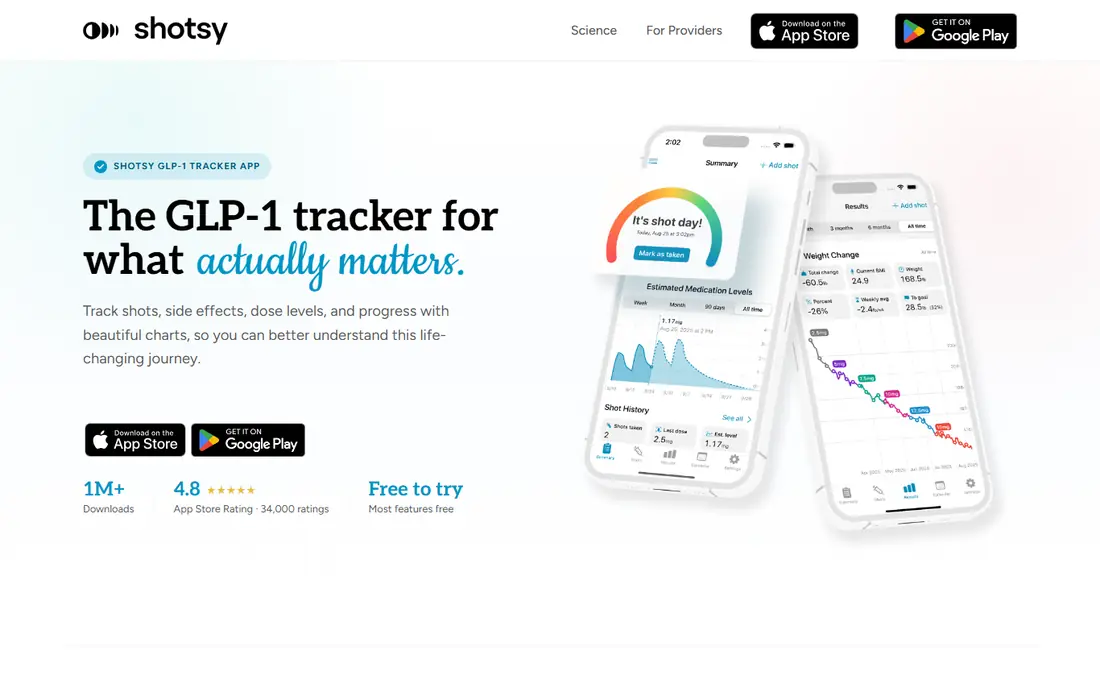
Shotsy is our pick for most people who want a complete GLP-1 record without a complicated setup. It covers dose logging for major GLP-1 medications, reminders, injection site rotation, side effects, and weight tracking, with core features free on iPhone and Android. The medication coverage is broad, which matters when a prescriber switches a patient from one brand to another or changes a dose during titration.
The export option is the practical advantage here. A clean PDF report of doses, side effects, and weight is far easier to discuss at an appointment than a phone full of screenshots. Shotsy also offers charts by injection site and by dosage, which can help a patient describe patterns rather than guessing from memory. The trade-off is that the deepest analytics are paid, so a free user gets strong tracking but not every chart. For most weekly routines, that free core is enough to start.
- Free core dose logging
- Injection site rotation
- Doctor-ready exports
- Some advanced charts sit behind a paid tier
- Account setup takes a few minutes
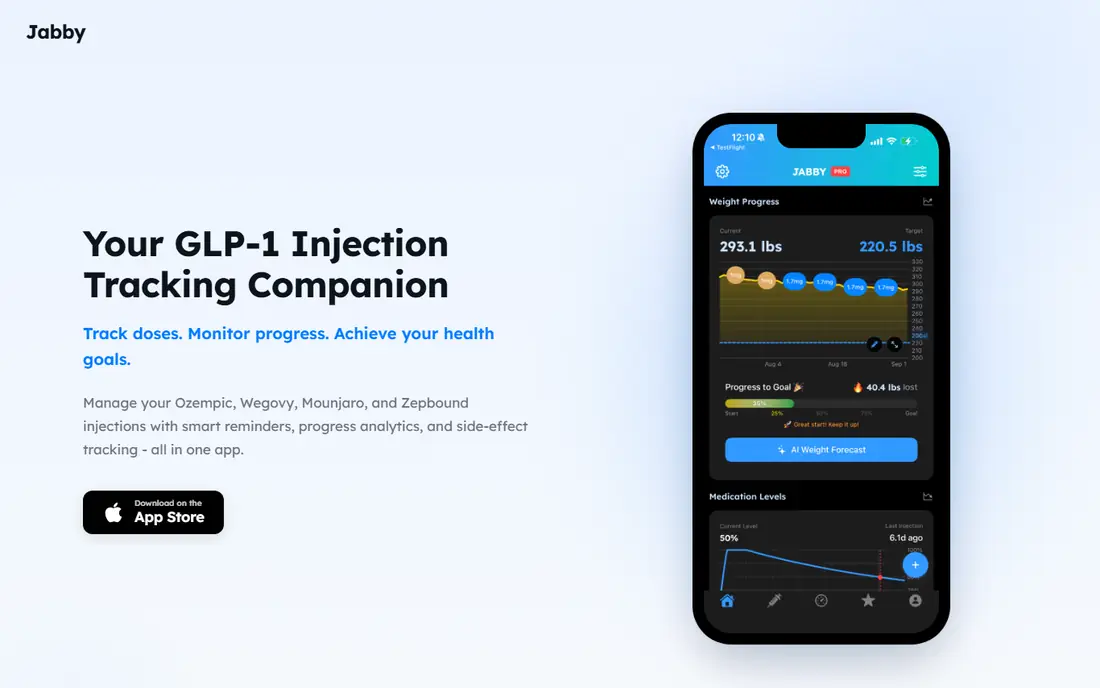
Jabby takes a narrow approach, and that narrow focus is its strength. It is built around injectable medications such as Ozempic, Wegovy, Mounjaro, and Zepbound, rather than trying to cover every kind of prescription. Dose escalation management follows each titration step, so a user can see where they are in a schedule instead of keeping that detail in a notebook.
The interactive injection site rotation map is a small feature with real value. Rotating sites matters for comfort, and a visual map makes it harder to repeat the same spot week after week. Jabby also supports provider reports, weight tracking through Apple Health, and side effect logging tied to specific medications. People who mainly need a reliable weekly routine, not a full food diary, will find this focus welcome.
- Built only for injectable weight and diabetes medications
- Dose escalation tracking
- Visual injection site map
- Focused scope means less nutrition depth than general health apps
- Pricing varies by store listing
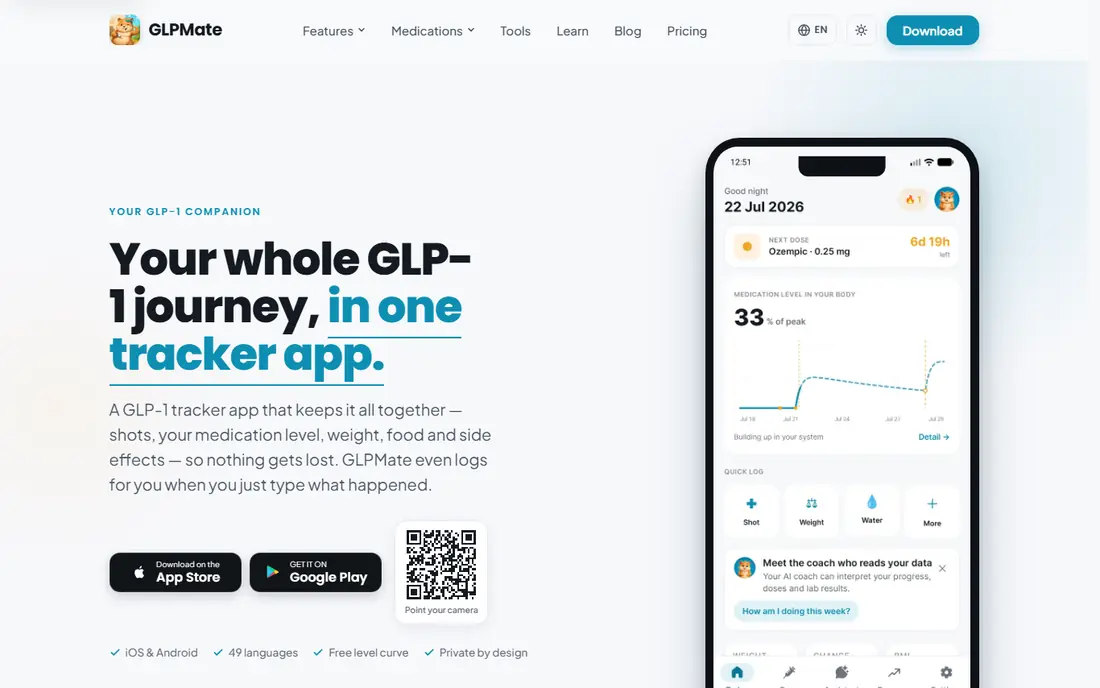
GLPMate stands out for its medication level chart, which is free and models estimated levels from published pharmacology data for each product. That chart helps explain why appetite or side effects may shift across a week, though it remains an estimate and never a measurement. The app supports injectable and oral options, including compounded semaglutide and tirzepatide, plus switches between products without losing the timeline.
The AI assistant is the other draw. A user can type a plain sentence about a meal or a morning weigh-in, and the assistant prepares the entry for confirmation. Nothing is saved until the user approves it, which keeps control with the user. Premium adds the assistant, doctor reports, nutrition tracking, and cloud backup. If you like seeing a curve across the week and you want fast logging, GLPMate is a strong free starting point.
- Free medication level chart
- AI assistant for quick entries
- Broad medication support
- Premium features cost $7.99 per month or $44.99 per year
- AI entries still need user confirmation
Dose AI keeps injections, food, water, symptoms, and weight in one daily log, which makes patterns easier to spot. A rough patch in the two days after a dose increase, for example, shows up next to what was eaten and how much water was logged. That combined view is more useful than separate notes in different apps, especially when preparing questions for a clinician.
The app is free to download, and core tracking for shots, food, water, symptoms, and weight works without paying. Premium AI insights are available by subscription for people who want deeper personalization. Dose AI also rotates injection sites and reminds users when the next shot is due. It is a good fit for people who want one daily habit rather than a set of single-purpose tools.
- Free core tracking
- Food, water, and symptom logs in one timeline
- Site rotation reminders
- Premium AI insights require a subscription
- IOS focus in its main listing
GlucoPal keeps the interface clean and the core job clear: remember dose days, rotate sites, connect side effects to treatment changes, and watch weight progress. It supports a wide medication list, including Mounjaro, Zepbound, Wegovy, Ozempic, Rybelsus, Saxenda, Victoza, and Trulicity, plus compounded options. No account is required, and the app states it does not sell data.
The estimated medication level model uses logged doses and published absorption and half-life data, with a clear note that it is an educational estimate, not a blood measurement. GlucoPal Pro creates a PDF report with organized dose, side effect, and weight history for appointments. Despite its name, the company notes it is not a blood glucose or CGM management app. For a patient who wants a calm, simple tracker, GlucoPal is easy to recommend.
- Free core tracking
- Estimated medication levels
- PDF reports with Pro
- Pro pricing varies by offer
- Some users may want deeper nutrition tools
Glapp covers doses, injection sites, symptoms, appetite, weight, and supply in one place. Supply tracking is the detail that sets it apart. Knowing how many doses remain, and when a refill is due, prevents the awkward gap where a weekly shot is missed because a vial ran out. Weight can sync from a smart scale through Apple Health and Health Connect, which keeps weigh-ins consistent.
The app is subscription funded and states it does not sell or monetize personal data. Core tracking is free, while Glapp Max adds extended features at $9.99 per month or $39.99 per year. As with other trackers, medication level and shot phase displays are estimates for tracking and education, not clinical measurements. People who like to watch supply, symptoms, and weight together will get the most from Glapp.
- Free core tracking
- Vial and supply tracking
- Weight sync through health apps
- Glapp Max costs $9.99 per month or $39.99 per year
- Medication level displays are estimates
GLP Pal is the privacy-first choice in this list. It requires no account, and health data stays on the device rather than being linked to an identity. Shot logging, reminders, weight tracking, and side effect logging are free. Users can create custom medication names and dosages, manage more than one medication, and switch without losing history.
The limitation is platform coverage. GLP Pal is currently an iPhone app, with no Android version yet, so Android users should pick another option here. GLP Pal Pro adds extended chart periods, detailed injection site tracking, and unlimited side effect history. For an iPhone user who wants a simple tracker and cares most about keeping health data on the phone, this is a thoughtful fit.
- No account required
- Data stays on device
- Free shot, reminder, and side effect logging
- IPhone only at present
- Pro adds extended charts and unlimited history
Pep supports many GLP-1 medications, including Ozempic, Wegovy, Zepbound, Mounjaro, and Rybelsus, plus compounded options, for both injections and pills. It logs shots and pills, injection site rotation, weight, progress photos, side effects, and protein, fiber, calorie, and water intake. That nutrition layer matters for people whose clinicians ask about protein intake during weight loss.
The app is free to download, with optional premium features for advanced tracking and insights, and it is available in 10 languages. Health data is not shared with advertisers or ad networks, according to the company. Pep suits a user who wants food and progress tracking next to dose tracking, and who may share the phone language setting with family members who help with care.
- Free download
- Tracks shots, pills, weight, photos, and nutrition
- Available in 10 languages
- Core tracking requires a subscription for full use in some listings
- Premium features are optional extras
My GLP Shot is built for users who want control over their data and their schedule. It is local-first by default, supports custom dosing schedules including microdose and split-dose patterns, and lets users log labs such as A1C and lipids in Premium, plus body measurements. A mixing calculator for compounded peptides, with vial and dose detail, is another specialist feature that general trackers do not offer.
Premium costs $19.99 per year and adds lab tracking, body measurements, and doctor sharing through an encrypted link plus PDF. The app is open source, which some privacy-minded users will value. The trade-off is a smaller user base than Shotsy or Jabby, so community tips are thinner. For a user with a nonstandard schedule or a strong interest in keeping data local, My GLP Shot earns its place.
- Local-first by default
- Custom dosing schedules
- Lab tracking in Premium
- Smaller community than the largest apps
- Some features need Premium at $19.99 per year
How we picked these
We compared official product pages, app store listings, and public feature descriptions for dedicated GLP-1 trackers, and we favored apps that cover weekly doses, injection sites, side effects, and weight in one record. We checked free tiers and published premium prices, and we left out generic pill reminders that do not follow titration or weekly schedules. We did not claim hands-on testing, and we treated medication level charts as estimates throughout. Where pricing varied by store offer, we wrote See website or used the published example and noted the variation.
What to check before you choose a GLP-1 tracker
Start with platform and privacy. Check that the app runs on your phone, that it syncs with your health app if you want automatic weigh-ins, and that you understand where data is stored. An app that needs an account may offer backup and sync across devices, while an on-device app may keep data private but harder to restore after a phone change.
Next, check the weekly workflow. The app should remind you on dose day, record the dose and site in a few taps, and let you add a side effect with a severity note. If titration is part of your plan, confirm the app follows dose steps rather than forcing a fixed dose. A good test is to log a missed dose, a dose increase, and a site change, then see whether the history still reads clearly.
Then look at reports and exports. A PDF or CSV export that a clinician can read in under a minute is worth more than a long list of charts. Check whether exports include side effects and weight next to doses, since that context is what turns a log into a useful appointment note. Finally, confirm cost before committing. Free core tracking covers most needs, so pay only when a specific premium feature, such as a doctor report or unlimited history, solves a real problem for you.
Frequently asked questions
What is the best app for GLP-1 tracking?
There is no single winner for every person. Shotsy is a strong general choice for detailed tracking and exports, GLPMate suits people who want a free medication level estimate, and GLP Pal suits iPhone users who want on-device privacy. Pick the one whose reminders and history view you will actually use each week.
Can a GLP-1 tracker tell me my exact medication level?
No. Apps estimate levels from your logged doses and published half-life data. These estimates can help you understand patterns across a week, but they are not blood measurements and they must not be used to change a dose or schedule. Follow your prescriber's instructions for any dose decision.
Is there a free GLP-1 tracker app?
Yes. Shotsy, GLPMate, Dose AI, GlucoPal, Glapp, GLP Pal, and Pep all offer free core tracking, and My GLP Shot offers a free tier. Premium tiers add features such as doctor reports, extended history, or AI insights, but weekly dose, site, and weight logging is free in most of these apps.
Do GLP-1 tracker apps work on Android?
Most do, including Shotsy, GLPMate, Dose AI, GlucoPal, Glapp, and Pep. GLP Pal is currently iPhone only, so Android users should choose another app from this list. Check the current store listing before downloading, since platform support can change.
Should I use a dedicated GLP-1 app instead of a calorie counter?
A calorie counter can help with food logging, but it rarely follows weekly injections, titration, injection sites, and medication-specific side effects. A dedicated tracker handles the medication routine, and it can sit next to a food app if you need both. Many people start with the tracker and add food logging only if their clinician asks for it.
Is tracking data safe to share with my doctor?
Sharing a summary with your own clinician is a normal use for these apps, and PDF or CSV exports are built for that purpose. Read the privacy policy first, check whether data is stored on your device or in an account, and avoid sharing full exports in public groups or social posts. Keep the shared record focused on doses, side effects, and weight.
Sources
See where you really rank - block by block
ProMapRanker scans Google Maps across a grid of your service area. Simple monthly plans from $19, white-label on every plan.
Start freeKeep reading
 wpforms alternatives
Best WPForms Alternatives in 2026
We compare 9 wpforms alternatives for WordPress forms, with free and paid options, current pricing notes, and honest limits for small business sites in 2026.
Read → windows task scheduler alternatives
Best Windows Task Scheduler Alternatives in 2026
Looking for Windows Task Scheduler alternatives? We compare 9 schedulers for Windows and cross-platform work, from free tools to enterprise automation.
Read → which ai video service is best
Which AI Video Service Is Best in 2026
which ai video service is best? We compare 10 legitimate AI video services on price, avatars, editing and output quality to help you pick the right tool.
Read →