 ProMapRanker
Best Gantt Chart Software in 2026

Key takeaways
- TeamGantt and GanttPRO are the most Gantt-focused picks, with timelines as the main view.
- Asana, monday.com, and ClickUp suit teams that also need tasks, boards, and reporting.
- Smartsheet suits spreadsheet-minded teams that want strong project controls.
- Check whether Gantt, dependencies, and baselines are included in the plan you buy, since some vendors gate them.
Quick comparison
| Pick | Great for | Pricing starts at | Free tier | |
|---|---|---|---|---|
 TeamGantt | Scheduling by dragging bars | $59 per month | Yes | Visit |
 monday.com | Visual teams that need boards and timelines | $12 per seat per month | Yes | Visit |
 Asana | Cross-functional teams and repeatable work | $10.99 per user per month | Yes | Visit |
 Smartsheet | Spreadsheet-minded teams with controls | $9 per member per month | No | Visit |
 ClickUp | Maximum features per dollar | $7 per user per month | Yes | Visit |
 Wrike | Configurable workflows and reporting | $10 per user per month | Yes | Visit |
 GanttPRO | Solo planners and small teams on a budget | $7 per user per month | No | Visit |
 Zoho Projects | Cost-sensitive teams in the Zoho suite | $4 per user per month | Yes | Visit |
The best gantt chart software for most people
We compared official pricing pages, feature lists, and public reviews to build this list. The picks below cover different budgets and workflows, so the right choice depends on what you publish, how often, and what you are willing to pay. Start with the comparison table, then read the two or three entries that match your main job.
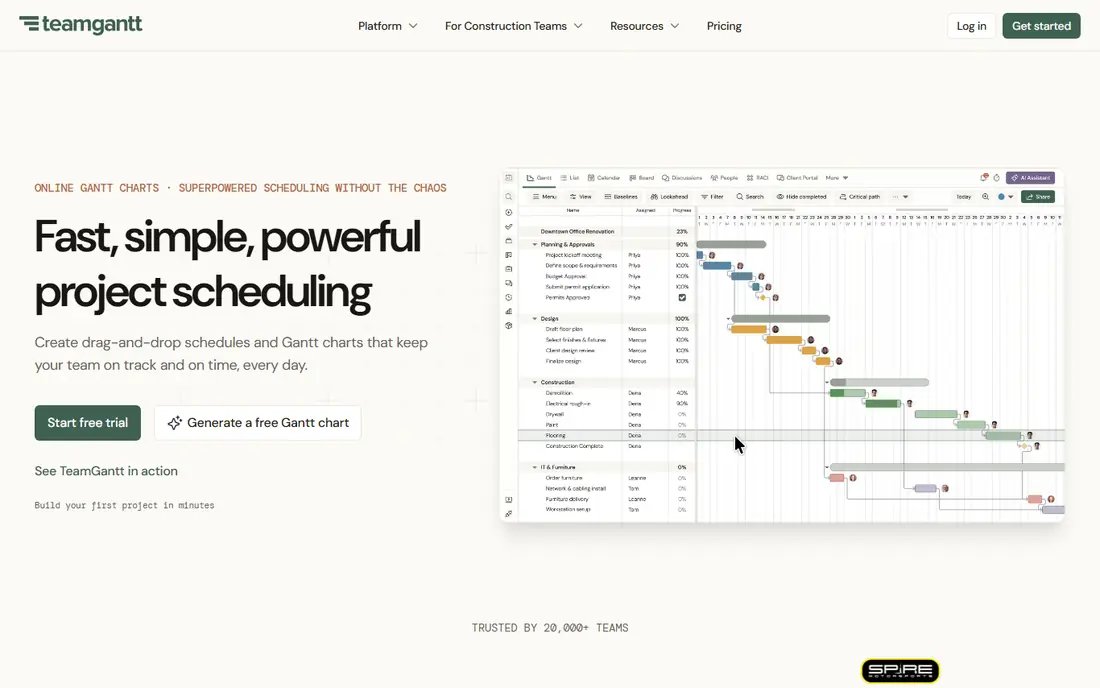
TeamGantt keeps the timeline front and center. Its strength is clarity. You build a schedule by dragging bars, setting dependencies, and grouping tasks, without wading through unrelated work tools. The trade-off is breadth. It is a scheduling tool first, so teams that need docs, boards, and automations may need another app alongside it. A typical project is to list tasks, set dates and owners, link dependencies, and share the chart with the team. Pick TeamGantt if your main job is building and sharing a readable project timeline.
- Gantt-first design
- Easy drag-and-drop
- Baselines on higher plans
- Flat monthly pricing can cost more for tiny teams
- Fewer general work tools
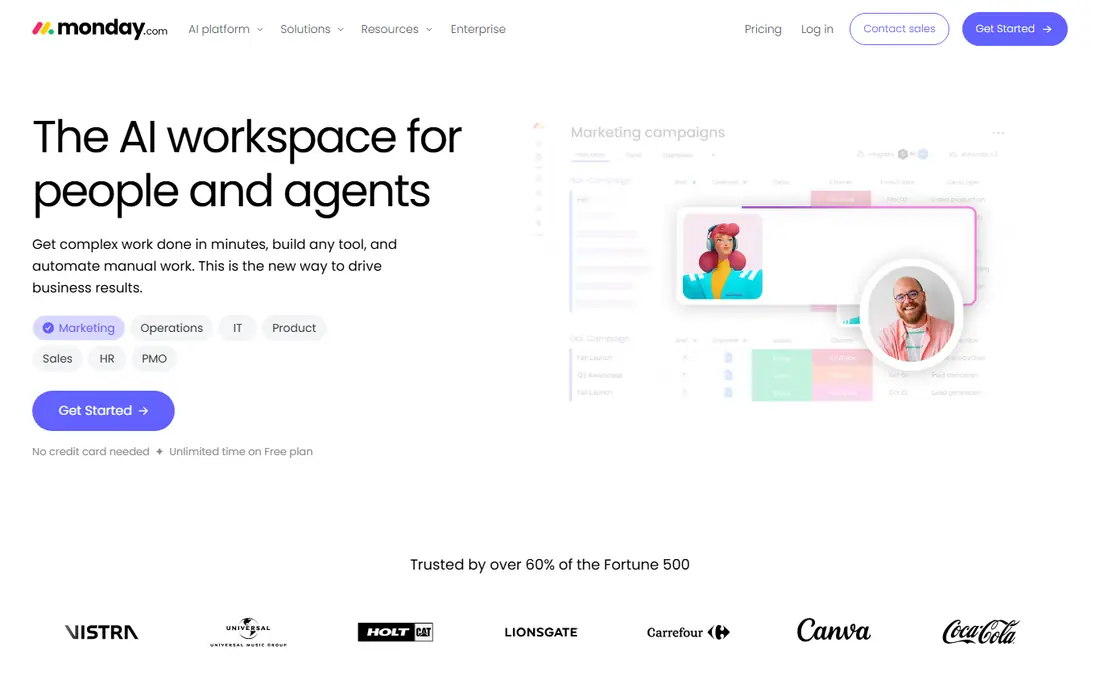
monday.com is the visual all-rounder. Its strength is ease. Boards are easy to set up, and Timeline and Gantt views turn the same work into a schedule without rebuilding it. The trade-off is packaging. Gantt views start at Standard, and paid plans have a seat minimum, so small teams should check the total cost. A typical project is to build a board, add dates and owners, switch to Gantt view, and automate status updates. Pick monday.com if you want a visual workspace where Gantt is one view among boards, calendars, and dashboards.
- Visual boards
- Gantt and timeline views from Standard
- Automations
- Three-seat minimum on paid plans
- Gantt is not on the cheapest paid plan

Asana is the coordination pick. Its strength is structure. Projects, portfolios, and goals help cross-functional teams run repeatable processes with clear owners and deadlines. The trade-off is gating. The timeline view that works like a Gantt chart is on paid plans, so free users get lists and boards only. A typical project is to set up tasks and milestones, view them on a timeline, and track progress across a portfolio. Pick Asana if you coordinate work across teams and want timelines plus portfolios and goals.
- Timeline view
- Portfolios and goals
- Strong templates
- Gantt-style timeline needs a paid plan
- Advanced features need higher tiers
Smartsheet is the spreadsheet-native pick. Its strength is control. A familiar grid turns into Gantt, card, and calendar views, with formulas, reports, and dashboards for managers. The trade-off is learning. The depth that helps large projects can feel heavy for a simple timeline, and there is no ongoing free plan. A typical project is to build a sheet, add dates and predecessors, switch to Gantt view, and share a dashboard with stakeholders. Pick Smartsheet if your team thinks in rows and columns and needs real project controls.
- Grid plus Gantt views
- Baselines and critical path on higher plans
- Strong reporting
- No free plan, only a trial
- Viewer and member roles need care
ClickUp is the value pick. Its strength is breadth. Tasks, docs, goals, dashboards, and time tracking sit in one workspace, and the free plan covers many members. The trade-off is complexity. With so many views and settings, a simple Gantt project can take longer to set up than in a Gantt-first tool. A typical project is to create tasks, set dependencies, switch to Gantt view, and track time and progress in the same workspace. Pick ClickUp if you want many features for a low per-user price and do not mind learning a larger tool.
- Free plan for unlimited members
- Gantt on paid plans
- Docs, goals, and time tracking
- Gantt needs a paid plan
- Breadth can feel busy for simple timelines
Wrike is the structured workflow pick. Its strength is configuration. Workflows, custom fields, and reports can match how a team already works, and Gantt views show the schedule clearly. The trade-off is setup. Getting the most from Wrike takes planning, so very small teams may prefer a simpler timeline tool. A typical project is to define a workflow, assign tasks, view the Gantt chart, and report on progress and workload. Pick Wrike if you need configurable workflows, proofing, and reporting alongside Gantt charts.
- Gantt from Team plan
- Proofing and reporting
- Configurable workflows
- Gantt needs a paid plan
- Setup can be involved for small teams
GanttPRO is the budget Gantt pick. Its strength is focus at a low price. All plans include Gantt features, resource views, and baselines, which many rivals gate behind higher tiers. The trade-off is breadth. It is a project scheduling tool first, so teams that need docs and broad collaboration may need another app. A typical project is to build tasks and milestones, set dependencies, check resource load, and export the chart for stakeholders. Pick GanttPRO if you want full Gantt features without paying for a large all-in-one platform.
- Full Gantt features on all plans
- Resource load
- Baselines and critical path
- No free plan, only a trial
- Fewer general collaboration tools
Zoho Projects is the low-cost suite pick. Its strength is price. Entry plans are low, and the tool covers tasks, milestones, time tracking, and Gantt views for teams already using Zoho. The trade-off is gating. Gantt views start at Premium, and baselines are limited to Enterprise, so check the plan that matches your needs. A typical project is to create tasks and milestones, track time, view the Gantt chart, and share reports with the team. Pick Zoho Projects if budget matters, you use Zoho apps, and you need a solid project tool with Gantt views.
- Low entry price
- Gantt on Premium and above
- Zoho integrations
- Gantt needs Premium or above
- Baselines only on Enterprise
How we picked these
We checked each vendor official feature page, pricing page, and app store listing where available, and we read privacy policies and public reviews for context. We only listed products that are available in October 2026 and that truly fit the topic. Where a price could not be confirmed as a single public figure, we wrote See website rather than guessing. We did not claim hands-on testing, and we treated free plans, trials, and paid tiers as different things, since they often are. We also weighed fit over fame. A well-known tool that does not match the topic was left out, and a smaller tool that does the job well was kept in. Prices change, so check the vendor site before you buy, and test the free plan or trial on a real task before committing to a paid plan. A final check matters as much as the feature list. Read the plan limits for seats, storage, exports, and monthly credits, and confirm how support works when something goes wrong. A tool that fits your budget but caps the exact job you do every day will cost more in workarounds than a slightly pricier plan that covers that job. Keep notes from your trial, compare the total at your real team size, and only then choose a plan that you can keep for at least a year.
How to choose Gantt chart software
Start with how complex your projects are. A simple timeline with start dates and owners needs a different tool than a multi-phase program with dependencies, milestones, and resource loads. Check four features before you buy: drag-and-drop bars, dependencies between tasks, milestones, and a baseline or critical path view. Also check who can view the chart for free. Some tools charge for every viewer, while others offer free viewers or guests. Test the tool on a real project with at least 30 tasks, not a demo with five tasks. That test will reveal whether the timeline stays readable, whether dependencies are easy to set, and whether reporting shows what managers need. Finally, check integrations with your calendar, files, and time tracking tools. Set a review date after the first month. Check whether you used the paid features, whether the reports or exports matched what you needed, and whether anyone on your team struggled with the tool. If the answer is no on two of those points, try the next pick on your shortlist before the renewal date. A good tool should feel easier after a month, not harder, and it should save time on the jobs you repeat most often.
Frequently asked questions
What is a Gantt chart?
A Gantt chart is a horizontal bar chart that shows tasks, start and end dates, and progress over time. It helps teams see the schedule, overlaps, and which tasks depend on others.
Is there free Gantt chart software?
Yes. ClickUp, Asana, monday.com, and Wrike offer free plans, though Gantt views may be limited to paid plans in some cases. TeamGantt offers a free plan for one project.
Which Gantt tool is best for small teams?
TeamGantt and GanttPRO are good for small teams that want a clear timeline first. ClickUp and monday.com are better if you also need boards, docs, and automations in the same workspace.
Do I need baselines and critical path?
For simple projects, no. For larger projects with deadlines and dependencies, baselines show if you are ahead or behind plan, and critical path shows which tasks drive the finish date.
Can I import an existing project plan?
Most tools support import from spreadsheets or other project tools, and some support Microsoft Project files. Check import options before you migrate a large plan.
Sources
See where you really rank - block by block
ProMapRanker scans Google Maps across a grid of your service area. Simple monthly plans from $19, white-label on every plan.
Start freeKeep reading
 best resource management software
Best Resource Management Software in 2026
We compared the best resource management software for scheduling, capacity and utilization, with current pricing and free trials, to help teams choose well.
Read → best reporting tools
Best Reporting Tools in 2026
Compare the best reporting tools for dashboards, scheduled reports, and business insights, from Power BI and Tableau to Looker Studio for every team size.
Read → best remote support software
Best Remote Support Software in 2026
Looking for the best remote support software? We compare 9 tools on price, security, session controls, and fit for helpdesks, MSPs, and small teams in 2026.
Read →