 ProMapRanker
Best Free Website Visitor Tracking Tools in 2026


free traffic depth for any site · Pricing starts at: Free
Key takeaways
- Google Analytics remains the free default for traffic depth, while Microsoft Clarity is the free default for heatmaps and session replays.
- Matomo and Umami suit teams that want to own their data, with free self-hosted options beside paid cloud plans.
- Free limits differ: some tools cap pageviews, others cap events, and a few are free with no stated traffic limit.
- Privacy rules still apply on free plans, so add a consent banner where cookies or tracking require one.
Quick comparison
| Pick | Great for | Pricing starts at | Free tier | |
|---|---|---|---|---|
| Google Analytics | free traffic depth for any site | Free | Yes | Visit |
 Matomo | teams that want to own their analytics data | Free | Yes | Visit |
 Microsoft Clarity | free heatmaps and session replays | Free | Yes | Visit |
 Clicky | real time visitor streams for small sites | $9.99 per month | Yes | Visit |
 Statcounter | simple visitor logs for small sites | See website | Yes | Visit |
 PostHog | product analytics plus web analytics in one | Free | Yes | Visit |
 Mixpanel | funnels and retention for product teams | Free | Yes | Visit |
 Cloudflare Web Analytics | privacy friendly traffic stats without cookies | Free | Yes | Visit |
 Umami | developers who want a light self-hosted tracker | Free | Yes | Visit |
 GoatCounter | personal sites and open source projects | Free | Yes | Visit |
The best free website visitor tracking tools
We compared official feature pages, pricing pages and public documentation for 10 tools that fit this topic, and we kept only products that exist and work today. Our pick for most readers is in the list below, but the right choice depends on your budget, your team size and the job you need done first.
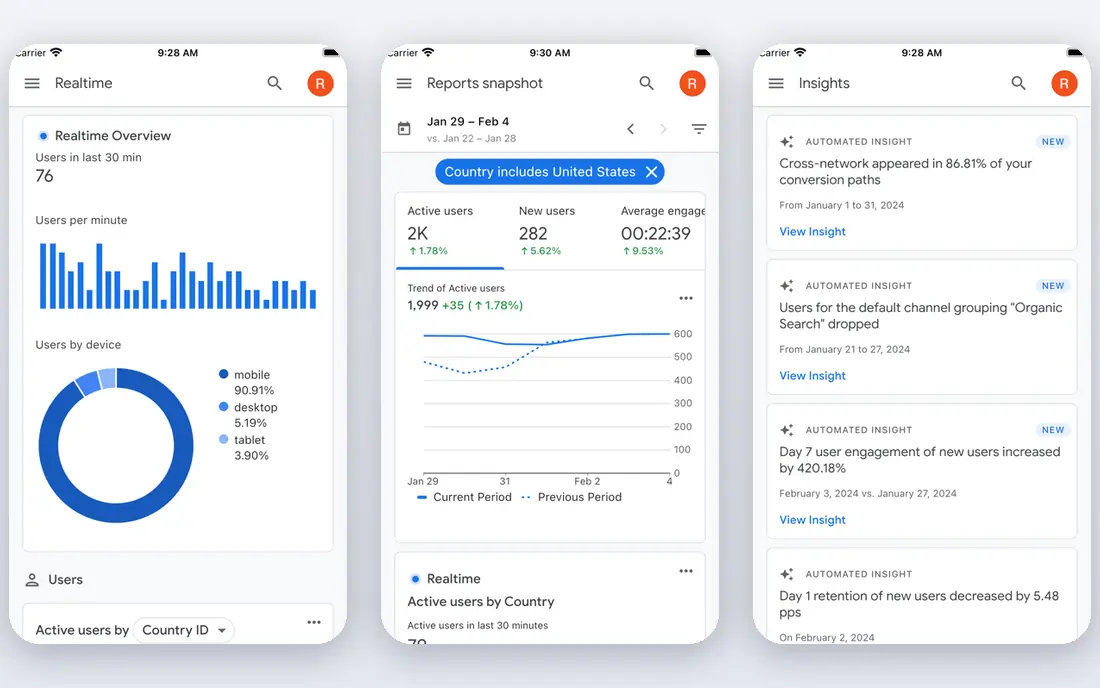
For teams that need this, free traffic depth for any site, Google Analytics deserves a close look. Google Analytics is the baseline free tracker, because it answers traffic, source and conversion questions that simpler tools do not even ask. The strengths that stood out in its official pages are deep traffic and conversion reporting; google ads link; bigquery export on standard properties.
The trade-off is steep learning curve; cookie consent needed in many regions; data sampling on large explorations. Before you pay, check the data retention setting for your property on the vendor site, and run the tool on one real project or campaign for at least a week. A short trial on real work tells you more than any feature page.
- Deep traffic and conversion reporting
- Google Ads link
- BigQuery export on standard properties
- Steep learning curve
- Cookie consent needed in many regions
- Data sampling on large explorations
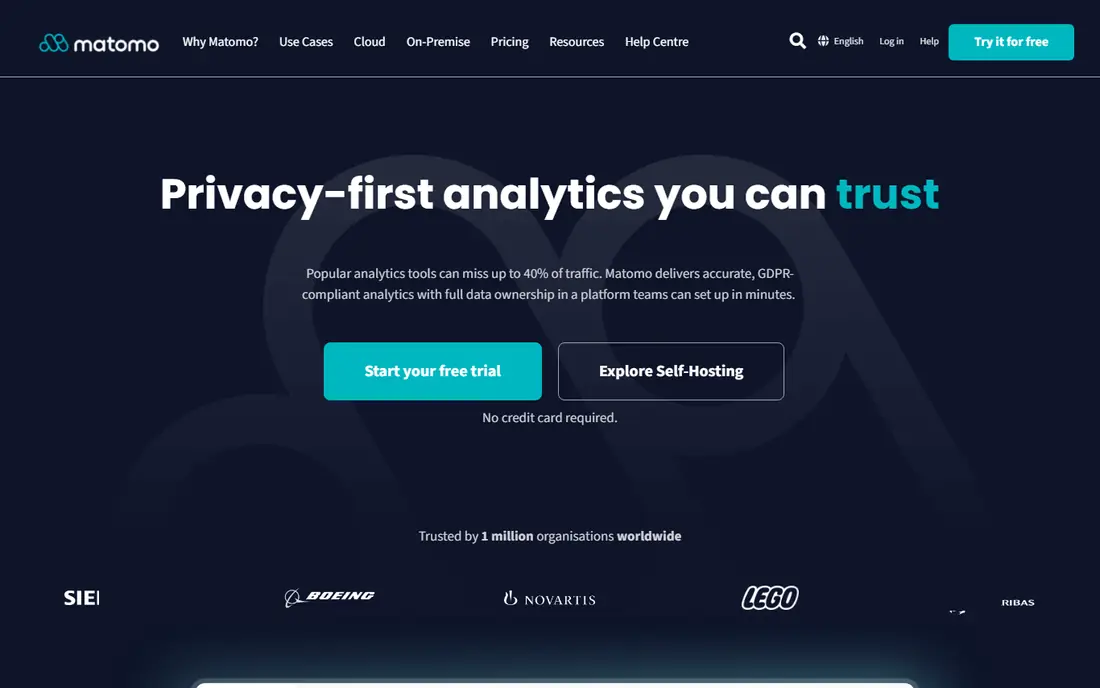
If your main job is this, teams that want to own their analytics data, Matomo deserves a close look. Matomo is the free choice for teams that do not want visitor data sitting on a third party platform, since the self-hosted version runs on your own server. The strengths that stood out in its official pages are self-hosted version is free; privacy focused reports; no data sampling on your own install.
The trade-off is self-hosting needs server work; cloud pricing is paid; some features need add-ons. Before you pay, check whether you will self-host or use the paid cloud version on the vendor site, and run the tool on one real project or campaign for at least a week. A short trial on real work tells you more than any feature page.
- Self-hosted version is free
- Privacy focused reports
- No data sampling on your own install
- Self-hosting needs server work
- Cloud pricing is paid
- Some features need add-ons
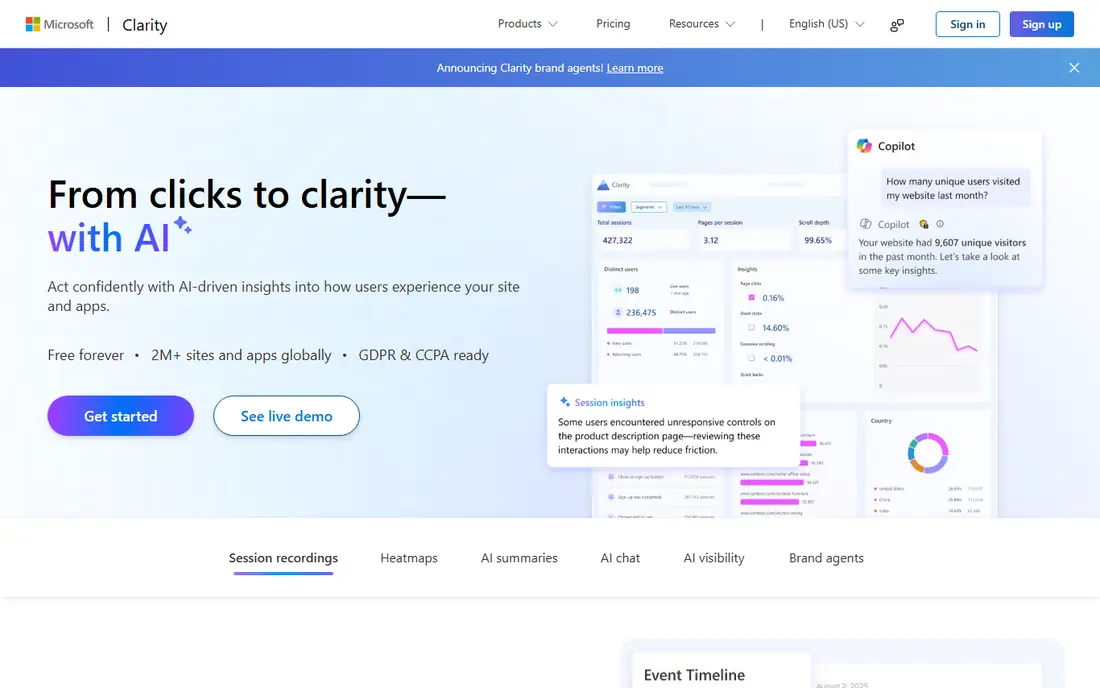
Start here when free heatmaps and session replays, Microsoft Clarity deserves a close look. Microsoft Clarity is the easiest free win in this list, because heatmaps and replays show why visitors leave a page in a way traffic numbers cannot. The strengths that stood out in its official pages are free heatmaps and replays with no stated traffic limit; simple setup; filters for rage clicks and dead clicks.
The trade-off is it is a behaviour tool, not a full traffic suite, so pair it with a traffic tracker. Before you pay, check the masking settings for sensitive form fields before launch on the vendor site, and run the tool on one real project or campaign for at least a week. A short trial on real work tells you more than any feature page.
- Free heatmaps and replays with no stated traffic limit
- Simple setup
- Filters for rage clicks and dead clicks
- It is a behaviour tool, not a full traffic suite, so pair it with a traffic tracker
A practical choice for real time visitor streams for small sites, Clicky deserves a close look. Clicky suits small site owners who like watching visitors arrive in real time, with reports that stay readable without a training course. The strengths that stood out in its official pages are real time visitor view; simple reports; heatmaps on higher plans.
The trade-off is free plan caps daily pageviews; interface feels older than rivals. Before you pay, check the free daily pageview cap for your traffic level on the vendor site, and run the tool on one real project or campaign for at least a week. A short trial on real work tells you more than any feature page.
- Real time visitor view
- Simple reports
- Heatmaps on higher plans
- Free plan caps daily pageviews
- Interface feels older than rivals
For a team that wants this, simple visitor logs for small sites, Statcounter deserves a close look. Statcounter is a plain, dependable log of who visited and from where, which is enough for many small sites that do not need funnels. The strengths that stood out in its official pages are simple visitor logs; easy install; long running free tier for small sites.
The trade-off is free plan caps monthly sessions; advanced features sit on paid plans. Before you pay, check the free monthly session limit on your plan on the vendor site, and run the tool on one real project or campaign for at least a week. A short trial on real work tells you more than any feature page.
- Simple visitor logs
- Easy install
- Long running free tier for small sites
- Free plan caps monthly sessions
- Advanced features sit on paid plans
When the brief is this, product analytics plus web analytics in one, PostHog deserves a close look. PostHog is the free pick for product teams, because web analytics, funnels, replays and feature flags live in one account. The strengths that stood out in its official pages are generous free event allowance; funnels, replays and feature flags; open source core.
The trade-off is setup is heavier than a simple tracker; event based thinking takes learning. Before you pay, check the free monthly event allowance and what counts as an event on the vendor site, and run the tool on one real project or campaign for at least a week. A short trial on real work tells you more than any feature page.
- Generous free event allowance
- Funnels, replays and feature flags
- Open source core
- Setup is heavier than a simple tracker
- Event based thinking takes learning
This one earns a place for funnels and retention for product teams, Mixpanel deserves a close look. Mixpanel fits teams that care about what users do after they arrive, such as signup, activation and return visits, rather than raw pageviews alone. The strengths that stood out in its official pages are strong funnel and retention reports; generous free event allowance; easy event tracking.
The trade-off is traffic reporting is less complete than google analytics; paid pricing is usage based. Before you pay, check the free event allowance and the paid usage rates on the vendor site, and run the tool on one real project or campaign for at least a week. A short trial on real work tells you more than any feature page.
- Strong funnel and retention reports
- Generous free event allowance
- Easy event tracking
- Traffic reporting is less complete than Google Analytics
- Paid pricing is usage based
Cloudflare Web Analytics
Great for: privacy friendly traffic stats without cookies
For buyers focused on this, privacy friendly traffic stats without cookies, Cloudflare Web Analytics deserves a close look. Cloudflare Web Analytics is a clean free layer for sites that want basic traffic numbers without cookie banners or heavy scripts. The strengths that stood out in its official pages are free and privacy focused; no cookies by default; simple traffic reports.
The trade-off is no session replays or funnels; best value when a site already uses cloudflare. Before you pay, check whether your site already runs behind Cloudflare on the vendor site, and run the tool on one real project or campaign for at least a week. A short trial on real work tells you more than any feature page.
- Free and privacy focused
- No cookies by default
- Simple traffic reports
- No session replays or funnels
- Best value when a site already uses Cloudflare
A solid option when developers who want a light self-hosted tracker, Umami deserves a close look. Umami is the minimalist free tracker, with a dashboard that a non-analyst can read in seconds and a self-hosted version that costs nothing but server time. The strengths that stood out in its official pages are lightweight and open source; simple dashboard; free self-hosted option.
The trade-off is cloud plan is paid; feature set is narrower than google analytics. Before you pay, check whether you will self-host or pay for the cloud version on the vendor site, and run the tool on one real project or campaign for at least a week. A short trial on real work tells you more than any feature page.
- Lightweight and open source
- Simple dashboard
- Free self-hosted option
- Cloud plan is paid
- Feature set is narrower than Google Analytics
Close the shortlist with personal sites and open source projects, GoatCounter deserves a close look. GoatCounter suits personal sites and small projects that want honest traffic numbers without tracking visitors across the web. The strengths that stood out in its official pages are free hosted tier for personal use; privacy friendly; no cookies by default.
The trade-off is designed for smaller sites; advanced product analytics are out of scope. Before you pay, check the free tier terms for commercial versus personal use on the vendor site, and run the tool on one real project or campaign for at least a week. A short trial on real work tells you more than any feature page.
- Free hosted tier for personal use
- Privacy friendly
- No cookies by default
- Designed for smaller sites
- Advanced product analytics are out of scope
How we picked these
We compared official feature pages, pricing pages, app store listings and public documentation, and we removed products that had shut down, changed direction, or no longer fit the topic. We did not claim hands-on testing that did not happen, and we wrote See website wherever a current price could not be confirmed from the vendor.
We also weighed fit over fame. A well known tool that misses the core job for this topic did not make the list, while a smaller tool that does that job well did. Prices change often, so confirm the current plan terms before you buy.
How to choose a free tracker without slowing your site
Pick one traffic tracker and, at most, one behaviour tool. Google Analytics plus Clarity covers most small sites, while Matomo or Umami covers teams that want to own their data. Adding a third script rarely adds insight, but it always adds page weight.
Check the free limit in your own units. A pageview limit, an event limit and a session limit are not the same, and a busy blog can hit a pageview cap while a product app hits an event cap first. Compare last month real numbers with the limit before launch.
Set up privacy before traffic grows. Turn on masking for sensitive fields, decide on cookie consent, and write down how long data is kept. Fixing privacy after a site grows is harder than setting it correctly on day one.
Frequently asked questions
What is the best website visitor tracking software for a small business?
Google Analytics for traffic depth plus Microsoft Clarity for behaviour is the strongest free pair. A small business gets both traffic numbers and a view of how visitors actually use each page.
Are free analytics tools really free?
Most are free up to a limit, such as pageviews or events per month, and charge beyond it. Check the limit against your real traffic, not against a demo site, before relying on a free tier.
Do I need a consent banner for free tracking?
It depends on the tool and your visitors location. Cookie based trackers usually need consent in the European Union and similar regions, while cookieless tools may not. Check the tool docs and local rules for your audience.
Can I use two trackers at once?
Yes, and many sites do. A traffic tracker plus a behaviour tool is a common pair, but avoid stacking three or four scripts, since each one slows the page.
When should I pay for analytics?
Pay when you hit a free limit, need longer data retention, or need features such as funnels, exports or team seats that free plans do not include. Until then, a free tier is usually enough.
Sources
See where you really rank - block by block
ProMapRanker scans Google Maps across a grid of your service area. Simple monthly plans from $19, white-label on every plan.
Start freeKeep reading
 wpforms alternatives
Best WPForms Alternatives in 2026
We compare 9 wpforms alternatives for WordPress forms, with free and paid options, current pricing notes, and honest limits for small business sites in 2026.
Read → windows task scheduler alternatives
Best Windows Task Scheduler Alternatives in 2026
Looking for Windows Task Scheduler alternatives? We compare 9 schedulers for Windows and cross-platform work, from free tools to enterprise automation.
Read → which ai video service is best
Which AI Video Service Is Best in 2026
which ai video service is best? We compare 10 legitimate AI video services on price, avatars, editing and output quality to help you pick the right tool.
Read →