 ProMapRanker
Best Free Bookmarks Apps in 2026

Key takeaways
- Raindrop.io has the strongest free tier for visual bookmarking, with unlimited bookmarks and collections.
- Instapaper suits pure reading, while Diigo suits research with highlights and notes.
- Pocket closed in July 2025, so older lists that still recommend it are out of date.
- Self-hosted tools such as Wallabag, Karakeep and Linkwarden are free to run, but they need basic technical setup.
- Export your bookmarks early, because two well-known read-later services have closed in recent years.
Quick comparison
| Pick | Great for | Pricing starts at | Free tier | |
|---|---|---|---|---|
 Raindrop.io | Visual bookmarking | Free | Yes | Visit |
 Instapaper | Distraction-free reading | Free | Yes | Visit |
 Diigo | Research and annotation | Free | Yes | Visit |
 Toby | Saving open tabs | Free | Yes | Visit |
 Start.me | Visual start page | Free | Yes | Visit |
 Wallabag | Self-hosted reading | Free | Yes | Visit |
 Karakeep | Self-hosted bookmarks | Free | Yes | Visit |
 Linkwarden | Self-hosted link archive | Free | Yes | Visit |
The best free bookmarks apps
A good bookmark app does more than save a link. It helps you find that link again, whether it is a recipe, a research paper, a product page or an article you meant to read. These eight apps all offer a free way to save and organize links, with different strengths for visual collections, reading, research and self-hosting. We compared current pricing pages, free-tier guides and product pages for October 2026, and we left out Pocket, which closed in July 2025.
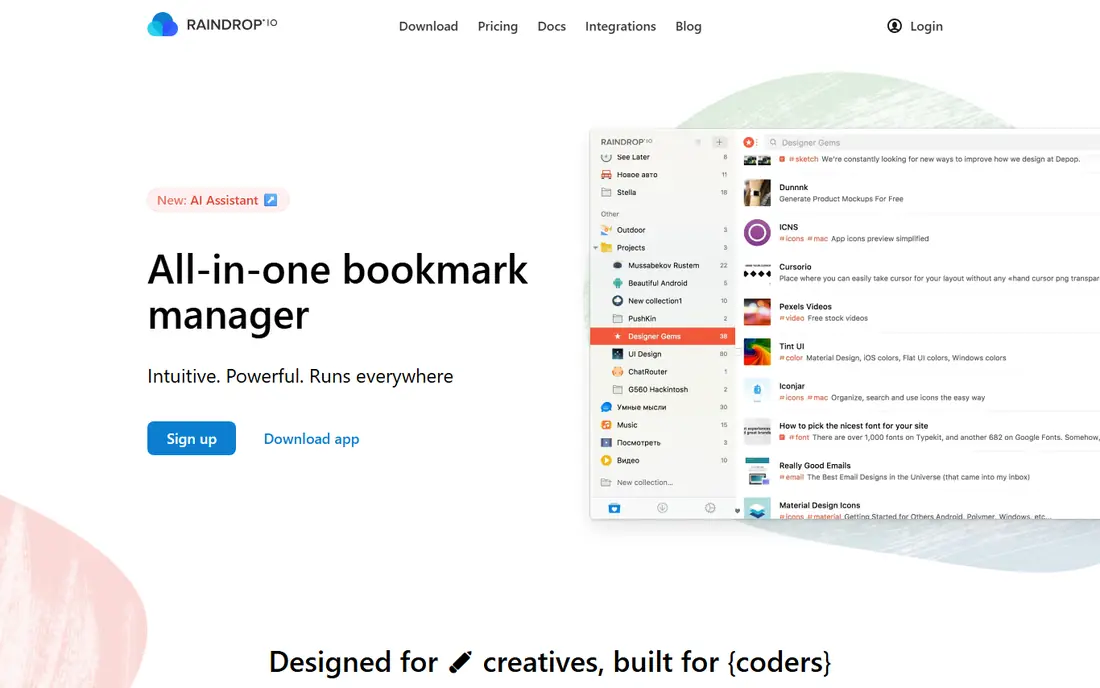
Raindrop.io is our pick for most people because its free plan is genuinely useful. You can save unlimited bookmarks across unlimited devices, organize them into collections, add tags, and view them as a grid, list or masonry layout. Thumbnails make a large collection easy to scan, which helps when you save links across work, recipes, design ideas and reading.
The app works on web, desktop and mobile, with browser extensions for Chrome, Safari, Firefox and Edge. Sharing collections with others is simple, and import tools help you move bookmarks from a browser or another service. File uploads on the free plan are capped at 100 MB per month, which is enough for occasional saves but not for a large file archive.
Pro adds full-text search, a permanent library, annotations, reminders, duplicate and broken link checks, and larger uploads. Recent pricing guides list Pro at about $3 per month billed yearly, though the vendor site is the final source. If you mainly save and organize links, the free plan may be all you need.
- Unlimited bookmarks and collections on the free plan
- Visual layouts with thumbnails
- Apps and browser extensions
- Full-text search and permanent copies need Pro
- Nested collections are deeper on Pro
Instapaper suits readers who save articles and want a calm place to read them later. Saved pages open in a clean view without ads, sidebars and pop-ups, and you can adjust text size and background for comfortable reading. Offline access means a saved article is available on a plane or a train without a connection.
The free account covers saving, reading, highlights and notes, and it works on web and mobile. Speed reading tools and text-to-speech help when you want to get through a long piece faster. Kindle support also suits readers who prefer an e-reader for long articles.
The limit is organization. Instapaper is a reading queue first, not a visual bookmark manager with nested collections and rich tags. If you save many kinds of links, pair Instapaper with Raindrop, and use Instapaper for the articles you actually plan to read.
- Clean reading view
- Offline reading
- Highlights and notes
- Bookmark organization is simpler than Raindrop
- Best for articles rather than all link types
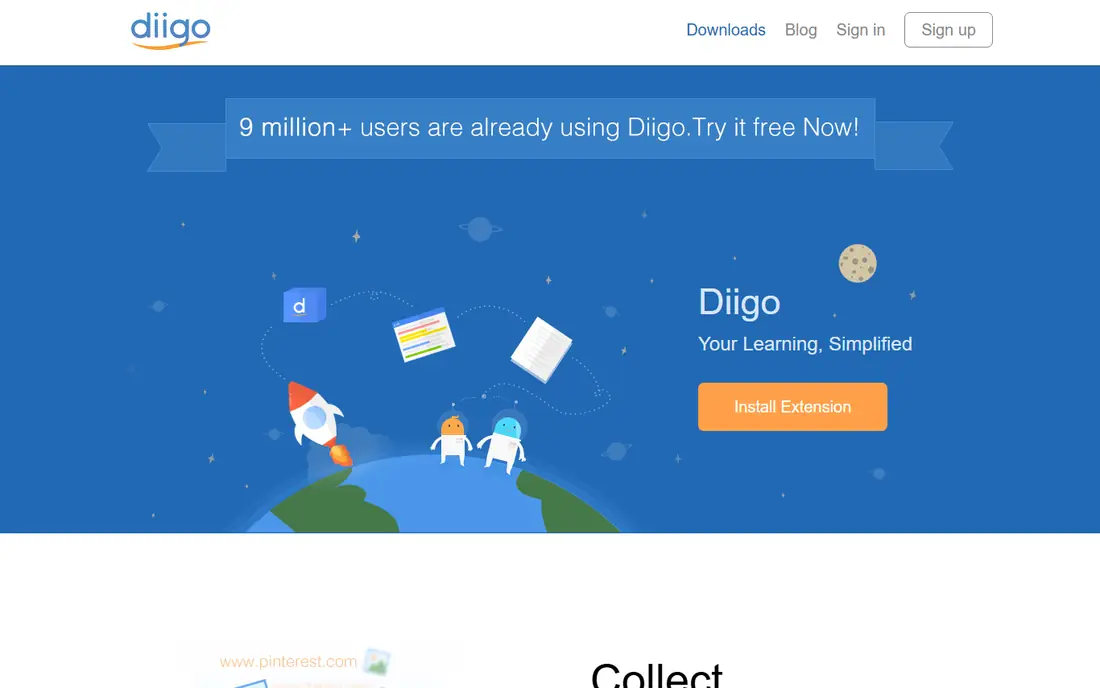
Diigo is built for research. You can highlight text on a web page, add sticky notes, and save the annotated page to a cloud library. An outliner lets you organize highlights and notes into a structured research base, which helps for essays, reports and long projects.
Sharing suits students and teams. You can share a library with classmates or colleagues, and group features support collaborative research. Browser extensions make saving and annotating fast, without leaving the page you are reading.
The free plan has limits that matter for heavy researchers. Recent pricing guides note caps on cloud bookmarks and highlights over a lifetime on the free tier, with unlimited use on paid plans from $40 per year for Standard. Check the current limits before you build a large research library on the free plan.
- Highlights and sticky notes on web pages
- Outliner for research
- Cloud library and sharing
- Free plan caps cloud bookmarks and highlights
- Interface feels busier than simpler tools
Toby solves a specific problem: too many open tabs. With one click, you can save all open tabs as a collection, close the browser window, and restore the session later. That makes it useful for research sessions, shopping comparisons and project work that spans many pages.
Collections are easy to organize by topic, and you can drag tabs between collections or share a collection with others. The free plan covers core tab saving and organization, which is enough for most personal use. Paid team plans add collaboration and admin features.
The limit is scope. Toby is strongest in the browser, and it is not a replacement for a full bookmark manager with mobile apps, file uploads and deep search. Use it when tab overload is your main problem, and pair it with Raindrop when you need a permanent library.
- Turns open tabs into saved collections
- Easy restore of a whole session
- Simple drag and drop
- Browser extension focus, not a full mobile bookmark manager
- Team features need a paid plan
Start.me turns bookmarks into a start page you see each time you open a browser. You can arrange links as visual tiles, add widgets for news, weather, notes and tasks, and group pages by topic. That layout suits people who want quick access to daily sites, work tools and reading lists in one place.
The free plan covers core bookmarking and start page features, with a Pro tier for advanced options. Sharing a start page with a team or a class is simple, and import tools help you move bookmarks from a browser. Custom backgrounds and layouts let you shape the page to your workflow.
The catch is style. A visual dashboard feels helpful to some users and busy to others. If you prefer a plain list, Raindrop or Instapaper may suit you better. If you like seeing everything at a glance, Start.me is a strong free choice.
- Bookmarks as a visual start page
- Widgets for news, notes and tasks
- Easy sharing
- Start page focus may feel busy for minimalists
- Advanced features need Pro
Wallabag is the option nobody can shut down, because you host it yourself. It is open source software for saving articles to read later, with tagging, search, and export options. If you run it on your own server, your library stays under your control, and you are not tied to a vendor's pricing or closure.
Import tools support Pocket exports and other formats, which helped many users after Pocket closed. The reading view is clean, and you can save articles from a browser extension or mobile app. Hosting costs vary, but the software itself is free.
The honest limit is setup. Self-hosting needs basic comfort with a server, updates and backups. Managed hosting exists for users who do not want to run a server, but that version may cost money. If you value ownership and can handle setup, Wallabag is a strong free choice.
- Open source and self-hosted
- No vendor lock-in
- Import from Pocket and other services
- Self-hosting needs basic server setup
- Interface is functional rather than polished
Karakeep is a newer open source bookmark manager for people who want a self-hosted library with a modern feel. You can save links, organize them with tags and lists, and search your collection from web and mobile. Automatic summaries and previews help you recall why you saved a link.
Because it is open source, you can run it on your own server and keep full control of your data. That appeals to users who want a permanent library without depending on a commercial service. Development is active, and the project documents self-hosting options.
The limit is maturity. Karakeep is newer than Wallabag, so its community and import tools are still growing. Check the current documentation for import, backup and mobile support before you move a large library. For a fresh self-hosted start, it is worth a look.
- Open source and self-hosted
- Fast saving with tags and lists
- Modern interface for a self-hosted tool
- Self-hosting needs setup and maintenance
- Smaller community than older tools
Linkwarden focuses on preserving links, not just listing them. When you save a page, it can keep an archived copy, so a link still works even if the original page changes or disappears. Collections, tags and search help you organize a growing archive for research or reference.
That preservation matters for long projects. A bookmark that points to a dead page is useless, while an archived copy keeps the content available. Linkwarden also supports collaboration, so teams can share collections and maintain a shared reference library.
The trade-off is storage and setup. Archiving pages uses disk space, and self-hosting needs a server and regular backups. If you only need quick links, Raindrop is simpler. If you want a lasting archive you control, Linkwarden earns its place.
- Open source and self-hosted
- Preserves page content
- Collections and tags
- Self-hosting needs setup
- Archiving many pages uses storage
How we picked these
We compared current bookmark manager guides, vendor pricing pages and open source project pages for October 2026. We kept only tools with a free option that covers real daily use, including self-hosted tools where the software itself is free. We left out Pocket and Omnivore hosted services, which have closed, and we left out paid-only tools even when they are popular for reading. We did not claim hands-on testing, and we based free-tier details on vendor pages and recent guides.
How to move bookmarks without losing them
Start by exporting what you already have. Most browsers and bookmark apps offer an HTML export, and that file is your safety net. Save a copy outside the app, and check that the export opens and contains your links before you delete anything.
Next, choose one main library and one reading queue. A manager such as Raindrop can hold everything, while Instapaper or Wallabag can hold articles you plan to read soon. That split keeps your permanent library clean and your reading list short.
Finally, test search and export in the new app. Save ten links, tag them, search for one, and export the set. If any step fails, you will learn it early, when the library is still small. Repeat the export each month, so a service change never strands your collection.
Frequently asked questions
Is Pocket still available?
No. Mozilla shut Pocket down on July 8, 2025, and export-only access ended on November 12, 2025. Raindrop.io, Instapaper and Wallabag are common replacements, depending on whether you want collections, reading or self-hosting.
What is the best free bookmark app for most people?
Raindrop.io is the best starting point for most people, because its free plan includes unlimited bookmarks, unlimited collections and apps on many platforms. Add Instapaper if you want a cleaner reading view.
Are self-hosted bookmark apps really free?
The software is free, but you still need a server or hosting to run it. That may cost a small monthly fee for a virtual server, plus time for updates and backups. Managed hosting can remove the setup work, but it usually costs money.
Can I import bookmarks from my browser?
Yes, most tools on this list support import from browsers and from other bookmark services. Use an HTML export from your browser, then check that collections, tags and titles came through correctly.
What is the difference between a bookmark manager and a read-later app?
A bookmark manager focuses on saving and finding links, with collections, tags and search. A read-later app focuses on reading saved articles, with a clean view and offline access. Many tools now do both, but their strengths still differ.
How do I keep bookmarks safe if a service closes?
Export regularly to an open format such as HTML, and keep a copy outside the app. Prefer tools with clear export options, and avoid building a large library in a service that locks exports behind a paid plan.
Sources
See where you really rank - block by block
ProMapRanker scans Google Maps across a grid of your service area. Simple monthly plans from $19, white-label on every plan.
Start freeKeep reading
 free alternatives to grok imagine
Free Alternatives to Grok Imagine in 2026
We compared the best free alternatives to grok imagine for image generation, from fast daily credits to design tools, so you can create without paying.
Read → best tools for instagram content creation
Best Tools for Instagram Content Creation in 2026
Compare the best tools for Instagram content creation, from Canva and CapCut to Later and Buffer, on design, video, planning, scheduling, and price in 2026.
Read → best tool to split pdf files
Best Tool to Split PDF Files in 2026
We compared the best tool to split pdf files on split modes, file limits, privacy and price, so you can split a PDF cleanly and keep every page in one go.
Read →