 ProMapRanker
Best Free Background Animation Software in 2026

Key takeaways
- Blender is the only fully free option here with no watermarks and no export limits, but it takes time to learn.
- Canva and CapCut suit beginners who want templates and fast exports without manual animation work.
- Animaker, Renderforest, Kapwing, and VEED offer templates, but free exports often carry watermarks or limits.
- For a website hero, a looping gradient or particle background often works better than a busy video loop.
- Check commercial use terms before using a free export in client work or monetised videos.
Quick comparison
| Pick | Great for | Pricing starts at | Free tier | |
|---|---|---|---|---|
 Blender | Full control with no watermarks | Free | Yes | Visit |
 Canva | Template backgrounds for beginners | Free | Yes | Visit |
 CapCut | Short video backgrounds | Free | Yes | Visit |
 Animaker | Animated scenes from templates | Free | Yes | Visit |
 Renderforest | Branded intro backgrounds | Free | Yes | Visit |
 Kapwing | Browser video backgrounds | Free | Yes | Visit |
 FlexClip | Simple video backgrounds | Free | Yes | Visit |
 VEED | Online video backgrounds | Free | Yes | Visit |
 Motion.page | Ready made website loops | Free | Yes | Visit |
The best free background animation software
We compared official feature pages, pricing pages, and free-tier limits for tools that create animated backgrounds for videos, websites, and presentations. The list mixes full animation software with template tools, because beginners and experienced creators need different starting points.
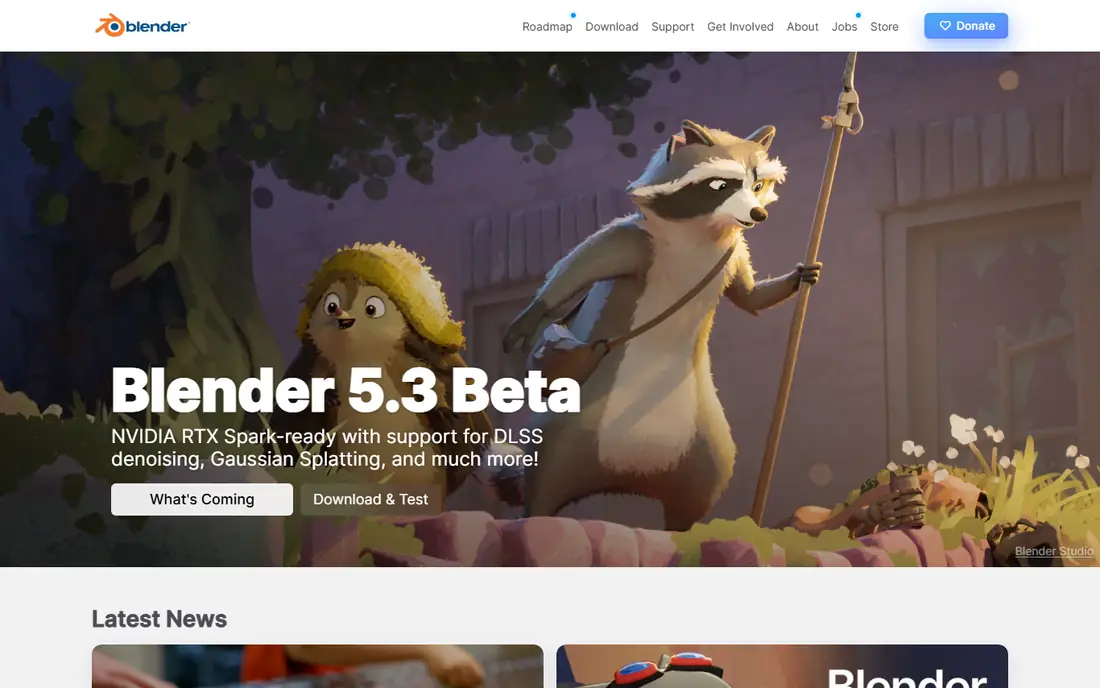
Blender is a full 3D animation and video tool, and it is the strongest free choice if you want complete control. You can build particle fields, gradient scenes, abstract loops, and camera moves, then export at any resolution your hardware can handle. Output is yours, with no watermark and no export cap imposed by the software itself.
The cost is time. Blender is not a template tool, and a first looping background will take longer than a Canva template. It suits creators who plan to reuse backgrounds, learn animation, or need a specific look that templates cannot match.
- Free and open source
- No watermarks
- Any resolution your hardware can render
- Steep learning curve
- Rendering takes time and a capable computer
Canva lets you start from a video template, change colours and text, and export a background for social posts, presentations, or website headers. The drag-and-drop editor is fast, and the template library covers gradients, particles, and abstract motion without any animation skill.
Free exports have limits on resolution and on some premium assets. That is fine for social clips and slides, but check export size before using a Canva background for a large screen or client project. Canva is best when speed matters more than a fully custom animation.
- Large template library
- Easy colour and text edits
- Browser based
- Free video resolution limits
- Some assets need a paid plan
CapCut is built for short-form video, and its background tools fit that use well. You can apply animated backgrounds, effects, and transitions to clips for social platforms, then export in common aspect ratios. The mobile app is handy when you edit on a phone, and the desktop app suits longer sessions.
Paid features sit behind some templates and effects, and free export settings vary. It is not a website background builder in the same way as Motion.page, but for video backgrounds it is one of the fastest free options.
- Templates and effects
- Mobile and desktop apps
- Fast social exports
- Some effects need a paid plan
- Export limits vary by plan
Animaker is a browser animation tool with templates for explainer scenes, intros, and backgrounds. You can pick a scene, change colours and elements, and animate objects without drawing frames by hand. That template approach helps beginners who want motion without learning a full animation app.
Free exports carry a watermark, and free use does not cover commercial work in the way a paid plan does. Use Animaker to test ideas and draft backgrounds, and upgrade if the background will appear in paid client work.
- Scene templates
- Character and object animation
- Browser based
- Free exports carry a watermark
- Commercial use needs a paid plan
Renderforest focuses on intros, logo animations, and branded video templates that work well as backgrounds for channel intros and presentations. You can add a logo, pick colours, and render a short animated scene without manual keyframing. The template quality is a clear strength for small brands.
Free exports are watermarked and limited in resolution. That makes Renderforest a good drafting tool, but a paid plan is needed for clean, high-resolution finals. It suits creators who want a polished intro look without building animation from scratch.
- Intro and logo templates
- Music and branding options
- Browser based
- Free exports carry a watermark
- Higher resolution needs a paid plan
Kapwing is a browser video editor that can build animated backgrounds from templates, stock clips, and simple motion effects. Collaboration tools help teams comment and edit together, which is useful for social and marketing teams. No install is needed, so it works on shared or low-spec computers.
The free plan watermarks exports and limits some export settings. That is a common trade in this category. Kapwing is best for team drafts and social backgrounds, with a paid plan for clean finals.
- Browser editor
- Templates and stock clips
- Collaboration features
- Free exports carry a watermark
- Export limits on the free plan
FlexClip offers a simple timeline editor with templates for video backgrounds, intros, and social clips. The learning curve is low, and stock video can fill a background quickly when you do not want to animate from scratch. That makes it a practical pick for presentations and short marketing clips.
Free exports are limited in resolution and in access to premium assets. It will not replace Blender for custom animation, but it will get a usable background done in an afternoon. Check the free export size before starting a project that needs full HD or higher.
- Simple timeline
- Templates and stock video
- Fast exports
- Free plan limits resolution and features
- Some assets need a paid plan
VEED is a browser video editor with background templates, stock clips, and editing tools such as subtitles and trimming. It suits creators who want to build a background and finish the video in one place, rather than exporting between apps. The interface is clear, and basic editing is fast.
Free exports carry a watermark, so VEED is best for drafts and personal projects on the free plan. Upgrade for clean exports and higher resolution. It is a good all-round online editor when the background is part of a larger video, not the whole project.
- Browser editor
- Subtitles and editing tools
- Templates
- Free exports carry a watermark
- Some features need a paid plan
Motion.page is different from the editors above. It offers a gallery of ready-made animated backgrounds for websites, exported as looping MP4 files. You can watch each loop, download it free, and use it behind a hero section. Designs cover gradients, particles, space, nature, and liquid styles.
Customisation is limited compared with building your own animation in Blender or Canva. If a loop is close but not exact, you may need another tool to edit it. Motion.page is best when you want a finished website background fast, without building or templating it yourself.
- Free looping MP4 backgrounds
- 1080p loops
- Website focused designs
- Less customisation than a full editor
- Gallery is curated, not endless
How we picked these
We compared official feature pages, pricing pages, and free-tier terms for tools that create or supply animated backgrounds. We kept only tools that were still available in October 2026 and that offered a real free plan or a free version, not just a short trial. We favoured tools with clear export terms, a stated watermark policy, and a use case for video, web, or presentation backgrounds. Where a price or limit was not clearly published, we wrote See website rather than repeating an older figure.
What to check before you start
Start with where the background will appear. A website hero needs a clean loop that does not distract from text. A social video can handle more movement and colour. A presentation needs a calm background that keeps slides readable. Picking the output first will narrow this list fast.
Loops, resolution, and file size
A background should loop without a visible jump. Check loop length, resolution, and file size before you commit to a design. Large video files slow websites and presentations, so a 1080p loop is often enough for web use. For a large screen or broadcast, Blender gives you the resolution control that template tools limit on free plans.
Watermarks and commercial use
Read the free-plan terms for watermarks and commercial use. Animaker, Renderforest, Kapwing, and VEED watermark free exports, and some free plans exclude commercial use. Blender output has no such restriction, and Motion.page loops are offered for free download. If a background will appear in client or monetised work, confirm the licence in writing on the vendor site.
Performance on the target device
Animated backgrounds can slow older phones and laptops, especially particle and 3D scenes. Test the background on the device your audience will use, and prefer slower, simpler motion for websites. A calm gradient loop often holds attention better than a busy scene that fights with your headline.
Frequently asked questions
What is the best completely free background animation software?
Blender is the strongest fully free option, with no watermarks and no export limits imposed by the software. The trade is the learning curve and render time. For template work with no learning curve, Canva and CapCut have the most generous free tiers.
Can I make animated backgrounds without animation skills?
Yes. Canva, Animaker, Renderforest, FlexClip, and Kapwing offer templates where you change colours and text without animating by hand. Blender and advanced CapCut effects need real skills, but template tools need none.
Do free animated background tools add watermarks?
Most do. Animaker, Renderforest, Kapwing, and VEED watermark free exports. Canva and CapCut have limits but are more generous in some cases. Blender is the only tool here with no watermarks on free output.
Where can I download free animated backgrounds without making them?
Motion.page offers free looping backgrounds for websites. Stock sites such as Pixabay and Pexels also offer free looping background videos. Those options are fastest when you do not need custom colours or branding.
Can I use free animated backgrounds commercially?
It depends on the licence. Blender output is yours with no restriction from the software. Template tools often require a paid plan for commercial rights, and free plans may exclude client work. Read the terms for the specific tool before using a background in paid work.
Sources
See where you really rank - block by block
ProMapRanker scans Google Maps across a grid of your service area. Simple monthly plans from $19, white-label on every plan.
Start freeKeep reading
 best resource management software
Best Resource Management Software in 2026
We compared the best resource management software for scheduling, capacity and utilization, with current pricing and free trials, to help teams choose well.
Read → best reporting tools
Best Reporting Tools in 2026
Compare the best reporting tools for dashboards, scheduled reports, and business insights, from Power BI and Tableau to Looker Studio for every team size.
Read → best remote support software
Best Remote Support Software in 2026
Looking for the best remote support software? We compare 9 tools on price, security, session controls, and fit for helpdesks, MSPs, and small teams in 2026.
Read →