 ProMapRanker
Best Free Apps for Dementia Patients in 2026

Key takeaways
- Every app on this list offers a genuine free tier, so families can try a tool without paying first.
- Simple tools work best for many people: a clear clock, a medication reminder, and a photo based memory app beat a busy all in one dashboard.
- No app on this list diagnoses or treats dementia, and none replaces medical care, a doctor visit, or hands on support.
- Caregiver tools such as CareZone and Google Calendar help with shared lists and schedules, while music and photo apps support calm daily moments.
- Set up the app together, keep the home screen simple, and remove tools that cause frustration rather than adding more apps.
Quick comparison
| Pick | Great for | Pricing starts at | Free tier | |
|---|---|---|---|---|
 MindMate | Daily brain games and routine | Free | Yes | Visit |
 Medisafe | Medication reminders | Free | Yes | Visit |
 My House of Memories | Photo based reminiscence | Free | Yes | Visit |
 Dementia Clock | Simple day and time display | Free | Yes | Visit |
 CareZone | Caregiver lists and coordination | Free | Yes | Visit |
 Google Calendar | Shared reminders and events | Free | Yes | Visit |
 Lumosity | Simple brain training games | Free | Yes | Visit |
 Peak | Short brain games | Free | Yes | Visit |
 Be My Eyes | Visual help from volunteers | Free | Yes | Visit |
The best free apps for dementia patients
This is general information only, not medical advice. No app diagnoses or treats dementia. If you notice changes in memory, thinking, or daily function, talk with a doctor or another qualified health professional. We chose apps with a free tier, a simple interface where possible, and a clear everyday use for the person living with dementia, a family member, or a caregiver.
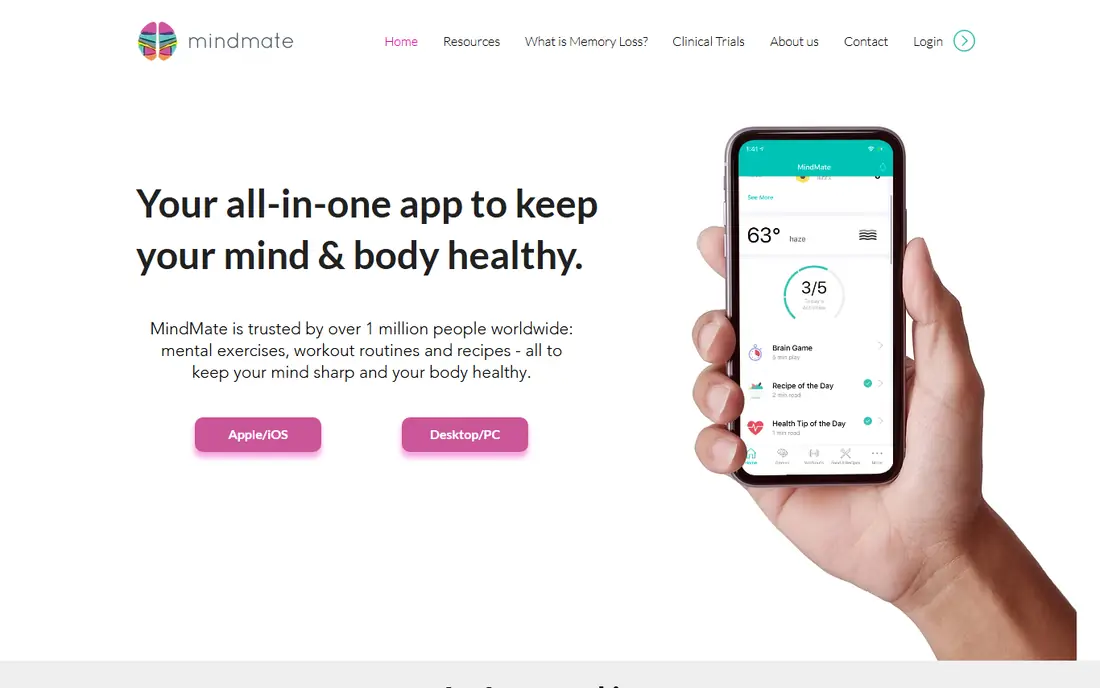
MindMate is designed with older adults in mind, with games, workout ideas, nutrition notes, and a daily planner in one app. That breadth can help a caregiver build a gentle daily routine around short activities rather than long screen sessions. The free tier covers core features, which makes it easy to test whether the layout suits the person using it.
MindMate is not a treatment, and brain games do not slow or reverse dementia. Treat it as an engaging activity, not a medical tool. If a game causes frustration, switch to a simpler activity or a photo or music app instead of pushing through.
- Large buttons and simple layout
- Games, exercise ideas, and daily planning in one place
- Free tier for core features
- Paid features add more content
- Some games may feel too easy or too hard depending on the person
- Needs regular setup help for some users

Medisafe helps with one of the most practical daily tasks: taking the right medication at the right time. You enter medications and times, and the app sends reminders. A caregiver can help set it up and check the schedule, which reduces the need for repeated phone calls about doses.
Medication safety still depends on the person and their care team. Double check every entry against the prescription label, and talk with a pharmacist or doctor about any missed dose or side effect. Medisafe supports routine; it does not make medical decisions.
- Clear medication reminders
- Refill and schedule tracking
- Family member can receive missed dose alerts on some plans
- Full family and reporting features may need a paid plan
- Setup needs care to enter doses correctly
My House of Memories was created by National Museums Liverpool for people living with dementia and their families. It uses historic objects, sounds, and personal photos to spark conversation. Families can add their own photos to a memory album, which makes the app feel personal rather than generic.
This app works best as a shared activity. Sit together, look at an object or photo, and let the conversation go where it goes. There is no score to chase and no right answer, which keeps the focus on connection rather than performance.
- Free
- Built around historic objects and personal photos
- Encourages conversation and shared memories
- Content leans toward UK museum objects
- Personal photo setup takes time
- Best used together with a family member or caregiver
A simple clock app can reduce daily confusion about whether it is morning or night, or which day it is. Dementia Clock shows the day, date, and time in large text, and it can stay on screen as a passive display. That simplicity is the point: the person does not need to open menus or remember steps.
Keep the device charged and in a visible spot, such as a bedside table or kitchen counter. If the person also uses a phone for calls, a separate tablet for the clock can avoid conflicts with other apps.
- Large, clear display of day, date, and time
- Passive use with no taps needed
- Free version available
- Limited features by design
- Some versions and extra features are paid
- Display setup varies by device
CareZone is mainly a caregiver tool. It holds medication lists, tasks, contacts, and notes in one shared place, so siblings and helpers do not have to repeat the same updates. A journal section lets caregivers log changes, appointments, and questions for the next doctor visit.
That coordination value depends on one person keeping the lists current. Start with a short list: current medications, key contacts, and the next three appointments. Add more only if the whole care team actually uses it.
- Shared medication, task, and contact lists
- Journal for notes
- Free tier for core coordination
- More useful for caregivers than for the person with dementia
- Some features need a paid plan
- Setup takes time for a whole care team
Google Calendar is not a dementia app, but it is one of the most useful free tools for routine. Set repeating events for meals, medication times, appointments, and family visits, and share the calendar with a caregiver. Simple event names such as "Lunch" or "Doctor visit at 10" work better than long notes.
Keep the calendar short and consistent. Too many events can feel noisy, so use one shared calendar for daily life and leave work or social calendars elsewhere. Check notification settings together so reminders actually sound.
- Free
- Shared calendars for family
- Repeating reminders for routine tasks
- General purpose design, not dementia specific
- Notifications can be missed if the phone is on silent
- Setup needs a Google account
Lumosity offers short games for memory, attention, and problem solving, with a free tier for core play. Short sessions work well here: ten minutes of a simple matching or attention game, then a break or a different activity. The app tracks progress, which some families find encouraging.
Be clear about limits. Lumosity does not diagnose, treat, or slow dementia, and game scores are not a medical measure. If scores drop or games cause stress, that is a reason to stop and talk with a care professional, not a reason to play longer.
- Short, simple games
- Free tier for core games
- Tracks game progress over time
- Brain training does not treat dementia
- Full program and features need a paid plan
- Some games may frustrate users
Peak is similar to Lumosity in shape: short games, daily goals, and a free tier for core play. The short format suits people who tire quickly or who prefer a quick activity between other parts of the day. Memory, focus, and problem solving games are grouped clearly, so a caregiver can pick a category and stay there.
As with any brain game app, keep expectations modest. Peak is an activity and a pastime, not a therapy. Choose games the person enjoys, keep sessions short, and stop when interest fades.
- Short daily games
- Free tier for core play
- Simple categories for memory and focus
- Paid plan adds more games and features
- Not a medical tool
- Difficulty can rise faster than some users want
Be My Eyes connects a person with a sighted volunteer over video to help with visual tasks, such as reading a label, checking a thermostat, or finding an item. For a person with dementia who also has low vision, that live help can solve a small problem without a trip or a long phone call.
It is not an emergency service and it is not a substitute for in person care. Use it for everyday visual checks, keep the phone charged, and have a backup plan for urgent needs. The free service and simple design make it worth keeping on a phone even if it is used only now and then.
- Free
- Connects users with sighted volunteers by video for everyday visual tasks
- Simple request flow
- Depends on volunteer availability
- Needs a stable connection
- Not suited to emergencies or medical help
How we picked these
We looked for apps with a genuine free tier, a clear everyday use, and a design that a person with memory changes or a caregiver could actually use. We checked official sites and app store listings for free plan details, and we excluded tools that only offered a short trial or required payment for core use. This article is general information only, not medical advice, and no app here diagnoses or treats dementia.
What to check before you choose
Start with one real problem, not a full set of apps. If missed medication is the issue, start with Medisafe. If time confusion is the issue, start with Dementia Clock. If loneliness or low mood is the concern, a photo app, music, or a video call with family may help more than another game app.
Set the phone or tablet up together. Increase text size, keep only the chosen apps on the home screen, turn on useful notifications, and turn off noisy ones. Agree with the person, where possible, about what data the app holds and who in the family can see shared lists. Stop using any app that causes distress, and ask a doctor, nurse, or local dementia support service for guidance if daily tasks become unsafe.
Frequently asked questions
What are the best apps for seniors with dementia?
The best apps for seniors with dementia are simple ones tied to a daily need: Dementia Clock for time, Medisafe for medication reminders, My House of Memories for shared photos, and CareZone or Google Calendar for caregiver coordination. Start with one need and one app, then add more only if the first one helps.
Are there free apps for dementia patients?
Yes. All nine apps in this list offer a free tier, including MindMate, Medisafe, My House of Memories, Dementia Clock, CareZone, Google Calendar, Lumosity, Peak, and Be My Eyes. Paid plans add extra content or features, but core use is free.
Can an app diagnose or treat dementia?
No. No app diagnoses or treats dementia. Apps can support routine, reminders, activities, and communication, but diagnosis and treatment decisions belong to doctors and other qualified health professionals. This article is general information only, not medical advice.
How can caregivers use these apps without taking over?
Set the app up together, keep choices simple, and let the person use the parts they enjoy, such as photos or music, while the caregiver handles lists and schedules in the background. Check in often about what feels helpful and what feels confusing, and adjust the home screen to match.
What should families check for privacy and safety?
Check what each app stores, who can see shared lists, and how to delete an account or data. Use a strong, unique password for shared caregiver accounts, keep the device software updated, and avoid sharing medical details in public forums or social features inside an app.
Sources
See where you really rank - block by block
ProMapRanker scans Google Maps across a grid of your service area. Simple monthly plans from $19, white-label on every plan.
Start freeKeep reading
 wpforms alternatives
Best WPForms Alternatives in 2026
We compare 9 wpforms alternatives for WordPress forms, with free and paid options, current pricing notes, and honest limits for small business sites in 2026.
Read → windows task scheduler alternatives
Best Windows Task Scheduler Alternatives in 2026
Looking for Windows Task Scheduler alternatives? We compare 9 schedulers for Windows and cross-platform work, from free tools to enterprise automation.
Read → which ai video service is best
Which AI Video Service Is Best in 2026
which ai video service is best? We compare 10 legitimate AI video services on price, avatars, editing and output quality to help you pick the right tool.
Read →