 ProMapRanker
Best Form Software in 2026: 8 Tools Compared


Teams that want forms, payments, and workflows in one place · Pricing starts at: See website
Key takeaways
- Jotform is the most capable general form builder, while Google Forms remains the fastest free option for simple forms.
- Typeform suits customer-facing forms where completion rate matters, and Tally suits teams that want unlimited free responses.
- Check response limits, branding, and file upload rules before you choose, because those limits decide the real cost of a free plan.
- WordPress sites should shortlist WPForms and Gravity Forms first, since native WordPress forms avoid a separate subscription and data silo.
- Payment forms, approvals, and regulated data need a higher tier in most tools, so match the plan to the workflow, not just the form design.
Quick comparison
| Pick | Great for | Pricing starts at | Free tier | |
|---|---|---|---|---|
| Jotform | Teams that want forms, payments, and workflows in one place | See website | Yes | Visit |
 Typeform | Forms people actually finish | See website | Yes | Visit |
 Google Forms | Simple forms in five minutes | Free | Yes | Visit |
 Tally | Unlimited free forms and responses | Free | Yes | Visit |
 Fillout | Forms that update your other tools directly | See website | Yes | Visit |
 Microsoft Forms | Organisations already on Microsoft 365 | Free | Yes | Visit |
 Cognito Forms | Order forms with calculations | See website | Yes | Visit |
 WPForms | WordPress sites that want simple forms | See website | Free trial | Visit |
The best form software
Good form software does more than draw fields on a page. It handles logic, payments, notifications, integrations, and reporting, and it stays usable for the person filling it in on a phone. We compared official pricing and feature pages for builders that cover general forms, surveys, registrations, and order forms, and we note where free plans limit responses or branding.
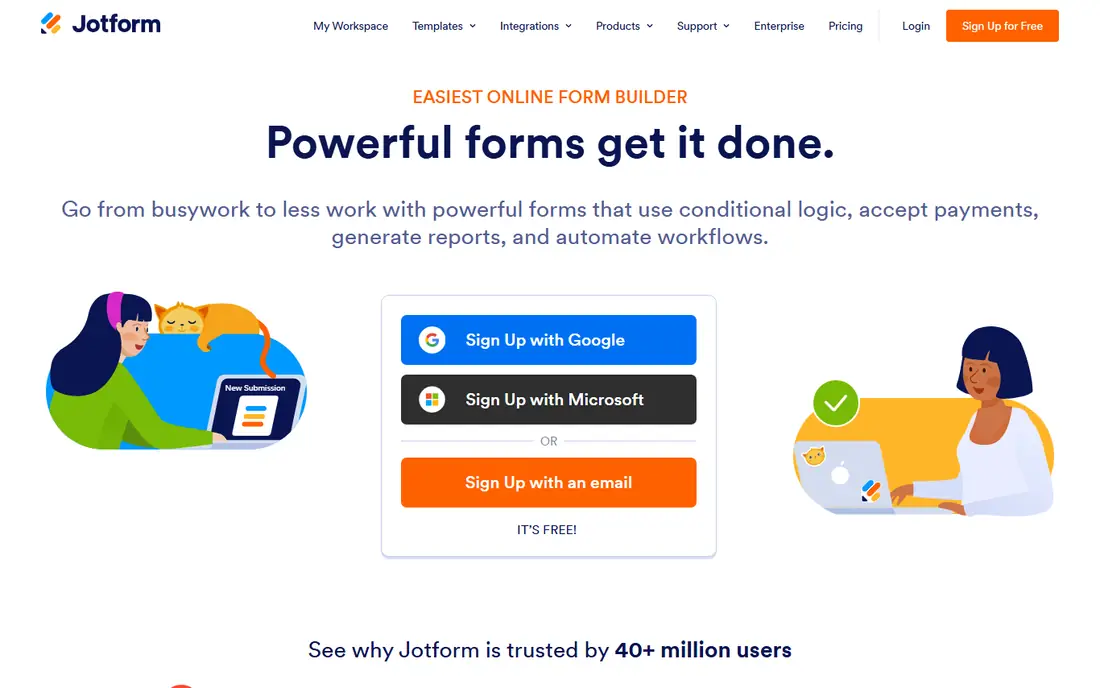
Jotform is our pick for most teams that need a general form builder, because it covers the widest range of jobs without extra tools. You can build surveys, registrations, order forms, and applications with a drag-and-drop editor, collect payment through the form, organise submissions in tables, and turn responses into reports. Its template library also helps a team launch a process quickly instead of designing every field from scratch.
The catch is volume. The free plan limits monthly submissions and the number of forms, so a popular form can hit the cap sooner than expected. Paid plans raise those limits, but a high-volume team should model submission counts before choosing a tier. For a business that needs one builder for many different forms, Jotform breadth is worth that check.
- Large template library
- Payments, tables, reports, and e-signatures in the ecosystem
- Many integrations
- Free plan limits monthly submissions
- Paid tiers rise with submission volume
Typeform takes a different approach to the same job: one question at a time, in a clean design that feels more like a conversation than a long page. That style suits lead capture, feedback, and customer-facing surveys, where completion rate matters more than cramming many fields onto one screen. Its logic, calculations, and branding controls also help a team build a polished form without design help.
The limit is the free tier. Typeform free plan allows only a small number of monthly responses, so it is a trial in practice for most businesses, and payments, file uploads, and branding removal need paid plans. If your form faces customers and you care about finish rates, Typeform is worth the paid tier. If you need many free responses, Tally or Google Forms will serve you better.
- Conversational one-question-at-a-time design
- Strong branding and design control
- Logic and calculations included
- Free plan allows very few monthly responses
- Payments and uploads need higher tiers

Google Forms is the fastest free form builder for internal surveys, sign-ups, and simple feedback. You can build a form in minutes, share a link, and watch responses arrive in a Google Sheet without any setup or subscription. For a school, a club, or a small team that needs answers rather than a branded experience, that simplicity is hard to beat, and the response capacity is generous compared with most free tiers.
The trade-offs are design and depth. Google Forms offers limited branding, no built-in payment handling, and only basic branching logic, so it suits internal and simple public forms better than a customer-facing order form. If you need payments, approvals, or a polished brand experience, a paid builder from this list will fit better. For everything else, Google Forms remains a sensible default.
- Free with a Google account
- Responses flow into Google Sheets
- Section branching for basic logic
- Limited design and branding control
- No payment collection built in
- Advanced logic is basic
Tally is the free-plan standout on this list, because its free tier allows unlimited forms and responses subject to a fair-use policy, with conditional logic included. That makes it a strong choice for a startup, a creator, or a small team that expects a surge of responses and does not want a monthly cap to stop collection. Its forms look modern, its editor is simple, and it connects to common tools for notifications and sheets.
The catch is branding and advanced control. Removing Tally branding, using a custom domain, and opening up partial submissions need the paid plan, and its integration range is lighter than Jotform. For a team that needs a clean form and many responses at no cost, Tally is an excellent pick, with a paid upgrade available when branding matters.
- Free plan with unlimited forms and responses subject to fair use
- Conditional logic included
- Clean, modern forms
- Branding removal and custom domains need the paid plan
- Integration depth is lighter than Jotform
Fillout suits teams that treat a form as the front door to a database. Instead of exporting responses by hand, Fillout can write submissions into Airtable, Notion, Google Sheets, and other tools, which saves time for operations, admissions, and sales teams. Its free plan allows a generous monthly submission count, its logic is solid, and its forms look clean on mobile.
The limit is maturity. Fillout template library is smaller than Jotform, and some advanced features sit on paid plans, so a team that needs a ready-made template for every niche may need to build more from scratch. For a team that already lives in Airtable or Notion, Fillout integration advantage outweighs that gap, and it is one of the best form tools for workflow-led teams.
- Free plan with a generous monthly submission allowance
- Strong integrations with sheets, Airtable, and Notion
- Logic and payments included
- Newer brand, so template range is smaller than Jotform
- Advanced features need paid tiers
Microsoft Forms is the natural choice inside a Microsoft 365 organisation, because it needs no new vendor, no new login, and no new training for staff who already use Teams and Excel. You can build surveys, quizzes, and polls, branch by answer, and review results in Excel, which suits schools, workplaces, and internal feedback. A free personal account also covers simple forms for individuals.
The limits are audience and design. Forms on some organisation accounts are limited to people inside the organisation, which makes Microsoft Forms a poor fit for a fully public form in those setups, and its design options are modest compared with Typeform or Jotform. If your respondents are inside your organisation and you already pay for Microsoft 365, Microsoft Forms is the simplest pick. If your form faces the public, check access rules first.
- Free with a personal Microsoft account and included with many Microsoft 365 plans
- Results flow into Excel
- Quizzes and branching included
- Public respondent access is limited on some account types
- Design control is modest
- No payment handling built in
Cognito Forms suits order forms, registrations, and applications where the form must calculate a total, apply a discount, or repeat a section for each attendee. Its calculation engine is stronger than most general builders at this price, and it supports payment collection, which makes it a practical choice for a small shop, a camp, or an event organiser who needs a form that also takes an order. The free plan gives a useful starting allowance for testing that workflow.
The trade-off is design. Cognito forms look functional rather than beautiful, and its workflow and branding depth sit on higher tiers. A team that needs a highly polished customer-facing experience may prefer Typeform or Jotform, while a team that needs calculations done right will value Cognito. For calculation-led forms, Cognito is a strong and fairly priced option.
- Free plan with a useful entry allowance
- Strong calculations and repeating sections
- Payment collection supported
- Design polish lags Typeform
- Advanced workflow features need higher tiers
WPForms is the WordPress pick for site owners who want forms inside their own site rather than on a third-party platform. Its drag-and-drop builder, templates, and entry management live in the WordPress dashboard, so submissions stay with the site and staff need no new system to learn. Contact forms, newsletter sign-ups, and simple order forms all work well, and spam protection helps keep entries clean.
The limits follow from that focus. WPForms needs WordPress, so it is not a choice for a team without a WordPress site, and its full feature set, including payments and advanced logic, needs a paid licence. A WordPress site with complex approval workflows may still prefer Gravity Forms or a standalone builder. For a typical WordPress business site, WPForms is simple, well supported, and easy to maintain.
- Native WordPress builder with drag-and-drop editing
- Many templates
- Spam protection and entry management inside WordPress
- Requires WordPress
- Full feature set needs a paid licence
- Not a standalone form platform
How we picked these
We compared official pricing and feature pages for form builders that cover general forms, surveys, registrations, and payments, and we favoured tools with a free plan or trial, clear response limits, and integrations that move data without manual export. We did not claim hands-on testing, and prices change, so check the vendor page before you buy.
How to choose the best form builder software
Start with the respondent, not the builder. A customer-facing lead form needs design and completion rate, an internal survey needs speed and sheet integration, and an order form needs calculations and payments. Then check limits that matter in practice: monthly responses, file upload size, branding, and whether logic and payments sit on the plan you intend to buy. A builder that looks cheap at ten responses a month can become expensive at ten thousand.
Test with a real form before you commit
Build one real form, send it to ten people on phones, and watch where they hesitate. Check the notification email, the spreadsheet or database row, and the thank-you page, because a form is only as good as the workflow after submission. Also test spam protection, because a public form without it will fill with junk entries. A short test like this reveals more than a feature comparison table ever will.
Keep data handling in mind
Forms often collect names, emails, and sometimes payment or health details, so check where data is stored, how long it is kept, and whether the tool offers encryption and access controls. For regulated data, choose a builder with a compliance tier that matches your needs, and avoid collecting fields you do not need. A shorter form is usually a better form, for both completion and privacy.
Frequently asked questions
What is the best form software?
Jotform suits most teams as a general builder, Typeform suits customer-facing forms where completion matters, and Google Forms suits simple free forms. WordPress sites should shortlist WPForms, while teams that need unlimited free responses should look at Tally first.
What are the best form apps for a small business?
Jotform, Tally, and Google Forms cover most small business needs at low or no cost, with Jotform offering the widest workflow range and Tally offering unlimited free responses. A business that takes orders through forms should also compare Cognito Forms for calculations and Fillout for database integrations.
What is the best online form software for surveys?
Typeform suits polished public surveys, Google Forms suits fast internal surveys, and Microsoft Forms suits surveys inside a Microsoft 365 organisation. For a survey with complex branching and reporting, Jotform or Fillout offer stronger logic and reporting than a simple survey tool.
What is the best web form builder software for WordPress?
WPForms suits most WordPress sites for simple and medium forms, while Gravity Forms suits WordPress sites with complex logic, calculations, and developer needs. Both keep entries inside WordPress, which simplifies management for a site owner who already runs WordPress.
Are free form builders really free?
Many are, within limits. Google Forms and Tally offer generous free use, while Jotform, Typeform, and Fillout offer free tiers with response or feature limits. Check monthly response caps, branding, file uploads, and payment rules, because those limits decide when a free plan stops being enough.
How do I make more people finish my form?
Keep the form short, ask only for fields you need, use logic to hide irrelevant questions, and make sure the form works well on a phone. A conversational design such as Typeform can help for customer-facing forms, and a clear progress indicator and a short thank-you message also improve completion.
Sources
See where you really rank - block by block
ProMapRanker scans Google Maps across a grid of your service area. Simple monthly plans from $19, white-label on every plan.
Start freeKeep reading
 best resource management software
Best Resource Management Software in 2026
We compared the best resource management software for scheduling, capacity and utilization, with current pricing and free trials, to help teams choose well.
Read → best reporting tools
Best Reporting Tools in 2026
Compare the best reporting tools for dashboards, scheduled reports, and business insights, from Power BI and Tableau to Looker Studio for every team size.
Read → best remote support software
Best Remote Support Software in 2026
Looking for the best remote support software? We compare 9 tools on price, security, session controls, and fit for helpdesks, MSPs, and small teams in 2026.
Read →