 ProMapRanker
Best Flowchart Software in 2026


Professional flowcharts and diagrams · Pricing starts at: $9 per month
Key takeaways
- Lucidchart is the most complete dedicated diagram tool, while Miro wins for live collaborative workshops.
- diagrams.net is the strongest free option, with no subscription needed for core flowchart work.
- Visio remains the best fit for Microsoft 365 teams, especially where data linked diagrams matter.
- The best diagram software for you depends on collaboration, template depth and budget, not on feature count alone.
Quick comparison
| Pick | Great for | Pricing starts at | Free tier | |
|---|---|---|---|---|
| Lucidchart | Professional flowcharts and diagrams | $9 per month | Yes | Visit |
 Miro | Collaborative whiteboards and flowcharts | $8 per user per month | Yes | Visit |
 Microsoft Visio | Microsoft 365 teams and technical diagrams | $5 per user per month | Free trial | Visit |
 diagrams.net | Free flowchart software | Free | Yes | Visit |
 SmartDraw | Business diagrams and enterprise teams | $9.95 per user per month | Free trial | Visit |
 Creately | Team diagramming with templates | See website | Yes | Visit |
 Whimsical | Fast flowcharts for product teams | See website | Yes | Visit |
 FigJam | Design teams that already use Figma | See website | Yes | Visit |
The best flowchart software
A good flowchart tool should make a process easy to follow, not just easy to draw. We compared dedicated diagram tools, whiteboards and free options on templates, collaboration, integrations and price, so you can pick the tool that matches how your team actually works.

For readers who want professional flowcharts and diagrams, Lucidchart is a strong place to start. It is the most polished dedicated diagram tool in this list, with templates for almost every process you need to draw. Its strength is template depth, so you rarely start from a blank page for flowcharts, org charts or system diagrams. Data linking, collaboration, comments and integrations with Google Workspace, Microsoft 365 and Atlassian tools help teams keep diagrams current. The catch is the free plan limits the number of editable documents, so active teams will need a paid plan. Start with the free plan for a single process, then upgrade when collaboration becomes daily work. Our pick for most teams that need professional diagrams on a regular basis.
- Large template library
- Real time collaboration
- Integrations with Google, Microsoft and Atlassian tools
- Free plan limits editable documents
- Paid cost rises for larger teams

If collaborative whiteboards and flowcharts matters most to you, Miro deserves a close look. It works best when a flowchart is part of a workshop, brainstorm or planning session rather than a standalone document. Its strength is live collaboration, with sticky notes, voting, timers and comments on one shared canvas. Flowchart shapes, mind maps, wireframes and agile boards sit alongside presentation tools for remote teams. The catch is it is less precise than a dedicated diagram tool for complex technical drawings. Use it for collaborative process work, and pair it with Lucidchart or Visio for formal technical diagrams. Our pick for remote teams that draw together.
- Infinite canvas for workshops
- Huge template library
- Strong real time collaboration
- Less focused on precise technical diagrams
- Cost rises for larger teams
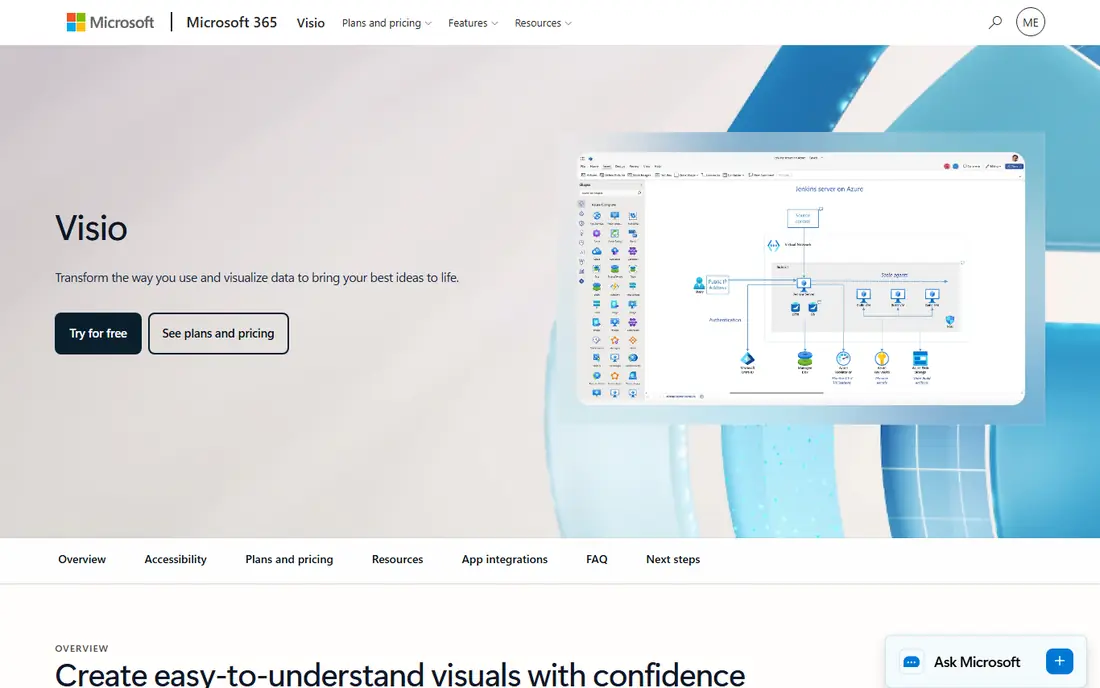
Start with Microsoft Visio when microsoft 365 teams and technical diagrams is the main job to be done. It fits organisations already paying for Microsoft 365, where diagrams need to link to Excel data and SharePoint files. Its strength is data linked diagrams, so shapes can reflect live data rather than static text. Flowcharts, network diagrams, floor plans and org charts are covered, with desktop power on the higher plan. The catch is the learning curve is steeper than web first rivals, and data linking needs Plan 2. Check which plan your Microsoft agreement already includes before you buy a separate tool. The standard choice for Microsoft centred workplaces.
- Deep diagram types and data linking
- Strong Microsoft 365 integration
- Desktop and web options
- Learning curve is steeper
- Full data linking needs the higher plan
diagrams.net suits readers who put free flowchart software first. It is the free option that still handles real work, without a subscription or a trial clock. Its strength is cost, since the full tool is free and you can save diagrams where you already store files. Flowcharts, UML, network and org diagrams are covered, with desktop apps for offline work. The catch is the interface feels dated, and real time collaboration is basic compared with Miro or Lucidchart. Use it for personal work, student projects or small teams that do not need live co-editing. Our pick for the best flowchart software free, and for anyone on a tight budget.
- Completely free and open source
- Works online or offline
- Saves to Google Drive, OneDrive or local files
- Interface feels dated
- Collaboration is basic compared with paid rivals
- Fewer polished templates
When business diagrams and enterprise teams is the deciding factor, SmartDraw is worth shortlisting. It suits business users who want a diagram to look tidy without fiddling with alignment for an hour. Its strength is automatic formatting, which keeps shapes and lines neat as you add steps. Flowcharts, org charts, floor plans and project visuals are covered, with Visio compatibility for enterprise teams. The catch is the interface feels less modern than newer web tools, and live collaboration is not its strongest area. Shortlist it if Visio compatibility and automatic layout matter more than a whiteboard feel. A solid enterprise friendly diagram tool.
- Automatic formatting and large template set
- Visio file import and export
- Diagram types beyond flowcharts
- Interface is less modern than web rivals
- Collaboration is not as fluid as Miro
Consider Creately first if team diagramming with templates describes your situation. It gives teams a middle path, with more structure than a whiteboard and less complexity than Visio. Its strength is template led starting points, which help teams document processes, systems and org structures fast. Flowcharts, UML, mind maps and wireframes sit in one workspace, with comments and collaboration for teams. The catch is data linking is lighter than the most technical tools, so data driven diagrams may need another product. Try the free plan with a real team process before you decide on a paid tier. Our pick for teams that want guided diagramming without a steep learning curve.
- Large template library
- Real time collaboration
- Multiple diagram types in one workspace
- Paid features needed for larger teams
- Data linking is lighter than Visio or Lucidchart
Whimsical is built around fast flowcharts for product teams, and that focus shows in daily use. It is the fastest tool in this list to learn, which matters when product teams need to document a flow today. Its strength is speed and clarity, with a clean canvas that keeps simple flows readable. Flowcharts, wireframes, mind maps and sticky notes cover product and process documentation in one workspace. The catch is it covers fewer diagram types than the largest rivals, so technical teams may outgrow it. Use it for product flows and process docs, and keep a technical tool for network or engineering diagrams. Our pick for product teams that value speed over breadth.
- Clean and fast interface
- Flowcharts, wireframes and mind maps in one place
- Good for product documentation
- Fewer diagram types than Lucidchart or Visio
- Advanced enterprise features are limited
For design teams that already use figma, FigJam offers a practical and well documented option. It makes sense when your team already lives in Figma, since diagrams and design files stay in one place. Its strength is design workflow fit, with boards that link to Figma files and design system work. Flowchart shapes, sticky notes, connectors and templates cover workshop and process mapping needs. The catch is standalone diagram depth is lighter than dedicated tools, so formal technical work may need another app. Shortlist it for design led teams, and look at Lucidchart if diagrams are your main output. The natural flowchart choice for Figma teams.
- Native Figma integration
- Collaborative whiteboard
- Flowchart and diagram templates
- Best value sits inside Figma workflows
- Standalone diagram features are lighter than Lucidchart
How we picked these
We compared official feature pages, pricing pages and app store listings, and we checked that each product still exists and fits the topic in October 2026. We did not claim hands-on testing that did not happen, and we left out products that did not fit, even when they were popular in a nearby category. Where a price or free tier could not be verified on the vendor site, we wrote See website instead of guessing, so you can confirm the current terms before you pay.
Choosing the best flowchart tool
Start with who will edit the diagram. If several people draw at once, Miro, Lucidchart or FigJam will feel better than a desktop tool. If one person owns formal diagrams, Visio, SmartDraw or diagrams.net may be enough. Next, check templates and exports. A strong template library saves hours, and export to PDF, image or Visio format matters when diagrams go into reports or presentations. Test a real process, not a sample, before you commit. Finally, watch the free plan limits. Free tiers often cap editable documents or boards, which is fine for occasional use but frustrating for daily work. Paid plans are usually worth it once diagrams become part of weekly reporting.
Frequently asked questions
What is the best flowchart software free?
diagrams.net is the strongest free option, since it is free and open source with desktop and web versions. Lucidchart, Miro, Creately and Whimsical also offer free plans, with limits on editable documents or boards.
What is the best software for flowcharts in a team?
Lucidchart and Miro lead for teams, with real time collaboration, comments and integrations. Visio suits Microsoft teams, while FigJam suits design teams already using Figma.
What is the best diagram software for technical diagrams?
Visio and Lucidchart cover the widest range of technical diagrams, including network and data linked diagrams. diagrams.net also handles UML and network diagrams for free.
What is the best flowchart app for product teams?
Whimsical and FigJam are the fastest picks for product teams, with clean canvases and wireframe tools. Lucidchart is better when product work needs formal process documentation.
What is the best workflow diagram software?
For workflow and process diagrams, Lucidchart, SmartDraw and Creately offer strong templates and automatic formatting. Miro is better when the workflow is drawn live in a workshop.
Sources
See where you really rank - block by block
ProMapRanker scans Google Maps across a grid of your service area. Simple monthly plans from $19, white-label on every plan.
Start freeKeep reading
 best resource management software
Best Resource Management Software in 2026
We compared the best resource management software for scheduling, capacity and utilization, with current pricing and free trials, to help teams choose well.
Read → best reporting tools
Best Reporting Tools in 2026
Compare the best reporting tools for dashboards, scheduled reports, and business insights, from Power BI and Tableau to Looker Studio for every team size.
Read → best remote support software
Best Remote Support Software in 2026
Looking for the best remote support software? We compare 9 tools on price, security, session controls, and fit for helpdesks, MSPs, and small teams in 2026.
Read →