 ProMapRanker
Best Family Tracking App Free in 2026

Key takeaways
- Google Family Link and Apple Find My offer the most generous free location sharing, with no subscription needed for core features.
- Life360 offers a useful free tier for families, but longer history, unlimited place alerts and crash features need paid plans.
- Glympse and Google Maps location sharing suit temporary sharing, where continuous tracking is not needed or wanted.
- Location tracking needs consent and clear family rules, especially for teenagers. Agree on what is shared, and review permissions regularly.
Quick comparison
| Pick | Great for | Pricing starts at | Free tier | |
|---|---|---|---|---|
 Life360 Life360 | Family circles and driving | Free | Yes | Visit |
 Google Family Link Google Family Link | Free Android child supervision | Free | Yes | Visit |
 Apple Find My Apple Find My | Free Apple location sharing | Free | Yes | Visit |
 Google Maps Google Maps | Temporary sharing, no install | Free | Yes | Visit |
 Glympse Glympse | Time-limited sharing | Free | Yes | Visit |
 GeoZilla GeoZilla | Free tier with place alerts | Free | Yes | Visit |
 iSharing iSharing | Inactivity and SOS alerts | Free | Yes | Visit |
 OwnTracks OwnTracks | Self-hosted private tracking | Free | Yes | Visit |
The best family tracking app free
We compared official app pages, pricing pages and privacy notes for family location apps that offer a free tier in October 2026. The list covers shared circles, child supervision, built-in phone tools, temporary sharing and a self-hosted option, with free limits noted for each.
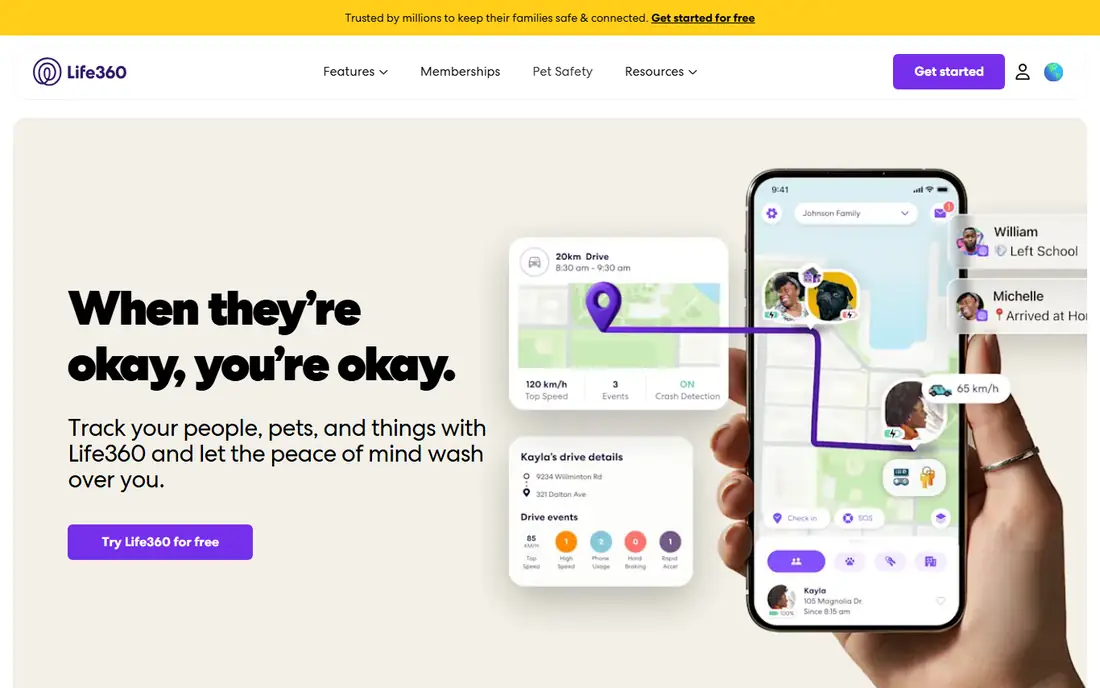
Life360 is the most recognisable family locator app, built around circles where family members share live location on a map. The free tier includes a short location history, a small number of place alerts and a family driving summary, which covers basic check-ins for many families. Paid plans add longer history, unlimited place alerts, individual driver reports, crash detection and roadside help, with monthly prices published on the Life360 pricing page.
The free tier is useful, but it is not the full product. Families who want 30 days of history, unlimited places or crash response will need a paid plan, so check the current pricing page before promising those features. Privacy also needs a family conversation, especially with teenagers, about who is in each circle and when sharing can be paused. For mixed iOS and Android families, Life360 remains the most complete shared-location option.
- Shared family circles on iOS and Android
- Place alerts
- Driving summaries
- Longer history and unlimited alerts need paid plans
- Premium benefits vary by country
- Constant sharing can feel intrusive
Google Family Link is completely free, with no paid tiers, and it combines location for a child's Android device with screen time limits, app approvals and device schedules. Parents manage settings from their own phone, which makes Family Link a practical first system for a younger child with a first Android phone. Location sharing is included at no extra cost, which is rare among family trackers.
The location side is simpler than Life360. You will not get the same driving reports, long history or crash features, and the child experience is centred on Android, so mixed-device families may find gaps. For a free starting point that also covers app and screen time controls, Family Link is hard to beat, provided the child device is Android and the family accepts its lighter location features.
- Completely free
- Location plus screen time and app approvals
- No subscription tiers
- Child device is mainly Android
- Location history is lighter than Life360
- Less flexible for mixed-device families
Apple Find My is built into iPhones, iPads and Macs, and it offers free location sharing with chosen people, plus device finding and AirTag support. There is no extra app to install and no subscription to manage, which helps adoption across an all-Apple household. You can share location with family, stop sharing at any time, and set up notifications for arrivals and departures in supported cases.
Find My is not a full family tracker. It does not keep a long location history, offer driving reports or provide crash detection, and it does not work for Android family members. Treat it as a free base layer for Apple households, and add Life360 or another tracker only if you need history, driving data or cross-platform circles. Privacy controls are clear, since sharing is by choice and can be stopped by any person.
- Built into Apple devices
- No subscription
- Location sharing and device finding in one app
- Apple only
- No long location history
- No driving reports or crash features
Google Maps location sharing is free and already installed on many phones, which makes it a useful temporary option. You can share live location with a chosen person for a set time, share trip progress for a drive, and stop sharing at any time. The person viewing the share does not always need a separate tracker app, which helps for a one-off pickup, a school run or a family trip.
Google Maps is not a family tracker in the Life360 sense. It does not offer a family dashboard, long history, place alert management or driving reports, and sharing must be set up manually for each person and period. Use it when you want a short, free share without installing a new app, and use a dedicated tracker for ongoing family location.
- Free location sharing on iOS and Android
- No extra app for many users
- Trip progress sharing
- No long history or family dashboard
- Sharing is manual
- No SOS or crash features
Glympse shares live location for a chosen period, such as a drive home or a meet-up, and stops when the timer ends. Viewers can open a link without creating an account, which makes Glympse easy for grandparents, friends or a pickup driver who does not want a new app. The time limit is a privacy feature, because sharing does not quietly continue after the trip.
That temporary design is also the limit. Glympse does not keep history, send ongoing place alerts or dispatch help in an emergency, so it cannot replace a family tracker for continuous location. Use Glympse for short shares where a clear end time matters, especially with teenagers who may accept a time-limited share more readily than always-on tracking.
- Share for a set time
- Viewers need no account
- Works on iOS and Android
- No history or place alerts
- Sharing ends when the timer ends
- No SOS dispatch
GeoZilla offers family location sharing on iOS and Android, with a free tier that includes location and limited place alerts, plus a premium plan for longer history and unlimited alerts. It also supports dedicated GPS trackers in some cases, which can help for a family member without a smartphone. That combination suits a family that wants Life360-style features at a lower starting cost.
The free tier is limited, so check how many places, how much history and which alerts are included before relying on it. GeoZilla also has a smaller user base than Life360, which can mean less community help and slower support. Read the privacy policy for data sharing, especially for advertising, and compare the premium price with Life360 before paying.
- Free tier with location and place alerts
- Works on iOS and Android
- Supports GPS trackers in some cases
- Full history and unlimited alerts need a premium plan
- Smaller user base
- Data sharing terms need checking
iSharing offers free family location sharing with place alerts, plus inactivity alerts that notify you if a family member has not moved for a set period. That feature suits families tracking an elderly parent or a teenager on a long trip, where a lack of movement could signal a problem. SOS and walk-with-me features add a safety layer beyond a simple map.
Premium features, longer history and extra alerts need a paid plan, so check the current pricing page for the free limits. Accuracy also depends on phone permissions, battery settings and connectivity, as with every tracker here. iSharing is a useful free alternative to Life360 for families who value inactivity alerts, provided the free tier covers their core needs.
- Free location sharing
- Inactivity alerts
- SOS and walk-with-me features
- Advanced features need a premium plan
- Accuracy depends on permissions and battery
- Smaller brand than Life360
OwnTracks is a free, open source location tracker that sends location data to a server you control, rather than to a commercial tracker company. You can set up regions for home, school or work, receive arrival and departure alerts, and keep history on your own server. For a privacy-focused family or homelab user, OwnTracks offers the most control over location data in this list.
Setup is the barrier. OwnTracks needs a server, a messaging broker or HTTP endpoint, and app configuration on each phone, which is far more work than installing Life360. There is no polished family dashboard for beginners, and you are responsible for backups, security and updates. Use OwnTracks when privacy and self-hosting matter more than convenience, and use a commercial free tier when ease of use matters more.
- Free and open source
- Location data stays on your own server
- Regions and alerts
- Setup needs technical skill
- No built-in family dashboard for beginners
- You maintain the server
How we picked these
We compared official app pages, pricing pages and privacy notes, and kept family location apps that offer a genuine free tier in October 2026, not just a short trial. We looked for live location sharing, place alerts or child supervision in the free tier, and we noted where history, alerts or safety features need payment. Apps that required a paid plan for basic location, or that tracked without consent, were left out.
We also weighed privacy honestly. Free trackers often fund themselves through paid plans, advertising or data partnerships, so we noted where a privacy policy deserves a closer read. A free app that sells location data is not truly free in privacy terms, even if the download costs nothing. Check the current privacy policy for any tracker you choose, and review permissions regularly.
How to set up family tracking with consent
Agree on rules before you turn tracking on
Talk as a family about why tracking is on, who can see location, when place alerts are used, and when sharing can be paused. For teenagers, a written agreement helps, with clear limits such as no tracking during school hours except for safety alerts, or a review date to revisit the rules. Consent and clarity build trust, while secret tracking destroys it.
Use temporary sharing when continuous tracking is not needed
For a trip, a pickup or a first solo journey, use Glympse or Google Maps sharing with a clear end time, rather than always-on tracking. Temporary sharing gives safety for a specific situation without creating a permanent record of movement. Reserve continuous tracking for cases where it genuinely helps, such as young children, driving teens or elderly relatives.
Check permissions, battery and data settings regularly
Location accuracy depends on GPS, Wi-Fi, mobile data and battery optimisation settings, which phone updates can change. Check that each family phone still shares location correctly after an update, and review who is in each circle or sharing list. Remove people who no longer need access, and turn off sharing for a device that is no longer used by a family member.
Frequently asked questions
What is the best free family tracking app?
Google Family Link is best for free Android child supervision, Apple Find My is best for free Apple location sharing, and Life360 offers the best free shared circles for mixed iOS and Android families. Glympse and Google Maps are best for temporary sharing. Choose by device mix, age of children and whether you need history or driving reports.
Is Life360 free?
Yes, Life360 offers a free tier with live location, a short history, a small number of place alerts and a family driving summary. Paid plans add longer history, unlimited place alerts, individual driver reports, crash detection and roadside help. Check the current Life360 pricing page, since tier names and prices can change.
What is the best family locator app for Android and iPhone?
Life360 is the best cross-platform family locator, because it works well on both iOS and Android with shared circles and place alerts. Google Family Link is Android centred for children, while Apple Find My is Apple only. For a mixed-device family that needs one shared map, Life360 or GeoZilla are the most practical free starting points.
Can I track my family for free without an app?
Google Maps location sharing and Glympse links let you share location without installing a dedicated tracker app on the viewer side, though the sharer still needs Maps or Glympse. Apple Find My and Google Family Link are built into Apple and Google systems, so many families already have a free tracker without a new download. Continuous history and alerts still need a dedicated app in most cases.
Is family tracking safe for privacy?
Family tracking is safe when it is consensual, limited to people who need access, and reviewed regularly. Risks include a detailed movement record, data sharing with partners, and a loss of trust if tracking is secret or excessive. Read the privacy policy, use temporary sharing where possible, and agree on family rules for who can see location and when sharing can be paused.
Sources
See where you really rank - block by block
ProMapRanker scans Google Maps across a grid of your service area. Simple monthly plans from $19, white-label on every plan.
Start freeKeep reading
 zoom alternatives
Best Zoom Alternatives in 2026
Compare Zoom alternatives in 2026, with free meeting limits and prices, so you can pick the best alternative to Zoom for your team, class, or community.
Read → which software is best for remote work
Which Software Is Best for Remote Work in 2026
Answering which software is best for remote work, we compare Slack, Zoom, Asana, Notion, Teams and more, with pricing and honest tradeoffs in 2026 now.
Read → which ai tool is best for content writing
Which AI Tool Is Best for Content Writing in 2026
Wondering which ai tool is best for content writing? We compare ChatGPT, Claude, Jasper, Grammarly, and more on price, quality, and best use in 2026 now.
Read →