 ProMapRanker
Best Family Calendar Apps in 2026


Families wanting calendar, lists and meals together · Pricing starts at: $39 per year
Key takeaways
- Cozi remains the most complete family-first option, with a shared calendar, lists and a recipe box in one place.
- TimeTree is the simplest choice when the main job is a shared calendar with chat on each event.
- Google Calendar and Apple Calendar cost nothing extra for people already inside those systems, but they lack family tools such as meal planning and chores.
- Skylight is the only pick here that puts the whole week on a wall display, and that hardware cost changes the comparison.
Quick comparison
| Pick | Great for | Pricing starts at | Free tier | |
|---|---|---|---|---|
| Cozi | Families wanting calendar, lists and meals together | $39 per year | Yes | Visit |
 TimeTree | Simple shared calendars with event chat | $4.49 per month | Yes | Visit |
 Google Calendar | Families already using Google accounts | Free | Yes | Visit |
 Apple Calendar | Households using only Apple devices | Free | Yes | Visit |
 FamilyWall | Families wanting location, messaging and documents | $4.99 per month | Yes | Visit |
 OurCal | Private shared calendars with chat | See website | Yes | Visit |
 Picniic | One hub for calendar, lists and family news | See website | Yes | Visit |
 Skylight | A wall display the whole household can see | $79 per year | No | Visit |
The best family calendar apps
We compared family calendar apps on shared calendars, lists, meal planning, ease of use for grandparents and children, and what the free plan actually allows. The picks below cover free tools, family-first apps and one wall display.
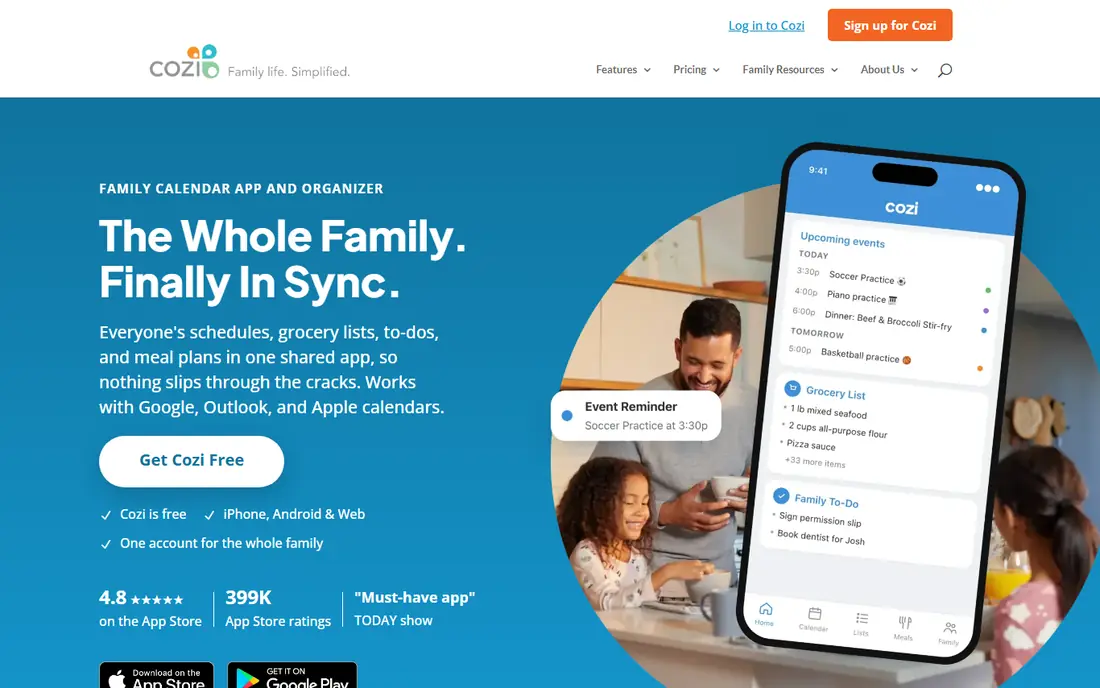
Cozi suits a household that wants one app for the week, the shopping list and dinner. Each family member gets a colour, so a glance at the calendar shows who has practice, who has a meeting and who needs a lift. Lists and recipes sit beside the calendar, which cuts down on separate apps and forgotten notes.
The catch is the free plan. Ads appear throughout, and the limited calendar window makes long-term planning hard without Cozi Gold. Gold at $39 per year removes ads, adds search and month view on mobile, and lifts the window limit. A higher Max tier adds AI tools, but most families will be fine with Gold. If your household already lives in Google Calendar, the one-way sync may frustrate you.
- Shared colour-coded calendar
- Shopping and to-do lists
- Recipe box and meal planning
- Free calendar view is limited to 30 days in recent reports
- Sync with Google Calendar is one-way only
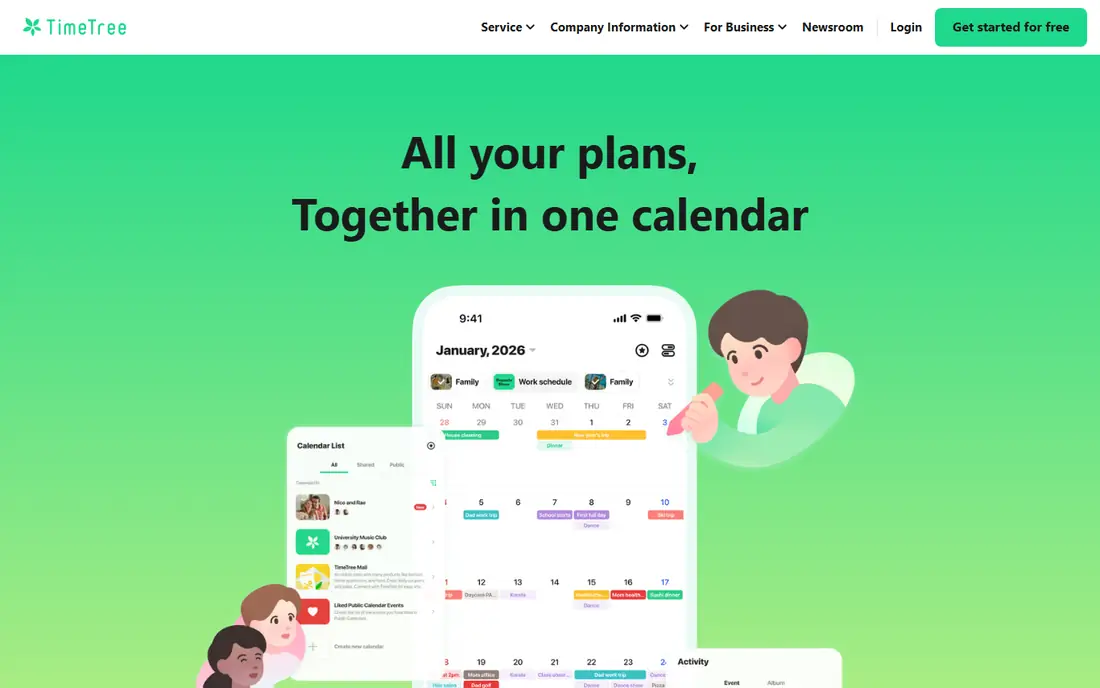
TimeTree is the cleanest shared calendar on this list. You can make separate calendars for school, sport, work and family trips, and invite only the people who need each one. Each event has its own comment thread, so questions about pickup times stay attached to the event instead of getting lost in a group chat.
The free version covers the core job well, which makes it a strong first try for couples and small families. Premium at $4.49 per month or $44.99 per year removes ads and adds file attachments and a vertical day view. TimeTree does not try to plan meals or track chores, so pair it with a list app if you need those jobs done too.
- Unlimited shared calendars and members
- Chat thread on each event
- Works on iOS, Android and web
- Ads in the free version
- No built-in meal planning or chore tracking
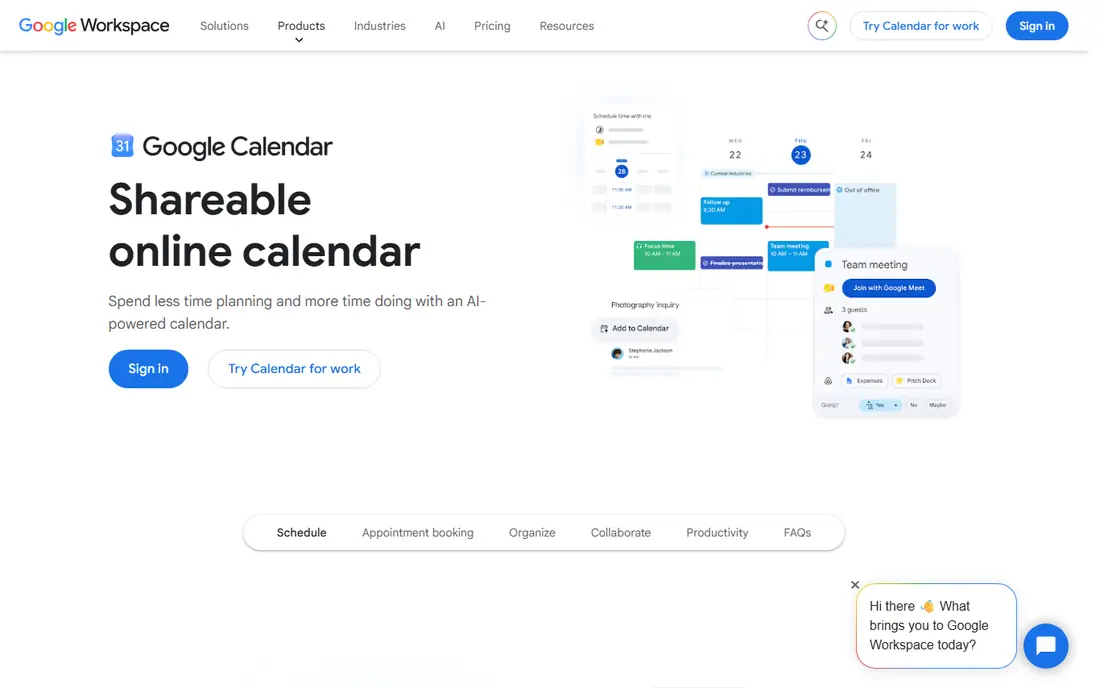
Google Calendar is the practical default for many families because it is already on their phones. You can share a calendar with a partner, create a separate calendar for each child, and set reminders that arrive by email or notification. It handles recurring events, time zones and invitations better than most family-first apps.
What it does not do is organise the rest of household life. There is no shared shopping list, recipe box or chore chart built in, so families often add Google Keep or another list app alongside it. For a family that only needs a dependable shared schedule, that trade-off is fine. For a family that wants one hub, Cozi or FamilyWall will feel more complete.
- Free with no ads in the calendar itself
- Strong search and recurring events
- Easy sharing with any Google account
- No family meal planner, chore tracker or shopping list
- Features for children need a supervised Google account setup
Apple Calendar is the easiest option when everyone in the house uses Apple devices. Family Sharing sets up a shared calendar for up to six people, and events sync across iPhone, iPad, Mac and Apple Watch without extra setup. Parents can create child accounts and manage what younger children can access.
The limit is platform. If one parent, grandparent or teenager uses Android, Apple Calendar becomes awkward, since that person must use iCloud on the web. Like Google Calendar, it is a calendar first, not a household manager. Families who want lists and meals in the same app should look at Cozi or FamilyWall instead.
- Built into iPhone, iPad and Mac
- Family Sharing creates a shared family calendar
- Works well with Siri and Apple Watch
- No Android app
- No built-in lists, meals or chores beyond separate Apple apps
FamilyWall aims to replace several apps at once. Alongside the shared calendar, it offers family messaging, shopping and to-do lists, a meal planner, a budget tracker and a place to store documents. Premium also adds real-time location and arrival alerts, which some parents value for school runs and teen drivers.
That breadth can feel busy at first, and the free tier is limited. Premium costs $4.99 per month or $44.99 per year and raises storage to 25 GB. Location sharing is the feature to discuss as a family before switching it on, since older children may reasonably want limits on when it is active. For a household that wants one app for planning and contact, FamilyWall covers more ground than Cozi.
- Shared calendar plus messaging, location, meal planner and documents
- Google and Outlook sync on Premium
- 30-day Premium trial
- Free tier includes ads and only 100 MB of storage
- Location sharing needs a family conversation about privacy
OurCal takes a privacy-minded approach to the shared calendar problem. Families get shared calendars, chat tied to events, a record of who changed what, and a way to attach photos and video to plans. That history helps when two people edit the same school event and nobody can remember which version was correct.
Because OurCal is smaller than the platform calendars, it is worth checking that everyone you need to invite is willing to install one more app. Its design is clean and focused, which suits families who found Cozi dated or Google Calendar too plain. We could not verify a single current starting price from the vendor site at writing time, so we list it as See website and suggest checking the pricing page before you commit.
- Shared calendars with built-in chat
- Event edit history
- Photo and video sharing on events
- Smaller user base than Google or Apple calendars
- Pricing and plan details should be checked on the vendor site
Picniic tries to be the single dashboard for a household. It combines a shared calendar with to-do lists, a shopping list, meal ideas, family news and a locator, and it can pull in calendars from Google, Yahoo and Outlook. For a family tired of switching between five apps, that single login is the main appeal.
The trade-off is uneven depth. The calendar is solid, but some of the extra modules are simpler than dedicated tools for the same job. Picniic has a free tier with a paid upgrade for full features, and the exact paid price has varied across store listings, so check the current listing before paying. Choose Picniic if one hub matters more to you than having the best tool for each separate task.
- Calendar, to-do lists, shopping list, recipes and family locator in one app
- Syncs with Google, Yahoo and Outlook calendars
- Some modules feel less polished than single-purpose apps
- Paid pricing varies by store listing
Skylight is different from every other app here because it is hardware first. A touchscreen hangs in the kitchen or hallway and shows the family week, chores and meals, so children can check the day without borrowing a phone. It pulls in calendars from Google, Apple, Outlook, Cozi and Yahoo, and the companion app lets parents add events from anywhere.
The cost is the honest catch. You buy the display, and Skylight Plus at $79 per year adds meal planning, Magic Import from photos and emails, and a photo screensaver. Without Plus, the display still shows calendars and chores, but the features that save the most typing are behind the subscription. Skylight suits families who keep asking what is on today and want the answer visible to everyone, without a phone in hand.
- Large wall touchscreen everyone can check at a glance
- Syncs Google, Apple, Outlook, Cozi and Yahoo calendars
- Chore charts and meal planning on Plus
- Requires buying a display, with prices reported from $159.99 for the 10 inch model
- Plus features such as Magic Import need the paid plan
How we picked these
We compared official feature pages, pricing pages and app store listings for family calendar tools, and we favoured products that are still available and working in October 2026. We looked for a true shared calendar, not just a personal calendar with a share link, and we checked what free plans allow, since a free plan that only shows 30 days is a different product from one that shows the full year. We did not claim hands-on testing. Where a price could not be verified on the vendor site, we wrote See website rather than guessing.
What to check before you choose
Start with who needs to see the calendar, and on what devices. A mixed iPhone and Android household should rule out Apple Calendar as the only tool, while a household that already shares Google accounts may not need a new app at all. Next, decide how much of household life the app should carry. If meals, lists and chores matter, a family-first app will save more time than a plain calendar plus three extra apps.
Check the free plan limits before you move a whole family over. Look for a calendar window limit, ads, storage caps and whether sync with Google or Outlook is one-way or two-way. For location features, agree as a family when tracking is on and who can see it. For a wall display, measure the wall, check the Wi-Fi signal in that spot, and add the yearly Plus cost to the device price when you compare totals.
Moving from one calendar to another
Export or share your old calendars first, then invite family members one at a time and ask each person to confirm they can see test events. Keep the old calendar running for two weeks as a backup. Colour-code by person from day one, since a shared calendar without colours turns into a wall of identical events within a month.
Frequently asked questions
What is the best family calendar app for families with kids?
Cozi and FamilyWall are strong starting points because they combine a shared calendar with lists, and FamilyWall adds messaging and location on its paid plan. TimeTree is better if you only need a clean shared calendar. Skylight helps younger children who cannot yet manage a phone calendar, since the week is visible in the kitchen.
Is there a free family calendar app that works on iPhone and Android?
Yes. TimeTree, Google Calendar and Cozi all offer free plans on both iPhone and Android, with ads or limits on some plans. Google Calendar has no ads in the calendar itself and is free, while TimeTree and Cozi show ads on their free tiers. Check each free plan for calendar window limits and storage caps before you rely on it.
Can a family calendar app sync with Google Calendar?
Some can, but the direction matters. FamilyWall Premium offers Google and Outlook sync, Skylight pulls in Google calendars, and Picniic can sync with Google, Yahoo and Outlook. Cozi exports to Google Calendar but does not offer two-way sync, so changes made in Google do not flow back into Cozi.
What is the best calendar sharing app for families on a budget?
Google Calendar is the lowest-cost option at free, followed by TimeTree and Cozi on their free tiers. If you want family tools without paying, start with TimeTree for a dedicated family calendar or Google Calendar for a plain shared schedule, then upgrade only if ads or limits start to get in the way.
Do family calendar apps include meal planning and shopping lists?
Some do, and some do not. Cozi, FamilyWall, Picniic and Skylight Plus include meal planning and shopping lists in various forms. TimeTree, Google Calendar and Apple Calendar do not, so families using those tools usually add a separate list or meal app alongside the calendar.
Is Skylight worth it compared with a free calendar app?
Skylight is worth it mainly for visibility, not for features alone. A free app can hold the same events, but a wall display means children, guests and grandparents can see the week without a phone or login. Weigh the device price plus $79 per year for Plus against that daily visibility, and skip it if everyone already checks a phone calendar reliably.
Sources
See where you really rank - block by block
ProMapRanker scans Google Maps across a grid of your service area. Simple monthly plans from $19, white-label on every plan.
Start freeKeep reading
 which software is best for pdf page removal
Which Software Is Best for PDF Page Removal in 2026
Find which software is best for pdf page removal, from free online tools to desktop editors, with page controls, privacy, safety, and pricing compared.
Read → when i work alternatives
Best When I Work Alternatives in 2026
Looking for when i work alternatives? We compare 8 scheduling apps for hourly teams, covering pricing, free plans, time clocks and the best fit for business.
Read → the best tool for keyword analysis
The Best Tool for Keyword Analysis in 2026
Find the best tool for keyword analysis with our 2026 comparison of 10 keyword analysis software tools on data depth, difficulty scores and price today.
Read →