 ProMapRanker
Email Management Software for Enterprise: Best Picks of 2026


Behavioral AI for email and identity · Pricing starts at: See website
Direct answer
Abnormal Security leads the list, best for behavioral AI for email and identity. Listed starting prices: Microsoft Exchange Online from $5.40 per user per month. Alternatives: Proofpoint Email Protection for advanced phishing and BEC defense, and Barracuda Email Protection for advanced threat detection and data protection. The remaining 2 options are covered below with prices and limits.
This ProMapRanker guide covers 5 options for email management software for enterprise. Each profile lists a starting price, free plan details, strengths and drawbacks, so you can drop poor fits quickly.
Key takeaways
- Abnormal Security sits first on this list: behavioral AI for email and identity.
- Microsoft Exchange Online is the one to check for enterprises needing hosted or on-premises email.
- Starting prices begin at $5.40 per user per month with Microsoft Exchange Online.
- Neither Abnormal Security nor Microsoft Exchange Online, nor any of the other 3 tools, has a permanent free plan; trials and quotes are the norm.
- Check the limits for Abnormal Security before you commit: concentrated on security instead of email management.
Quick comparison
| Pick | Great for | Pricing starts at | Free tier | |
|---|---|---|---|---|
| Abnormal Security | Behavioral AI for email and identity | See website | Not stated | Visit |
 Proofpoint Email Protection | Advanced phishing and BEC defense | See website | Not stated | Visit |
 Barracuda Email Protection | Advanced threat detection and data protection | See website | Free trial | Visit |
 Google Workspace | Teams prioritizing collaboration and productivity | See website | Not stated | Visit |
 Microsoft Exchange Online | Enterprises needing hosted or on-premises email | $5.40 per user per month | Free trial | Visit |
The 5 tools in detail

Abnormal Security serves behavioral AI for email and identity. Consider it when behavioral analysis and insider threat detection are critical. It is made for enterprises that require advanced detection of anomalous behavior that traditional filters might miss.
It works alongside major email systems to supply an extra layer of defense. It is not a full email management suite, so it is best used in conjunction with a primary email service like Microsoft Exchange Online or Google Workspace. Check the vendor site for Abnormal Security pricing; none is listed in this comparison. Free plan details: Not stated.
Limits to weigh: May need API integration with existing email.
- Stops insider threats and sophisticated attacks
- Guards email, identity, AI
- Centred on security instead of email management

Proofpoint Email Protection works best for advanced phishing and BEC defense. Since it is meant to augment instead of replace native email products, Proofpoint may be redundant for organizations with entry-level security needs.
As for the details, choose it when advanced threat detection is a priority and you already have a primary email system in place. No starting price is listed for Proofpoint Email Protection here; confirm pricing on the vendor site. Free plan details: Not stated.
Points against: May need tuning to cut false positives.
- Deployed via API or secure email gateway
- Uses behavioral AI to stop phishing and BEC
- Overlaps with built-in defenses in Microsoft 365 and Google Workspace
Barracuda Email Protection
Great for: Advanced threat detection and data protection

In short, Barracuda Email Protection is for advanced threat detection and data protection. Organizations seeking a dedicated security layer frequently evaluate it.
Where it falls short: May need integration with existing email systems.
As with any security add-on, results rely on correct configuration and continuing management. Barracuda Email Protection does not show a starting price in this comparison, so check the vendor site for current pricing. Trial and free access: Free trial.
- Data breaches
- Stops phishing, malware
- Effectiveness relies on proper configuration
Google Workspace
Great for: Teams prioritizing collaboration and productivity

Google Workspace targets teams prioritizing collaboration and productivity. Google Workspace is a suite of secure online productivity and collaboration tools built to help teams of all sizes do their best work.
Where it is weaker: Needs reliance on cloud infrastructure.
In daily use, organizations looking to simplify communication and document sharing frequently consider it. Google Workspace shows no starting price here, so confirm the cost on the vendor site. Free plan details: Not stated.
- Enables teams of all sizes
- Suite of secure online tools
- Built-in email defenses may not stop all advanced attacks
Microsoft Exchange Online
Great for: Enterprises needing hosted or on-premises email
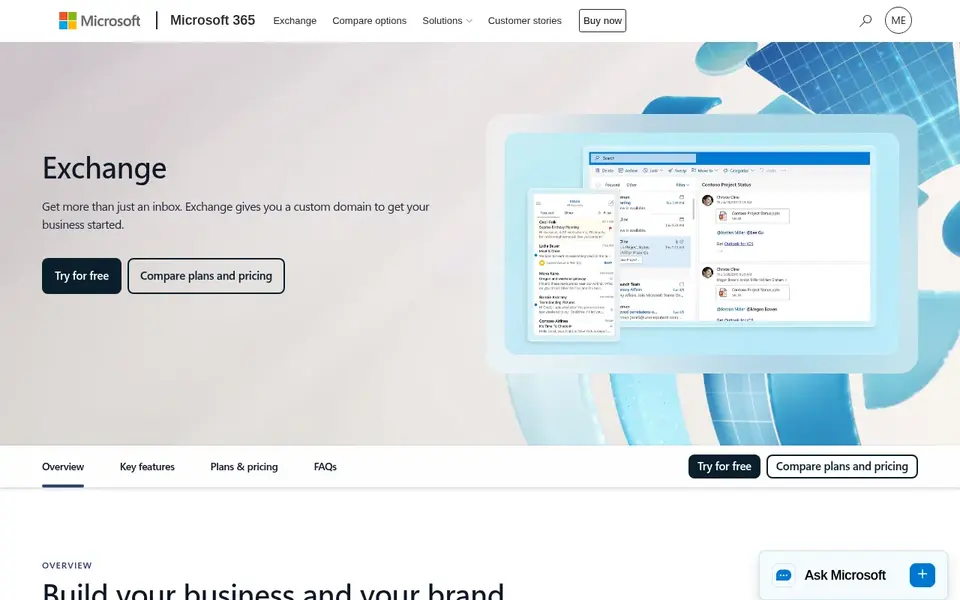
Microsoft Exchange Online was built for enterprises needing hosted or on-premises email. Enterprises facing sophisticated phishing or business email compromise may have to pair it with a specialized security option.
Whereas Exchange Online offers core email management, it may not contain advanced threat protection beyond built-in defenses. On cost, Microsoft Exchange Online starts like this: $5.40 per user per month. Free access: Free trial.
Watch-outs: Management complexity can be high for smaller IT teams.
- Focus on data security and user productivity
- Available as a hosted service or for own servers
- May need extra security layers for advanced threats
How we chose
The comparison looks at four things: starting price, free access, how well the feature set matches email management software for enterprise, and the main limit of each tool. Treat prices as a snapshot: vendors change plans often, so check the vendor site for the figure that applies today. The order reflects how well each tool fits the most common buying scenario for email management software for enterprise, then price clarity, then free plan access. It is a starting point, not a verdict.
What to check before you buy
- Ask Abnormal Security, Proofpoint Email Protection, Barracuda Email Protection and Google Workspace for a written quote, since no starting price is shown.
- Use real work to test the free trial from Barracuda Email Protection and Microsoft Exchange Online, rather than a demo project.
- Before choosing Abnormal Security, weigh its main limit: concentrated on security instead of email management.
- Pick one real project and run it in Google Workspace first; a small pilot shows fit faster than a checklist.
- Read the plan comparison for Microsoft Exchange Online carefully; key features often start on a higher tier.
Frequently asked questions
How do I choose between Microsoft Exchange Online and Google Workspace?
Consider your existing ecosystem, collaboration needs, and deployment preferences. Exchange Online supplies adaptability with hosted or on-premises choices, whereas Google Workspace emphasizes integrated online productivity tools.
What is the cheapest option for email management software for enterprise in this list?
On published monthly entry prices, Microsoft Exchange Online is the lowest here at $5.40 per user per month. Entry price is only part of the cost, because seats, add-ons and billing terms can change the total. Prices, free plan details and limits for all 5 tools in this email management software for enterprise roundup sit on the individual cards above.
Can I try these tools before paying?
Often, yes. Barracuda Email Protection and Microsoft Exchange Online offer a free trial. Use your own data and a real task during the test, and check what the free tier or trial limits before you rely on it. Each of the 5 options in this email management software for enterprise guide has its own card above with the price, free plan and limits.
Do these tools publish their prices?
Not all of them. Abnormal Security, Proofpoint Email Protection, Barracuda Email Protection and Google Workspace publish no starting price, so expect a quote request for those. The rest, Microsoft Exchange Online included, show a starting price, though seats and billing terms still change the final cost.
Is Abnormal Security the right pick for everyone comparing email management software for enterprise?
No single tool suits every team. Abnormal Security comes first because it fits behavioral AI for email and identity, while Proofpoint Email Protection suits advanced phishing and BEC defense and Barracuda Email Protection suits advanced threat detection and data protection. Match the tool to your own size, budget and workflow before deciding.
Sources
See where you really rank - block by block
ProMapRanker scans Google Maps across a grid of your service area. Simple monthly plans from $19, white-label on every plan.
Start freeBrowse all guides
← 2026 Guide to the Best Drip Campaign Software for Coaches5 Best Email Management Software for Outlook in 2026 →
 best broadcast email software for nonprofit marketing teams
Best Broadcast Email Software for Nonprofit Marketing Teams (2026)
Searching for the best broadcast email software for nonprofit marketing teams? Here are 6 options with prices and free plans. Built for quick decisions.
Read → mint mobile alternatives
Mint Mobile Alternatives in 2026: Prices and Free Plans
Mint Mobile alternatives in 2026: 5 tools with starting prices, free plans and limits. Plain-spoken summaries throughout. A comparison table is included.
Read → best newsletter platforms for creators
Newsletter Platforms for Creators: Best Picks of 2026
Best newsletter platforms for creators, compared. 6 tools with published prices, free plans and limits. Concise write-ups of every option. Facts only.
Read → gsuite alternatives
Best GSuite Alternatives in 2026
Compare the best gsuite alternatives for email, documents, storage and meetings, with current pricing, free plans and honest trade-offs for small teams.
Read → best email signature management software
7 Email Signature Management Software Options Ranked for 2026
7 tools for the best email signature management software, compared on pricing, free plans and best-fit use. Fit and flaws are laid out for each entry.
Read → mimecast alternatives
Best Mimecast Alternatives in 2026
We compared the best mimecast alternatives for email security, phishing defense, archiving, and continuity, covering Microsoft 365 and Google Workspace.
Read →More in Email Marketing · All guides A to Z by date · Latest guides