 ProMapRanker
Best eLearning Authoring Software in 2026


Professional teams that need Rise and Storyline · Pricing starts at: $1,449 per user per year
Key takeaways
- Articulate 360 leads for professional teams that need both fast Rise courses and deep Storyline interactions.
- Adobe Captivate suits authors who build software simulations and detailed custom interactions at a lower monthly price.
- iSpring Suite suits PowerPoint users best, turning existing decks into interactive courses with quizzes and role-plays.
- Easygenerator, Elucidat, dominKnow, and Gomo suit teams that want browser-based authoring, while Lectora suits accessibility-focused enterprise work.
Quick comparison
| Pick | Great for | Pricing starts at | Free tier | |
|---|---|---|---|---|
| Articulate 360 | Professional teams that need Rise and Storyline | $1,449 per user per year | Free trial (30 days) | Visit |
 Adobe Captivate | Software simulations and custom interactions | $39 per month | Free trial (30 days) | Visit |
 iSpring Suite | PowerPoint users turning decks into courses | $970 per author per year | Free trial (14 days) | Visit |
 Lectora | Accessibility-focused enterprise courses | $1,398 per user per year | Free trial (30 days) | Visit |
 Elucidat | Large teams producing many courses | $1,650 per user per year | Free trial | Visit |
 Easygenerator | Subject experts without design training | $1,399 per year | Free trial (14 days) | Visit |
 dominKnow ONE | Enterprise teams with shared content libraries | See website | Free trial | Visit |
 Gomo Learning | Cloud teams that want responsive courses | See website | Free trial | Visit |
The best eLearning authoring software
Authoring software turns knowledge into a course a learner can complete on a laptop or phone. Some tools start from slides, others start from a blank canvas with triggers and variables, and browser-based tools let many authors work together. The eight tools below cover those paths, and we compared them on ease of use, interactivity, SCORM and xAPI output, collaboration, and price.
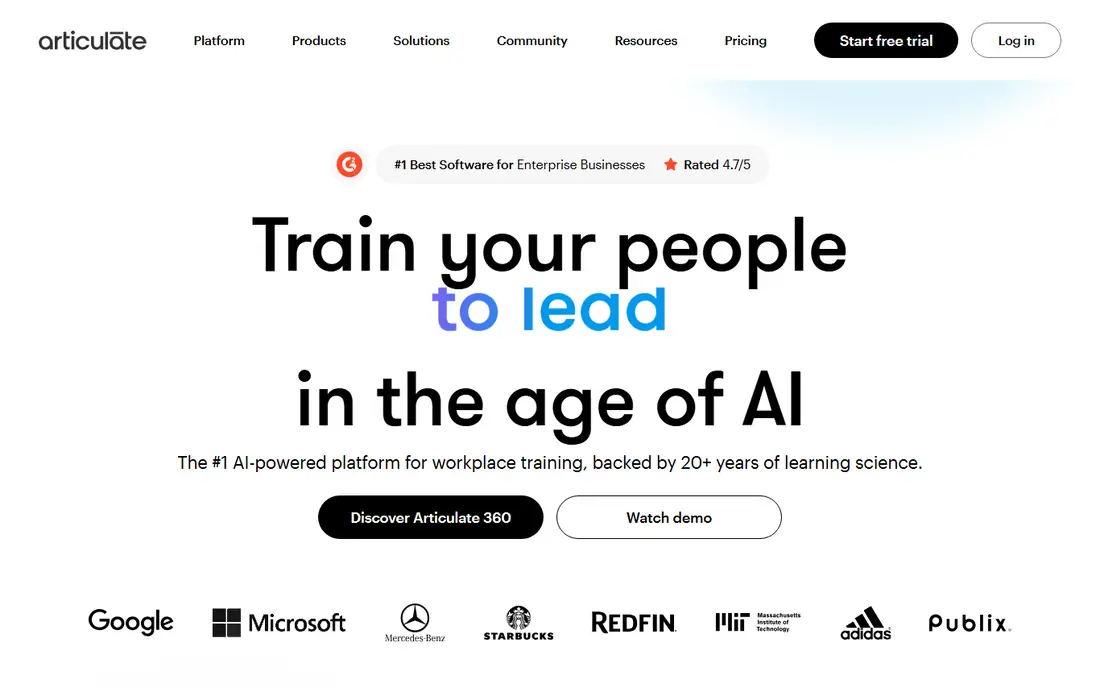
Articulate 360 gives a team two strong tools in one subscription. Rise 360 builds clean, responsive courses from blocks in a browser, which suits fast compliance and onboarding work. Storyline 360 adds triggers, variables, and custom branching for scenarios, simulations, and games that a block editor cannot match. A shared content library and review tools help teams reuse slides, characters, and templates across courses.
The price and platform limits are the drawbacks. Billing is annual only, so a freelancer who authors for only a few months a year pays for a full year, and Storyline runs on Windows. For a professional learning team that produces courses all year, Articulate 360 remains the most complete authoring suite on this list.
- Rise for fast responsive courses
- Storyline for deep custom interactions
- Large template and asset library
- Annual-only billing
- Storyline requires Windows

Adobe Captivate suits authors who need precise control. Software simulations capture screens and steps, responsive projects adapt to phones and desktops, and triggers, conditions, and variables let an author build logic that reacts to each learner choice. The individual plan includes Captivate and Captivate Classic, storage, and generative credits, with monthly billing that suits short projects.
Ease of use is the trade-off. Captivate takes longer to learn than Rise or Easygenerator, and authors who only need simple slide courses may find it more tool than they need. For teams that build software training, product demos, and detailed interactive lessons, Captivate offers depth at a monthly price that is easier to start than an annual suite.
- Strong software simulations and responsive projects
- Triggers and variables for custom logic
- Monthly billing option
- Learning curve is steeper than block editors
- Asset costs can add up

iSpring Suite wins on familiarity. Authors who already build training in PowerPoint can add quizzes, role-plays, video, branching scenarios, and interactions without learning a new editor from scratch. Courses publish to SCORM and xAPI for most learning systems, and the AI tier adds course drafting and cloud authoring for teams that want a faster start.
The platform limit is plain. iSpring Suite needs Windows and a supported desktop version of PowerPoint, so Mac-only teams must look elsewhere. For Windows-based training teams with a library of existing decks, iSpring offers the fastest path from slides to a trackable course.
- Familiar PowerPoint workflow
- Quizzes, role-plays, and branching scenarios
- SCORM and xAPI publishing
- Requires Windows and desktop PowerPoint
- Mac users need a different tool
Lectora suits organizations where accessibility and control matter most. Authors can build branching scenarios, simulations, and adaptive paths with actions and variables, while accessibility features help courses meet WCAG standards for learners with disabilities. Desktop and cloud versions give teams a choice between installed power and browser-based collaboration.
New authors face a learning curve. The interface carries many options, and advanced features take time to master, which can slow a small team with a tight deadline. For enterprise teams that must prove accessibility and build complex, compliant courses, Lectora is a serious and capable choice.
- Strong accessibility and WCAG support
- Actions, variables, and conditional paths
- Desktop and cloud versions
- Steep learning curve for advanced features
- Interface can feel dense for new authors
Elucidat, now sold under the Create brand in some listings, helps large learning teams produce a high volume of consistent courses. Cloud authoring lets many authors work on shared projects, AI tools suggest content and build quizzes, and brand controls keep courses looking consistent across departments. SCORM and xAPI output covers most learning systems.
Cost is the barrier for small teams. The starting price runs high per user per year, with a three-seat minimum on some plans, which puts it beyond a solo author or a tiny team. For a large organization that needs volume, consistency, and shared review, Elucidat offers a structured and scalable platform.
- Cloud authoring for many authors
- AI content help and auto-quiz tools
- SCORM, xAPI, and brand controls
- Higher price with a three-seat minimum
- Less suited to solo authors on a budget
Easygenerator hands course creation to the people who know the subject. A block editor, templates, and AI guidance let a manager, nurse, engineer, or sales lead build a course without design training, while co-authoring and review keep quality checks inside the tool. Auto-translation helps teams that train staff in several languages.
Limits sit on the entry plan, which caps courses and learners, so a growing team must move to the Team plan for unlimited work. The asset library is also thinner than Articulate or Lectora, so authors may need their own images. For organizations that want many experts to author, Easygenerator is one of the easiest tools to adopt.
- Clean block editor for non-designers
- Live co-authoring and review
- AI help and auto-translation
- Single-author plan caps courses and learners
- No built-in asset library of the size rivals offer
dominKnow ONE serves enterprise teams that reuse content across many courses. A shared library lets authors pull approved text, images, and interactions into new courses, while templates and themes keep branding consistent. Collaboration tools, version control, and review workflows suit teams where several authors and reviewers touch each course before release.
Pricing is quoted, so a team cannot compare a published starting price without a sales conversation. First-time authors may also find the interface complex next to a block editor like Easygenerator. For large teams that manage a content library as a shared asset, dominKnow ONE offers control and reuse that simpler tools cannot match.
- Shared content and template libraries
- Responsive and traditional course outputs
- Strong collaboration and review
- Quoted pricing only
- Interface can feel complex for first-time authors
Gomo Learning keeps authoring, hosting, and tracking in the cloud. Courses adapt to laptops, tablets, and phones without separate builds, multi-language workflows help global teams, and built-in analytics show how learners move through each course. Central hosting also makes updates simple, since a fix reaches every learner at once.
Pricing is quoted by author licenses and hosting tier, which can grow costly as a team scales. Creative freedom is also narrower than in Storyline or Captivate, since Gomo favors brand consistency over custom logic. For learning teams that want responsive, centrally managed courses, Gomo is a steady and polished choice.
- Fully cloud-based authoring and hosting
- Responsive courses for any device
- Multi-language and analytics tools
- Quoted pricing based on authors and hosting
- Less creative freedom than designer-led desktop tools
How we picked these
We compared authoring tools with published pricing or trials, plus public feature lists for interactivity, branching, collaboration, and SCORM and xAPI output. We favored tools that were actively sold in October 2026, that publish to common learning systems, and that cover different author types, from subject experts to professional designers. We left out pure learning platforms with no real authoring editor.
What to check before you buy
Build a short test course in each finalist, using your real content, images, and quiz types, and publish it to your learning system. Check how it looks on a phone, whether scores and completions report correctly, and how long the build actually took. That test reveals more than a feature list, especially for accessibility, responsive layout, and reporting.
Confirm the full cost, including seats, hosting, AI credits, and any asset or translation add-ons. Check who can author, review, and publish, and whether your team works on Windows, Mac, or browsers. Finally, ask how content is reused across courses, since reuse saves more time over a year than any single feature.
Frequently asked questions
What is the best elearning authoring software?
Articulate 360 leads for professional teams, Adobe Captivate leads for simulations, iSpring Suite leads for PowerPoint users, and Easygenerator leads for subject experts. The best tool depends on who authors, how complex the courses are, and which learning system you publish to.
What are the best elearning authoring tools for beginners?
Easygenerator, Rise 360 inside Articulate 360, and iSpring Suite are the easiest starting points for beginners. Easygenerator suits non-designers, Rise suits fast responsive courses, and iSpring suits anyone who already builds decks in PowerPoint. Trial each one with a real lesson before you buy.
What is the best course authoring software for PowerPoint users?
iSpring Suite is the clearest pick for PowerPoint users, since it works inside PowerPoint and adds quizzes, role-plays, and branching. Articulate Storyline can also import PowerPoint content, but it requires learning a separate editor. Check Windows and PowerPoint version needs before you commit.
Does elearning authoring software work with an LMS?
Yes, most tools on this list publish to SCORM 1.2, SCORM 2004, or xAPI, which most learning systems accept. Confirm the exact standard your system needs, test a published course for completion and score reporting, and check whether your system needs any extra setup for xAPI.
How much does elearning authoring software cost?
Costs range from $39 per month for Adobe Captivate to $970 per author per year for iSpring Suite, $1,399 per year for Easygenerator, $1,398 per user per year for Lectora, $1,449 for Articulate 360, and $1,650 for Elucidat, with dominKnow ONE and Gomo Learning quoted. Always confirm seats, billing terms, and add-ons on the vendor page.
Sources
See where you really rank - block by block
ProMapRanker scans Google Maps across a grid of your service area. Simple monthly plans from $19, white-label on every plan.
Start freeKeep reading
 best virtual meeting platform
Best Virtual Meeting Platforms in 2026
Searching for the best virtual meeting platform? We compare 9 video meeting tools on price, free plans, capacity, and features for teams of all sizes.
Read → best social media reporting tools
Best Social Media Reporting Tools in 2026
Compare the best social media reporting tools in 2026, with pricing and free plans, and the right pick for creators, agencies, and large marketing teams.
Read → best social media platforms for business
Best Social Media Platforms for Business in 2026
We compared the best social media platforms for business, from Facebook and Instagram to LinkedIn and TikTok, with ad strengths and who each platform suits.
Read →