 ProMapRanker
Best Digital Experience Monitoring Software in 2026


Internet-wide synthetic monitoring · Pricing starts at: See website
Key takeaways
- Catchpoint and ThousandEyes are the strongest picks for external, internet-wide visibility, while Nexthink and Riverbed Aternity focus on employee devices.
- Dynatrace, Datadog, and New Relic suit teams that already monitor applications and infrastructure and want experience data in the same place.
- Most DEM pricing is quote-based, so compare node count, test frequency, and data retention, not just a headline tier.
- Synthetic tests show what a journey should do, real-user data shows what users actually experience, and network path data shows where it breaks.
- Start with the journeys that drive revenue or support tickets, and add coverage only after alerts are tuned and trusted.
Quick comparison
| Pick | Great for | Pricing starts at | Free tier | |
|---|---|---|---|---|
| Catchpoint | Internet-wide synthetic monitoring | See website | No | Visit |
 Cisco ThousandEyes | Network path and internet visibility | See website | No | Visit |
 Dynatrace | Full-stack observability with DEM | See website | Free trial | Visit |
 Datadog | Cloud teams already on Datadog | See website | Free trial | Visit |
 Nexthink | Employee device experience | See website | No | Visit |
 Riverbed Aternity | Employee experience at scale | See website | No | Visit |
 New Relic | Application and experience in one place | See website | Yes | Visit |
 SolarWinds Pingdom | Simple website uptime checks | See website | Free trial | Visit |
The best digital experience monitoring software
We compared official product pages, pricing pages, and public documentation for software that measures how users actually experience websites, apps, and workplace tools. Our pick for most teams that need external visibility is Catchpoint, because its global node network and synthetic testing give a clear, internet-wide view, while teams that need employee experience should shortlist Nexthink first.
Catchpoint is a digital experience and internet performance monitoring platform that tests websites, apps, and services from hundreds of nodes across backbone, broadband, cloud, wireless, and last-mile networks. That breadth matters when a problem sits outside your own data centre, such as a slow third-party service, a DNS issue, or a regional network fault, because Catchpoint can show where along the path the delay appears. It combines synthetic tests that simulate user journeys with real-user data and detailed diagnostics for root cause work.
The drawback is enterprise pricing and scope. Catchpoint is quote-based, and its full value shows for organisations whose revenue or operations depend on digital services working everywhere, every time. Smaller teams that only need basic uptime checks should start with a simpler tool, while teams that lose money when a checkout or login fails will find Catchpoint's visibility worth the sales conversation.
- Very broad global node network
- Synthetic and real-user monitoring
- Strong internet performance diagnostics
- Pricing is quote-based and enterprise-oriented
- Smaller teams may find it more than they need
Cisco ThousandEyes monitors digital experiences across networks a company does not own, including the public internet, cloud providers, and SaaS services, with agents in data centres, branch offices, and on employee devices. Its path visualisation shows each hop, with BGP routing and DNS data alongside application performance, which helps network teams prove whether a fault sits with their network, a provider, or a third party. That evidence is valuable when a vendor dispute or an outage review needs facts rather than guesses.
Pricing is unit-based and enterprise deployments can reach significant annual totals, especially when endpoint monitoring and extra features are added. ThousandEyes suits large enterprises with complex hybrid and multi-cloud networks, while smaller teams should confirm the scoped cost for their agent count and test frequency before committing.
- Detailed network path visualisation
- BGP and DNS insight
- Cloud and enterprise agents
- Pricing is unit-based and can grow quickly
- Setup needs network expertise
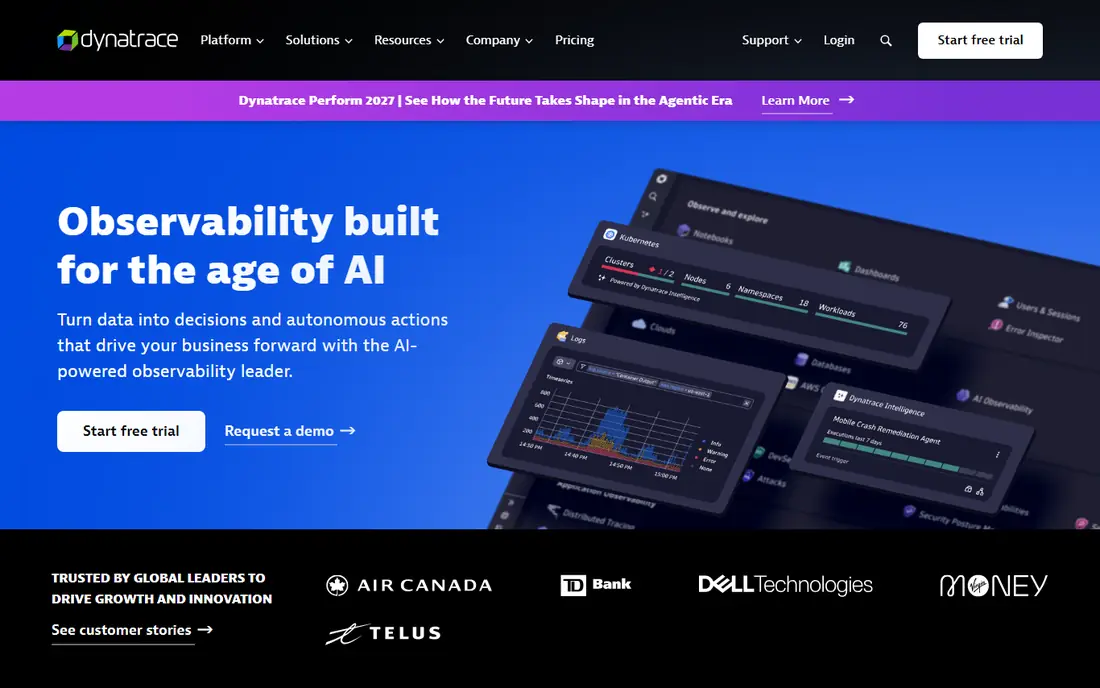
Dynatrace is a full observability platform that covers infrastructure, applications, logs, and digital experience, with synthetic monitoring and real-user monitoring for web and mobile apps. Its AI-assisted analysis links a slow user journey to the underlying service, database, or infrastructure cause, which shortens the time from alert to fix for teams that already run Dynatrace for application performance. A free trial is available, and full-stack pricing is published per host unit, though DEM scope still needs scoping.
The catch is breadth and billing complexity. Teams that only need DEM may find Dynatrace more platform than they need, and consumption-based pricing needs careful modelling of hosts, synthetic tests, and data volume. For teams already invested in Dynatrace, adding DEM is a natural step, while DEM-only buyers should compare Catchpoint and ThousandEyes first.
- Full-stack monitoring in one platform
- AI-assisted root cause
- Synthetic and real-user monitoring
- Pricing is consumption-based and complex
- Smaller DEM-only buyers may pay for breadth they do not use
Datadog offers synthetic monitoring, real-user monitoring, and mobile monitoring as part of a wider observability platform that also covers infrastructure, logs, and application performance. Teams already using Datadog can add experience data to the same dashboards and alerts they use for services, which makes it easier to connect a slow page to a failing deployment or a saturated database. A free trial is available, and pricing is published per product, though the total depends on test count, session volume, and data ingestion.
The honest limit is cost control. Datadog's breadth is a strength, but each product adds usage charges, and teams that do not govern test frequency and data retention can see bills grow. For cloud-native teams already on Datadog, DEM is a strong addition, while teams that want a standalone DEM tool should weigh the simpler scope of Catchpoint.
- Broad observability suite
- Synthetic tests and real-user monitoring
- Strong cloud integrations
- Pricing is usage-based across many products
- Costs can grow with data volume
Nexthink Infinity is a digital employee experience platform that gives IT teams real-time analytics on how devices, applications, and networks perform for employees, with the ability to diagnose and fix issues remotely. It shows where employees struggle, such as slow logins, crashing apps, or poor Wi-Fi, and it lets IT act before a ticket is raised, which suits large workforces with many remote or hybrid staff. A free trial is available in some channels, and pricing is generally quote-based by device count.
The scope is employee experience, not public website monitoring, so teams that need both will still need a synthetic tool for customer-facing services. Nexthink suits enterprises with thousands of devices and a service desk that wants proactive remediation, while smaller teams may find its enterprise pricing and setup heavier than they need.
- Real-time employee experience data
- Device, app, and network insight
- Remediation actions
- Pricing is quote-based
- Focused on Windows, Mac, and IGEL devices
Riverbed Aternity is a digital employee experience platform that monitors device, application, and network performance for large workforces, with analytics that help IT find the root cause of slow or failing experiences. It is built for enterprises with complex device fleets, virtual desktops, and many applications, where a small performance drop across thousands of staff can mean lost productivity and a flood of support tickets. Its data helps teams prioritise fixes by business impact rather than by ticket volume alone.
Pricing is quote-based and varies by device count and edition, so buyers should scope their fleet size and retention needs before comparing totals. Aternity suits large enterprises that already manage devices at scale, while smaller teams should shortlist Nexthink or a simpler endpoint tool first and confirm support for their device mix.
- Deep device and application performance data
- Enterprise scale
- Strong analytics
- Pricing is quote-based
- Implementation needs planning for large fleets
New Relic is an observability platform with synthetic monitoring, browser monitoring, and mobile monitoring alongside application, infrastructure, and log data. Its free tier lets a small team start with basic monitoring without a sales conversation, and its published user and data pricing makes the entry cost easier to understand than with quote-only rivals. Teams that already use New Relic for applications can add experience data to the same workflows they use for incidents.
The limit is scale and scope. Large DEM deployments with many synthetic tests, high session volumes, and long retention will move to enterprise pricing, and buyers should model those costs carefully. For teams that want application and experience monitoring together, and a free tier to start, New Relic is a practical choice.
- Free tier for getting started
- Synthetic and browser monitoring
- Unified observability
- Enterprise DEM scope is quote-based
- Data and user pricing needs careful modelling
SolarWinds Pingdom is a website monitoring tool with uptime checks, page speed monitoring, and transaction checks, designed for teams that need to know quickly when a site is down or slow. Setup is simple, alerts are clear, and pricing is far more accessible than enterprise DEM platforms, which makes it a good first step for small businesses, agencies, and site owners. A free trial is available, and plans scale by check count and frequency.
Pingdom is not a full DEM suite. It lacks the deep network path analysis of ThousandEyes, the global node depth of Catchpoint, and the employee device data of Nexthink, so teams with complex journeys or enterprise networks will outgrow it. For simple uptime and speed monitoring, though, it remains a sensible and affordable pick.
- Simple to set up
- Clear uptime and page speed checks
- Affordable entry point
- Less depth for complex journeys and network diagnostics
- Not a full DEM suite
How we picked these
We compared official product pages, pricing pages, and public documentation, and we favoured tools that are still sold and supported in October 2026 and that clearly measure digital experience, whether for customers on the web or employees on devices. We checked synthetic versus real-user coverage, network diagnostics, pricing transparency, and free plans or trials, and we did not claim hands-on testing. Where a tool is part of a wider observability suite, we said so, so buyers can judge whether they are buying DEM alone or a full platform.
What to check before you buy
Start with the journeys that matter. List the five user journeys that drive revenue, support tickets, or staff productivity, such as checkout, login, search, video playback, or a core internal app, and monitor those first. Add synthetic tests for the paths you can script, real-user data for what people actually do, and network path data where a third party or the internet sits between you and the user.
Next, tune alerts before adding coverage. An alert that fires for every minor slowdown will be ignored, so set thresholds from a week of baseline data, route alerts to the team that owns the service, and review false positives weekly during the pilot. Ask about test locations, frequency, data retention, and how the tool handles third-party scripts, since those details decide whether a slowdown can be traced to a cause or only noticed after users complain.
Frequently asked questions
What is digital experience monitoring software?
It is software that measures how users experience websites, apps, and workplace tools, using synthetic tests that simulate journeys, real-user data from actual visits, and network data that shows where delays occur. The goal is to find and fix experience problems before they become outages or support tickets.
What is the difference between synthetic monitoring and real-user monitoring?
Synthetic monitoring runs scripted tests from set locations on a schedule, so it can catch problems even when no real user is online, while real-user monitoring collects data from actual visits and shows what real people experience across devices, browsers, and networks. Most teams need both, since synthetic tests give control and real-user data gives reality.
How much does digital experience monitoring software cost?
Simple tools such as Pingdom are affordable for small teams, while enterprise DEM platforms such as Catchpoint, ThousandEyes, Nexthink, and Riverbed Aternity are quote-based and priced by nodes, devices, tests, or data volume. Buyers should scope test count, frequency, locations, and retention before comparing quotes.
Which DEM tool is best for employee experience?
Nexthink and Riverbed Aternity are the strongest picks for employee experience, because they monitor device, application, and network performance for staff and support remote remediation. Catchpoint and ThousandEyes are stronger for customer-facing websites and internet paths, so many large organisations use one of each.
Do I need DEM if I already have application monitoring?
Application monitoring shows how your services perform, but it does not always show what users experience when the internet, a third party, or a device sits in between. DEM adds that outside-in view, which is why teams often pair it with application monitoring rather than replacing it.
Sources
See where you really rank - block by block
ProMapRanker scans Google Maps across a grid of your service area. Simple monthly plans from $19, white-label on every plan.
Start freeKeep reading
 wpforms alternatives
Best WPForms Alternatives in 2026
We compare 9 wpforms alternatives for WordPress forms, with free and paid options, current pricing notes, and honest limits for small business sites in 2026.
Read → windows task scheduler alternatives
Best Windows Task Scheduler Alternatives in 2026
Looking for Windows Task Scheduler alternatives? We compare 9 schedulers for Windows and cross-platform work, from free tools to enterprise automation.
Read → which ai video service is best
Which AI Video Service Is Best in 2026
which ai video service is best? We compare 10 legitimate AI video services on price, avatars, editing and output quality to help you pick the right tool.
Read →