 ProMapRanker
Best Digital Conversion Service in 2026

Key takeaways
- The cheapest headline price is rarely the full cost, because kits, shipping, outputs, and cloud plans can all add up.
- Legacybox sells prepaid kits by item count, while iMemories and Capture charge per item, so the best deal depends on how many tapes and photos you have.
- Ask for digital files, not just a DVD, so you can back up, share, and re-edit your converted media.
- Tapes and film degrade over time, especially in hot or damp storage, so converting sooner protects more of the original quality.
- These services will not copy commercial tapes or recorded television programs, so sort home movies from bought content before you ship.
Quick comparison
| Pick | Great for | Pricing starts at | Free tier | |
|---|---|---|---|---|
 Legacybox | Prepaid kits for mixed media | $69.98 per kit | Free quote | Visit |
 iMemories | Per-tape pricing with cloud app | $29.99 per tape | Free quote | Visit |
 Capture | Store drop-off and mail-in | $19.99 per tape | Free quote | Visit |
 ScanMyPhotos | Photos and tapes by mail | $14.97 per tape | Free quote | Visit |
 Forever Studios | Low per-tape price | $12 per tape | Free quote | Visit |
 Southtree | Mixed tape and film orders | See website | Free quote | Visit |
 EverPresent | Photo and film scanning | See website | Free quote | Visit |
 Kodak Digitizing Box | Brand-name kit service | See website | Free quote | Visit |
The best digital conversion services
We compared services that digitise VHS tapes, photos, and film on pricing structure, formats supported, delivery options, and turnaround. Prices change with promotions, so confirm your total in the cart or quote before you ship irreplaceable originals.

Legacybox is the best-known kit service, and its model is simple to understand once you see it clearly. You buy a box sized for 2, 10, 20, or 40 items, fill it with tapes, film reels, photos, or audio, and send it to its Chattanooga facility. The starter kit is listed around 69.98 dollars for two items, which works out near 35 dollars per item at list price, though sales often lower that figure.
The kit model is both its strength and its weakness. If you have a mixed box of media, one kit covers everything, and barcoded tracking helps you follow each item. If you have twelve tapes, though, you must buy the twenty-item kit, so do the per-item maths yourself before ordering. Also plan for a standard turnaround of about four to six weeks, and download your files promptly, since included cloud access does not last forever.
- Wide format range including tapes, film, photos, and audio
- Barcoded tracking
- Kit model suits mixed boxes
- Kit sizes can force you to buy more items than you need
- Turnaround of about four to six weeks standard
- Cloud access is time-limited

iMemories charges per item rather than per kit, which makes it easier to price a small, exact order. Videotape digitising is listed at 29.99 dollars per tape, film at 29.99 dollars per 50 feet, and photos at 99 cents each at list prices, with frequent promotions bringing tape prices down. After it inventories your box, it gives you a quote to approve before charging for digitising, so you are not locked in by the kit price alone.
The costs to watch are the extras. The SafeShip Kit is charged separately, return shipping is separate, and its cloud app runs on a trial followed by 7.99 dollars per month or 49.99 dollars per year if you want ongoing viewing and sharing. You can download your digital masters free, so if you do not need the cloud app long term, download everything and back it up at home.
- Per-item pricing
- Free quote before you pay
- App for viewing and sharing
- SafeShip kit and return shipping are charged separately
- Cloud plan costs extra after trial
- Promo prices differ from list prices
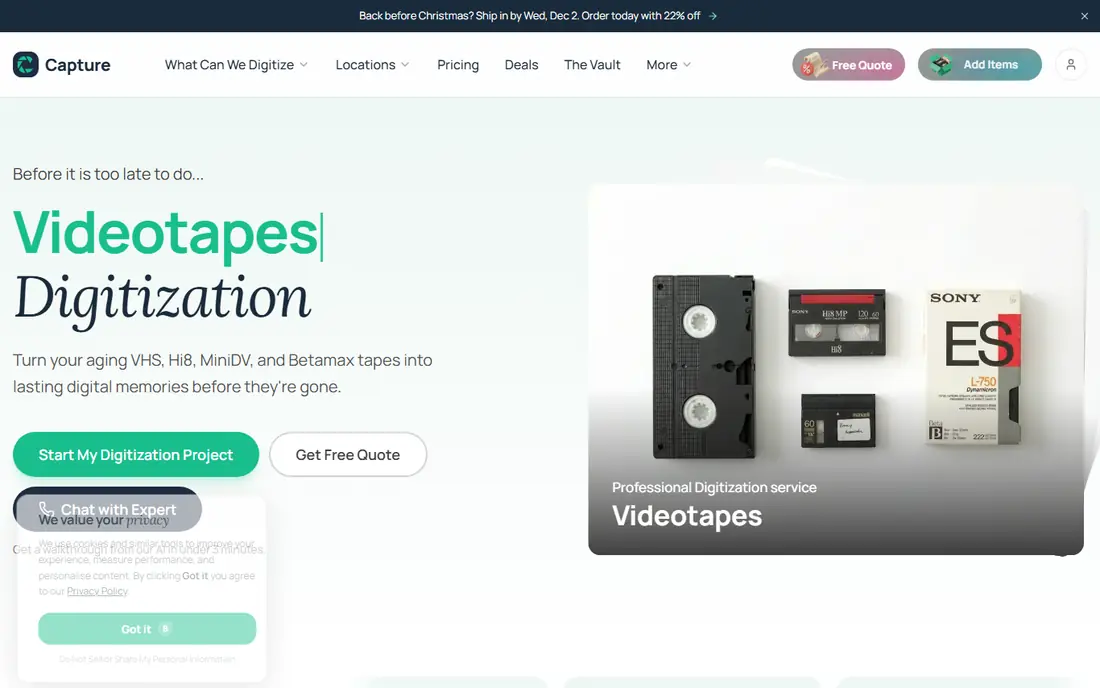
Capture is the service behind many retail digitising counters, including Walmart and CVS, which makes it the easiest option if you prefer to drop off a tape in person rather than mail a box. Its own mail-in pricing is listed around 19.99 dollars per tape in recent comparisons, though retail partner pricing varies by tape length and output format, so check the counter price before you leave a tape.
Turnaround is commonly about three weeks including shipping, which is faster than some kit services. The main caution is to confirm what you get at the end. Ask for digital files as well as any DVD or USB, confirm the output format, and check whether longer tapes cost more at your chosen store. A short tape and a two-hour tape are not always the same price.
- Listed at 19.99 dollars per tape in recent comparisons
- Retail drop-off through partner stores
- DVD, USB, and digital options
- Pricing by running time at some retail partners
- Turnaround of about three weeks including shipping
- Extras add up
ScanMyPhotos started with photo scanning and now handles tapes as well, and its sale pricing can make it one of the cheapest routes for a small tape order. Recent comparisons listed it at 14.97 dollars per tape on sale, against a list price near 29.95 dollars, so confirm the price in your cart before you commit. For photos, its bulk scanning model suits large boxes of prints that would take weeks to scan at home.
The limits matter. ScanMyPhotos takes only certain tape formats, including NTSC VHS, VHS-C, MiniDV, and Hi8, so check your tape types first. It will not copy commercial or recorded-from-television tapes, which is standard across this list. If your collection includes Betamax, 8mm film, or PAL tapes, another service on this list will be a better fit.
- Low sale price per tape in recent comparisons
- Strong photo scanning service
- Clear per-item model
- Tape formats are limited to certain types
- Sale prices change
- Commercial tapes are not accepted
Forever Studios, based in Boca Raton, Florida, lists VHS conversion at 12 dollars per tape, which undercuts most national rivals at list price. Turnaround is commonly two to three weeks, and originals are returned with your order. That combination of price and speed makes it a strong choice for a straightforward box of VHS tapes with no unusual formats.
The extras are where the total grows. DVDs are listed around 5 dollars each, flash drives around 30 dollars, and cloud storage around 55 dollars per year in the company's own comparison material. Those are reasonable charges, but they mean a twelve-tape order with a drive and cloud access costs more than twelve times twelve dollars. Price the full order, including return shipping, before you compare it with a kit service.
- Listed at 12 dollars per VHS tape
- Turnaround of about two to three weeks
- DVD, USB, and cloud options
- DVD and USB outputs cost extra
- Cloud storage is a yearly charge
- Smaller company than Legacybox or iMemories
Southtree is a long-running conversion service that handles the usual mix of videotapes, film reels, photos, slides, and audio cassettes. It is a good fallback if your main choice does not support a format in your box, or if you want a second quote for a large mixed order. Its pricing varies by format, so use its quote tool with your exact item list rather than guessing from a headline price.
The main caution is the same one that applies to every mail-in service: confirm the output format, the turnaround, and the return shipping terms before you send originals. Southtree's strength is breadth, not a single headline price, so judge it on the quoted total for your box, not on one tape price alone.
- Handles tapes, film, photos, and audio
- Kit and per-item options
- Long-running service
- Pricing varies by format and promotion
- Turnaround varies
- Confirm output formats before ordering
EverPresent is best known for photo and film scanning, and it suits collections where prints, slides, and negatives matter as much as tapes. If your box is mostly photos with a few tapes, its scanning quality and organisation options may matter more than a low per-tape price. It also offers local drop-off in some areas, which appeals to people who do not want to mail originals.
Because pricing is quote-based, you should request a quote with exact counts: number of prints, slides, tapes, and reels. That quote is the only fair comparison with a kit or per-item service. Also ask about file resolution and format, since a low-resolution scan that looks fine on a phone may disappoint when printed large later.
- Strong photo, slide, and negative scanning
- Local drop-off in some areas
- Careful handling emphasis
- Pricing is quote-based
- Tape range is narrower than kit rivals
- Turnaround varies by order size
Kodak Digitizing Box uses the same kit idea as Legacybox: you buy a box by item count, fill it, and send it in. The Kodak name gives some buyers extra confidence, and the service covers the standard range of tapes, film, photos, and audio. Tracking is included, and your originals are returned with the converted files.
As with Legacybox, kit sizes decide the value. A box that holds more items than you own means you pay for empty slots, so count your items carefully and choose the smallest kit that fits. Confirm the included output, the cloud access period, and the cost of extra DVDs or drives before you order, since those extras decide the final total.
- Familiar brand and kit model
- Handles tapes, film, photos, and audio
- Tracking included
- Pricing is by kit size
- Turnaround varies
- Cloud and output extras can add up
How we picked these
We compared official pricing pages and recent comparison reporting on per-tape prices, kit prices, formats, and turnaround, and we focused on services that handle home movies rather than commercial duplication. We did not claim hands-on testing, and we did not invent prices where a service uses quote-based pricing. Where a price was a sale price, we said so, and where extras change the total, we named them.
How to prepare your tapes and photos before you ship
Sort your media before you order. Separate home movies from commercial tapes and recorded television, since services will not copy those, and set aside any tape that smells musty or shows mold, since it may need special handling. Count tapes, reels, and photos exactly, and remove duplicates from photo orders, since you pay per photo at most services.
Make a simple inventory with a number on each item and a note about what is on it, and keep a copy at home. That list helps you check that everything comes back, and it helps family members find a specific event later. Pack tapes upright in a sturdy box with padding, keep photos flat and dry, and avoid attics and garages for storage while you wait, since heat and damp speed up decay.
When files arrive, download them at once and make two backups: one on an external drive and one in cloud storage you control. Do not rely only on a service's cloud app, since trials end and plans change. Name files clearly by year and event, and share copies with family while you still remember who is in each clip.
Frequently asked questions
What is the best company to digitize VHS tapes?
It depends on your order size. Legacybox suits mixed boxes bought as a kit, iMemories suits exact per-tape orders with a viewing app, Capture suits store drop-off, and Forever Studios suits low per-tape prices for straightforward VHS orders. Compare the quoted total, not just the headline price.
How much does it cost to digitize a VHS tape?
Recent list and sale prices in this guide range from about 12 dollars to about 35 dollars per tape, before kits, shipping, and outputs. Longer tapes can cost more at retail partners that price by running time, so confirm your total before ordering.
How long does digitizing take?
Turnaround commonly ranges from about one week after approval at iMemories to about four to six weeks standard at Legacybox, with retail and mail-in services often around three weeks including shipping. Expedited options exist at some services for an extra fee.
Will services copy commercial VHS tapes?
No. Conversion services copy home movies and personal recordings, not commercial tapes or programs recorded from television. Sort those out before you ship, since they will be returned unconverted or refused.
Should I get a DVD, a USB drive, or digital files?
Get digital files first, since they are easiest to back up, share, and re-edit. A DVD is useful for older relatives with a DVD player, and a USB drive is a handy physical backup, but neither should be your only copy.
What happens to my original tapes after conversion?
Reputable services return your originals with your order. Keep them in a cool, dry place after conversion, since they remain the master copy if a digital file is ever lost or damaged.
Sources
See where you really rank - block by block
ProMapRanker scans Google Maps across a grid of your service area. Simple monthly plans from $19, white-label on every plan.
Start freeKeep reading
 wpforms alternatives
Best WPForms Alternatives in 2026
We compare 9 wpforms alternatives for WordPress forms, with free and paid options, current pricing notes, and honest limits for small business sites in 2026.
Read → windows task scheduler alternatives
Best Windows Task Scheduler Alternatives in 2026
Looking for Windows Task Scheduler alternatives? We compare 9 schedulers for Windows and cross-platform work, from free tools to enterprise automation.
Read → which ai video service is best
Which AI Video Service Is Best in 2026
which ai video service is best? We compare 10 legitimate AI video services on price, avatars, editing and output quality to help you pick the right tool.
Read →