 ProMapRanker
Best Design Collaboration Tools in 2026

Key takeaways
- Figma remains the default for product design teams, but Miro, Penpot, and Framer cover different collaboration needs better.
- Seat pricing is the hidden cost in this category, so count editors, developers, and reviewers separately before you compare plans.
- Penpot is the strongest free and open source option, with a free hosted plan that suits small teams.
- The best design tools for collaboration are the ones your developers and clients will actually open, not just the ones designers like.
Quick comparison
| Pick | Great for | Pricing starts at | Free tier | |
|---|---|---|---|---|
 Figma | Product design teams | Free | Yes | Visit |
 Miro | Whiteboards and workshops | Free | Yes | Visit |
 FigJam | Early brainstorming and diagrams | Free | Yes | Visit |
 Framer | Design to published site | Free | Yes | Visit |
 Penpot | Free open source design | Free | Yes | Visit |
 Zeplin | Design handoff to developers | See website | Yes | Visit |
 Sketch | Mac product design teams | $12 per editor per month | Free trial | Visit |
 Canva | Team marketing design | Free | Yes | Visit |
 Lunacy | Windows and Mac design | Free | Yes | Visit |
 Moqups | Wireframes and diagrams | Free | Yes | Visit |
The best design collaboration tools
Design collaboration is more than shared files. It covers live editing, comments, version history, developer handoff, and client review, all without a pile of exported images in email. We compared official product and pricing pages and public documentation, and we did not claim hands-on testing we did not do.
Figma is the default for product design because it lets many people edit the same file at once, leave comments on specific frames, and share a link that always shows the latest version. Its component system, auto layout, and prototyping tools support a full product workflow, from wireframe to high-fidelity mockup, without exporting files between tools.
The cost question is seat mix. Professional full seats cost $16 per month billed yearly in recent pricing coverage, with lower-cost collab seats at $3 and dev seats at $12. Teams that give every reviewer a full seat will overpay, so plan seat types by role before you invite the whole company.
- Real-time multiplayer editing
- Strong component and prototyping tools
- Large plugin and template community
- Full seats cost $16 per month billed yearly on Professional
- Reviewer seats add cost if not managed

Miro is a visual workspace for whiteboards, workshops, journey maps, and early design exploration. Its free plan allows unlimited members with 3 editable boards, which makes it easy to invite clients and stakeholders to a session without a seat debate. Templates for retros, brainstorms, and flow diagrams help a team start fast.
Miro is not a high-fidelity product design tool, and it will not replace Figma for final UI files. Use it for the messy early stage, where sticky notes, diagrams, and votes matter more than pixel precision, and hand off finished ideas to a design tool when they firm up.
- Unlimited members on the free plan with 3 editable boards
- Huge template library
- Many integrations
- Starter costs $8 per user per month
- Invited members can become paid seats if not managed
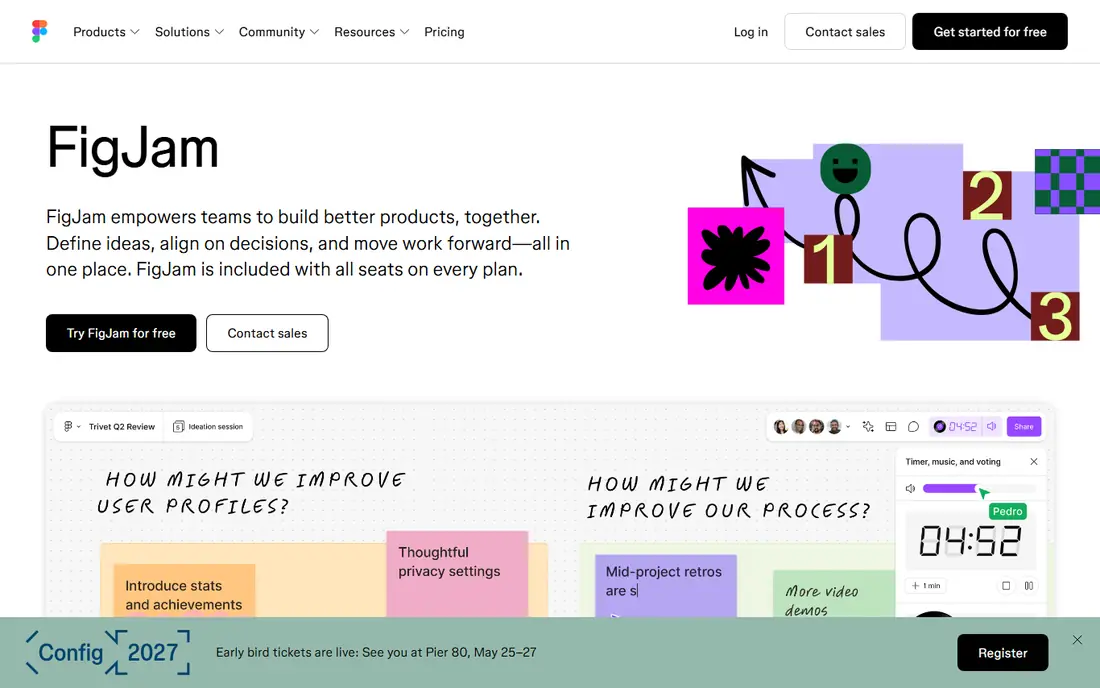
FigJam is Figma's whiteboard tool for brainstorming, diagramming, and early planning. It suits teams that already use Figma, because ideas sketched in FigJam can move into Figma design files without exporting and re-importing. Sharing, comments, and live cursors work the way Figma users expect.
FigJam is simpler than Miro for workshops, with fewer templates and workshop features. If your team already pays for Figma, FigJam is a natural early-stage tool. If you need a standalone whiteboard for large workshops, Miro may be the stronger pick.
- Simple whiteboard inside the Figma ecosystem
- Easy handoff to Figma files
- Familiar sharing and comments
- Less whiteboard depth than Miro
- Tied to a Figma account for full use
Framer lets designers build a site visually and publish it without handing a static mockup to a developer. That shortens the loop for marketing sites, landing pages, and portfolios, where the design and the live site are the same thing. Viewers are free, and content editors are priced separately, which helps with client review.
Framer is less suited to complex product design systems than Figma, and its pricing rises with site features and editors. Choose it when the end result is a published website, and keep Figma for product UI work that needs a deeper component system.
- Design and publish in one tool
- Viewers are free
- Interactive prototypes that feel like real sites
- Basic paid plan starts near $20 per month
- Learning curve for non-designers
Penpot is an open source design and prototyping tool that runs in a browser, with real-time collaboration, components, and design tokens. Its hosted Professional plan is free, with unlimited viewers and inspect mode in the free tier in recent pricing coverage, which makes it the cheapest serious option for small teams. Teams that need full control can self-host it.
Penpot trails Figma in plugins, templates, and some auto-layout edge cases, and very large files can feel slower. For budget-aware teams, privacy-conscious teams, and teams that want to own their files in an open format, those trade-offs are often acceptable.
- Free hosted Professional plan with unlimited viewers
- Open file format
- Self-host option
- Smaller plugin ecosystem than Figma
- Some advanced prototyping is less mature
Zeplin sits between design and development, turning design files into specs that developers can inspect, with measurements, assets, and code snippets. It helps when developers should not need a full design seat just to read values, and it keeps a version history of screens so a developer can see what changed. Integrations with Figma and Sketch keep the flow simple.
Zeplin adds a step and a subscription to a workflow that Figma Dev Mode already covers for many teams. It fits best when handoff is a recurring pain point, with many developers and frequent design changes, rather than for a team of two.
- Clear specs, assets, and code snippets for developers
- Versioned screens
- Integrations with Figma and Sketch
- Adds a tool between design and development
- Pricing varies by team size
Sketch is a Mac-native product design tool with a long history, strong component support, and a mature ecosystem. Standard editors cost $12 per month in recent pricing coverage, with unlimited free viewers and free developer handoff, which makes reviewer costs easy to control. For Mac-only teams that prefer a native app over a browser tool, Sketch remains a solid choice.
Sketch is Mac only, so mixed-platform teams cannot use it for everyone, and its real-time collaboration is not as central as Figma multiplayer editing. If your team is all Mac and values native speed, Sketch is worth a trial. If your team mixes Mac and Windows, Figma or Penpot will fit better.
- Mac-native performance
- Unlimited free viewers
- Free developer handoff on every tier
- Mac only
- Real-time collaboration is thinner than Figma
Canva is the best design software for collaboration when the work is marketing graphics, social posts, and presentations rather than product UI. Non-designers can edit a shared template, leave comments, and get approval without learning a product design tool. Brand kits, folders, and team roles keep shared work consistent.
Canva will not replace Figma for interface design, prototyping, or developer handoff. Use it alongside a product tool: Canva for marketing output that many people touch, and Figma or Penpot for product work that needs components and specs.
- Very easy for non-designers
- Shared brand kits and folders
- Comments and approvals in one place
- Less precise than product design tools
- Pro features need a paid plan
Lunacy is a free design app for Windows and Mac from Icons8, with Sketch file compatibility and offline work. It suits designers on Windows who want a desktop tool without a subscription, and it handles vector design, prototyping, and asset export in one app. Its free price makes it easy to try alongside a paid tool.
Lunacy collaboration is thinner than Figma multiplayer editing, and its community is smaller, so templates and plugins are fewer. For solo designers and small teams that mainly need a capable desktop editor, it is a useful free option. For live multi-user editing, Figma or Penpot will serve better.
- Free desktop app
- Sketch file compatibility
- Works offline
- Smaller community and plugin set
- Collaboration features are thinner than Figma
Moqups combines wireframing, diagramming, and simple prototyping in one browser tool, with sharing and comments for team review. It suits product managers and designers who need to sketch flows, sitemaps, and early screens fast, without opening a full design system. Its Starter plan costs near $7 per month billed yearly in recent coverage.
Moqups is not a high-fidelity UI tool, and it will not replace Figma for final screens or developer handoff. Use it for the early stage, where speed and clarity matter more than visual polish, and move to a product tool when the design firms up.
- Wireframes, diagrams, and prototypes in one tool
- Simple sharing and comments
- Low starting price
- Not for high-fidelity product design
- Free plan limits projects
How we picked these
We compared official product and pricing pages and public documentation for tools that support shared editing, comments, review, or handoff, not just solo design. We kept only tools that are live in October 2026 and truly fit design collaboration, and we left out tools that have shut down or stopped active development, such as InVision and Adobe XD as a live pick. Where pricing varied by seat type, we wrote the most relevant starting figure and noted the seat mix.
What to check before you buy
Count your people by role first. Editors need full seats, developers may need dev seats or free handoff, and clients may need only viewer or collab access. A tool that looks cheap per editor can become expensive if every reviewer also needs a paid seat, so model the full team before you compare sticker prices.
Next, test the handoff loop with a real file. Share a design, ask a developer to pull specs and assets, and ask a client to leave a comment. If any step needs an export, a screenshot, or a separate email thread, the collaboration claim is weaker than it looks. The best tool is the one where that loop stays in one link.
Finally, check file ownership and export. Can you export your files in a usable format if you leave? Can you self-host or keep an open format, as with Penpot? A collaboration tool holds your design history, so exit options matter as much as the editor itself.
Frequently asked questions
What are the best design tools for collaboration for a small team?
Figma is the safest default for product teams, Miro is best for whiteboards, and Penpot is best if you want a free option. Small teams often use two tools: one for early whiteboard work and one for final design. Keep the stack small, because every extra tool adds a sharing step.
What is the best design software for collaboration for non-designers?
Canva is the easiest pick for non-designers, because its templates, drag-and-drop editor, and approval flow need little training. Miro is also friendly for workshops and brainstorms. Product tools such as Figma work for non-designers as reviewers, but they are not the best first editor for a marketing team.
Is Penpot a real Figma alternative?
Yes, for many teams. Penpot covers vector design, components, prototyping, and real-time collaboration, with a free hosted plan and a self-host option. It trails Figma in plugins, templates, and some advanced features, so teams with a large Figma plugin workflow should test their exact files before switching.
How much do design collaboration tools cost?
Free plans cover small teams on Figma, Miro, Penpot, Framer, and Canva. Paid plans in recent coverage start near $7 to $8 per user per month for Moqups and Miro Starter, $12 per editor for Sketch, and $16 per full seat for Figma Professional. Seat mix matters more than the headline price, so count editors, developers, and reviewers separately.
Do I need a separate handoff tool such as Zeplin?
Not always. Figma Dev Mode and Penpot inspect mode cover handoff for many teams without a separate tool. Zeplin helps when many developers need specs, assets, and version history in one place, or when your design tool handoff does not fit your development workflow. Try the built-in handoff first, and add Zeplin only if it stays painful.
Sources
See where you really rank - block by block
ProMapRanker scans Google Maps across a grid of your service area. Simple monthly plans from $19, white-label on every plan.
Start freeKeep reading
 wpforms alternatives
Best WPForms Alternatives in 2026
We compare 9 wpforms alternatives for WordPress forms, with free and paid options, current pricing notes, and honest limits for small business sites in 2026.
Read → windows task scheduler alternatives
Best Windows Task Scheduler Alternatives in 2026
Looking for Windows Task Scheduler alternatives? We compare 9 schedulers for Windows and cross-platform work, from free tools to enterprise automation.
Read → which ai video service is best
Which AI Video Service Is Best in 2026
which ai video service is best? We compare 10 legitimate AI video services on price, avatars, editing and output quality to help you pick the right tool.
Read →