 ProMapRanker
Best Dermatology Practice Management Software in 2026

Key takeaways
- Nextech and ModMed are the strongest choices for established dermatology practices with heavy insurance billing and specialty charting needs.
- PatientNow and Pabau suit practices that mix medical and cosmetic work, because they combine charting with photos, marketing and retail style booking.
- EZDERM stands out for dermatology only workflows, with body mapping and skin focused templates that general systems do not match as closely.
- Most enterprise pricing is quoted per practice, so compare implementation, training and billing terms, not only the monthly licence figure.
- Software alone does not make a practice HIPAA compliant. You still need proper access controls, training, agreements and day to day handling of patient data.
Quick comparison
| Pick | Great for | Pricing starts at | Free tier | |
|---|---|---|---|---|
 Nextech | Established dermatology practices | See website | No | Visit |
 ModMed | Large medical dermatology practices | See website | No | Visit |
 PatientNow | Medical spas and cosmetic practices | See website | No | Visit |
 Pabau | Aesthetic and mixed service practices | $65 per month | No | Visit |
 EZDERM | Dermatology only charting | See website | No | Visit |
 AdvancedMD | Mid to large practices needing billing depth | See website | No | Visit |
 DrChrono | Apple friendly mobile charting | See website | No | Visit |
 Aesthetic Record | Cosmetic charting and photos | See website | No | Visit |
 Zenoti | Multi location med spas and salons | See website | No | Visit |
The best dermatology practice management software
Dermatology practices need more than a general calendar. The systems below cover scheduling, specialty charting, body mapping, clinical photos, billing and patient communication, with different strengths for medical, cosmetic and mixed practices.

Nextech is built for specialty practices, including dermatology, ophthalmology, orthopedics and plastic surgery. For dermatology, its templates, charting flows and reporting reflect how skin visits actually run, from intake to procedure notes and follow up. The system also covers scheduling, practice management and revenue tools in one place, which reduces the need to stitch several products together.
The main drawback is cost transparency. Nextech quotes per practice, and implementation and training are often separate parts of the deal. Small practices should ask for a full written quote that covers users, locations, billing services and support, and they should test charting on a typical medical visit and a typical cosmetic visit before signing.
- Dermatology specific templates and workflows
- Practice management plus billing tools
- Patient engagement features
- Pricing is quoted, not published
- Implementation can be a larger project for small practices
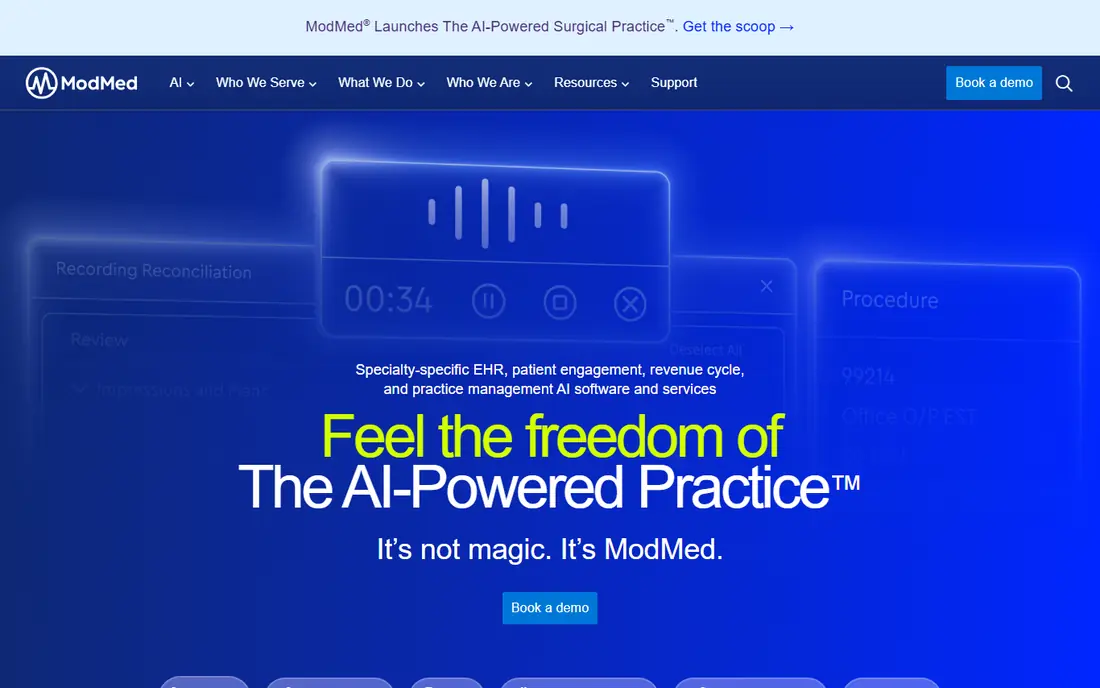
ModMed, through its EMA system, is one of the best known dermatology specific electronic health record options. It was designed around specialty workflows, with dermatology codes, templates and documentation support that help clinicians chart faster. The platform also includes practice management, billing support and analytics, which matter for larger groups that need a clear view of revenue and performance.
ModMed suits larger medical dermatology practices best. Solo and very small practices may find the scope and quoted cost heavier than they need, and they should compare it with lighter options such as Pabau or EZDERM. Ask for a demo that follows a full patient journey, including check in, charting, coding, billing and patient messaging, rather than a slide tour.
- EMA charting built for dermatology
- IPad friendly workflows
- Billing and analytics tools
- Quoted pricing only
- May be more system than a solo practice needs

PatientNow is an all in one system for aesthetic and medical spa practices, with EMR, scheduling, practice management and marketing in one product. It includes photo management for before and after records, which is central to cosmetic work, and it offers tiered plans that range from basic practice launch tools to larger enterprise packages with analytics and billing workflows.
That breadth is a strength for hybrid practices that sell treatments, memberships and products alongside medical visits. Purely medical dermatology practices may pay for marketing tools they rarely use. Compare the plan tiers carefully, confirm what is included for photo storage, messaging and billing, and check whether implementation help is included.
- Combined EMR, practice management and marketing
- Photo tools for before and after records
- Plans for smaller and larger practices
- Pricing varies by plan and provider count
- Marketing features may go unused in purely medical practices
Pabau is a clinic management system aimed at aesthetic, beauty and mixed service practices, and it also suits dermatology practices with a strong cosmetic side. It covers online booking, client records, treatment notes, before and after photos, forms and payments, with a starting price that is far lower than many enterprise EHR systems. That makes it a realistic option for new and growing clinics.
The trade off is clinical depth. Pabau is less focused on complex US insurance billing and detailed medical dermatology coding than Nextech or ModMed. If most of your revenue comes from insured medical visits, test its billing and coding workflow closely. If most work is cash pay cosmetic care, Pabau offers good value and a gentler setup.
- Published low starting price
- Before and after photo tools
- Booking, forms and client records in one place
- Less deep for complex insurance billing
- Larger medical groups may need a more specialty EHR
EZDERM is a dermatology only system, which shows in its design. It offers detailed body maps, skin related templates and workflows that follow dermatology visits closely, rather than adapting a general medical template. For clinicians who want charting that mirrors how they examine and record skin findings, that focus can save time and reduce workarounds.
As a smaller, specialty vendor, EZDERM may offer fewer third party integrations than the largest platforms. Check connections to labs, billing services, patient portals and imaging tools before you commit. For a dermatology only practice that values charting fit above breadth, it deserves a place on the shortlist.
- Built only for dermatology
- Detailed body mapping
- Skin focused templates and workflows
- Quoted pricing
- Smaller ecosystem than the largest EHR vendors
AdvancedMD is a broad practice platform that combines electronic health records, practice management and revenue cycle tools. It supports dermatology coding and offers scheduling, billing, patient portal and reporting in one system, which suits mid to large practices that want one vendor for clinical and financial work. Its reporting helps managers track claims, payments and schedule use.
Because it is a general platform adapted for dermatology, rather than a dermatology only build, templates and workflows may need more setup to match a specialty clinic. Ask how dermatology templates are configured, what billing support is included, and how training is delivered. Practices with strong billing complexity will value its depth, while smaller clinics may prefer a simpler start.
- Combined EHR, practice management and billing
- Dermatology code support
- Reporting and patient portal
- Quoted pricing and modular costs
- Setup needs care to match specialty workflows
DrChrono is a cloud EHR and practice management system known for its Apple device support. Clinicians can chart on iPad or iPhone, capture photos, manage schedules and handle billing and messages from the same system. That mobility suits dermatology practices where photos and bedside charting matter, and where staff move between rooms.
DrChrono is a general EHR with dermatology use, so specialty templates need checking in a live demo. Test photo charting, lesion documentation and coding on real visit types, and confirm billing workflows for your payer mix. For practices already using Apple devices, the mobile experience is a real advantage.
- Strong iPad and iPhone charting
- Photo charting
- Billing, scheduling and telehealth tools
- Quoted pricing
- Specialty depth depends on template setup
Aesthetic Record is designed for medical spas and cosmetic practices, with charting, photos, consents and client records built around injectables, lasers and other aesthetic treatments. It helps teams record treatments consistently, track photos over time, and manage client histories without relying on paper or generic notes. That focus makes it easy for cosmetic teams to adopt.
It is not the best fit for a practice dominated by insured medical dermatology, where coding, referrals and payer billing are central. Mixed practices should check how medical visits are handled alongside cosmetic ones, and whether billing integrations cover their needs. For cosmetic heavy clinics, Aesthetic Record offers a focused, practical toolset.
- Built for aesthetic practices
- Treatment charting and photo records
- Consent and client management tools
- Less suited to heavy insurance medical dermatology
- Pricing is quoted
Zenoti is a management platform for spas, salons and med spas, with strong tools for multi location booking, memberships, marketing and reporting. It suits chains and franchises that need consistent pricing, packages, staff schedules and customer records across sites. Its analytics help managers compare locations and track retention and revenue.
For medical dermatology, Zenoti is best viewed as a business and booking platform rather than a deep specialty EHR. Check how clinical notes, photos and consent are handled, and whether it integrates with a medical record system if you need one. For cosmetic groups with several locations, its operational strength is hard to match.
- Strong multi location management
- Booking, memberships and marketing
- Reporting across locations
- Quoted enterprise pricing
- Medical charting depth varies by setup
How we picked these
We compared official product pages, specialty guides and vendor feature lists for systems used by dermatology, aesthetic and med spa practices in October 2026. We kept systems that cover scheduling, charting, photos or treatment records, and practice operations, rather than generic booking apps with no clinical record. We favoured a mix of dermatology only systems, broad EHR platforms and cosmetic focused tools, so medical, cosmetic and mixed practices can compare realistic options. Where a vendor does not publish a price, we wrote See website instead of repeating a third party estimate as a vendor price.
How to choose dermatology software without a costly mistake
Separate medical, cosmetic and mixed needs
A medical practice lives on coding, payer billing, referrals and detailed skin documentation. A cosmetic practice lives on photos, consents, packages, memberships and repeat bookings. A mixed practice needs both, and that is where many purchases go wrong. List your visit types, your payer mix and your top five daily tasks, then score each system against that list, not against a generic feature sheet.
Test charting on real visits
Ask each vendor to chart a new patient skin exam, a follow up for a chronic skin condition, and a cosmetic treatment with photos. Watch how many clicks each visit takes, how body mapping works, and how notes, codes and photos flow into the record. A system that looks good in slides can still slow a clinic down if charting needs constant workarounds.
Check photos, consent and privacy handling
Clinical photos need secure storage, clear consent, access controls and a simple way to compare before and after images. Ask where photos are stored, who can view them, how consent is recorded, and how records are exported if you change systems. Software alone does not make a practice HIPAA compliant, so confirm business associate terms, staff access controls, audit logs and training support as part of the purchase, not after it.
Get the full cost in writing
Enterprise dermatology pricing is usually quoted, and monthly licence fees are only part of the total. Ask for implementation, data migration, training, support, photo storage, messaging, billing services and contract length in one written quote. Compare the first year total, not only the monthly figure, and ask what happens to your data and photos if you leave.
Plan migration and training
Moving charts, photos, schedules and billing history takes time, and staff need training on the new workflow before go live. Ask each vendor for a migration plan, a training schedule and a support contact for the first month. A phased rollout, starting with scheduling and intake before full charting, often causes less disruption than a single big switch.
Frequently asked questions
What is the best practice management software for dermatology?
There is no single winner for every practice. Nextech and ModMed suit established medical dermatology practices with heavy billing needs. PatientNow and Pabau suit cosmetic and mixed practices. EZDERM suits dermatology only charting. Shortlist two or three systems and test them on your real visit types before you decide.
What is the top dermatology practice management software for a small clinic?
Pabau is a strong starting point for a small aesthetic or mixed clinic, because it publishes a low starting price and covers booking, records and photos. EZDERM is worth a look for a small medical dermatology clinic that wants specialty charting. Small clinics should still get a full quote, including training and support, before they commit.
Does dermatology software need to be HIPAA compliant?
Yes, systems that handle patient health information in the US should support HIPAA requirements, including access controls, audit logs and business associate agreements. Software alone does not make a practice HIPAA compliant. Your practice still needs policies, staff training, secure handling of photos and devices, and regular checks on access.
Can one system handle both medical and cosmetic dermatology?
Yes, but check both workflows in a demo. PatientNow and mixed use systems aim to cover both, while some tools lean medical and others lean cosmetic. Test an insured medical visit and a cash pay cosmetic visit side by side, including charting, photos, consent, coding and billing, to see where gaps appear.
How much does dermatology practice management software cost?
Costs vary widely. Pabau lists a starting price of $65 per month, while enterprise EHR systems such as Nextech, ModMed and AdvancedMD quote per practice and can cost far more once users, locations, implementation and billing services are included. Always ask for a first year total in writing.
What should I check before signing a dermatology software contract?
Check contract length, data export, photo ownership, support hours, training, billing terms and what happens if you leave. Ask how charts and photos are exported, whether historical data stays readable, and how long migration support lasts. Get those answers in the contract, not only in a sales call.
Sources
See where you really rank - block by block
ProMapRanker scans Google Maps across a grid of your service area. Simple monthly plans from $19, white-label on every plan.
Start freeKeep reading
 wpforms alternatives
Best WPForms Alternatives in 2026
We compare 9 wpforms alternatives for WordPress forms, with free and paid options, current pricing notes, and honest limits for small business sites in 2026.
Read → windows task scheduler alternatives
Best Windows Task Scheduler Alternatives in 2026
Looking for Windows Task Scheduler alternatives? We compare 9 schedulers for Windows and cross-platform work, from free tools to enterprise automation.
Read → which ai video service is best
Which AI Video Service Is Best in 2026
which ai video service is best? We compare 10 legitimate AI video services on price, avatars, editing and output quality to help you pick the right tool.
Read →