 ProMapRanker
Best Day Trading Platform for Beginners in 2026

Key takeaways
- Webull and Fidelity give new traders strong free tools, including paper trading and charts, without a monthly platform fee.
- Thinkorswim from Charles Schwab stands out for chart depth, while Robinhood suits traders who want a very simple mobile start.
- Interactive Brokers and TradeStation offer more power, but their settings can feel heavy for a first month of trading.
- Day trading carries risk, and this article is not financial advice. Start with paper trading and only trade money you can afford to lose.
Quick comparison
| Pick | Great for | Pricing starts at | Free tier | |
|---|---|---|---|---|
 Webull Webull | Mobile charts and paper trading | Free | Yes | Visit |
 Fidelity Active Trader Pro Fidelity Active Trader Pro | All-in-one broker for beginners | Free | Yes | Visit |
 Charles Schwab thinkorswim Charles Schwab thinkorswim | Deep charts and paper trading | Free | Yes | Visit |
 Robinhood Robinhood | Simple mobile trading | Free | Yes | Visit |
 Interactive Brokers Interactive Brokers | Low-cost active trading | See website | No | Visit |
 tastytrade tastytrade | Options-focused beginners | See website | No | Visit |
 TradeStation TradeStation | Scanning and strategy tools | See website | No | Visit |
 eToro eToro | Social features and practice account | Free | Yes | Visit |
The best day trading platforms for beginners
We compared commission-free brokers, chart tools, paper trading, and ease of use for people who are still learning how markets move.
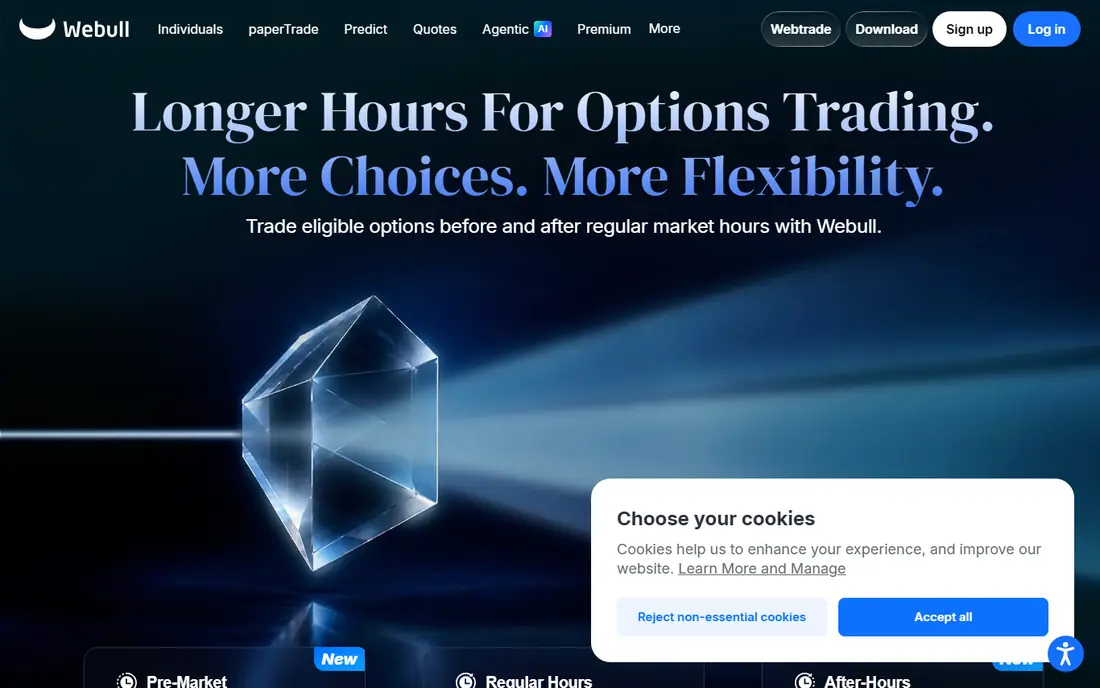
A phone-first trader will feel at home here quickly. Webull puts charts, watchlists, and order tickets in one clean mobile app, and its paper trading mode uses the same layout as live trading. That match matters, because a practice account only helps when it teaches the real buttons and order types.
The honest catch is support and depth. Webull is a good place to learn entries, exits, and position sizing, but new traders should still read its fee schedule for options contracts and other charges. Paper trade first, set a daily loss limit, and keep trade sizes small while you learn.
- Commission-free stock and ETF trades
- Built-in paper trading
- Strong mobile charts and Level 2 data options
- Customer support can feel limited
- Fewer local branches than large traditional brokers
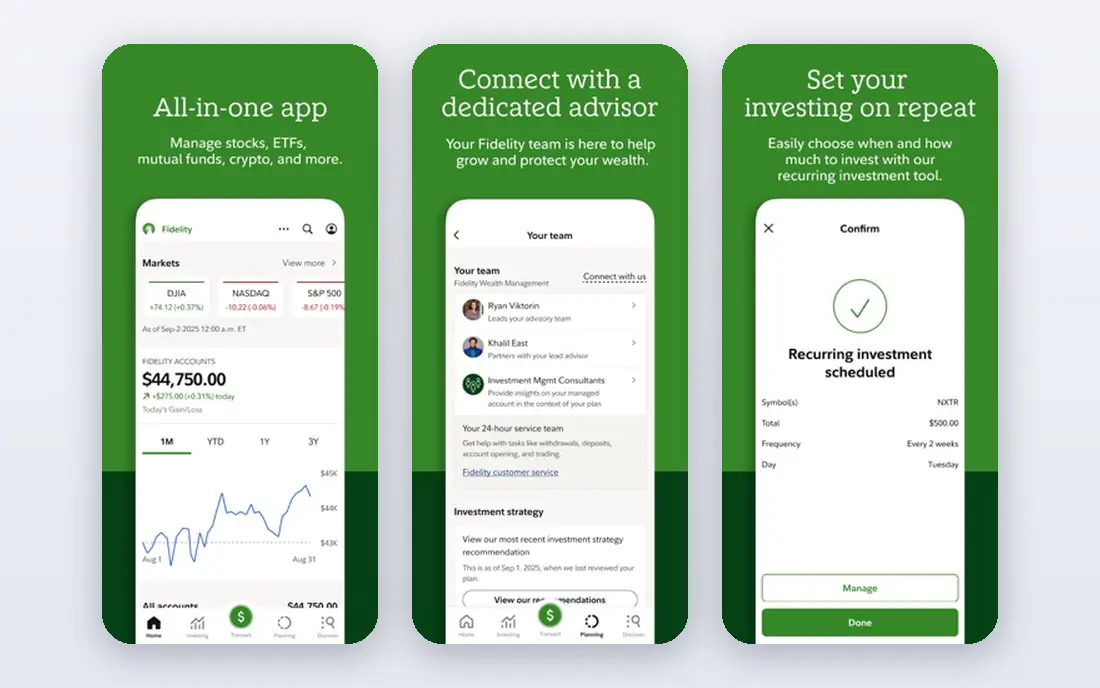
Fidelity suits a beginner who wants trading and long-term investing in one account. Active Trader Pro is free for Fidelity customers, and it adds faster quotes, charts, and watchlists beyond the standard website and app. New traders can also use Fidelity learning material to study order types before risking cash.
The trade-off is visual clutter. The desktop tool packs many panels into one screen, so it helps to hide what you do not use and start with one chart, one watchlist, and one order ticket. For many beginners, that setup plus Fidelity scale and support makes it a steady first choice.
- Commission-free stock and ETF trades
- Large, established broker
- Research and learning resources
- Desktop platform takes time to learn
- Interface looks busy at first
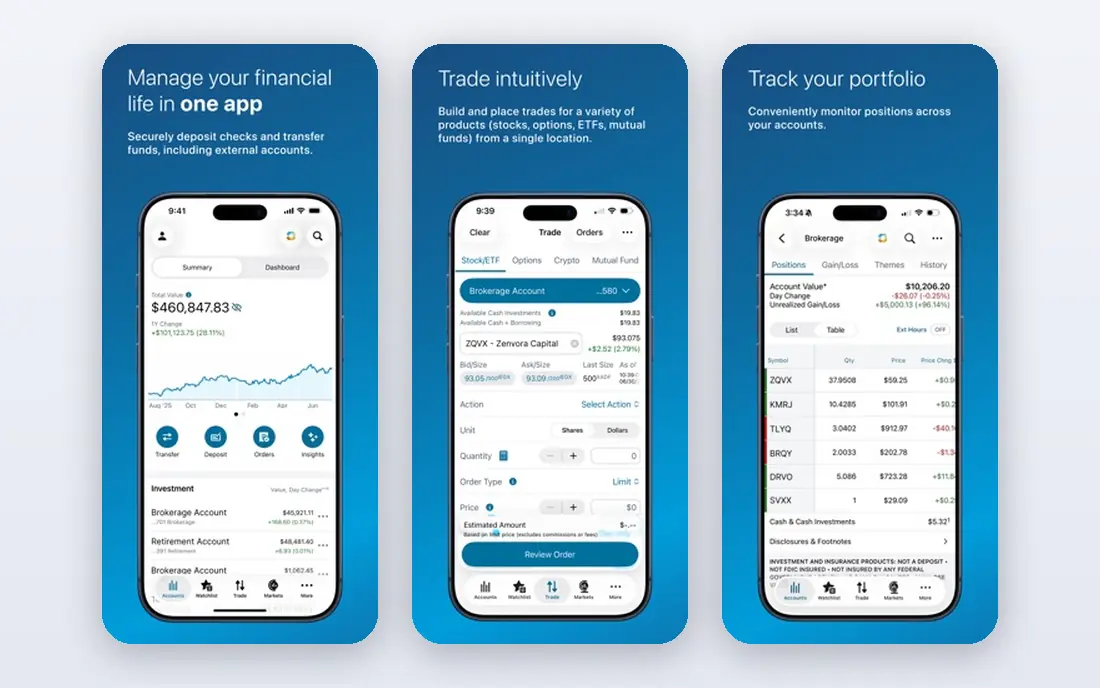
Thinkorswim is the platform many active traders mention first, and for good reason. It offers detailed charts, conditional orders, options tools, and a paper trading mode that mirrors live trading. A beginner who plans to trade often will not outgrow it quickly.
That depth is also its main weakness. The desktop app can overwhelm a new user on day one, with dozens of studies and settings. Start with basic charts and one or two indicators, and use paper trading to test a plan before moving to real money.
- Free for Schwab clients
- Very deep charting and studies
- Realistic paper trading mode
- Learning curve is steep
- Mobile version is simpler than desktop
Robinhood remains the easiest on-ramp for a trader who mainly uses a phone. Orders take a few taps, positions are easy to read, and the app avoids the dense menus found on professional platforms. That simplicity can help a beginner focus on price, size, and risk instead of software settings.
Simplicity has a cost. Serious chart work, scanning, and advanced order tools are more limited here than on thinkorswim or Active Trader Pro. Robinhood also enforces day trading rules, so beginners should check account requirements before trading frequently.
- Very easy mobile app
- Commission-free stock and ETF trades
- No account minimum stated for many accounts
- Chart and research tools are thinner than specialist platforms
- Pattern day trading rules still apply
Interactive Brokers fits a beginner who already understands basic trading and wants room to grow. It covers many markets and order types, and its published pricing suits active traders who watch costs closely. The mobile app is more approachable than the full desktop workstation.
New traders should not start here without a plan. The account choices, pricing tiers, and margin settings need careful review, and the full platform rewards study. Use the simpler app first, paper trade where available, and confirm day trading rules with the broker before trading often.
- Broad market access
- Per-share and tiered pricing options
- Professional-grade tools
- Platform setup is complex
- Pricing and account tiers need careful reading
Options traders often land here because the platform is built around that market. Tastytrade presents spreads, risk graphs, and order entry in a way that makes options structure easier to follow than on a general broker app. Its education material also helps beginners learn terms before they trade.
The warning is real. Options can lose value fast, and borrowed money can turn a small mistake into a large loss. Beginners should study options basics, trade small, and avoid complex spreads until they can explain the risk in plain words.
- Clear options tools
- Strong education content
- Fast order entry
- Options carry added risk
- Stock charting is less central than options tools
TradeStation appeals to a trader who likes to scan for setups and test ideas. Its charts, scanners, and strategy tools go beyond a basic broker app, and that depth helps once a beginner has a repeatable plan. The desktop platform is built for people who watch many symbols at once.
For a true beginner, that power can distract. Scanning for dozens of stocks before learning risk control often leads to overtrading. Start with a short watchlist, one setup, and strict size limits, and add scanning tools only after the basics feel steady.
- Strong scanning and charting
- Strategy testing tools
- Active trader features
- Pricing needs checking
- Platform can feel advanced for a first account
eToro takes a different path by adding a social layer to trading. Beginners can watch how other traders discuss markets, use a virtual account to practise, and follow a straightforward interface. That social view can help new traders learn market language and see different styles.
Copying another trader is not a safety net. Past results do not predict future results, and a copied trader can still lose money. Treat the social feed as learning material, check which products are available in the United States, and keep your own risk rules in place.
- Virtual practice account
- Social feed and copy features
- Simple interface
- Product availability varies by region
- Copy trading does not remove risk
How we picked these
We compared official feature pages, pricing pages, app store listings, and public broker material for commission-free trading, paper trading, chart depth, and ease of use. We favoured platforms that a beginner can open, fund, and practise on without paying a monthly platform fee, and we kept more advanced platforms in the list for traders who want room to grow. We did not claim hands-on testing, and prices can change, so readers should confirm fees on the broker site before opening an account.
What to check before you pick a day trading app
Start with costs, then tools, then rules. Commission-free stock trading is now common, but options contract fees, margin interest, data subscriptions, and transfer fees can still add up. Read the full fee schedule for the account type you plan to use, and check whether Level 2 data or real-time quotes cost extra.
Paper trading should come next. A good practice account uses live-style prices, lets you place stop and limit orders, and tracks wins and losses honestly. If a platform only offers a demo with delayed data or simplified orders, treat it as a tour, not a test. Trade your planned strategy in practice for at least a few weeks, and keep notes on mistakes.
Risk, size, and day trading rules
Day trading rules can restrict frequent trading in margin accounts, and brokers may apply them in different ways. Ask the broker directly how it handles day trades, what equity it requires, and what happens after a restriction. Keep position sizes small, use stop orders where they fit your plan, and set a daily loss limit before the market opens.
A simple starter setup
Pick one platform, one market, and one setup. Learn one chart layout, one order type at a time, and one risk rule you will not break. Add scanners, indicators, and new markets only after you can explain your plan, your exit, and your maximum loss without hesitation. That slow start feels boring, but it protects capital while skill builds.
Frequently asked questions
What is the best day trading app for beginners?
Webull and Fidelity Active Trader Pro are strong starting points because both offer commission-free stock and ETF trades, useful charts, and learning resources. Thinkorswim suits beginners who want deeper charts and paper trading, while Robinhood suits traders who want the simplest mobile start. The best choice depends on how often you plan to trade and how much chart depth you want.
What are the best day trading apps for beginners on mobile?
Webull, Robinhood, and Fidelity offer strong mobile apps for beginners, with watchlists, charts, and quick order entry. Webull leads on mobile chart depth, Robinhood leads on simplicity, and Fidelity offers a good balance of mobile trading and long-term investing tools. Try the free app layout first and check whether paper trading is available on mobile.
Which is the best app for day trading with paper trading?
Webull and thinkorswim offer well-known paper trading modes that mirror live trading layouts. Paper trading helps you learn order types, test a plan, and build discipline without risking cash. Treat practice results with care, since real trading adds fees, slippage, and emotion that a demo cannot fully copy.
Do I need a lot of money to start day trading?
Many brokers in this list have no stated account minimum for a basic brokerage account, but day trading rules and margin requirements can still limit frequent trading. Start small, keep a cash buffer outside your trading account, and avoid margin until you understand interest costs and liquidation risk. Small size is a feature for a beginner, not a flaw.
Is day trading risky?
Yes. Prices can move fast, losses can exceed expectations, and frequent trading can add fees and taxes. This article is not financial advice, and no platform removes market risk. Paper trade first, risk only money you can afford to lose, and seek independent advice if you are unsure.
What is the best beginner day trading platform for options?
Tastytrade is a strong pick for options learners because its tools and education focus on options structure and risk. Thinkorswim also offers deep options analytics for Schwab clients. Options add time decay and volatility risk, so beginners should learn the basics and start with simple, small trades.
Sources
- https://www.webull.com
- https://www.fidelity.com
- https://www.schwab.com
- https://robinhood.com
- https://www.interactivebrokers.com
- https://www.tastytrade.com
- https://www.tradestation.com
- https://www.etoro.com
- https://invezz.com/trading/best-day-trading-platforms/
- https://www.trademomentum.org/blog/7-best-online-brokers-for-day-trading-stocks
See where you really rank - block by block
ProMapRanker scans Google Maps across a grid of your service area. Simple monthly plans from $19, white-label on every plan.
Start freeKeep reading
 zoom alternatives
Best Zoom Alternatives in 2026
Compare Zoom alternatives in 2026, with free meeting limits and prices, so you can pick the best alternative to Zoom for your team, class, or community.
Read → which software is best for remote work
Which Software Is Best for Remote Work in 2026
Answering which software is best for remote work, we compare Slack, Zoom, Asana, Notion, Teams and more, with pricing and honest tradeoffs in 2026 now.
Read → which ai tool is best for content writing
Which AI Tool Is Best for Content Writing in 2026
Wondering which ai tool is best for content writing? We compare ChatGPT, Claude, Jasper, Grammarly, and more on price, quality, and best use in 2026 now.
Read →