 ProMapRanker
Best Data Mapping Tools in 2026

Key takeaways
- A visual mapping editor saves time on every job after the first, because field links, rules and errors are visible in one place.
- Format coverage matters most for file-heavy work, while connector depth matters most for database and cloud work.
- Published prices are rare for enterprise tools, so budget for a sales conversation as well as a licence or subscription.
- Testing, preview and error handling are the features that separate a mapping tool from a simple converter.
Quick comparison
| Pick | Great for | Pricing starts at | Free tier | |
|---|---|---|---|---|
 Altova MapForce | File and format conversion | See website | Free trial | Visit |
 Informatica | Enterprise data management | See website | Free trial | Visit |
 Qlik Talend Cloud | Teams already using Qlik or Talend | See website | Free trial | Visit |
 IBM DataStage | Large ETL and ELT workloads | See website | Free trial | Visit |
 Skyvia | No-code cloud integration for small teams | $79 per month | Yes | Visit |
 CloverDX | Developer-friendly pipeline control | See website | Free trial | Visit |
 Astera Centerprise | No-code enterprise integration | See website | Free trial | Visit |
 Boomi | Enterprise application integration | See website | Free trial | Visit |
 Integrate.io | Low-code pipelines with flat pricing | $1,999 per month | Free trial | Visit |
The best data mapping tools
Data mapping is the unglamorous work that decides whether a migration, a report or a new system can be trusted. When a source field lands in the wrong target field, or a date format changes halfway through a file, the error often shows up weeks later, far from the team that caused it. A good mapping tool makes those links visible, testable and repeatable, so the same job runs the same way next month.
We compared official feature pages, pricing pages and documentation for the tools below, and we favoured tools that show field links clearly, handle common formats, and let you test a mapping before it touches live data. The right pick depends less on brand size and more on your formats, your volume and who will maintain the mappings after the first project ends.
Start with a small, real job, not a demo file. Map one messy source to one target, run it, and check the rejected rows. That short test tells you more about a tool than any feature list.
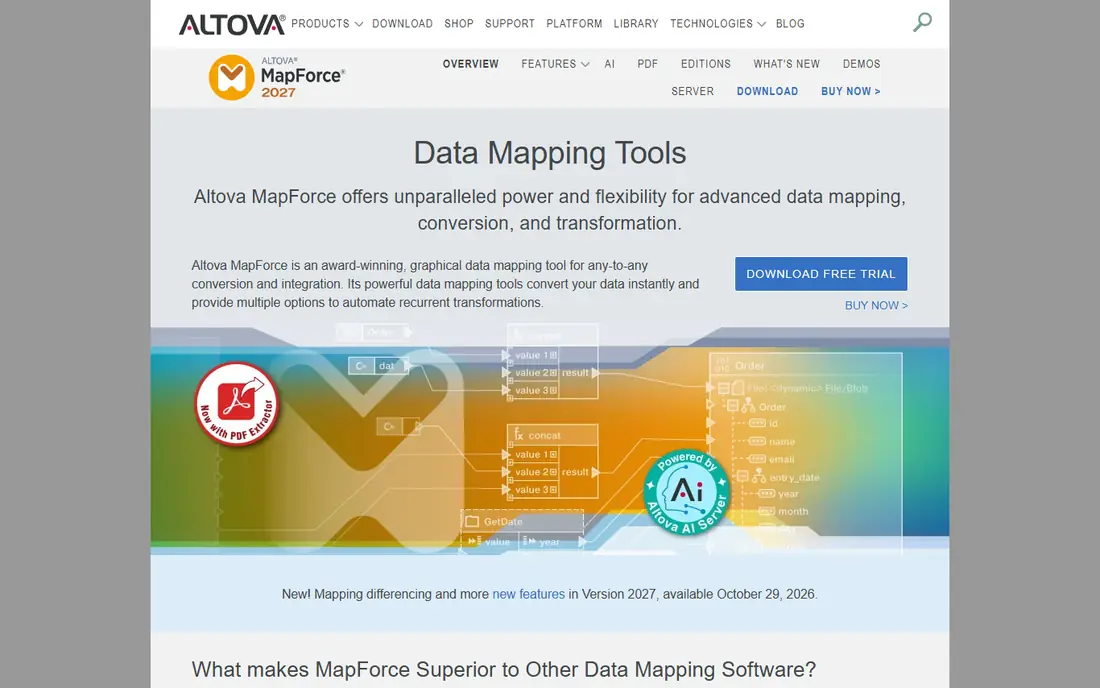
Altova MapForce is a strong match for file and format conversion. Its graphical mapper lets you draw links between source and target fields, add functions for dates, strings and numbers, and preview output before you run a full job. That preview step is valuable for EDI and XML work, where one small structure change can break a whole file. It also generates code or a server job from the same mapping, so a prototype can become a repeatable process without rebuilding it.
The catch is worth stating plainly. Server deployment is a separate purchase, and teams that want a fully hosted service will need to plan around a desktop plus server setup. Support and maintenance terms also add to the licence cost over time. If that trade-off fits your budget and your team, it earns a place on a shortlist, but check the current plan limits and contract terms on the vendor site before you commit.
- Visual mapping across XML, JSON, EDI and databases
- Generates executable code
- Strong debugging views
- Desktop focus rather than a hosted service
- Enterprise pricing needs a quote
Informatica is a strong match for enterprise data management. Informatica suits organisations that need mapping inside a wider data management programme, with lineage, quality checks and governance around the same pipelines. Its mapping designer supports reusable transformations, so common rules can be shared across projects instead of being rebuilt each time. That reuse pays off when dozens of sources feed one warehouse.
The catch is worth stating plainly. Smaller teams may find the platform larger than they need, and the consumption pricing model makes a small pilot essential. Agree the scope, the sources and the expected volume before you sign, or the bill can move in ways a flat licence would not. If that trade-off fits your budget and your team, it earns a place on a shortlist, but check the current plan limits and contract terms on the vendor site before you commit.
- Wide connector and transformation range
- Data quality and governance features
- Cloud and on-premises options
- Pricing is consumption based and hard to compare
- Setup can be heavy for small teams
Qlik Talend Cloud is a strong match for teams already using qlik or talend. Qlik Talend Cloud combines Talend Studio with cloud management, so data engineers can design jobs visually and still drop into code where a job needs it. Data Mapper support helps with complex hierarchical formats, and built-in quality checks catch incomplete or inconsistent records during a run. Teams with Qlik reporting already in place get a shorter path from pipeline to dashboard.
The catch is worth stating plainly. The shift away from the retired free Open Studio edition means there is no free route for casual use now. Treat the trial as a real test: build a job with your own messy data and check how the team handles support questions. If that trade-off fits your budget and your team, it earns a place on a shortlist, but check the current plan limits and contract terms on the vendor site before you commit.
- Visual design plus code options
- Data quality tools
- Cloud, client-managed and hybrid deployment
- Quote only, so budgeting takes longer
- The old free Open Studio edition is no longer available
IBM DataStage is a strong match for large etl and elt workloads. DataStage is built for high-volume pipeline work, where jobs must run on a schedule, recover cleanly and be monitored by an operations team. Its graphical designer covers most pipeline logic, while the Python SDK gives engineers a route for custom steps. Running on several clouds and on-premises helps firms that cannot move every source at once.
The catch is worth stating plainly. Capacity pricing rewards careful sizing and punishes over-provisioning, so start with a measured workload. Teams without a dedicated data engineering group may also find the enterprise packaging more than they want to manage. If that trade-off fits your budget and your team, it earns a place on a shortlist, but check the current plan limits and contract terms on the vendor site before you commit.
- Graphical pipelines with a Python option
- Runs on IBM Cloud, AWS and on-premises
- AI-assisted pipeline help
- Capacity-based pricing needs careful sizing
- Enterprise packaging adds complexity
Skyvia is a strong match for no-code cloud integration for small teams. Skyvia is one of the easiest tools on this list to start with, because mapping is a visible step inside each integration rather than a separate specialist job. You can map a column, add an expression, use a lookup or set a constant, and see which target fields are still unmapped. A free plan lets a small team test a real integration before paying, which is rare at this level of polish.
The catch is worth stating plainly. Record limits are the main constraint, so count your monthly writes before you pick a tier. Teams with heavy replication or hourly schedules should check the Standard plan, which adds Data Flow for multi-source pipelines. If that trade-off fits your budget and your team, it earns a place on a shortlist, but check the current plan limits and contract terms on the vendor site before you commit.
- Free plan with 10,000 records a month
- Visual mapping editor
- Many cloud app and database connectors
- Advanced multi-source flows need higher plans
- Record-based pricing grows with volume
CloverDX is a strong match for developer-friendly pipeline control. CloverDX gives engineers a designer, code and AI-assisted design in one platform, so a team can start visually and move to code without changing tools. Typed metadata helps catch schema drift before a job reaches production, and a full execution history makes a failed run easier to explain. Deployment on premises, in your own cloud or in containers keeps data inside your own infrastructure.
The catch is worth stating plainly. Pricing is annual and capacity based, which puts it out of reach for very small projects. It fits best where pipeline volume or client count is growing and the team wants control over deployment rather than a hosted black box. If that trade-off fits your budget and your team, it earns a place on a shortlist, but check the current plan limits and contract terms on the vendor site before you commit.
- Visual designer plus code and AI-assisted design
- Strong metadata and execution history
- Flexible deployment
- Annual pricing is enterprise level
- Smaller teams may need a sales discussion
Astera Centerprise is a strong match for no-code enterprise integration. Astera Centerprise, now sold as Astera Data Pipeline Builder, is a no-code platform for building and scheduling data pipelines with instant previews. Built-in verification checks data as it moves, which helps when source files arrive with inconsistent formats. Job scheduling and workflow automation mean a tested mapping can run unattended, with errors logged for review.
The catch is worth stating plainly. The main drawback is opacity on price, since plans are quoted per customer. Cloud-first teams should also confirm deployment options, because the product history is on-premises, even though modern deployments are more flexible. If that trade-off fits your budget and your team, it earns a place on a shortlist, but check the current plan limits and contract terms on the vendor site before you commit.
- Drag-and-drop pipeline design
- Built-in verification and scheduling
- Wide file and database support
- Quote only
- On-premises focus may suit cloud-first teams less well
Boomi is a strong match for enterprise application integration. Boomi is an integration platform first and a mapping tool second, which is a strength when mappings sit inside wider application workflows. Its visual process shapes connect cloud apps, databases and files, and the same platform can manage APIs and master data. That breadth helps firms that plan to connect many systems over time, not just finish one migration.
The catch is worth stating plainly. For a single mapping project, Boomi can feel large and expensive, and pricing requires a sales conversation. Choose it when integration is an ongoing programme, not when you only need to convert one file format. If that trade-off fits your budget and your team, it earns a place on a shortlist, but check the current plan limits and contract terms on the vendor site before you commit.
- Very large connector range
- Integration, API management and master data options
- Cloud and hybrid deployment
- Quote-based pricing
- Breadth can be more than a mapping-only project needs
Integrate.io is a strong match for low-code pipelines with flat pricing. Integrate.io suits teams that want predictable costs, because its Core plan charges a flat monthly fee rather than billing per row. The low-code builder includes a wide set of transformations, and reverse ETL options let a team send cleaned warehouse data back to operational tools. That combination covers both ingestion and activation in one platform.
The catch is worth stating plainly. The entry price rules it out for small projects, and there is no free tier to learn on. It makes sense when volume is high enough that row-based billing would cost more, or when a flat bill matters for budgeting. If that trade-off fits your budget and your team, it earns a place on a shortlist, but check the current plan limits and contract terms on the vendor site before you commit.
- Low-code pipeline builder with many transformations
- Flat fee with no row limits on Core
- Reverse ETL options
- Entry price is high for small teams
- No free plan, only a trial
How we picked these
We compared vendor feature pages, pricing pages and documentation, and we checked format coverage, connector depth, testing features and deployment options. We did not claim hands-on testing, and where a vendor does not publish a price we wrote See website rather than guessing. The list mixes file-focused desktop tools with cloud integration platforms, because mapping work itself takes both forms.
What to check before you buy
Decide first whether your work is file conversion or system integration. File work rewards format depth and code generation, while system work rewards connectors, scheduling and monitoring. A tool that is excellent at one can be weak at the other, so match the pick to the job you will repeat most often.
Test error handling before you buy. Feed the tool a file with missing fields, bad dates and duplicate keys, and look at how clearly it reports rejected rows. A clear error report saves more time than a slightly faster run, because someone still has to fix the bad data.
Plan who owns the mappings. If only one engineer understands a mapping, it becomes a risk when that person is away. Choose a tool your wider team can read, document the rules in plain language, and keep a test set that proves each mapping still works after a source system changes.
Frequently asked questions
What is the best data mapping software for beginners?
Skyvia is the gentlest start on this list, because mapping is visual and a free plan covers small jobs. Altova MapForce is also approachable for file work, though it is a desktop tool. Start with one real source and target, and only move to an enterprise platform when volume or governance demands it.
Do I need a data mapping tool if I already use an ETL tool?
Often no, because many ETL and ELT platforms include a mapping editor. A dedicated mapping tool earns its place when you work with complex file formats such as EDI or XBRL, need code generation, or want a focused editor for a migration. Check what your current platform already covers before adding another licence.
How much do data mapping tools cost?
Prices range from a free plan at Skyvia to quoted enterprise contracts for Informatica, Boomi and CloverDX. Integrate.io lists a Core plan from $1,999 per month. Where a vendor does not publish a price, ask for a quote based on your sources, volume and deployment, and compare total cost over a year.
Can data mapping tools handle XML, JSON and EDI?
Altova MapForce is the strongest file-format pick here, with XML, JSON, EDI, XBRL and flat files. Most cloud platforms handle JSON and databases well, but EDI depth varies, so test your exact file types during a trial rather than trusting a general format list.
What is the difference between data mapping and data integration?
Data mapping defines how fields in a source relate to fields in a target, including any transformation rules. Data integration is the wider job of moving, loading and managing that data on a schedule. Mapping is one step inside integration, and the best tools make that step visible and testable.
Sources
- https://skyvia.com/blog/best-data-mapping-tools/
- https://www.integrate.io/blog/data-mapping-tools/
- https://www.altova.com/mapforce
- https://www.informatica.com
- https://www.qlik.com
- https://www.ibm.com/products/datastage
- https://skyvia.com
- https://www.cloverdx.com
- https://www.astera.com
- https://boomi.com
- https://www.integrate.io
See where you really rank - block by block
ProMapRanker scans Google Maps across a grid of your service area. Simple monthly plans from $19, white-label on every plan.
Start freeKeep reading
 wpforms alternatives
Best WPForms Alternatives in 2026
We compare 9 wpforms alternatives for WordPress forms, with free and paid options, current pricing notes, and honest limits for small business sites in 2026.
Read → windows task scheduler alternatives
Best Windows Task Scheduler Alternatives in 2026
Looking for Windows Task Scheduler alternatives? We compare 9 schedulers for Windows and cross-platform work, from free tools to enterprise automation.
Read → which ai video service is best
Which AI Video Service Is Best in 2026
which ai video service is best? We compare 10 legitimate AI video services on price, avatars, editing and output quality to help you pick the right tool.
Read →