 ProMapRanker
Best DAST Tools in 2026: 9 Tools Compared

Key takeaways
- ZAP and Burp Suite Community give small teams a free starting point, while paid tools add automation, proof checks, and reporting.
- StackHawk and Bright Security suit developer-led teams that want scans inside the delivery pipeline rather than as a separate audit.
- Invicti, Checkmarx, Qualys, Rapid7, Veracode, and Tenable suit larger estates where reporting, compliance, and fleet coverage matter more than low price.
- DAST only tests running apps, so it works best beside code scanning and manual review, not as a replacement for either.
Quick comparison
| Pick | Great for | Pricing starts at | Free tier | |
|---|---|---|---|---|
 ZAP | Free open-source scanning | Free | Yes | Visit |
 Burp Suite | Hands-on professional testing | See website | Yes | Visit |
 Invicti | Proof-checked enterprise scanning | See website | No | Visit |
 StackHawk | Developer pipeline scanning | $10 per user per month | Yes | Visit |
 Bright Security | Fast API and web scanning | See website | Free trial | Visit |
 Qualys Web App Scanning | Qualys platform users | See website | Free trial | Visit |
 Rapid7 InsightAppSec | Insight platform teams | See website | Free trial | Visit |
 Checkmarx DAST | Large AppSec programs | See website | No | Visit |
 Veracode DAST | Governed enterprise testing | See website | No | Visit |
The best dast tools
Dynamic application security testing, known as DAST, probes a running web app or API the way an outside attacker would, looking for injection flaws, broken authentication, and misconfigurations. Use these tools only on systems you own or have written permission to test, and only on targets that are in scope for that permission.
ZAP, formerly OWASP ZAP and now maintained under Checkmarx, is the standard free DAST starting point. It can crawl a site, run active scans, and plug into CI pipelines with command-line and automation options. The add-on marketplace extends it to APIs, GraphQL, and common authentication patterns.
The trade-off is effort. Default scans can produce noisy findings, and modern single-page apps need careful authentication and crawl setup to reach protected pages. For a team with security skills and a small budget, ZAP is still the best first tool, and it pairs well with a paid tool later.
- Free and open source
- Strong automation and API options
- Large add-on library
- Results need tuning to cut noise
- Authenticated scans need setup work
Burp Suite is the manual tester's workbench. Its proxy lets a tester inspect and change requests, while Repeater, Intruder, and the scanner support deep checks that automated scans miss. Professional edition adds the automated scanner and faster workflows, and Enterprise adds scheduled scanning for larger estates.
Burp is not a set-and-forget scanner. It rewards skill and time, and a beginner will get more from ZAP or a guided tool at first. For professional testers and security teams doing authorised penetration testing, it remains the tool most peers expect to see in use.
- Industry-standard manual toolkit
- Strong proxy and repeater tools
- Good API support
- Professional edition is paid
- Learning curve is steep for beginners
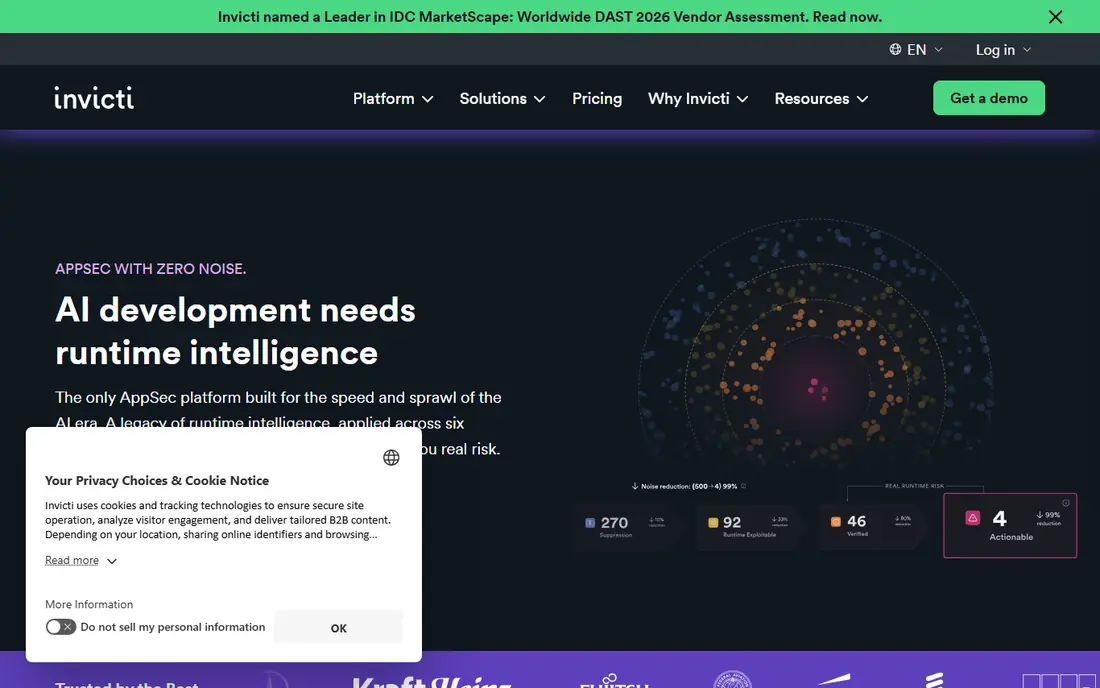
Invicti, formerly known for Acunetix and Netsparker, focuses on proof-based scanning: where possible, it confirms a finding is exploitable before reporting it. That approach saves triage time for teams scanning many sites, since fewer false alarms reach developers. It supports web apps and APIs, with on-premises and cloud options and CI integrations.
Pricing is by quote, which means a sales process before you know the full cost. Invicti suits organisations with many targets and a central AppSec team that needs consistent reporting across them, rather than a solo developer scanning one app.
- Proof-based checks that cut false positives
- Broad web and API coverage
- Compliance reporting
- Quote-only pricing
- Setup and tuning take time at scale
StackHawk is built for developers who want security checks beside unit tests. Its Wingman tier is priced per person with unlimited apps, which avoids per-target maths for teams with many services. It supports REST, GraphQL, gRPC, SOAP, and other API styles, and it plugs into common CI systems.
The focus on developers is both a strength and a limit. A large central security team may want deeper governance and reporting than StackHawk emphasises. For product teams that ship often and want fast feedback on running apps, it is a practical pick.
- Clear per-person pricing
- Runs in CI pipelines
- Strong API coverage
- Less suited to central enterprise governance
- Advanced tiers need a quote
Bright Security aims to bring DAST earlier in development, with scans that can run often during the build cycle rather than only before release. Its API focus helps teams whose main attack surface is a set of services rather than a single website. Findings link to remediation guidance so developers can fix issues without waiting for a security specialist.
Because pricing is not fully published, budget planning needs a quote and a trial. Bright suits API-heavy teams that want frequent, developer-owned scans and are comfortable evaluating a newer specialist vendor against larger platforms.
- Developer-focused workflow
- Fast iterative scans
- API-first design
- Pricing is not fully public
- Smaller vendor than the largest platforms
Qualys Web App Scanning adds DAST to the Qualys Cloud Platform, which many IT teams already use for vulnerability management. That shared platform means web findings can sit beside infrastructure findings in one queue, with shared reporting and asset views. It suits teams that already standardise on Qualys and want web coverage without a separate vendor.
Standalone buyers may find the value thinner, since the strongest case comes from the wider suite. Check whether your Qualys agreement already covers web scanning before buying it separately, and test authenticated scanning on your own apps during the trial.
- Fits existing Qualys vulnerability programs
- Broad scanning and reporting
- Cloud delivery
- Quote-led pricing
- Best value only inside the wider Qualys suite
InsightAppSec scans running web apps and APIs for common flaws and presents results inside Rapid7's Insight platform. Teams already using InsightVM or other Rapid7 products get shared dashboards and workflows, which helps security operations track web issues beside other risks. Attack replay helps developers understand how a finding was triggered.
Pricing per application means costs rise with the number of apps scanned, so count targets carefully for a microservices estate. InsightAppSec fits mid-size and large teams that already use Rapid7 and want web scanning inside that platform.
- Part of the Insight platform
- Attack replay and reporting
- Cloud and on-premises options
- Per-application pricing can grow with many apps
- Quote-led at enterprise scale
Checkmarx DAST sits inside Checkmarx One, a platform that also covers static code analysis and software composition. That combination suits large programs that want one vendor and one policy across code, open-source components, and running apps. ZAP is also maintained under Checkmarx, which gives the vendor depth in both free and commercial DAST.
The platform approach brings weight. Expect a sales and onboarding process, and plan time to tune scans for your apps. Checkmarx suits enterprises with a formal AppSec program rather than a small team looking for a quick scan.
- Part of a broad AppSec platform
- Combines with code and supply-chain scanning
- Enterprise reporting
- Quote-only pricing
- Heavier setup than developer-first tools
Veracode DAST tests running web apps and APIs from the cloud, with reporting geared to compliance and audit needs. It fits organisations that must show regular testing for standards or customer assurance, and that already use Veracode for code scanning. Central policies and scheduled scans help a security team keep coverage steady across many apps.
Veracode is a governance-first choice, not a quick developer experiment. Teams that want the fastest pipeline feedback may prefer StackHawk or Bright, while teams that need audit-ready reporting across a portfolio will find Veracode a better fit.
- Cloud-native scanning
- Compliance-oriented reporting
- Broad AppSec suite
- Quote-only pricing
- Less developer-led than StackHawk or Bright
How we picked these
We compared vendor documentation, pricing pages, and current 2026 comparisons for DAST tools, and required each tool to support testing of running web apps or APIs. We favoured a mix of free, developer-led, and enterprise tools, and we excluded pure code scanners that do not test a running app. Prices that vendors do not publish are shown as See website rather than guessed, and free tiers are stated only where a vendor offers one.
What to check before you choose
Authorisation comes first. Confirm in writing which targets, environments, and test accounts are in scope, and never scan a system you do not own or have permission to test. Test on staging where possible, since active scans can change data, trigger emails, or lock accounts, and a production scan needs extra care and a maintenance window.
Next, test authenticated scanning on your hardest app. Modern apps hide most risk behind login, and a tool that only scans public pages will miss it. Check API support, CI integration, and how findings reach developers, since a scanner whose reports sit unread helps nobody.
DAST beside other testing
DAST finds flaws in a running app, but it cannot see source code or business logic clearly. Pair it with static code scanning for code-level issues, dependency checks for known vulnerable libraries, and manual testing for logic flaws. That combination gives a fuller picture than any single tool alone.
Frequently asked questions
What is the best DAST tool for beginners?
ZAP is the best free starting point for beginners, since it costs nothing and has wide documentation. StackHawk is a good paid step up for developers who want guided pipeline scans without a steep learning curve.
What is the best-rated DAST tool for enterprises?
Invicti, Checkmarx, Veracode, Qualys, and Rapid7 all suit enterprises, and the best pick depends on your existing platform. Teams on Qualys or Rapid7 should start with their own platform tool, while teams wanting proof-checked scanning should look at Invicti first.
Is ZAP still a good DAST tool in 2026?
Yes, ZAP remains a capable free DAST tool with active maintenance and a large add-on library. It needs more tuning than paid tools, but for budget-conscious teams and CI automation it is still a strong choice.
Can DAST tools test APIs?
Most tools here test APIs, including ZAP, Burp Suite, StackHawk, Bright Security, and Invicti. Check support for your API style, such as REST, GraphQL, or gRPC, and confirm authenticated API testing works with your setup.
How much does a DAST tool cost?
Free tools cost nothing, developer tools start around 10 dollars per user per month, and enterprise tools are priced by quote or per application. Count targets and seats before comparing, since per-app pricing grows fast for many services.
Is DAST testing legal?
DAST testing is lawful when you own the target or have written permission from the owner, with clear scope limits. Testing systems without permission can break the law, even with good intentions, so get authorisation first and stay inside it.
Sources
See where you really rank - block by block
ProMapRanker scans Google Maps across a grid of your service area. Simple monthly plans from $19, white-label on every plan.
Start freeKeep reading
 wpforms alternatives
Best WPForms Alternatives in 2026
We compare 9 wpforms alternatives for WordPress forms, with free and paid options, current pricing notes, and honest limits for small business sites in 2026.
Read → windows task scheduler alternatives
Best Windows Task Scheduler Alternatives in 2026
Looking for Windows Task Scheduler alternatives? We compare 9 schedulers for Windows and cross-platform work, from free tools to enterprise automation.
Read → which ai video service is best
Which AI Video Service Is Best in 2026
which ai video service is best? We compare 10 legitimate AI video services on price, avatars, editing and output quality to help you pick the right tool.
Read →