 ProMapRanker
Best Custom AI Tools for Documents in 2026


teams that want custom extraction without an enterprise contract · Pricing starts at: See website
Key takeaways
- Nanonets and Docsumo suit teams that want custom models without an enterprise contract.
- Rossum, ABBYY Vantage and Hyperscience suit higher volume and regulated work, with stronger review and audit controls.
- Google, Amazon and Azure APIs suit developers, but they need a review screen and workflow built around them.
- UiPath suits teams already running automation, since documents feed robots and approvals in one flow.
- Price by page, run or contract, so model your real monthly volume before comparing headline prices.
Quick comparison
| Pick | Great for | Pricing starts at | Free tier | |
|---|---|---|---|---|
| Nanonets | teams that want custom extraction without an enterprise contract | See website | Yes | Visit |
 Rossum | accounts payable teams with high invoice volume | See website | Free trial | Visit |
 ABBYY Vantage | regulated enterprises with varied document types | See website | Free trial | Visit |
 UiPath Document Understanding | automation teams that already use UiPath | See website | Free trial | Visit |
 Google Document AI | developers building custom document pipelines | See website | Yes | Visit |
 Amazon Textract | AWS teams that need pay-as-you-go extraction | See website | Yes | Visit |
 Azure AI Document Intelligence | Microsoft and Azure centred teams | See website | Yes | Visit |
 Hyperscience | high-compliance back offices at scale | See website | No | Visit |
 Docsumo | mid-market finance and operations teams | See website | Free trial | Visit |
The best custom AI tools for documents
Custom document AI means teaching a system your own layouts, not forcing every invoice or form into a fixed template. We compared no-code platforms, enterprise suites and cloud APIs, with a focus on review workflows, pricing models and where each tool fits best.
Nanonets
Great for: teams that want custom extraction without an enterprise contract
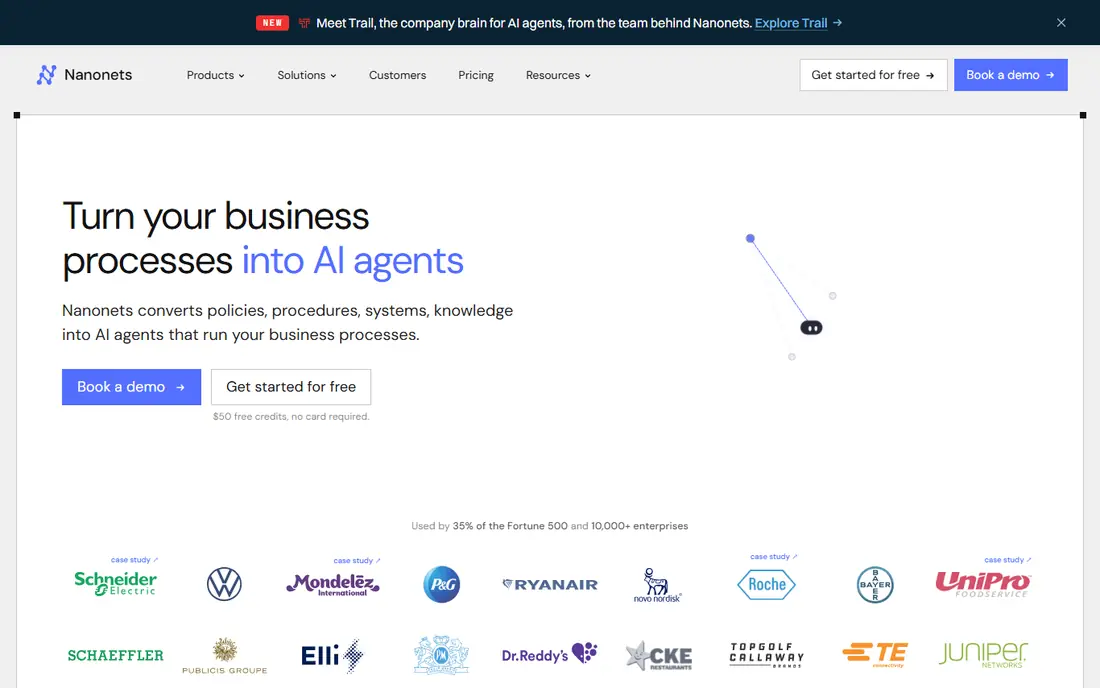
Nanonets is a strong match for teams that want custom extraction without an enterprise contract. Custom training is the point here, since you can teach the system your own invoice, receipt or form layout instead of forcing documents into a fixed template. In practice, that helps when documents arrive in varied layouts and the extracted data must be trusted before it enters another system.
The catch is worth stating plainly. Accuracy still depends on clean sample documents and a human review step for edge cases. Check the plan limits and the export or reporting options before you commit, since those details decide whether the tool fits your workflow. Our view is that Nanonets earns its place for teams that want custom extraction without an enterprise contract, as long as you buy it for that job and not for every job at once.
- No-code custom model training
- API and workflow options
- Usage-based pricing
- Per-run pricing needs tracking at high volume

For accounts payable teams with high invoice volume, Rossum stands out because its validation screen helps a finance team catch mismatches before data reaches the accounting system. That matters in daily work, since documents arrive in varied layouts and the extracted data must be trusted before it enters another system.
There is a trade-off to weigh. Smaller teams may find the contract size hard to justify until volume is steady. Look at the current pricing page and test the tool on a real example before paying, since a demo can hide limits that only show up in daily use. For accounts payable teams with high invoice volume, Rossum remains a solid pick when that trade-off is acceptable.
- Template-free capture for transaction documents
- Validation screens
- Workflow automation
- Entry pricing is high for small firms
ABBYY Vantage fits regulated enterprises with varied document types well. For regulated work, audit trails and control matter as much as extraction speed, and this platform is built around that need. The practical effect is clear when documents arrive in varied layouts and the extracted data must be trusted before it enters another system.
Be clear-eyed about the limit. Expect a longer setup than a small self-serve tool, and price it with implementation time included. Confirm what the plan includes, try a realistic task, and compare the result with your current tool. For regulated enterprises with varied document types, ABBYY Vantage is worth shortlisting, provided the limit above does not block your main use.
- Low-code skills library
- Governance and audit controls
- Broad document coverage
- Custom pricing
- Implementation can be a project in itself
UiPath Document Understanding is a strong match for automation teams that already use UiPath. When documents feed robots, approvals and downstream systems, keeping extraction inside the same platform cuts handoffs. In practice, that helps when documents arrive in varied layouts and the extracted data must be trusted before it enters another system.
The catch is worth stating plainly. If you do not use robotic automation, a focused document tool is simpler to run. Check the plan limits and the export or reporting options before you commit, since those details decide whether the tool fits your workflow. Our view is that UiPath Document Understanding earns its place for automation teams that already use UiPath, as long as you buy it for that job and not for every job at once.
- Sits inside a wider automation platform
- Form and document extractors
- Human review options
- Makes most sense inside UiPath
- Standalone document users pay for breadth they may not need
For developers building custom document pipelines, Google Document AI stands out because developers get a solid extraction layer and can build the exact review and storage flow their product needs. That matters in daily work, since documents arrive in varied layouts and the extracted data must be trusted before it enters another system.
There is a trade-off to weigh. It is an API service first, so non-technical teams will need help to turn it into a finished tool. Look at the current pricing page and test the tool on a real example before paying, since a demo can hide limits that only show up in daily use. For developers building custom document pipelines, Google Document AI remains a solid pick when that trade-off is acceptable.
- Prebuilt processors plus custom extractors
- Strong Google Cloud integration
- Needs developer work for a review screen and workflow
Amazon Textract fits AWS teams that need pay-as-you-go extraction well. For AWS shops, extraction slots into storage, queues and databases without a new vendor platform to learn. The practical effect is clear when documents arrive in varied layouts and the extracted data must be trusted before it enters another system.
Be clear-eyed about the limit. Teams outside AWS gain less, since the value comes from staying inside that cloud stack. Confirm what the plan includes, try a realistic task, and compare the result with your current tool. For AWS teams that need pay-as-you-go extraction, Amazon Textract is worth shortlisting, provided the limit above does not block your main use.
- Pay-as-you-go pricing
- Forms, tables and query extraction
- AWS service integration
- Review interface and workflow must be built or added separately
Azure AI Document Intelligence
Great for: Microsoft and Azure centred teams
Azure AI Document Intelligence is a strong match for Microsoft and Azure centred teams. If documents already live in Microsoft 365 or Azure storage, this keeps extraction close to where the files already are. In practice, that helps when documents arrive in varied layouts and the extracted data must be trusted before it enters another system.
The catch is worth stating plainly. Standalone users may prefer a packaged tool with a ready-made review screen. Check the plan limits and the export or reporting options before you commit, since those details decide whether the tool fits your workflow. Our view is that Azure AI Document Intelligence earns its place for Microsoft and Azure centred teams, as long as you buy it for that job and not for every job at once.
- Prebuilt and custom models
- Layout extraction
- Microsoft ecosystem fit
- Best value depends on existing Azure use
For high-compliance back offices at scale, Hyperscience stands out because supervision at scale is the selling point, since people can correct and confirm results without slowing the whole queue. That matters in daily work, since documents arrive in varied layouts and the extracted data must be trusted before it enters another system.
There is a trade-off to weigh. Cost and setup put it out of reach for teams with modest document volume. Look at the current pricing page and test the tool on a real example before paying, since a demo can hide limits that only show up in daily use. For high-compliance back offices at scale, Hyperscience remains a solid pick when that trade-off is acceptable.
- Human-in-the-loop supervision
- High-accuracy focus
- Enterprise controls
- Custom pricing
- Not aimed at small teams
Docsumo fits mid-market finance and operations teams well. It sits in a useful middle ground, with more structure than a raw API and less contract weight than an enterprise suite. The practical effect is clear when documents arrive in varied layouts and the extracted data must be trusted before it enters another system.
Be clear-eyed about the limit. Very unusual document types may still need custom model work and testing. Confirm what the plan includes, try a realistic task, and compare the result with your current tool. For mid-market finance and operations teams, Docsumo is worth shortlisting, provided the limit above does not block your main use.
- Document AI with API access
- Focus on invoices and statements
- Review workflows
- Smaller vendor footprint than the enterprise platforms
How we picked these
We compared official product and pricing pages, documentation and public feature descriptions for document AI tools. We kept only tools that support custom models, custom extractors or custom training, rather than fixed-template capture alone. We noted whether each tool gives a ready review screen or only an API, since that choice changes the total work involved.
How to choose a custom document AI tool
Start with your document mix
Gather samples of your most common documents and your worst edge cases. A tool that handles clean invoices may struggle with handwritten notes, tables that span pages or low-quality scans. Run the same sample set through two shortlisted tools before signing.
Plan the human review step
No extraction tool should send unreviewed figures straight into payments or records. Check how reviewers correct data, how corrections feed back into the model, and how audit trails are kept. A clear review queue often matters more than a small accuracy gain on paper.
Model the total cost
Some tools charge per page, some per run and some by annual contract. Add implementation, review time and integration work to the license cost. A cheap per-page price can still cost more if reviewers must fix many fields.
Frequently asked questions
What does custom mean in document AI?
Custom means the model learns your own document layouts and fields, rather than using only a fixed template for a standard form. You provide sample documents, label the fields you need, and the system learns to find them on new documents of the same type.
Do I need developers to use these tools?
No-code platforms such as Nanonets and Docsumo are built for operations teams. Cloud APIs from Google, Amazon and Azure need developer work for the review screen, storage and workflow. Enterprise suites sit in between, with setup help but a longer project.
How many sample documents do I need?
It depends on layout variety. A single clean invoice layout may need only a small set, while varied supplier formats need more samples and more review. Vendors usually guide this during a trial, so test with your own files, not demo files.
Is my document data used to train shared models?
Policies vary by vendor and plan, so read the privacy and data processing terms before uploading sensitive files. Enterprise plans often offer stronger controls. Do not upload regulated or personal data until you have checked retention and training terms.
Can these tools replace manual data entry fully?
They can cut most routine entry, but a human review step remains wise for payments, compliance and high-value records. The best setup routes low-risk documents straight through and sends uncertain fields to a person.
Sources
See where you really rank - block by block
ProMapRanker scans Google Maps across a grid of your service area. Simple monthly plans from $19, white-label on every plan.
Start freeKeep reading
 wpforms alternatives
Best WPForms Alternatives in 2026
We compare 9 wpforms alternatives for WordPress forms, with free and paid options, current pricing notes, and honest limits for small business sites in 2026.
Read → windows task scheduler alternatives
Best Windows Task Scheduler Alternatives in 2026
Looking for Windows Task Scheduler alternatives? We compare 9 schedulers for Windows and cross-platform work, from free tools to enterprise automation.
Read → which ai video service is best
Which AI Video Service Is Best in 2026
which ai video service is best? We compare 10 legitimate AI video services on price, avatars, editing and output quality to help you pick the right tool.
Read →