 ProMapRanker
Best CRM Software for Commercial Real Estate in 2026


Salesforce-based CRE workflows · Pricing starts at: $79 per user per month
Key takeaways
- AscendixRE and REthink suit brokers who want a full Salesforce-based system for properties, deals, and contacts.
- ClientLook suits solo brokers and small teams who want a purpose-built commercial system without a Salesforce setup.
- RealNex suits teams that also need financial analysis and marketing materials in the same platform.
- Salesforce-based tools often carry minimum user counts and implementation costs, so check those before judging a headline price.
Quick comparison
| Pick | Great for | Pricing starts at | Free tier | |
|---|---|---|---|---|
| AscendixRE | Salesforce-based CRE workflows | $79 per user per month | No | Visit |
 ClientLook | Solo brokers and small teams | $89 per user per month | No | Visit |
 REthink CRM | Buildout users and deal pipelines | See website | No | Visit |
 RealNex | All-round CRE suite | See website | No | Visit |
 Propertybase | Brokerages with websites and leads | $79 per user per month | No | Visit |
 SharpLaunch | Marketing-led brokerages | See website | No | Visit |
 VTS | Landlords and leasing teams | See website | No | Visit |
 Crexi Pro | Listing exposure and lead data | $249 per month | No | Visit |
The best crm software for commercial real estate
A commercial real estate CRM must track more than contacts. It needs properties, listings, leases, sale comps, deal stages, and the people tied to each asset. A generic CRM can be adapted, but a purpose-built tool saves setup time and keeps property data in one place. We compared official product pages and recent pricing roundups in October 2026, and we kept tools that are live for commercial brokers and teams.
AscendixRE is built on Salesforce and shaped for commercial brokers. It tracks listings, properties, deals, accounts, and contacts in a single data model, so a broker can move from a property to its deal, its owner, and its past activity without switching systems. Geomapping helps with territory work and prospecting, while email marketing links and reporting support campaigns and pipeline reviews. For a brokerage already using Salesforce, AscendixRE adds the commercial layer without a separate database.
The cost is more than the headline rate for many firms. Salesforce familiarity helps, but new users face a learning curve, and some plans carry minimum user counts. Implementation should include time to map existing listings and deals into the system. Choose AscendixRE when you want Salesforce power with commercial workflows, and choose a simpler tool when a small team needs to start this week with minimal setup.
- Full CRE data model on Salesforce
- Geomapping and property search
- Email marketing links and reporting
- Salesforce learning curve for new users
- Minimum user counts reported on some plans
- Implementation takes planning
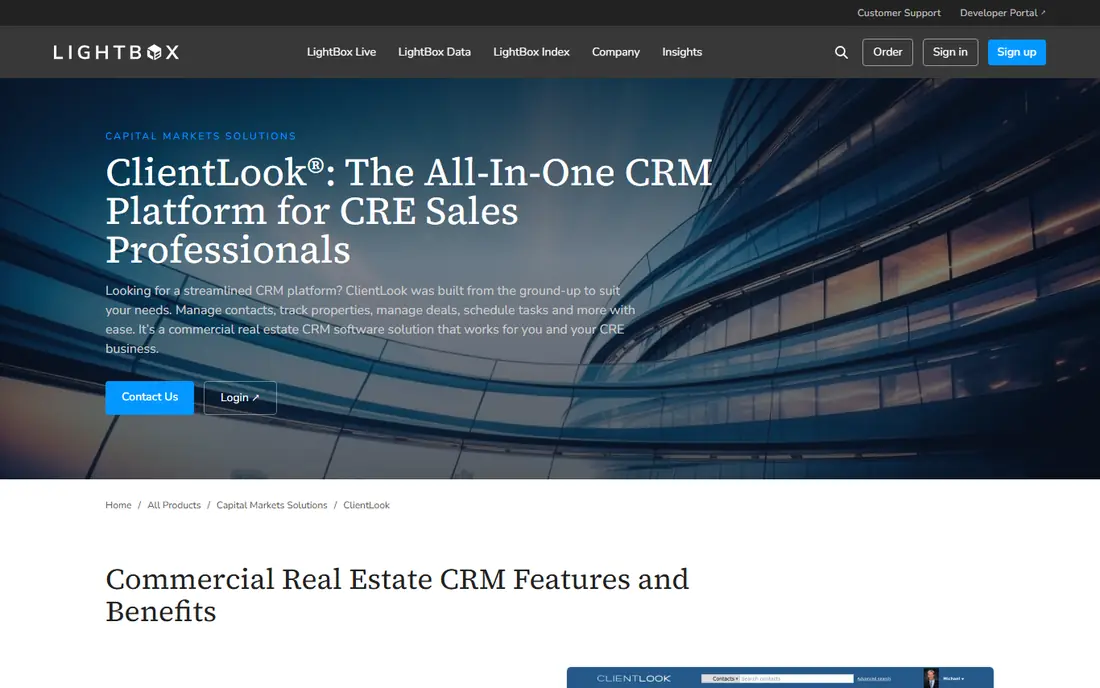
ClientLook, now part of LightBox, is one of the clearest purpose-built options for commercial brokers. It covers contacts, properties, listings, deals, and comps, with email integration and reporting that suit a broker's daily work. A 10-day trial is available, and an annual plan lowers the effective monthly rate to $89 per user per month, compared with $129 per user per month on a monthly plan. Mobile apps help brokers update a deal from a property visit rather than waiting until they return to a desk.
The tool is focused on brokerage work, so firms that also need deep financial modeling or lease administration may need a second system. Data entry can also take time, although back-office help is offered for tasks such as business card entry and listing updates. For a solo broker or a small team that wants a commercial CRM without building on Salesforce, ClientLook is a strong first trial.
- Built for commercial brokers from the start
- Property tracking and comps in one place
- Mobile apps for field work
- No free plan
- Monthly rate is higher than the annual rate
- Back-office data entry support is an extra service for some firms

REthink CRM is another Salesforce-based commercial tool, with a close link to Buildout for marketing and property data. It covers deal pipelines for investment sales, leasing, tenant representation, and capital markets, plus advanced search, property tracking, and comp management. That breadth suits teams that handle several deal types and need one pipeline view across them. Buildout users gain from the shared data flow between marketing materials and CRM records.
Pricing should be confirmed with the vendor, since published figures vary by source and plan. The Salesforce base also means a team without Salesforce experience should budget for training and setup. Choose REthink when your firm already uses Buildout or Salesforce and wants a commercial pipeline on that base. Choose ClientLook or RealNex when you want a standalone system with a shorter setup path.
- Deal pipelines for sales, leasing, and tenant rep work
- Buildout ecosystem links
- Property and comp tracking
- Pricing is not clearly published
- Salesforce base adds complexity
- Setup benefits from a planned rollout
RealNex combines CRM, financial analysis, marketing, and transaction management in one platform. That breadth helps a broker who wants to run comps, build a cash flow model, create a marketing flyer, and track a deal without exporting data between tools. Report and flyer templates save time on presentations, and predictive data features can surface likely buyers and sellers for prospecting. A free trial lets a team test the suite before committing.
The interface is less modern than newer tools, and the number of features can feel overwhelming if a team only needs contact and deal tracking. Pricing is subscription-based but not clearly published, so a quote is needed for budgeting. RealNex suits a broker or small team that wants one suite for analysis and marketing as well as CRM, and it suits less well a team that only wants a simple contact list.
- CRM plus financial analysis, marketing, and transaction tools
- Many report and flyer templates
- Free trial available
- Interface feels dated in places
- Pricing is not clearly published
- Full use needs steady data entry
Propertybase is a Salesforce-based real estate CRM that combines lead capture, contact management, websites, and transaction tools. For a brokerage, that mix matters: leads from a website can flow into the CRM, route to the right broker, and stay tied to listings and deals through closing. MLS data links and marketing tools help a team that runs both commercial and residential work, although the commercial fit should be checked against your property types during a demo.
Setup time is the main caution. Larger teams with custom workflows should plan an implementation period, and the total cost depends on users and add-ons. There is no free trial reported, so a demo should cover your exact listing and lead flow before you sign. Choose Propertybase when lead capture, websites, and CRM need to work as one system, and choose a standalone commercial tool when you only need brokerage deal tracking.
- Salesforce-based CRM with lead capture and routing
- Website and MLS data links
- Transaction and back-office tools
- No free trial reported
- Setup can take longer for larger teams
- Price rises with add-ons and users
SharpLaunch starts from marketing: a brokerage creates property websites and listing pages, captures leads from those pages, and tracks them in a CRM pipeline. That flow suits firms where winning a listing depends on presentation, and where a polished property page is part of the pitch. Lead management, email campaigns, and deal tracking sit alongside the marketing tools, so a lead does not get lost after the first inquiry.
The tool is less of a financial analysis platform than RealNex, so teams that need deep modeling should pair it with a separate analysis tool or pick a broader suite. Pricing is custom, so a quote based on team size and listing volume is needed. Choose SharpLaunch when marketing and listing presentation drive your business, and choose AscendixRE or REthink when deal pipeline depth on Salesforce matters more.
- Property websites and marketing pages
- Lead capture tied to listings
- CRM and pipeline tracking
- Pricing is quote-based
- Marketing focus may outweigh deep deal analysis
- Setup needs property data first
VTS is built for landlords, leasing teams, and asset managers rather than for a solo sales broker. It tracks deals, leases, tenants, and portfolio performance, with marketing tools and market data that help a leasing team see exposure and activity across properties. That landlord view is a different job from a sales pipeline, and VTS handles it with more depth than a general CRM adapted for leasing.
Pricing is quote-based and enterprise-oriented, so a small brokerage will likely find it expensive and larger than needed. The system also needs consistent use across a leasing team to keep portfolio data accurate. Choose VTS when you manage a portfolio or a leasing book and need tenant and lease visibility at scale. Choose ClientLook or RealNex when your work centers on sales deals and individual listings.
- Leasing pipeline and tenant tracking
- Portfolio and market insights
- Strong fit for landlords and asset managers
- Enterprise pricing with no public rate
- Overkill for a solo broker
- Needs team adoption to deliver full value
Crexi Pro combines a listing marketplace with prospecting and intelligence tools. Brokers gain exposure for listings, access to verified contact information, and sales comps and market data for pricing and outreach. Targeted email campaigns and higher search placement can help a listing reach more buyers, which matters in a competitive sale. For a broker who already has a CRM, Crexi Pro can act as a lead and exposure layer on top of it.
The monthly price is higher than a basic CRM plan, and its CRM functions are lighter than ClientLook or AscendixRE. Teams should not buy Crexi Pro as a sole CRM unless they have tested its contact and pipeline tools against their daily workflow. Choose Crexi Pro when exposure, contact data, and market intelligence are the gap in your stack, and pair it with a purpose-built CRM for deal management.
- Large listing marketplace exposure
- Verified contact data for prospecting
- Sales comps and market intelligence
- Monthly price is higher than a basic CRM
- CRM features are lighter than purpose-built CRE CRMs
- No free trial reported
How we picked these
We compared official product pages and recent commercial real estate CRM roundups in October 2026. We kept tools with a clear commercial property, listing, or leasing model, and we left out Apto, which recent vendor comparisons report is no longer accepting new licenses. We favored a mix of Salesforce-based systems, standalone commercial CRMs, a landlord platform, and a marketplace tool, so different firm types can find a fit.
What to check before you buy
Start with your deal types. A sales broker, a leasing broker, and a landlord need different fields, pipelines, and reports, and a tool built for one job may feel awkward for another. Map a real deal through the demo: property, owner, contacts, comps, stages, documents, and commission steps. If any step needs a workaround, that workaround will repeat on every deal.
Check the total cost next. Headline per-user rates often exclude Salesforce licenses, implementation, data migration, and minimum user counts. Ask for a written quote that lists every charge for your team size, and ask how long onboarding takes. Finally, test mobile use and data entry. A CRM that only works well at a desk will lag behind field work, and a system that needs heavy manual entry will only stay accurate if the team actually uses it.
Frequently asked questions
What is the best commercial real estate crm software for a solo broker?
ClientLook is a strong solo broker pick, because it is purpose-built for commercial work, covers properties, deals, and comps, and offers mobile apps. RealNex is another option if you also need financial analysis and marketing templates in the same system. Test the trial with your own listings before committing.
Is Salesforce required for commercial real estate CRM?
No. AscendixRE, REthink, and Propertybase run on Salesforce, but ClientLook, RealNex, SharpLaunch, and VTS are standalone platforms. A Salesforce-based tool suits firms already on Salesforce or with complex custom workflows. A standalone tool suits firms that want a shorter setup and a commercial data model out of the box.
How much does commercial real estate CRM cost?
Published starting rates on this list range from $79 per user per month to $249 per month for Crexi Pro, while several tools use quote-based pricing. Annual billing often lowers the monthly rate, as with ClientLook. Always ask for a full quote, since implementation, minimum users, and add-ons can raise the total.
Can a generic CRM work for commercial real estate?
A generic CRM can track contacts and deals, but it usually needs custom fields, pipelines, and reports for properties, listings, leases, and comps. That setup takes time and can drift as the team changes fields. A purpose-built commercial CRM saves that work and keeps property data consistent across deals.
What should a CRE CRM track besides contacts?
It should track properties, listings, leases, sale and lease comps, deal stages, documents, and the people tied to each asset. Email history, tasks, and reporting should connect to those records, not sit in separate inboxes. If a tool cannot show a property, its deal, and its history in one place, it will slow a broker down.
Sources
See where you really rank - block by block
ProMapRanker scans Google Maps across a grid of your service area. Simple monthly plans from $19, white-label on every plan.
Start freeKeep reading
 wpforms alternatives
Best WPForms Alternatives in 2026
We compare 9 wpforms alternatives for WordPress forms, with free and paid options, current pricing notes, and honest limits for small business sites in 2026.
Read → windows task scheduler alternatives
Best Windows Task Scheduler Alternatives in 2026
Looking for Windows Task Scheduler alternatives? We compare 9 schedulers for Windows and cross-platform work, from free tools to enterprise automation.
Read → which ai video service is best
Which AI Video Service Is Best in 2026
which ai video service is best? We compare 10 legitimate AI video services on price, avatars, editing and output quality to help you pick the right tool.
Read →