 ProMapRanker
Best Cookie Audit Tools in 2026

Key takeaways
- CookieYes is our pick for most small and mid-size sites, because it combines regular scans, consent records, and a free tier at a clear price.
- Cookiebot is the stronger choice for sites that need detailed cookie declarations and Google Consent Mode support with page-based pricing.
- OneTrust suits large organizations that need cookie audits inside a wider privacy program, but its cost and setup are far above small-site tools.
- An audit is only useful if scripts are actually blocked before consent, so test blocking, not just the banner, after setup.
- No tool alone makes a site compliant, since the site owner still needs to review scan results, categories, and consent records against the laws that apply.
Quick comparison
| Pick | Great for | Pricing starts at | Free tier | |
|---|---|---|---|---|
 CookieYes | Most small and mid-size sites | $10 per month | Yes | Visit |
 Cookiebot | Detailed declarations and Consent Mode | $8 per month | Yes | Visit |
 OneTrust | Large privacy programs | See website | Free trial | Visit |
 Usercentrics | Enterprise consent and testing | See website | Yes | Visit |
 Termly | Consent plus policy documents | See website | Yes | Visit |
 Complianz | WordPress sites | $59 per year | Yes | Visit |
 Osano | US privacy and consent management | See website | Yes | Visit |
 CookieScript | Low-cost small sites | See website | Yes | Visit |
The best cookie audit tools
A cookie audit finds the trackers on your site, groups them by purpose, and shows visitors what runs before and after they consent. The tools below do that job in different ways, from a simple WordPress plugin to an enterprise platform, and the right one depends on site size, traffic, and how many privacy laws you need to cover.
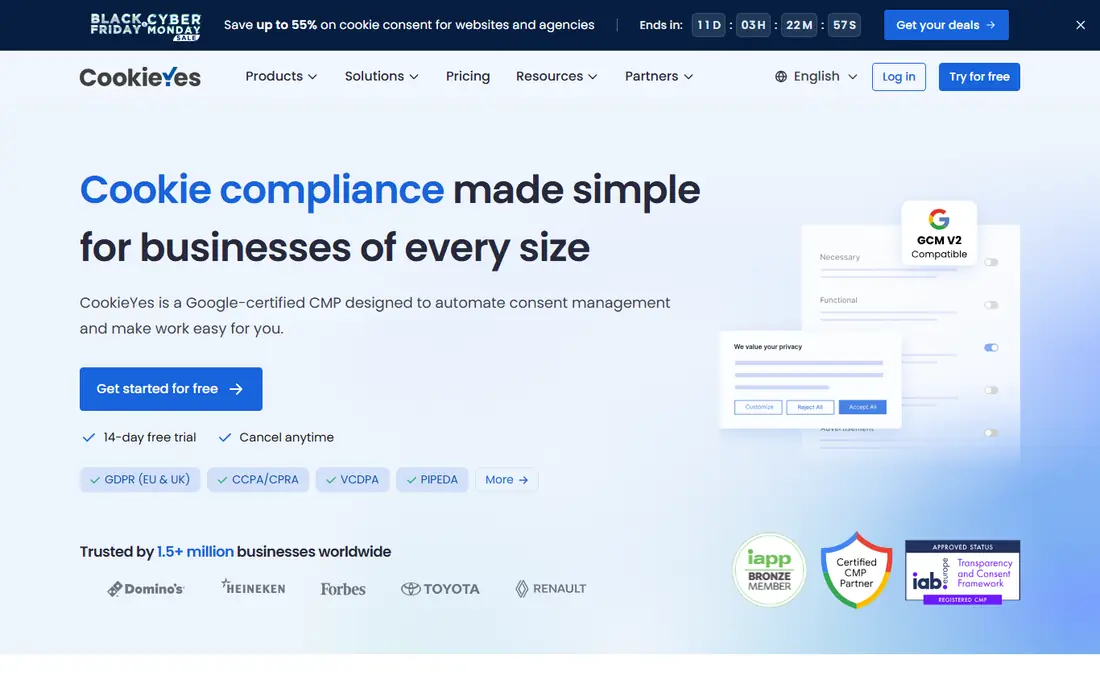
CookieYes is the most balanced pick for a typical business site. It scans for cookies and trackers, builds a cookie declaration, shows a banner that records visitor choices, and supports Google Consent Mode so analytics and ad tags can respect those choices. Setup on WordPress is fast, and manual script setup is documented for other platforms.
The cost model needs attention. Plans are priced per domain and by monthly page views, so a site with several domains or high traffic should price the full setup, not just one domain. The free tier suits a small blog, while most businesses will land on a paid plan for consent log exports and full customization.
- Regular cookie scans
- Consent logs for audit records
- Google Consent Mode support
- WordPress, Shopify, and other platform integrations
- Pricing scales per domain and by page views
- Advanced consent features sit on higher plans
- Banner branding appears on the free tier
Cookiebot, now part of Usercentrics, is known for its scan depth and declaration detail. It crawls a site each month, lists cookies and trackers with purpose and provider details, and blocks scripts until consent on paid plans. That detail helps a site owner answer a visitor or regulator question about what actually runs on a page.
Pricing is based on domain and subpage count, not traffic alone, so a content-heavy site can land on a higher tier than expected. The free tier covers one domain with up to 50 subpages, which suits a small brochure site. Larger sites should run the scan first, check the counted pages, and then pick a plan based on that count.
- Monthly automated scans
- Detailed cookie declarations
- Automatic script blocking on paid plans
- Google-certified consent platform
- Pricing scales with subpage count
- Free tier covers one small domain
- Support options vary by plan
OneTrust is the enterprise option, and it treats cookie audits as one part of a full privacy program. It scans sites, manages consent across many domains and regions, and connects to vendor risk, data mapping, and policy tools. Large companies with many brands and legal teams will value that breadth and the governance controls around it.
Small sites should not start here. Pricing is custom, setup is a project rather than a ten-minute install, and many features will sit unused on a single-domain site. Choose OneTrust when cookie work must fit into a company-wide privacy program with reporting, approvals, and audit trails.
- Cookie audits inside a wider privacy suite
- Multi-domain and multi-region management
- Vendor risk and policy tools
- Enterprise pricing and setup
- Overkill for a single small site
- Implementation often needs dedicated staff
Usercentrics, which now includes Cookiebot, offers a broader consent platform for web, mobile apps, and connected TV in some plans. It supports geo-rules, cross-domain consent, and banner testing, so larger teams can tune consent flows by region and measure how banner design affects opt-in rates. That testing angle is useful for publishers and e-commerce sites with high traffic.
For a small site, Usercentrics can feel larger than needed, and Cookiebot is often the simpler entry point within the same family. Larger organizations that need app SDKs, testing, and central control across many properties will get more value from the full Usercentrics platform.
- Strong consent management for web and apps
- A/B testing for banners
- Cross-domain consent
- Many language options
- Pricing can be complex for larger deployments
- Smaller sites may find Cookiebot simpler
- Advanced features need higher plans
Termly appeals to small businesses that want consent and basic legal documents in one place. Its cookie scanner and banner sit beside privacy policy, terms, and cookie policy generators, plus forms for visitor data requests. That bundle saves a small team from buying three separate tools for a new site launch.
The trade-off is depth. Termly covers common consent needs well, but it does not match OneTrust or Usercentrics for complex multi-region programs. Check which features sit on each plan, since a free or starter plan may not include everything a growing site needs, and price the number of websites you actually run.
- Cookie consent plus policy generators
- Data subject request forms
- Scan and banner tools in one account
- Some features need higher plans
- Consent depth is lighter than enterprise tools
- Pricing varies by website count
Complianz is built for WordPress, and that focus shows in its admin experience. Site owners can run a cookie scan, set banner regions, and manage consent from inside WordPress, without juggling a separate dashboard for every small task. It also integrates with common WordPress plugins and themes, which reduces manual script work.
Its limit is scope. Complianz is not the right pick for a Shopify, Webflow, or custom site, and premium licenses are priced by site count, so an agency should price all client sites together. WordPress owners who want consent handled inside their site admin will find it a comfortable fit.
- Native WordPress plugin
- Cookie scan and banner inside WordPress admin
- No monthly page-view cap on the free plugin for some uses
- Best fit is WordPress only
- Premium features need a paid license per site count
- Setup needs care for script blocking
Osano suits US-focused businesses that need to handle state privacy laws alongside cookie consent. It scans and classifies cookies, manages consent by region, and offers wider privacy tools on higher plans, including vendor management. That US focus helps teams that must honor opt-out signals and state rules that differ from European opt-in rules.
Price is the main caution. Osano starts above the cheapest small-site tools, and its full platform is aimed at larger teams. A small blog should start with CookieYes or Cookiebot, while a mid-size US business with several state obligations may find Osano worth the extra cost.
- Consent management with US state privacy coverage
- Cookie scanning and classification
- Vendor and data mapping tools on higher plans
- Pricing is higher than small-site tools for many buyers
- Enterprise features need larger plans
- Setup is a project for complex sites
CookieScript is a budget-friendly option for a small site that needs a scan, a banner, and a consent record without enterprise pricing. It covers the core audit loop: find cookies, group them, show a banner, and record choices. For a personal site, a small shop, or a landing page, that is often enough.
Larger sites should check integration and reporting depth before committing, since CookieScript does not match the wider platforms on vendor tools, testing, or multi-domain governance. As a low-cost starting point, though, it is a fair choice, and upgrading later is straightforward if the site grows.
- Low-cost plans for small sites
- Cookie scan and banner
- Geo-targeting and consent records on paid plans
- Smaller feature set than larger platforms
- Fewer integrations
- Support and documentation are lighter
How we picked these
We compared official pricing pages, feature pages, and consent platform comparisons, and we favored tools that still scan for cookies and trackers and record consent in October 2026. We included a mix of free starting plans, WordPress-native tools, and enterprise platforms, so a reader can match a tool to site size. Where pricing varied by domain, pages, or traffic, we wrote See website or gave the published starting figure with that limit in mind.
What to check before you choose
Run the scan before you pick a plan
Many tools price by domain, page count, or page views, and those counts are easy to underestimate. Run a free scan first, note how many pages and trackers it finds, and then price the plan that covers that real count. A plan that looks cheap for a five-page site can jump for a blog with hundreds of posts.
Test blocking, not just the banner
A banner alone does not stop trackers. After setup, decline non-essential cookies in a private browser window, then check which scripts still load. If analytics or ad tags fire before consent, the blocking setup needs fixing, usually by tagging scripts or using a tag manager integration. Repeat the test after you add a new plugin or ad tool.
Keep the declaration and logs current
Cookies change when you add a plugin, an embed, or an ad partner, so a one-time audit goes stale fast. Set scans to run monthly, review new trackers, and keep consent logs exportable for audit questions. A current declaration also helps visitors trust the site, since it shows what actually runs rather than a generic promise.
Frequently asked questions
What does a cookie audit tool actually do?
It scans your website for cookies and trackers, groups them by purpose, and builds a declaration that visitors can read. Most tools also show a consent banner, block scripts until consent where configured, and keep a log of visitor choices. The audit is the scan and classification step, while consent management is the banner and record-keeping around it.
Do I need a cookie audit tool for a US-only website?
It depends on your visitors and your trackers. Federal US law does not require a European-style consent banner, but several state privacy laws require honoring opt-out signals and giving visitors control over sale and sharing of data. A lightweight tool is useful even for US sites, especially if you run ads or analytics.
How often should I run a cookie audit?
Monthly scans are a good baseline, plus a fresh scan after you add a plugin, embed, ad partner, or checkout tool. Trackers appear quietly when a new script is added, so a monthly check catches changes before they become a long-standing problem. Keep the latest declaration linked from your banner.
What is the difference between CookieYes and Cookiebot?
CookieYes prices mainly per domain and page views, and it is often simpler for small businesses. Cookiebot prices by domain and subpage count, and it is known for detailed monthly scans and declarations. Both support Google Consent Mode and consent records, so the choice often comes down to site size and which pricing model fits your pages and traffic.
Can a cookie tool make my site fully compliant?
No tool alone can do that. A tool can scan, block, and record consent, but the site owner must review categories, check blocking, keep policies current, and follow the laws that apply to its visitors. Treat the tool as strong support for compliance work, not as a legal guarantee.
What is Google Consent Mode and why does it matter?
Google Consent Mode lets Google tags adjust their behavior based on visitor consent, so analytics and ads can run in a limited mode when a visitor declines. It helps a site keep measurement working while respecting choices. Most tools on this list support it, but you still need to configure tags correctly for it to work.
Sources
See where you really rank - block by block
ProMapRanker scans Google Maps across a grid of your service area. Simple monthly plans from $19, white-label on every plan.
Start freeKeep reading
 wpforms alternatives
Best WPForms Alternatives in 2026
We compare 9 wpforms alternatives for WordPress forms, with free and paid options, current pricing notes, and honest limits for small business sites in 2026.
Read → windows task scheduler alternatives
Best Windows Task Scheduler Alternatives in 2026
Looking for Windows Task Scheduler alternatives? We compare 9 schedulers for Windows and cross-platform work, from free tools to enterprise automation.
Read → which ai video service is best
Which AI Video Service Is Best in 2026
which ai video service is best? We compare 10 legitimate AI video services on price, avatars, editing and output quality to help you pick the right tool.
Read →