 ProMapRanker
Best Contraction Timer App in 2026

Key takeaways
- The best timer is the one you can start with one tap, without opening the phone, searching, or signing up during a contraction.
- Bump Pulse and Contraction Timer IO lead for partner sharing and clear histories, while Labora and Labor Rhythm lead for simple free timing.
- Pattern and Freya add breathing guidance, which helps some users stay calm, but they are not medical tools.
- A timer records timing only. It cannot assess labor, the baby, or whether you need care.
- This is general information only. Follow your clinician, midwife, or birth plan for when to call or go in, and contact a clinician for concerns.
Quick comparison
| Pick | Great for | Pricing starts at | Free tier | |
|---|---|---|---|---|
 Bump Pulse | Partner live view and calm timing | Free | Yes | Visit |
 Contraction Timer IO | Full timing plus doctor report | Free | Yes | Visit |
 Labora | Free Lock Screen timing on iPhone | Free | Yes | Visit |
 Labor Rhythm | Private offline timing on iPhone | Free | Yes | Visit |
 Pattern | Web timer with pattern alerts | Free | Yes | Visit |
 Freya | Hypnobirthing breathing and surge timing | See website | No | Visit |
 Storky | Simple timing with hospital guidance | Free | Yes | Visit |
 Contraction Timer & Counter 9m | Long-running simple timer on both platforms | Free | Yes | Visit |
The best contraction timer app
Contraction timers share one core job: record when a contraction starts and ends, then show duration, frequency, and a pattern over time. The apps below differ in sharing, watch support, breathing guidance, and price, which matters when you are tired and need a clear screen.
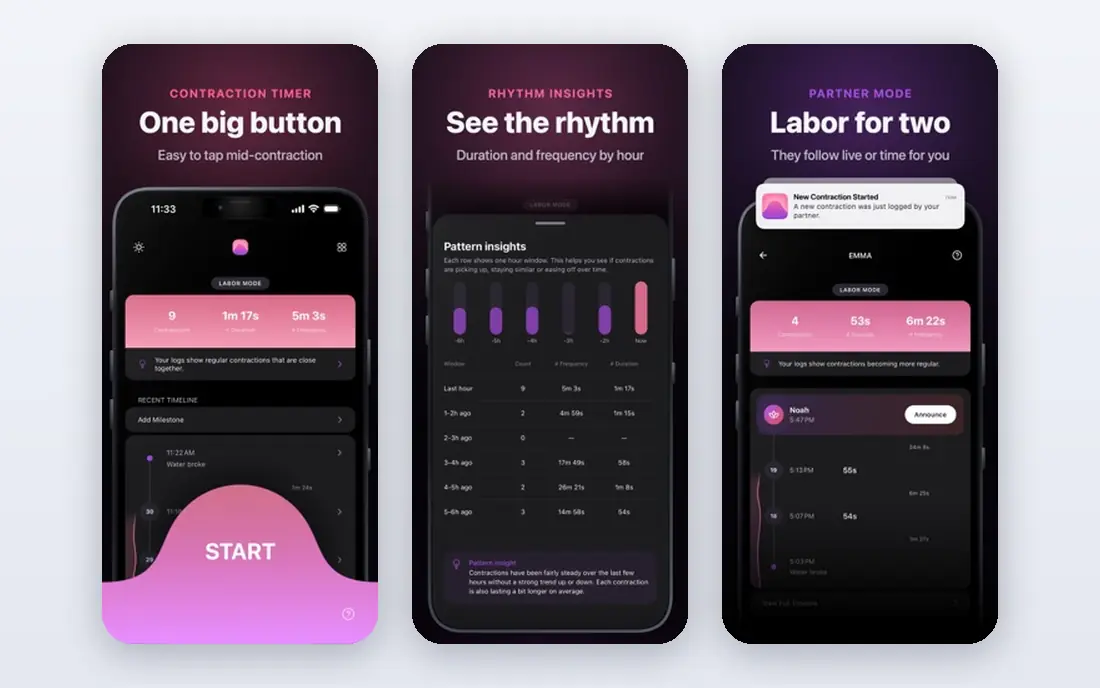
Bump Pulse is built for the moment timing starts. You can start and stop from the Lock Screen, a widget, Siri, or a watch, and the live view keeps the timer visible without opening the phone. A partner can follow the timeline live, which gives a support person a clear job during labor.
Timing itself is free with no limit in the sources we checked, while a one-time purchase of $5.99 opens full history, notes, intensity, and partner start and stop. The free timeline shows the newest 30 contractions. For most users, that free core plus live sharing is the strongest combination on this list.
- Lock Screen and watch timing
- Partner can follow live
- No account required for basic timing
- Full history needs a one-time purchase
- Newer app with a smaller track record
- Best on phones, not tablets
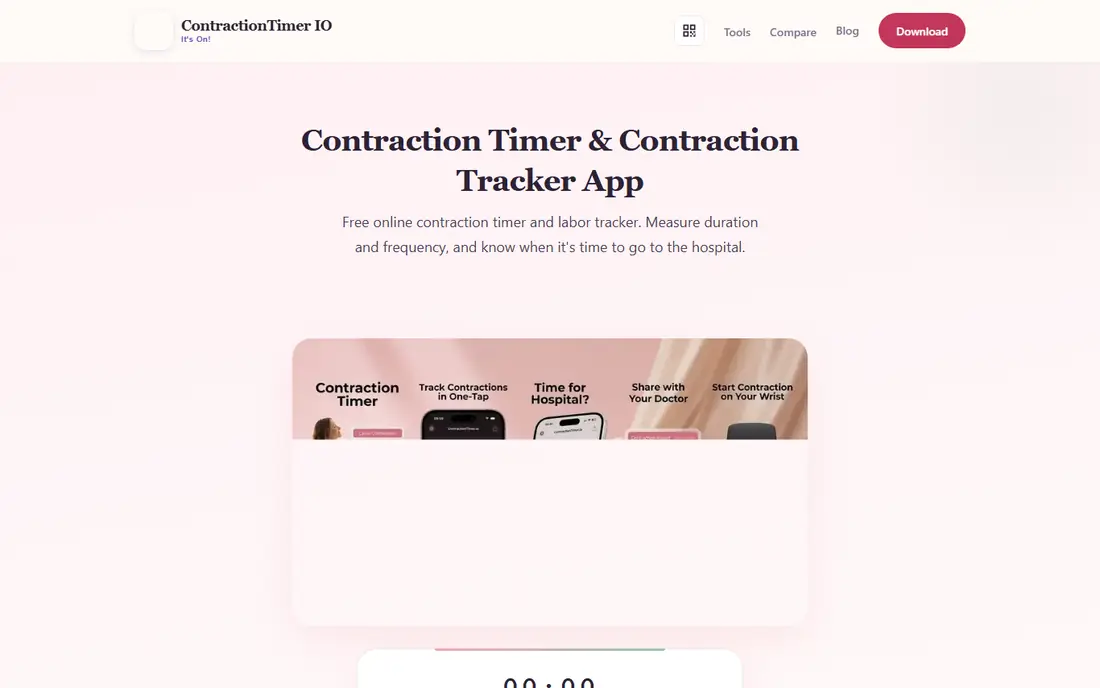
Contraction Timer IO is the most complete timing system here. It works on the web and on phones and watches, calculates duration and frequency, alerts when a pattern matches a rule such as 5-1-1, and lets you share a live family link or a doctor report. That report can help a clinician review recent timing quickly.
The breadth is also the weakness. With many features and in-app purchases, you should test the exact features you plan to use before labor, and confirm which ones are free. If you want one timer that works on any device and shares well, this is the safest all-round pick.
- Web, iPhone, Android, and watch timing
- 5-1-1 alerts
- Live family link and doctor report
- Free download does not mean every feature is free
- Some features need in-app purchases
- Interface has many options
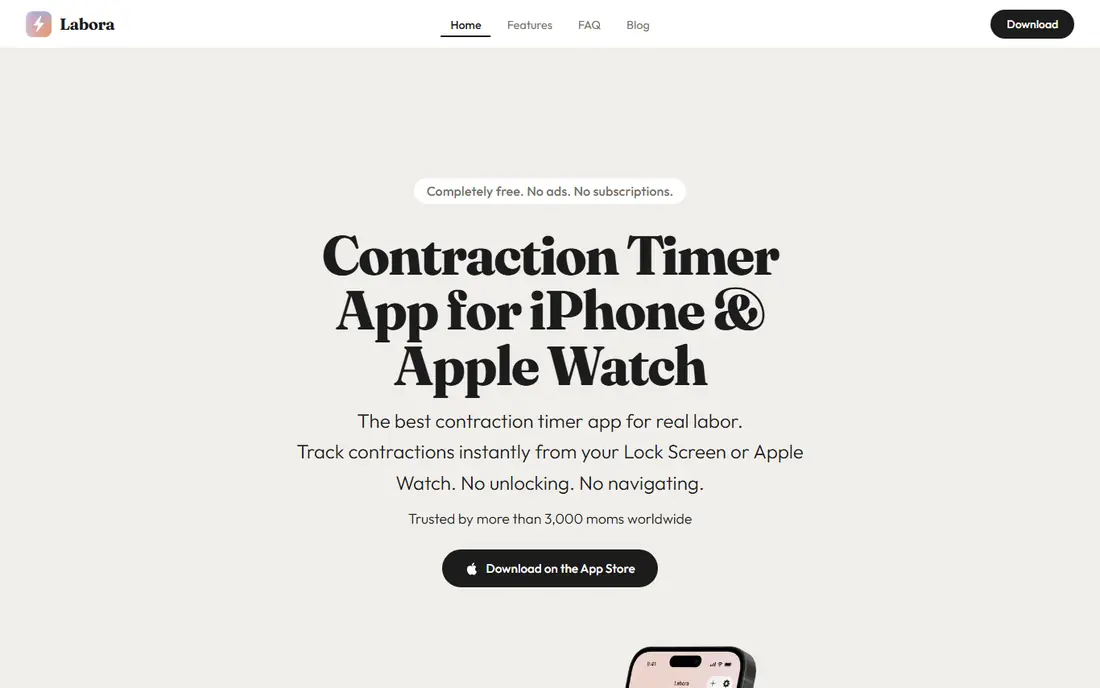
Labora focuses on one thing: starting the timer fast. Lock Screen and Apple Watch controls mean you do not need to open the phone or find the app during a contraction. The listing describes it as completely free, with no ads and no subscriptions, plus a breathing guide and editable entries.
The limit is platform. Labora is iPhone only, so an Android household needs another pick. It also lacks the broader pregnancy tools found in some rivals. If you use an iPhone and want a free, focused timer, Labora is hard to beat.
- Completely free with no ads or subscriptions in its listing
- Lock Screen and watch timing
- Pattern alerts
- IPhone only
- Narrower feature set than Contraction Timer IO
- No Android version
Labor Rhythm suits users who want privacy and simplicity. Every contraction is stored on the phone, with no account, no ads, and no analytics, and the app works fully offline, including in a hospital basement with poor signal. One big button starts and stops timing, and intensity can be marked as mild, moderate, or strong.
Sharing is limited to a summary, not a live view, and the app is iPhone only. If privacy and offline use matter more than live sharing, Labor Rhythm is the calmest option here. Test it in a practice session so the big button feels familiar before labor.
- No account, no ads, and no subscriptions
- Works fully offline
- Data stays on the phone
- IPhone only
- No live partner view described
- Smaller feature set than larger timers
Pattern is useful when you do not want to install anything yet. The web app times contractions with one tap, supports manual entry, computes rolling averages, and alerts on the 5-1-1 pattern. That makes it a good backup timer on any device with a browser.
The trade-off is that mobile apps were listed as coming soon, so phone use means a browser tab, not a native app with Lock Screen controls. Pricing was listed as 7 days free, then $5.99 per month or $59.99 per year. Use Pattern as a backup or a first timer, and keep a native app ready for labor itself.
- Works as a web app without an install
- One-tap timing and manual entry
- 5-1-1 pattern alerts
- Mobile apps were listed as coming soon
- Paid plan after 7 days free
- Web use needs a browser open
Freya is different from the plain timers above. It coaches breathing through each surge, offers guided relaxations and affirmations between surges, and tracks surge frequency and duration. For users following a hypnobirthing approach, that coaching can help them stay focused during labor.
Freya is not a plain free timer, and its breathing style will not suit everyone. Some users want only numbers on a screen, and Freya adds audio and visuals that can distract. Try the breathing pattern in pregnancy first, and decide whether coaching helps or gets in the way.
- Breathing coaching during each surge
- Guided relaxations and affirmations
- Shareable surge log
- Paid app model
- Breathing focus is not for everyone
- Timing features sit inside a larger program
Storky is a straightforward timer with a helpful extra: a stork indicator that reacts to your pattern and suggests when to consider going to hospital, based on rules you can change. That visual cue can be reassuring when you are unsure whether the pattern is changing.
The first run feels busier than Labora or Labor Rhythm, and ads appear early, with removal listed at $2.99 in comparisons. Sharing sends a summary rather than a live view. Storky suits users who want simple timing plus a clear hospital timing cue, and who do not mind a few setup screens.
- Simple start and stop timing
- Stork indicator for hospital timing guidance
- Easy summary sharing
- First run can feel busy
- Ads appear early, with removal at $2.99 in comparisons
- Sharing is a summary, not live
Contraction Timer & Counter 9m
Great for: Long-running simple timer on both platforms
Contraction Timer & Counter 9m is a long-running choice on both iPhone and Android. Tap once to start, tap again to stop, and the app tracks duration, spacing, and hospital timing guidance. That cross-platform availability helps when partners use different phones.
The design looks dated, and the free version includes ads, which can be distracting during labor. Some features need in-app purchases, listed from $0.99 to $11.99 per item in one review. It is a reliable basic timer, but Bump Pulse and Contraction Timer IO offer cleaner sharing and clearer screens.
- Available on iPhone and Android
- Simple one-tap timing
- Long track record as a timer
- Free version has ads
- Design looks dated
- Some features need in-app purchases
How we picked these
We compared official app pages, app store listings, and current contraction timer guides for apps that exist and work in October 2026. We kept only apps with a real contraction timing function, and we left out general pregnancy trackers without a dedicated timer, such as Flo, which does not include labor timing. Where a price could not be confirmed cleanly, we wrote See website. We did not claim hands-on testing, and we did not present any app as medical advice.
How to choose a contraction timer app
Practice before labor
Install the app weeks early and time a practice session. Learn the start and stop controls, the Lock Screen or watch controls, and how to edit a mistaken entry. A timer you learn during labor is a timer you will fumble.
Decide how sharing should work
A live partner view helps when a partner is elsewhere, while a summary is enough when a partner is in the room. Bump Pulse and Contraction Timer IO lead for live sharing, while Labor Rhythm and Storky suit summary sharing. Pick the sharing model that matches your birth team.
Keep a backup ready
Phones run out of battery, apps crash, and signal fails. Keep a second timer, a paper chart, or a stopwatch ready. Labor Rhythm works offline, and Pattern works in a browser, so either can serve as a backup to a main native app.
Check ads and paywalls early
Ads during labor are more than annoying, they can block the screen at the wrong moment. Check whether timing itself is free, whether ads appear during timing, and what a purchase removes. Remove ads or choose an ad-free app before labor, not during it.
Frequently asked questions
What is the best contraction timer app?
Bump Pulse is the best all-round pick for most users, because timing is free, Lock Screen and watch controls are fast, and a partner can follow live. Contraction Timer IO is the best pick when you need web, Android, and iPhone timing plus a doctor report.
What is the best free contraction timer app?
Labora and Labor Rhythm are strong free picks on iPhone, with no ads and no subscriptions in their listings. Bump Pulse also offers free timing with no limit, while Contraction Timer IO offers a free download with some paid features. Check which features are free before labor.
What is the best app to track contractions on Android?
Contraction Timer IO and Bump Pulse both support Android, along with Contraction Timer & Counter 9m and Storky. Labora and Labor Rhythm are iPhone only, so Android users should start with Contraction Timer IO or Bump Pulse.
When should I start timing contractions?
Start when contractions become regular, noticeable, or different from earlier tightening, and follow your own birth plan. Time from the start of one contraction to the start of the next to get frequency, and record duration from start to end. Follow your clinician guidance for when to call.
What is the 5-1-1 rule for contractions?
The 5-1-1 rule is a common general guideline: contractions about every 5 minutes, lasting about 1 minute each, continuing for about 1 hour. It is not universal, and some providers use 4-1-1 or 3-1-1. Follow the plan from your clinician, midwife, or birth center, not only an app alert.
Can a contraction timer app tell me when to go to hospital?
No. An app can show a timing pattern and alert when that pattern matches a rule, but it cannot assess your health, the baby, or your pregnancy risks. Use the log to inform a call to your clinician or birth team, and seek care promptly for bleeding, waters breaking, reduced movement, or any concern.
Sources
- https://bumppulse.app
- https://contractiontimer.io
- https://getlabora.app
- https://laborrhythm.com
- https://patternlabor.com
- https://thepositivebirthcompany.com/freya-hypnobirthing-app
- https://www.getstorky.com
- https://www.contractioncounter.com
- https://pregnancyapp.com/best-contraction-timer-app/
- https://www.mamanatural.com/contraction-timer/
See where you really rank - block by block
ProMapRanker scans Google Maps across a grid of your service area. Simple monthly plans from $19, white-label on every plan.
Start freeKeep reading
 free alternatives to grok imagine
Free Alternatives to Grok Imagine in 2026
We compared the best free alternatives to grok imagine for image generation, from fast daily credits to design tools, so you can create without paying.
Read → best tools for instagram content creation
Best Tools for Instagram Content Creation in 2026
Compare the best tools for Instagram content creation, from Canva and CapCut to Later and Buffer, on design, video, planning, scheduling, and price in 2026.
Read → best tool to split pdf files
Best Tool to Split PDF Files in 2026
We compared the best tool to split pdf files on split modes, file limits, privacy and price, so you can split a PDF cleanly and keep every page in one go.
Read →