 ProMapRanker
Best Content Planning Tools in 2026

Key takeaways
- The best tool for content planning is the one your team will update every week, not the one with the most views.
- Notion, Trello, and Airtable suit planning and briefs, while CoSchedule, Planable, and StoryChief add publishing and approval workflows.
- Free plans differ sharply: ClickUp allows unlimited members, while Asana and monday.com free plans suit only one or two people.
- Start with a simple calendar, brief template, and owner for every item, then add automation only when the manual process feels slow.
Quick comparison
| Pick | Great for | Pricing starts at | Free tier | |
|---|---|---|---|---|
 Notion | Docs, briefs, and calendars in one place | Free | Yes | Visit |
 Trello | Simple kanban content calendars | Free | Yes | Visit |
 Asana | Campaign and editorial workflows | Free | Yes | Visit |
 monday.com | Visual editorial boards | Free | Yes | Visit |
 CoSchedule | Marketing calendars and publishing | $29 per month | Yes | Visit |
 Airtable | Flexible content databases | Free | Yes | Visit |
 ClickUp | All-in-one planning and tasks | Free | Yes | Visit |
 Planable | Social approvals and collaboration | See website | Free trial | Visit |
 StoryChief | Content creation and distribution | See website | Free trial | Visit |
The best content planning tools
Content planning covers ideas, briefs, assignments, deadlines, approvals, and publishing, and different tools cover different parts of that chain. We compared official product and pricing pages and public documentation, and we did not claim hands-on testing we did not do. The best tool for content planning for your team depends on whether you mainly need a calendar, a brief library, or a publishing workflow.

Notion suits content teams that want briefs, research, and a calendar in one workspace. You can build a content database with status, owner, channel, and publish date, link each item to a full brief page, and view the same data as a calendar, board, or table. That flexibility helps small teams that plan blog posts, videos, and social content together.
Notion does not publish to social channels on its own, so teams that need scheduling will pair it with a publishing tool. Its free plan covers individuals and small teams, with Plus at $10 per seat per month billed yearly in recent pricing coverage. Start from a template rather than a blank page, or setup will eat your first week.
- Pages, databases, and calendars together
- Flexible brief templates
- Plus at $10 per seat per month billed yearly
- No native social publishing
- Setup takes time if you build from scratch
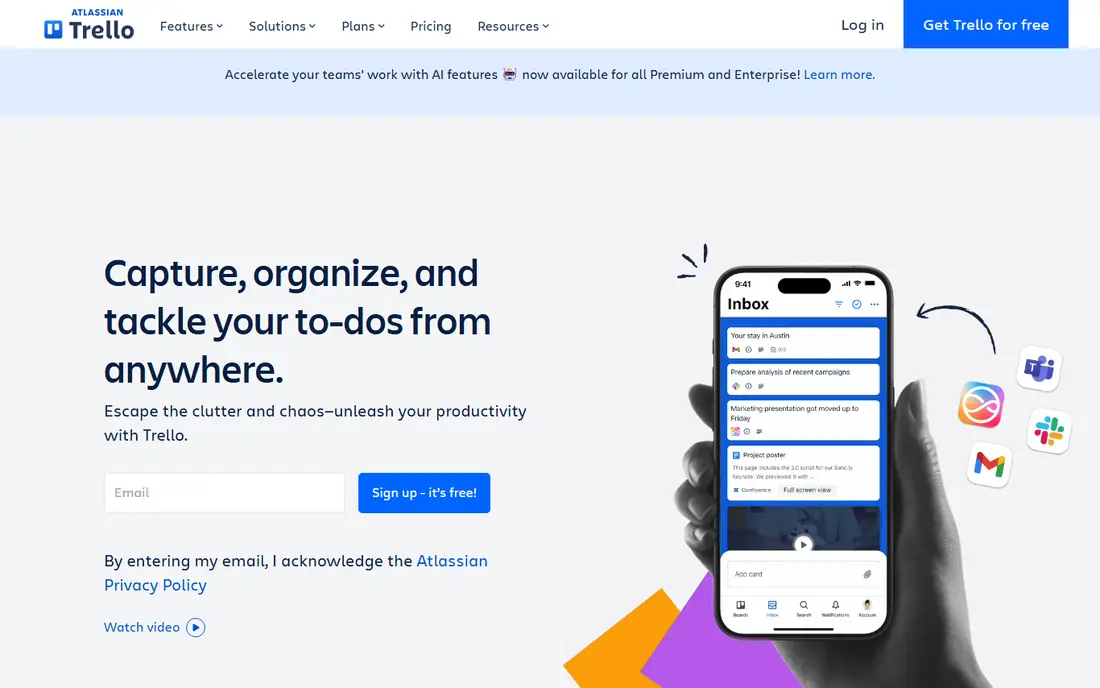
Trello is the simplest content calendar in this list. Each card is a piece of content, each list is a stage such as idea, drafting, review, and published, and drag-and-drop moves work forward. Checklists, due dates, attachments, and comments cover most editorial needs without training. Its free plan supports up to 10 collaborators per workspace in recent coverage.
Trello struggles when briefs get long or when you need a database view of hundreds of items by channel, author, and keyword. For a small team with a weekly publishing rhythm, that simplicity is a strength. For a large editorial operation, Notion or Airtable will scale better.
- Very easy kanban boards
- Free plan for up to 10 collaborators
- Standard at $5 per user per month billed yearly
- Weak for long briefs and databases
- Reporting is limited on lower plans
Asana suits content teams that run campaigns with many steps, dependencies, and deadlines. You can template a blog workflow, assign each step to an owner, set due dates, and view the whole campaign on a timeline. Rules can move tasks, assign reviewers, and send reminders when a stage changes, which reduces manual chasing.
Asana free plan is limited to small use, with the Personal plan covering up to 2 users in recent coverage, so a team of five will need a paid plan. Starter costs $10.99 per user per month billed yearly in recent coverage. Choose Asana when your content work is project work with deadlines, not just a simple calendar.
- Timeline, portfolios, and rules for repeatable workflows
- Starter at $10.99 per user per month billed yearly
- Free Personal plan suits only up to 2 users in recent coverage
- Can feel heavy for a tiny team
monday.com gives content teams a visual board with status colors, owners, dates, and file columns that make the pipeline easy to read at a glance. Automations can notify reviewers, move items, and set due dates, and dashboards can show output by channel or author. That visual clarity helps managers who need a weekly status view without opening every item.
The free plan suits only up to 2 seats in recent coverage, and Basic costs $9 per seat per month billed yearly with a 3-seat minimum, so a solo creator pays for three seats. For teams of three or more, that minimum is less of an issue, and the visual board is a real advantage over a plain list.
- Colorful visual boards
- Automations and dashboards
- Basic at $9 per seat per month billed yearly with a 3-seat minimum
- Free plan suits only up to 2 seats
- Seat minimums raise the cost for very small teams
CoSchedule is built for marketing teams that plan blog, email, and social content on one calendar. Its calendar shows scheduled posts by channel, its social scheduling covers multiple profiles, and its free plan covers one user, one profile, and 15 posts in recent coverage. Starter costs $29 per month billed yearly, with Professional at $49 in the same coverage.
CoSchedule charges per plan with add-ons for extra profiles and users, and social posting for some networks adds cost, so count your channels before you compare it with a pure planning tool. If your main pain is scheduling and seeing everything on one calendar, CoSchedule fits better than a general task tool.
- Marketing calendar with social scheduling
- Content and social in one calendar
- Starter at $29 per month billed yearly
- Free plan caps posts in flight
- Extra profiles and users add cost
Airtable suits content teams that think in structured data: every article has a keyword, a channel, an author, a status, and a publish date, and you want to filter and group by any of those fields. Calendar, kanban, gallery, and grid views show the same data in different ways, which helps editors, writers, and managers each see what they need. Its free plan covers small bases, with paid plans for larger teams.
Airtable is less friendly than Trello for a team that just wants a simple board, and it does not publish to social channels on its own. Use it when your content library is large, your metadata matters, and you need to slice the same plan by author, channel, or campaign.
- Database views for calendars, kanban, and galleries
- Strong filtering
- Team plan near $20 per user per month billed yearly
- Can feel like a spreadsheet to non-technical users
- Publishing needs an integration
ClickUp combines tasks, docs, whiteboards, dashboards, and calendars in one workspace, and its Free Forever plan allows unlimited members, which is rare in this list. That makes it a strong pick for a content team that also manages other work and does not want to pay per seat for every contributor. Unlimited costs $7 per user per month billed yearly in recent coverage.
ClickUp breadth is also its risk: a team that turns on every feature will spend more time configuring than planning. Start with one content space, one list, and one calendar view, and add docs and dashboards only when the team asks for them.
- Free plan allows unlimited members
- Tasks, docs, whiteboards, and calendars together
- Unlimited at $7 per user per month billed yearly
- Very broad feature set can overwhelm new users
- Setup needs discipline to stay simple
Planable is built for social content teams that need approvals before anything publishes. You can preview posts as they will look on each channel, leave comments on specific posts, approve or request changes, and schedule approved content. That approval loop helps agencies and brands where a wrong post has real reputational cost.
Planable is less suited to long-form blog planning, where briefs, research, and drafts matter more than visual previews. Pricing is plan-based and varies by workspace size, so ask for a quote at your post volume and user count. Pair it with a brief tool such as Notion if you plan both blog and social work.
- Visual social previews
- Comment and approval workflows
- Multi-channel planning
- Focused on social content, not long-form briefs
- Pricing is plan-based and varies
StoryChief covers the full article workflow: write in its editor with SEO guidance, collaborate with reviewers, approve, and distribute to your website and other channels. That end-to-end flow suits content teams that publish articles regularly and want one tool from draft to distribution, rather than stitching a docs tool to a publishing tool.
StoryChief is narrower than a general planning tool, and it will not replace a full project system for campaign work. Pricing varies by plan, so test it with a real article, including your approval steps and your publishing channels, before you commit a whole team to it.
- Article creation with SEO checks
- Multi-channel distribution
- Collaboration and approval features
- Less general than Notion or ClickUp
- Pricing varies by plan and channel count
How we picked these
We compared official product and pricing pages and public documentation for tools that support content calendars, briefs, assignments, approvals, or publishing. We kept only tools that are live in October 2026 and truly fit content planning, rather than general chat or design tools. Where pricing varied by seats, profiles, or channels, we wrote the most relevant starting figure and noted the limit, rather than guessing a single price.
What to check before you buy
Start with your weekly workflow, not a feature list. Write down the stages a piece of content passes through, from idea to published, and who owns each stage. If your stages are simple, Trello or Notion will do. If approvals, publishing, and multi-channel scheduling are daily work, CoSchedule, Planable, or StoryChief will save more time.
Next, check the free plan limits that actually bite. Count your team, your channels, and your posts per month, then compare those counts with the free plan caps. A free plan that covers two users will not help a team of six, and a calendar that caps posts in flight will stall a busy social schedule.
Finally, agree on one brief template and one owner per item. Tools do not fix vague briefs or ownerless tasks. A short template with audience, angle, keyword, deadline, and reviewer, plus a named owner, will improve your content plan more than any new view or automation.
Frequently asked questions
What is the best tool for content planning for a small team?
Notion or Trello are strong starting points for small teams, because both offer free plans and simple calendars. Notion fits teams that need briefs and docs, while Trello fits teams that want a simple kanban board. Add a publishing tool only when scheduling becomes a daily pain.
Can I plan blog and social content in one tool?
Yes, with limits. CoSchedule shows blog, email, and social work on one marketing calendar, and Notion or Airtable can track all channels in one database. Pure social tools such as Planable cover social approvals well but are weaker for long-form briefs, so many teams pair a planning tool with a social tool.
Is Notion good for content planning?
Yes, for teams that want briefs, research, and calendars together. Notion databases let you track status, owner, channel, and publish date, and link each item to a full brief page. It does not publish to social channels on its own, so pair it with a scheduler if you need native publishing.
How much do content planning tools cost?
Free plans cover small teams on Notion, Trello, Airtable, and ClickUp, with limits on users, storage, or features. Paid plans in recent coverage start near $5 per user per month for Trello Standard, $7 for ClickUp Unlimited, $9 per seat for monday.com Basic, and $10 per seat for Notion Plus, all billed yearly. CoSchedule Starter starts at $29 per month per plan.
Do I need approvals in a content planning tool?
Approvals matter when more than one person touches content before it publishes, especially for client work or regulated topics. Planable and StoryChief build approvals into the workflow, while Notion, Trello, and Asana handle approvals through status fields and comments. Pick the lightest approval step that still catches errors before publishing.
Sources
See where you really rank - block by block
ProMapRanker scans Google Maps across a grid of your service area. Simple monthly plans from $19, white-label on every plan.
Start freeKeep reading
 wpforms alternatives
Best WPForms Alternatives in 2026
We compare 9 wpforms alternatives for WordPress forms, with free and paid options, current pricing notes, and honest limits for small business sites in 2026.
Read → windows task scheduler alternatives
Best Windows Task Scheduler Alternatives in 2026
Looking for Windows Task Scheduler alternatives? We compare 9 schedulers for Windows and cross-platform work, from free tools to enterprise automation.
Read → which ai video service is best
Which AI Video Service Is Best in 2026
which ai video service is best? We compare 10 legitimate AI video services on price, avatars, editing and output quality to help you pick the right tool.
Read →