 ProMapRanker
Best Construction Management Software in 2026

Key takeaways
- Procore suits large commercial contractors with complex projects, but its pricing is quote-led and can run into tens of thousands per year.
- Buildertrend suits residential builders and remodelers, with scheduling, client communication, and job costing in one place.
- JobTread and Contractor Foreman suit smaller builders who want lower entry costs without a large enterprise platform.
- Fieldwire suits field teams that mainly need drawings, tasks, and punch lists on mobile.
- Always get a written quote based on your annual construction volume and user count, since published prices are often estimates, not firm rates.
Quick comparison
| Pick | Great for | Pricing starts at | Free tier | |
|---|---|---|---|---|
 Procore Procore | Large commercial general contractors | See website | No | Visit |
 Autodesk Construction Cloud Autodesk Construction Cloud | BIM-led design and build teams | See website | Free trial | Visit |
 Buildertrend Buildertrend | Residential builders and remodelers | See website | No | Visit |
 JobTread JobTread | Residential builders who want lower entry costs | See website | Free trial | Visit |
 CoConstruct CoConstruct | Custom home builders and remodelers | See website | Free trial | Visit |
 Fieldwire Fieldwire | Field teams, drawings, and punch lists | See website | Yes | Visit |
 Contractor Foreman Contractor Foreman | Small contractors who want low cost and breadth | See website | Free trial | Visit |
 Knowify Knowify | Job costing, estimating, and invoicing for contractors | See website | Free trial | Visit |
 monday.com monday.com | Flexible project tracking for construction teams | See website | Free trial | Visit |
The best construction management software
Construction management software covers scheduling, budgets, documents, drawings, field reports, and client communication, and no tool does all of those equally well for every size of builder. A large commercial general contractor needs different software from a five-person remodeler, and pricing reflects that gap. We compared current guides and vendor pages to pick tools that are currently offered and that genuinely manage construction projects, not generic task apps with a construction label.

Procore is the enterprise standard for commercial construction, covering project management, drawings, RFIs, submittals, budgets, change orders, quality, and safety in one platform. Its pricing is based on annual construction volume rather than per-user fees, which means a growing contractor's bill grows with revenue, and published estimates range from around $4,500 per year for very small users to $60,000 or more for larger firms, with industry guides citing $10,000 to $20,000 per year for firms at $1 million to $5 million in volume.
The honest weakness is cost and complexity for smaller firms. A residential remodeler or a small subcontractor will pay for depth it does not need, and setup, training, and module choices take real time. Procore fits large general contractors, owners, and firms managing complex, multi-year projects, where its breadth and industry adoption justify the quote-led price.
- Broad project, financial, quality, and safety tools
- Unlimited users on plans in published guides
- Widely used across commercial construction
- Quote-only pricing, with estimates running to tens of thousands per year
- Implementation takes time
- Modules for preconstruction and finance cost extra
Autodesk Construction Cloud
Great for: BIM-led design and build teams
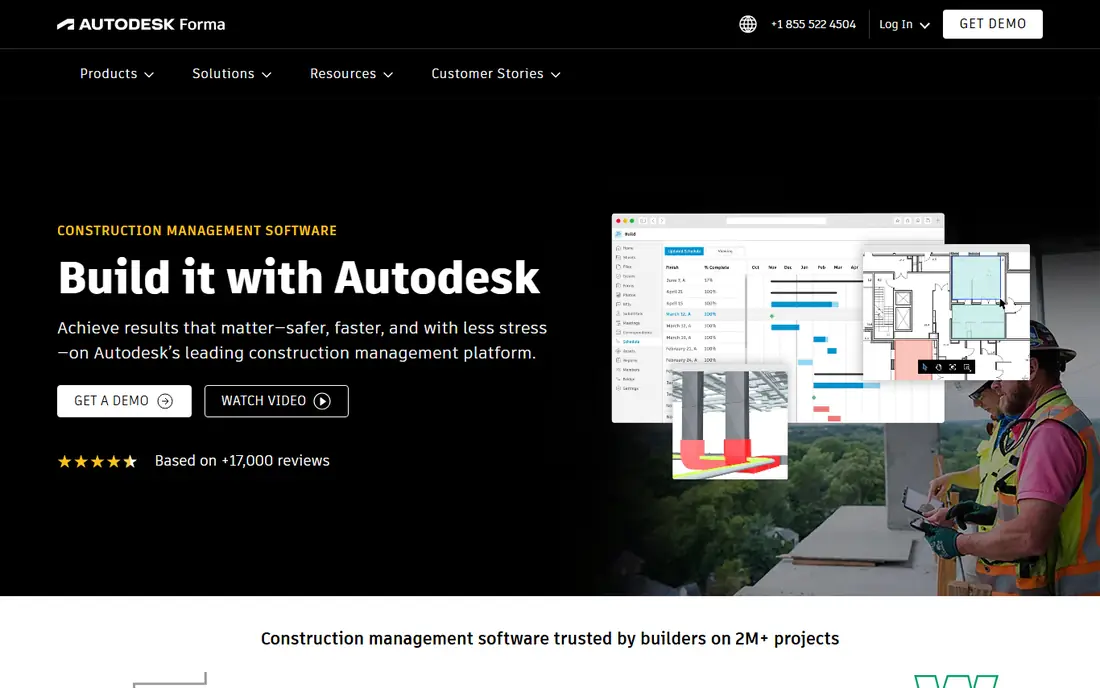
Autodesk Construction Cloud, which includes Autodesk Build and related products, suits teams that live in BIM and design coordination. It handles model coordination, document management, RFIs, submittals, field issues, and cost tracking, and it connects naturally to Autodesk design tools that architects and engineers already use. That integration is its main advantage over general project tools.
The catch is price and complexity. Pricing is quote-led, with third-party estimates ranging widely, and smaller builders may find the platform heavy for simple residential work. Autodesk Construction Cloud fits design-build firms, large contractors, and teams where BIM coordination is a daily job, rather than small builders who mainly need scheduling and client updates.
- Strong BIM coordination and document control
- Integrates with AutoCAD and Revit workflows
- Field and cost tools in one cloud platform
- Quote-led and expensive for small firms
- Learning curve is steep
- Sheet and module limits can add cost
Buildertrend is the best-known platform for residential construction and remodeling, combining scheduling, budgeting, change orders, selections, documents, and a client portal where homeowners can see progress, approve choices, and pay. That client-facing side is a real selling point for custom home builders, since it reduces phone calls and keeps selections and approvals in one place.
The weakness is transparency and scale. Buildertrend stopped publishing prices in early 2025, according to October 2026 guides, and now quotes based on annual construction volume, with last published plans around $499 to $1,099 per month. It is also less suited to large commercial projects than Procore or Autodesk. Buildertrend fits residential builders and remodelers who want an all-in-one system and a polished client experience.
- Scheduling, client portal, change orders, and job costing in one place
- Unlimited users and projects on current plans in guides
- Strong client communication
- No longer publishes prices, so a quote is needed
- Less suited to large commercial work
- Limited BIM depth
JobTread appeals to residential builders and remodelers who want Buildertrend-style features without Buildertrend-style pricing. It covers estimating, customer management, project scheduling, budgets, change orders, and invoicing, with a clean interface that small teams learn quickly. Third-party guides estimate entry costs well below larger platforms, though exact pricing needs a quote check.
The trade-off is maturity. JobTread is newer than its larger rivals, so its integration list and feature depth are smaller, and firms with complex commercial needs may outgrow it. JobTread fits small to mid-sized residential builders who want an integrated, affordable platform and who value simplicity over enterprise breadth.
- Estimating, CRM, scheduling, and invoicing in one tool
- User-friendly interface
- Lower estimated entry costs than Buildertrend in guides
- Newer and smaller than Buildertrend or Procore
- Fewer integrations
- Commercial depth is thinner
CoConstruct, now part of the Buildertrend family, was built for custom home builders and remodelers who need detailed selections, allowances, change orders, and client communication. Its strength is the homeowner experience: clients can make selections, see budgets, and approve changes in a portal, which reduces misunderstandings on custom builds where choices change often.
The weakness is its future. Since CoConstruct joined Buildertrend, new buyers should confirm whether CoConstruct remains a separate product or whether Buildertrend is the main path forward, and what migration looks like. Pricing is also quote-led. CoConstruct fits custom builders who already use it or who want its selections workflow, provided they confirm current availability before committing.
- Strong client communication and selections tools
- Estimating and budgeting
- Built for custom residential work
- Now part of Buildertrend, so future direction needs checking
- Pricing is quote-led
- Less suited to commercial work
Fieldwire is the field tool in this list, built for crews who work from drawings on a phone or tablet. Teams can view the latest plans, mark up drawings, assign tasks, track punch lists, and file inspection reports from site, with changes syncing back to the office. A free tier covers small teams, with paid plans adding more projects, storage, and controls.
The limit is scope. Fieldwire does not replace Procore for budgets, Buildertrend for client portals, or JobTread for estimating, so it works best as a field layer alongside a main project system, or as a standalone tool for subcontractors whose main need is drawings and tasks. Fieldwire fits foremen, superintendents, and subcontractors who want a simple, mobile tool that field staff will actually use.
- Mobile-first drawings and task management
- Punch lists and inspections
- Free tier for small teams
- Easy field adoption
- Not a full financial or estimating platform
- Larger project controls need higher plans
- Pricing varies by plan
Contractor Foreman
Great for: Small contractors who want low cost and breadth
Contractor Foreman is a budget-friendly all-rounder for small contractors, subcontractors, and specialty trades. It covers project scheduling, daily logs, time tracking, documents, and invoicing in one system, with third-party guides estimating entry pricing from low monthly rates, though exact plans need a quote check. That breadth at a low price makes it a practical first system for firms moving off spreadsheets.
The weakness is depth. Reporting, financial controls, and client portal features are thinner than Buildertrend or Procore, and the interface is more functional than polished. Contractor Foreman fits small firms that need a single affordable tool for day-to-day project work, and that can accept simpler reporting in exchange for lower cost.
- Low estimated entry pricing in guides
- Covers scheduling, daily logs, time tracking, and invoicing
- Easy to start with
- Reporting depth is thinner than Procore or Buildertrend
- Interface feels less polished
- Larger firms may outgrow it
Knowify suits contractors whose main pain is knowing whether a job actually made money. It combines estimating, job costing, contract and change order management, time tracking, and invoicing, so a contractor can track budgeted versus actual costs by job and phase. That financial focus appeals to subcontractors and specialty trades who live or die by job margins.
The trade-off is project breadth. Scheduling, client portals, and field drawing tools are thinner here than in Buildertrend or Fieldwire, and lower tiers limit users, so larger teams may need a higher plan. Knowify fits firms that prioritise job costing and invoicing accuracy, and that can pair it with a scheduling or field tool if needed.
- Strong job costing and contract management
- Estimating and invoicing in one place
- Useful for subcontractors and specialty trades
- Entry pricing reported from $99 to $149 per month in guides
- User limits on lower tiers
- Project scheduling is thinner than Buildertrend
monday.com is a general work platform that many construction teams adapt for project tracking, using boards for schedules, submittals, approvals, and punch lists, with automations to notify the right person when a status changes. Its flexibility and ease of use make it popular with office teams, and its free trial lets a team test a construction workflow before paying.
The weakness is specificity. monday.com does not offer native construction drawings management, RFI workflows, or job costing in the way Procore, Buildertrend, or Knowify do, so teams must build those workflows or add integrations. Per-user pricing also adds up for large field teams. monday.com fits small construction offices that want flexible tracking and already use it for other work, rather than firms that need a full construction system out of the box.
- Highly customisable boards and automations
- Easy for office teams to adopt
- Good for tracking tasks, approvals, and timelines
- Not construction-specific, so drawings, RFIs, and job costing need workarounds or integrations
- Pricing is per user and adds up
How we picked these
We compared current vendor pages and October 2026 pricing guides for construction management tools, and we kept only tools that are currently offered and that genuinely manage construction projects, field work, or job costing. We weighed project type fit, scheduling, financial tools, field usability, client communication, and price transparency, and we used "See website" widely because most vendors in this category now quote rather than publish firm prices. We did not claim hands-on testing.
How to choose construction management software
Start with your project type and size. Large commercial contractors should shortlist Procore and Autodesk Construction Cloud, residential builders should shortlist Buildertrend, JobTread, and CoConstruct, and small contractors should shortlist Contractor Foreman and Knowify. Field-heavy subcontractors should add Fieldwire for drawings and punch lists, even if they keep another system for office work.
Next, get written quotes on the same basis: your annual construction volume, number of users, number of active projects, and the modules you need. Ask about implementation fees, training, data migration, contract length, and price rises at renewal, since several guides note renewal increases in this market. Then trial the tool with one live project, including field staff, not just office managers. If field crews will not use it on site, the best office features will not help, and that trial will tell you more than any demo.
Frequently asked questions
What is the best project management software for construction?
Procore is the best choice for large commercial projects, while Buildertrend is the best choice for residential builders and remodelers. JobTread and Contractor Foreman suit smaller builders on a budget, and Fieldwire suits field teams. The best tool depends on project type, size, and whether you need finance, client, or field features most.
What is the best software for construction management for small builders?
JobTread, Contractor Foreman, and Knowify are strong small-builder options, with lower entry costs and simpler setup than Procore. Buildertrend also works for growing residential builders. Start with a trial on one project, and price the total on your user count and project volume, not just a headline monthly rate.
What is the best app for construction project management in the field?
Fieldwire is the best field app in this list for drawings, tasks, and punch lists on mobile, thanks to its simple interface and free tier. Procore and Autodesk also offer strong mobile field tools, but at enterprise prices. Choose Fieldwire if field usability is your main need.
What is the best contractor software for job costing?
Knowify is the strongest job costing pick here, with estimating, contract management, and actual versus budget tracking by job. Buildertrend and JobTread also offer job costing for residential builders. If margins are your main concern, prioritise job costing depth over scheduling extras.
How much does construction management software cost?
Costs vary from free field tiers to tens of thousands per year for enterprise platforms. Small builder tools may start around $99 to $499 per month in guides, while Procore and Autodesk are quote-led and scale with annual construction volume. Always get a written quote for your volume and user count before budgeting.
Is Procore or Buildertrend better?
Procore is better for large commercial contractors with complex projects, while Buildertrend is better for residential builders and remodelers who need client communication and selections. Neither is universally better, since they serve different project types, sizes, and budgets.
Sources
- https://www.itqlick.com/procore/competitors
- https://projul.com/competitors/procore-vs-buildertrend/
- https://www.itqlick.com/procore/pricing
- https://www.procore.com
- https://construction.autodesk.com
- https://buildertrend.com
- https://www.jobtread.com
- https://www.coconstruct.com
- https://www.fieldwire.com
- https://contractorforeman.com
- https://www.knowify.com
- https://monday.com
See where you really rank - block by block
ProMapRanker scans Google Maps across a grid of your service area. Simple monthly plans from $19, white-label on every plan.
Start freeKeep reading
 zoom alternatives
Best Zoom Alternatives in 2026
Compare Zoom alternatives in 2026, with free meeting limits and prices, so you can pick the best alternative to Zoom for your team, class, or community.
Read → which software is best for remote work
Which Software Is Best for Remote Work in 2026
Answering which software is best for remote work, we compare Slack, Zoom, Asana, Notion, Teams and more, with pricing and honest tradeoffs in 2026 now.
Read → which ai tool is best for content writing
Which AI Tool Is Best for Content Writing in 2026
Wondering which ai tool is best for content writing? We compare ChatGPT, Claude, Jasper, Grammarly, and more on price, quality, and best use in 2026 now.
Read →