 ProMapRanker
Best Computational Fluid Dynamics Software in 2026

Key takeaways
- Ansys Fluent and Simcenter STAR-CCM+ are the industry standard choices for production aerodynamics work, with broad physics coverage and strong support.
- OpenFOAM is the best no cost option for teams with coding skill, since it gives full source access and unlimited scaling on your own hardware.
- SimScale suits teams that want browser based CFD without buying workstations, though private projects and large runs sit on paid plans.
- COMSOL Multiphysics is the strongest pick when fluid flow must couple with heat, structures, acoustics, or other physics in one model.
- For aerodynamics specifically, check turbulence models, meshing for complex shapes, and how results are validated, not just the solver name.
Quick comparison
| Pick | Great for | Pricing starts at | Free tier | |
|---|---|---|---|---|
 Ansys Fluent | Production CFD with broad physics | See website | Free trial | Visit |
 Simcenter STAR-CCM+ | Integrated meshing and multiphysics CFD | See website | No | Visit |
 COMSOL Multiphysics | Coupled multiphysics simulation | See website | Free trial | Visit |
 OpenFOAM | Free open source CFD with full control | Free | Yes | Visit |
 SimScale | Cloud based CFD in a browser | Free | Yes | Visit |
 Autodesk CFD | Autodesk CAD users needing flow and thermal work | See website | Free trial | Visit |
 SOLIDWORKS Flow Simulation | SOLIDWORKS users doing in CAD flow studies | See website | No | Visit |
 Altair AcuSolve | Fast transient and thermal flow simulation | See website | No | Visit |
 SIMULIA XFlow | Moving parts without traditional meshing | See website | No | Visit |
The best computational fluid dynamics software
Computational fluid dynamics software predicts how air and liquids move around and through designs, which matters for aircraft, vehicles, buildings, and equipment. The best CFD software for aerodynamics balances solver accuracy, meshing quality, ease of setup, and computing cost. This list covers commercial leaders and open options that teams actually use in 2026.
Ansys Fluent is our pick for most production teams because it covers a wide range of flow problems, from external aerodynamics to internal flow, heat transfer, and combustion. Its turbulence models, meshing tools, and solver controls are well documented, and many engineering teams already know the workflow. For aerodynamics work that must stand up to review, that depth matters.
The catch is cost and complexity. Fluent pricing is quote based, and high performance computing use can add license cost. New users should budget time for training, especially for mesh quality and turbulence model choice. For teams with regular CFD work and a need for validated results, Fluent remains a safe, capable choice.
- Broad turbulence and combustion models
- Strong HPC scaling
- Large user community
- Pricing is quote based
- Needs training for advanced models
- HPC licenses add cost

Simcenter STAR-CCM+ stands out for its single workflow that covers geometry, meshing, solving, and post processing. That integration helps with complex shapes, such as full vehicles and aircraft, where mesh quality drives result quality. It also supports design exploration, so teams can test many variants and compare aerodynamic performance in one environment.
Pricing is quote based, and the full package is aimed at professional teams rather than casual users. The learning curve is steep, and large models need serious computing resources. For teams that run CFD daily and want one controlled workflow from CAD to results, STAR-CCM+ is a strong contender.
- Integrated meshing in one workflow
- Strong design exploration tools
- GPU acceleration options
- Quote based pricing
- Steep learning curve
- Needs strong hardware or cloud resources
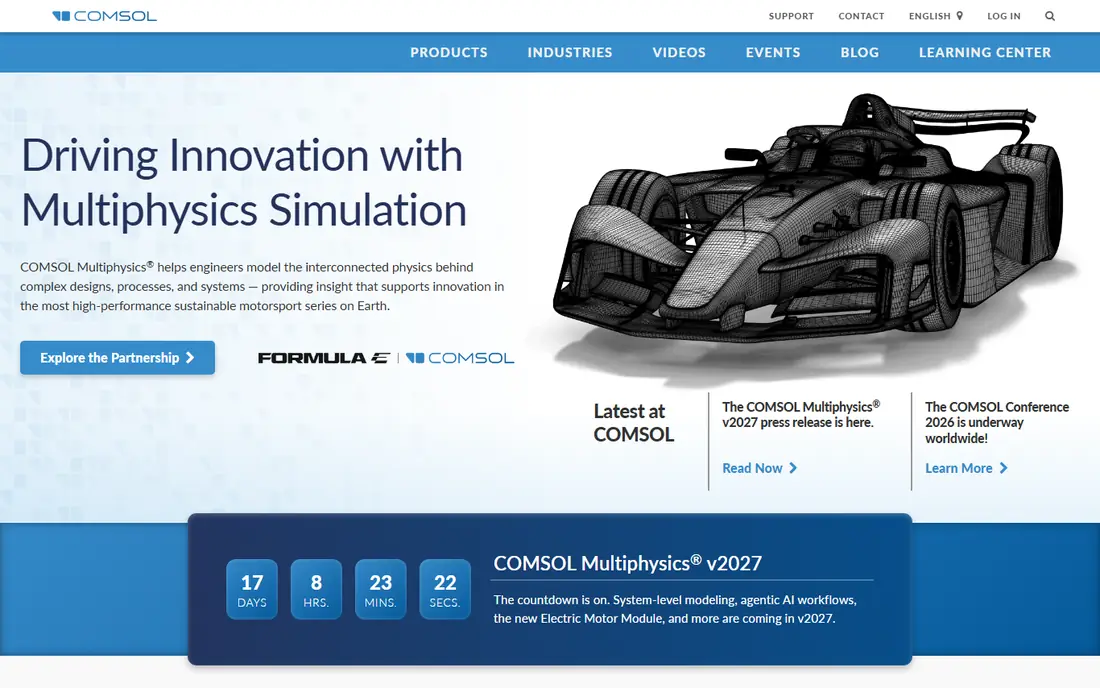
COMSOL Multiphysics suits teams whose problem is not fluid flow alone. If airflow affects temperature, structures, acoustics, or electromagnetics, COMSOL lets those physics interact in one model. That coupling is valuable for electronics cooling, biomedical devices, and research problems where several effects happen at once.
For pure external aerodynamics at large scale, dedicated CFD solvers may offer more specialized turbulence and meshing workflows. COMSOL pricing is also quote based, and building a good model still needs physics judgment. Choose COMSOL when coupling matters more than raw aerodynamic throughput.
- Strong coupling of fluid flow with other physics
- Flexible model building
- Good for research
- CFD alone may be less specialized than Fluent
- Pricing is quote based
- Needs physics knowledge
OpenFOAM is the best choice for teams with a tight budget and strong technical skill. It is free, open source, and widely used in research and industry for custom solvers and large parallel runs. Because you can read and change the source, OpenFOAM fits problems that commercial tools handle poorly, such as new physics models or unusual boundary conditions.
The cost is time and expertise. Setup often uses command line tools and text files, meshing may need external tools, and support depends on community forums or paid consultants. For students, researchers, and startups with coding skill, OpenFOAM offers power that no paid tool matches at zero license cost.
- Free and open source
- Full source access
- Unlimited scaling on your own hardware
- Steep learning curve
- Limited graphical interface
- Support comes from community and consultants
SimScale removes the workstation barrier by running CFD in the cloud through a browser. That helps small teams, students, and distributed teams who cannot buy high end hardware. The Community plan is free and includes a set number of simulations and core hours, which is enough to learn CFD and test early designs.
Paid plans are needed for private projects, larger computing instances, and full analysis types. Teams should also check core hour limits before running large aerodynamic studies, since heavy runs can use hours fast. For cloud first teams and for learning, SimScale is a practical, low friction entry point.
- Runs in a browser with no workstation install
- Free Community plan
- Good for learning and small projects
- Community projects are public
- Paid plans needed for private work and larger runs
- Core hours are limited on free plan
Autodesk CFD fits product designers who already work in Inventor or Fusion and need flow and thermal answers without leaving that workflow. It handles internal flow, external flow, and heat transfer, and it supports steady and transient studies. For electronics enclosures, HVAC components, and consumer products, that integration saves setup time.
It is less of a fit for very large external aerodynamics programs that need specialized turbulence workflows and massive parallel runs. Pricing is subscription based, and teams outside the Autodesk ecosystem may find other tools more flexible. Inside Autodesk workflows, though, it is a natural choice.
- Tight Autodesk CAD integration
- Flow plus thermal coupling
- Steady and transient options
- Subscription pricing
- Less suited to very large external aero models
- Needs Autodesk workflow
SOLIDWORKS Flow Simulation
Great for: SOLIDWORKS users doing in CAD flow studies
SOLIDWORKS Flow Simulation lets engineers run fluid and thermal studies directly inside SOLIDWORKS, with CAD linked meshing and boundary conditions. Goal based setup helps designers ask a direct question, such as pressure drop or temperature at a point, and get an answer without deep CFD expertise. That speed suits design stage checks and product iteration.
For complex external aerodynamics, dedicated CFD tools offer deeper turbulence control and larger model handling. Flow Simulation is also an add-on module, so cost depends on your SOLIDWORKS package. For SOLIDWORKS teams who need quick, in CAD flow answers, it is hard to beat for convenience.
- Works inside SOLIDWORKS
- Goal based setup
- Good for design stage checks
- Add-on module cost
- Limited for very complex aero work
- Tied to SOLIDWORKS
Altair AcuSolve is a general purpose CFD solver known for transient flow, heat transfer, and coupled thermal work. It integrates with Altair tools for meshing and structural simulation, which helps teams that already use Altair for design and analysis. For automotive, aerospace components, and thermal management, AcuSolve offers a capable, efficient solver.
Its community is smaller than the largest CFD tools, so finding tutorials and peer help may take more effort. Pricing is quote based, and teams should confirm solver coverage for their specific turbulence and multiphase needs. For Altair users and for transient thermal flow, AcuSolve deserves a place on the shortlist.
- Strong transient and thermal capability
- Integrates with Altair simulation tools
- Efficient solver
- Quote based pricing
- Smaller community than Fluent
- Needs Altair workflow familiarity
SIMULIA XFlow uses a lattice Boltzmann approach that handles moving parts, complex geometry, and free surface flows without a traditional meshing step in many cases. That helps with rotating parts, valves, lubrication, and other problems where mesh motion is painful in classic CFD. For those cases, XFlow can save setup time and reduce mesh related errors.
The workflow differs from classic finite volume CFD, so teams need time to learn its setup and result checks. Pricing is quote based, and it is less common for standard external aerodynamics benchmarking. Choose XFlow when moving geometry or complex internal flow is the main problem, not when you need a generic aero solver.
- Lattice Boltzmann method
- Handles moving geometry well
- No traditional meshing step for many cases
- Quote based pricing
- Different workflow from classic CFD
- Less common for standard aero benchmarks
How we picked these
We compared solvers on aerodynamics coverage, meshing, turbulence and thermal models, computing options, pricing transparency, and real world use in industry and research. We used vendor documentation, comparison guides, and pricing pages, and we favored tools that exist and work in 2026, with clear solver scope. We did not claim hands-on testing, and we noted where pricing is quote based rather than publishing a figure we could not verify.
We also weighed fit for aerodynamics specifically. A tool that excels at internal flow or multiphysics may still rank lower for external aero work if its turbulence or mesh workflows are limited for that job.
How to choose CFD software for aerodynamics
Define the flow problem first
Write down whether you need external aerodynamics, internal flow, heat transfer, multiphase flow, or moving parts. External vehicle and aircraft work needs strong turbulence models and mesh control for boundary layers. Internal flow and thermal work may favor a different solver. A clear problem statement prevents buying a solver built for a different job.
Test meshing and validation, not just speed
Ask for a trial on a shape close to your real design, and check mesh quality, convergence, and how results compare with known data or tests. Fast runs mean little if the mesh is poor or the turbulence model is wrong for your flow regime. Also check how the tool handles geometry changes, since design iteration is where time is lost.
Count total computing cost
Compare license cost, hardware or cloud cost, training time, and support. Open source tools save license fees but cost staff time. Cloud tools save hardware cost but charge for core hours. Quote based tools need a written quote that lists licenses, support, and renewal terms before you commit.
Frequently asked questions
What is the best CFD software for aerodynamics?
Ansys Fluent and Simcenter STAR-CCM+ are the most common production choices for aerodynamics, with broad turbulence coverage and strong meshing. OpenFOAM is a strong free option for skilled teams, and SimScale suits cloud based learning and small projects. The best choice depends on model size, validation needs, and budget.
Is OpenFOAM really free for commercial use?
OpenFOAM is free and open source, with no per user license fee for the software itself. You still pay for hardware, staff time, training, and any paid support or consulting you choose. That total cost can still be lower than commercial licenses for skilled teams.
Do I need a powerful workstation for CFD?
For large models, yes, unless you use a cloud tool such as SimScale. Small and learning models can run on modest hardware, but production aerodynamics with fine meshes needs many cores and memory. Cloud CFD shifts that cost to core hours instead of hardware purchase.
What is the difference between Fluent and STAR-CCM+?
Both are production CFD solvers with broad physics coverage. Fluent is widely used across industries with a large community, while STAR-CCM+ emphasizes an integrated workflow from meshing to design exploration in one environment. Trial both on a representative model before choosing, since workflow fit often decides the winner.
Can CFD replace wind tunnel testing?
CFD can reduce testing and guide design, but it does not fully replace physical testing for safety critical or regulated work. Mesh quality, turbulence modeling, and boundary conditions all affect accuracy, so validate CFD results against test data where accuracy matters.
Sources
See where you really rank - block by block
ProMapRanker scans Google Maps across a grid of your service area. Simple monthly plans from $19, white-label on every plan.
Start freeKeep reading
 wpforms alternatives
Best WPForms Alternatives in 2026
We compare 9 wpforms alternatives for WordPress forms, with free and paid options, current pricing notes, and honest limits for small business sites in 2026.
Read → windows task scheduler alternatives
Best Windows Task Scheduler Alternatives in 2026
Looking for Windows Task Scheduler alternatives? We compare 9 schedulers for Windows and cross-platform work, from free tools to enterprise automation.
Read → which ai video service is best
Which AI Video Service Is Best in 2026
which ai video service is best? We compare 10 legitimate AI video services on price, avatars, editing and output quality to help you pick the right tool.
Read →