 ProMapRanker
Best Collaborative Project Management Platform in 2026


clear task ownership across teams · Pricing starts at: $10.99 per user per month
Key takeaways
- The best collaborative platform is the one your whole team will actually update, not the one with the longest feature list.
- Asana, monday.com, and ClickUp cover most team needs, while Trello and Basecamp suit teams that want a simpler shared workspace.
- Free plans are real but capped, so check user limits, board limits, and storage before rolling a tool out to a whole company.
- ClickUp offers the most features per dollar on paid plans, while Basecamp offers the most predictable flat pricing for larger teams.
- Notion and Jira suit specific teams, such as knowledge-centered teams and software teams, better than they suit general project work alone.
Quick comparison
| Pick | Great for | Pricing starts at | Free tier | |
|---|---|---|---|---|
| Asana | clear task ownership across teams | $10.99 per user per month | Yes | Visit |
 monday.com | visual boards and custom workflows | $9 per seat per month | Yes | Visit |
 ClickUp | most features per dollar | $7 per user per month | Yes | Visit |
 Trello | simple shared kanban boards | $5 per user per month | Yes | Visit |
 Notion | docs, wikis, and projects together | $10 per seat per month | Yes | Visit |
 Wrike | complex cross-team workflows | $10 per user per month | Yes | Visit |
 Smartsheet | spreadsheet-style project planning | $9 per member per month | Free trial | Visit |
 Basecamp | flat pricing for whole teams | See website | Yes | Visit |
 Teamwork | client work for agencies | $9.99 per seat per month | Yes | Visit |
 Jira | software teams running agile work | See website | Yes | Visit |
The best collaborative project management platforms
These ten platforms cover the main ways teams collaborate, from simple kanban boards to full work management suites. Start with how your team already works, then pick the tool that matches that style, rather than forcing a new workflow on everyone at once.
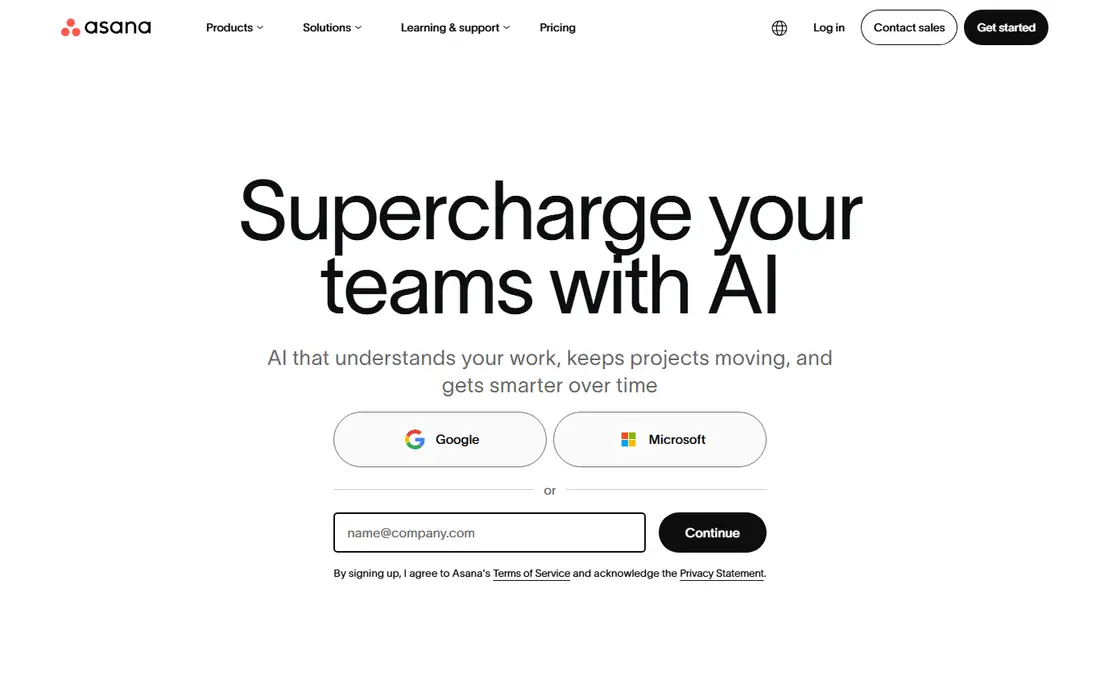
Asana suits teams that want every task to have one owner, one due date, and a clear status. Projects can be viewed as lists, boards, timelines, or calendars, and comments, files, and subtasks stay attached to the work itself, which cuts down on status meetings. Paid plans add timeline views, custom fields, portfolios, and workload views for managers overseeing many projects.
The free plan covers small teams well, but larger teams will hit its limits and need Starter at $10.99 per user per month when billed annually. Asana is intuitive for non-technical users, yet powerful enough for complex launches, which is why it remains a default pick for cross-functional teams. If your team struggles with unclear ownership, Asana is a strong first choice.
- Clear task owners and due dates
- Timeline and portfolio views on paid plans
- Many integrations
- Free plan is limited to small teams
- Advanced views sit on paid plans
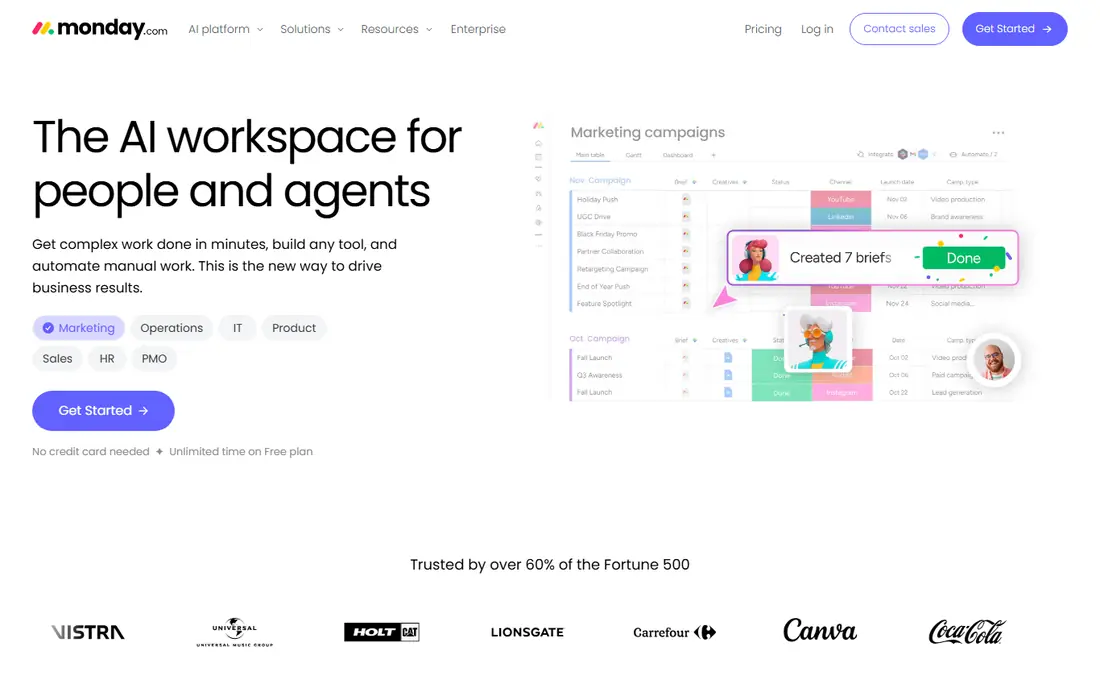
monday.com suits visual teams that think in boards, colors, and status columns rather than long task lists. Boards can be customized with many column types, and automations move work, notify owners, and update statuses without manual effort. That flexibility makes it popular with marketing, operations, and creative teams that run varied projects in one workspace.
The free Individual plan covers up to two seats, while paid Basic starts at $9 per seat per month when billed annually, with a three-seat minimum. Higher plans add timeline views and more automation actions, so check the automation limits on the plan you would buy. If your team wants a colorful, flexible workspace and learns best by seeing work, monday.com is a good fit.
- Highly visual boards
- Flexible columns and automations
- Fast onboarding
- Free plan limited to two seats
- Automation actions capped by plan
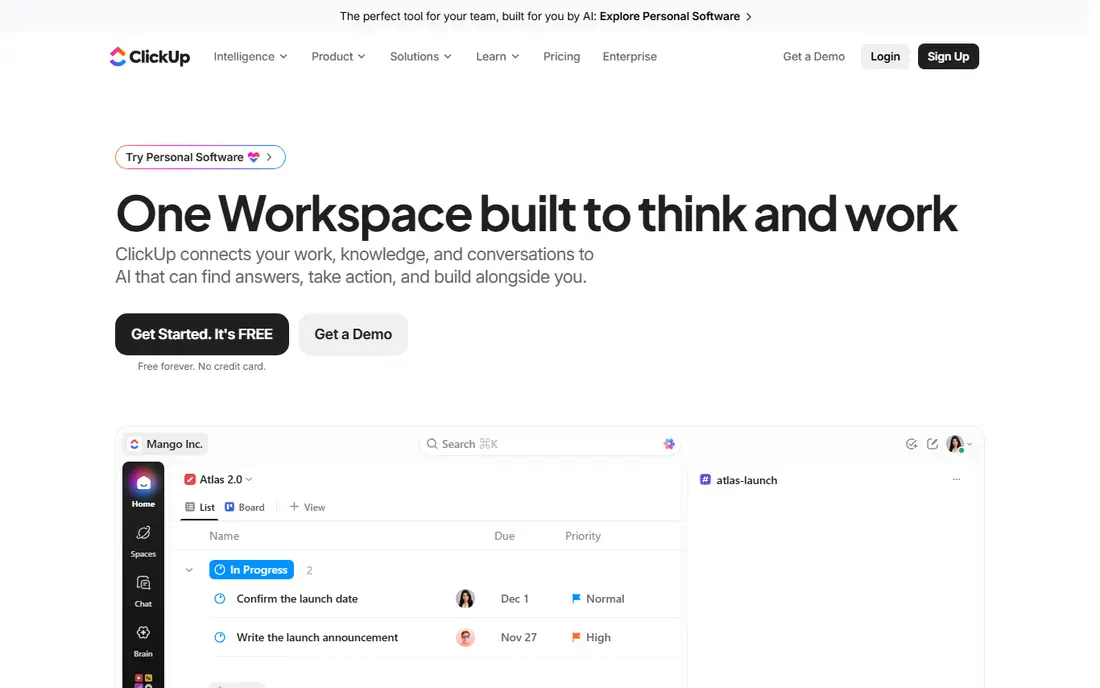
ClickUp packs tasks, docs, chat, whiteboards, dashboards, and goals into one workspace, which appeals to teams tired of paying for five separate tools. Its free plan allows unlimited members, though storage is limited, and paid Unlimited starts at $7 per user per month when billed annually. That combination gives ClickUp the strongest value on this list for teams that will use many of its features.
The trade-off is complexity. New teams can feel overwhelmed by the number of views, settings, and options, so plan a short setup period and agree on a simple structure first. If your team is willing to invest a day in setup, ClickUp can replace several tools. If your team wants the simplest possible board, Trello will feel easier.
- Tasks, docs, chat, and whiteboards in one workspace
- Generous free plan
- Low paid entry price
- Depth takes time to learn
- Setup can feel overwhelming at first
Trello is the simplest collaborative tool on this list, and that simplicity is its strength. A board with lists and cards can be running in minutes, and team members can comment, attach files, and move cards without training. For small teams, personal projects, and simple workflows, Trello is often all that is needed.
The free plan covers up to ten boards, while Standard starts at $5 per user per month when billed annually. Trello lacks native task dependencies and deep portfolio reporting, so large programs with linked deadlines will outgrow it. If your team wants shared visibility with zero learning curve, Trello is the right starting point.
- Easiest kanban setup
- Low learning curve
- Useful Power-Ups and integrations
- No native task dependencies
- Weak for complex portfolio reporting
Notion suits teams that live in documents as much as in tasks. Wikis, meeting notes, project databases, and task boards share one workspace, so a project page can hold its brief, decisions, and tasks together. Templates make it easy to start a project hub, a content calendar, or a team wiki without building from scratch.
Paid Plus starts at $10 per seat per month when billed annually, while a free plan covers individuals and small teams with limits. Notion is less strict than Asana or Jira about workflows, statuses, and dependencies, so teams that need enforced processes may find it too loose. For knowledge-centered teams, Notion is a strong all-in-one pick.
- Docs, databases, and tasks in one workspace
- Flexible templates
- Good for knowledge teams
- Project views are less strict than dedicated PM tools
- Permissions need care on larger teams
Wrike suits larger teams and agencies managing many projects, requests, and approvals at once. Interactive Gantt charts, shareable dashboards, and request forms help intake teams turn incoming work into tracked projects, while approvals keep creative and compliance reviews visible. That structure helps when work crosses departments and deadlines depend on each other.
Team pricing starts at $10 per user per month when billed annually, with a free plan for small teams. Seats are sold in groups on some plans, so check the minimum before budgeting for a tiny team. Wrike can feel heavy for a five-person team, but for complex cross-team work, its structure is worth the learning curve.
- Gantt charts and dashboards
- Request forms and approvals
- Strong for agencies and enterprises
- Seats sold in groups on some plans
- Learning curve for casual users
Smartsheet suits operations teams that think in spreadsheets but need project structure, approvals, and reporting. Its grid view feels familiar to anyone who plans in a spreadsheet, while Gantt, calendar, and card views let the same data serve different audiences. Automation rules, forms, and dashboards help operations teams run repeatable processes at scale.
Pro pricing starts at $9 per member per month when billed annually, and there is a 30-day free trial rather than a permanent free plan. That makes Smartsheet a harder pick for a tiny team on a zero budget, but a strong pick for operations teams already comfortable with spreadsheet planning. If your team plans in rows and columns, Smartsheet will feel natural.
- Familiar grid view
- Gantt and card views
- Strong reporting and automation
- No permanent free plan
- Interface feels less modern than rivals
Basecamp suits teams that value simplicity and predictable pricing over deep customization. Each project has message boards, to-do lists, schedules, files, and group chat in one place, so a team can collaborate without learning a complex system. A free plan covers personal projects, while paid plans use flat pricing rather than charging per seat in the same way as most rivals, which helps larger teams budget.
The trade-off is depth. Basecamp lacks Gantt views and the automation depth of Asana, monday.com, or ClickUp, so complex programs may need another tool. If your team hates per-seat pricing and wants one calm place for projects, Basecamp is a refreshing pick. If your team needs advanced reporting, look at Wrike or Smartsheet instead.
- Predictable pricing
- Message boards, to-dos, and chat in one place
- Simple structure
- Fewer views and automations than rivals
- No Gantt view
Teamwork is built for agencies and professional services teams that manage client projects, billable time, and deliverables together. Client users can see project progress without seeing internal discussion, and time tracking links work to billing. That client-facing structure sets Teamwork apart from general tools that treat every user the same.
The free plan covers up to five users and five projects, while paid plans start at $9.99 per seat per month when billed annually, with a three-seat minimum. Teams that do not bill clients may not need its agency features, but agencies that juggle many clients will value them. If client visibility and time tracking matter, Teamwork is a strong specialist pick.
- Client-facing project views
- Time tracking and billing support
- Good for agencies
- Minimum seat counts on paid plans
- Interface takes time to learn
Jira suits software and IT teams running scrum, kanban, or mixed agile work. Boards, sprints, backlogs, and workflow rules help engineering teams move issues through defined stages, and integrations with Confluence, Bitbucket, and other Atlassian tools keep docs and code close to tasks. The free plan covers up to ten users, which makes Jira cheap for a small software team.
Jira is heavy for non-technical teams, and its configuration can take time to get right. Pricing varies with team size, so check the current calculator for your headcount rather than relying on a single headline rate. For software teams, Jira remains the standard. For general business projects, Asana or monday.com will feel lighter.
These ten platforms cover the main ways teams collaborate, from simple kanban boards to full work management suites. Start with how your team already works, then pick the tool that matches that style, rather than forcing a new workflow on everyone at once.
- Strong agile boards, sprints, and workflows
- Deep Atlassian integrations
- Free for small teams
- Heavy for non-technical teams
- Configuration takes time
How we picked these
We compared official pricing pages, feature documentation, and recent 2026 comparisons, and we kept only platforms with a live collaborative project product in October 2026. We favored tools with shared tasks, comments, file sharing, multiple views, and integrations with common chat and storage tools, and we checked free plan limits and entry paid prices. We did not claim hands-on testing, and we used "See website" where pricing varies by team size or billing model.
What to check before you choose
Start with team size and work style, not features. A five-person team that wants a shared board will be happier with Trello or Basecamp than with a full suite, while a fifty-person team running linked projects needs Asana, Wrike, or Smartsheet. Count every person who will need a paid seat, including clients and contractors, because per-seat pricing adds up fast. Check free plan limits for users, boards, projects, and storage, and test the tool with a real project for two weeks before rolling it out.
Also check integrations and mobile use. A tool that does not connect to your chat, calendar, and file storage will create extra copy work, and a team that works on phones needs a mobile app that actually supports comments and task updates. Finally, agree on simple rules before launch, such as one owner per task, due dates on every task, and weekly status updates in the tool itself. The best platform fails when nobody updates it, and the simplest platform succeeds when everyone does.
Frequently asked questions
What is the best collaborative project management platform?
For most teams, Asana is the safest pick, because it balances clear ownership, multiple views, and a gentle learning curve. monday.com suits visual teams, ClickUp suits teams that want the most features per dollar, and Trello suits small teams that want a simple board. Basecamp suits teams that want flat pricing and simplicity.
What is the best collaborative project management software for small teams?
Trello and ClickUp are strong small-team picks, because both offer useful free plans and low paid entry prices. Trello is simpler, while ClickUp covers docs, chat, and dashboards as well as tasks. Asana also works well for small teams, though its free plan is limited to a small number of users.
What are the best collaborative project management tools for agencies?
Teamwork and Wrike are strong agency picks, because they support client visibility, time tracking, and approvals. monday.com and Asana also work well for agencies that need flexible boards and portfolios. Choose Teamwork when client billing and time tracking are central, and Wrike when complex cross-team workflows are central.
Is there a free collaborative project management platform?
Yes. Asana, monday.com, ClickUp, Trello, Notion, Wrike, Teamwork, and Jira all offer free plans, though limits vary by users, boards, projects, and storage. Smartsheet offers a free trial rather than a permanent free plan, and Basecamp offers a free plan for personal projects. Check the limits for your team size before committing.
How much does collaborative project management software cost?
Entry paid prices on this list range from $5 per user per month for Trello to around $10 to $11 per user per month for Asana, monday.com, Wrike, and Notion when billed annually. ClickUp starts at $7 per user per month, Smartsheet at $9 per member per month, and Teamwork at $9.99 per seat per month. Basecamp and Jira vary by plan and team size, so check their current pricing pages.
Sources
- https://asana.com/pricing
- https://monday.com/pricing
- https://clickup.com/pricing
- https://trello.com/pricing
- https://www.notion.com/pricing
- https://www.wrike.com/pricing
- https://www.smartsheet.com/pricing
- https://basecamp.com/pricing
- https://www.teamwork.com/pricing
- https://www.atlassian.com/software/jira/pricing
See where you really rank - block by block
ProMapRanker scans Google Maps across a grid of your service area. Simple monthly plans from $19, white-label on every plan.
Start freeKeep reading
 wpforms alternatives
Best WPForms Alternatives in 2026
We compare 9 wpforms alternatives for WordPress forms, with free and paid options, current pricing notes, and honest limits for small business sites in 2026.
Read → windows task scheduler alternatives
Best Windows Task Scheduler Alternatives in 2026
Looking for Windows Task Scheduler alternatives? We compare 9 schedulers for Windows and cross-platform work, from free tools to enterprise automation.
Read → which ai video service is best
Which AI Video Service Is Best in 2026
which ai video service is best? We compare 10 legitimate AI video services on price, avatars, editing and output quality to help you pick the right tool.
Read →