 ProMapRanker
Best Business Email Software in 2026


Most small businesses · Pricing starts at: $7 per user per month
Key takeaways
- Most small businesses should choose between Google Workspace and Microsoft 365 based on the office apps their team already uses.
- Zoho Mail is the lowest cost credible route to a custom domain address for a small team.
- Proton Mail and Fastmail suit teams that put privacy and independence ahead of a full office suite.
- Check storage, trial length, and whether a free plan supports mail apps, because those details change the real cost.
- Set up SPF, DKIM, and DMARC from day one, or your invoices may land in spam no matter which provider you pick.
Quick comparison
| Pick | Great for | Pricing starts at | Free tier | |
|---|---|---|---|---|
| Google Workspace | Most small businesses | $7 per user per month | Free trial | Visit |
 Microsoft 365 | Office and Outlook teams | $7 per user per month | Free trial | Visit |
 Zoho Mail | Lowest cost custom domain email | $1 per user per month | Yes | Visit |
 Proton Mail | Privacy focused teams | $6.99 per user per month | Yes | Visit |
 Fastmail | Simple, fast, independent email | $5 per user per month | Free trial | Visit |
 Titan Email | Small business email with hosting bundles | See website | Free trial | Visit |
 IONOS Email | Email bundled with hosting | See website | No | Visit |
 GoDaddy Professional Email | Very small businesses | See website | No | Visit |
 Neo Mail | Simple setup with a free domain option | See website | Free trial | Visit |
The best business email software
We compared official pricing pages and recent provider guides checked in October 2026. Prices below are per user per month on annual billing unless stated, and we wrote See website where a firm current price could not be verified. All options here support a custom domain, so your address can end in your company domain rather than a free mail domain.
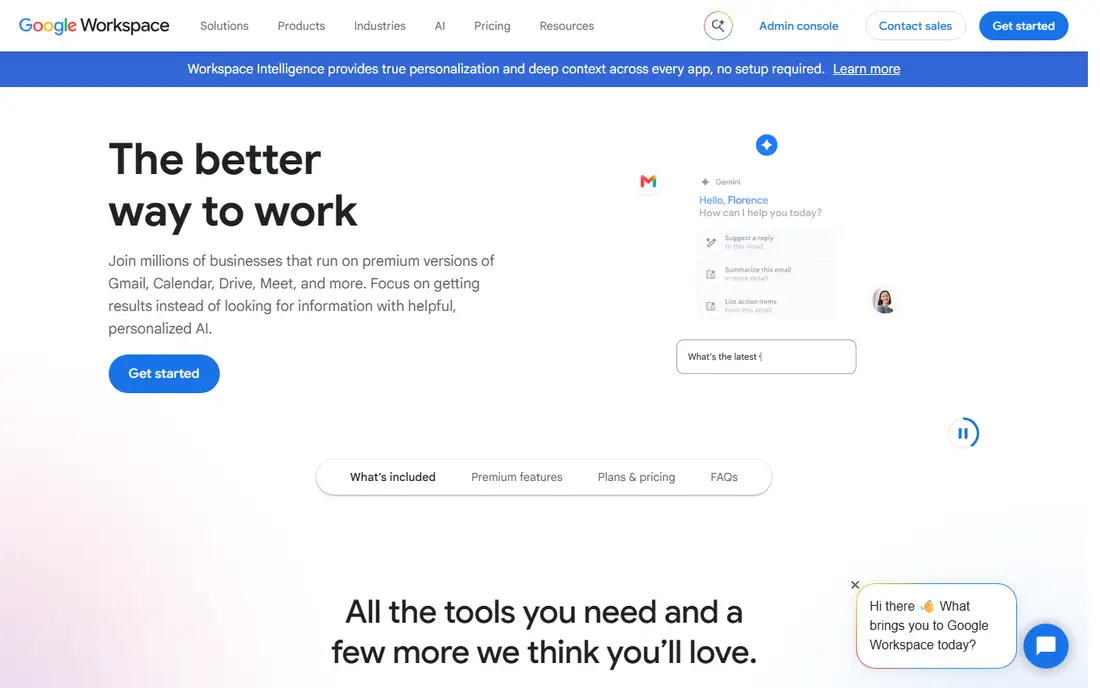
Google Workspace is our pick for most small businesses because it solves email and office work in one place. Business Starter, at $7 per user per month billed yearly, gives Gmail on your own domain, plus Docs, Sheets, Drive, Meet, and Calendar, with a 14 day trial. For a team that already lives in Google Docs or shares Drive files, that bundle removes a second login and a second admin console.
The catch is price and storage. At $7 per user, it costs several times Zoho Mail Lite for basic email, and Starter storage is 30 GB pooled per user, which can feel tight for teams that store large files in Drive. If your team only needs email, an email only provider is cheaper. If your team needs documents, meetings, and shared storage too, Workspace is the simpler buy.
- Gmail on your own domain plus Docs, Drive, Meet, and Calendar
- Familiar apps for most teams
- 30 GB pooled storage on Starter
- Costs more than email only options
- Storage is pooled, so heavy users affect the team total

Microsoft 365 Business Basic, at $7 per user per month billed yearly after the July 2026 price change noted in recent guides, gives Outlook email on your own domain, plus web versions of Word, Excel, and PowerPoint, Teams, and OneDrive storage. For teams that already use Outlook, Excel, or Teams, staying inside Microsoft keeps mail, calendar, files, and meetings in one admin system.
The trade is tier detail. Business Basic includes web and mobile Office apps, not full desktop Office, so teams that need desktop Word and Excel should price Business Standard instead. Trial length and exact storage also vary by plan, so check the current plan page before you commit. If your team thinks in Outlook and Excel, this is the natural home.
- Outlook, Word, Excel, and Teams in one bundle
- Strong admin and security controls
- Large mailbox and OneDrive storage
- Price rose in July 2026 for some plans
- Web only Office on the lowest tier
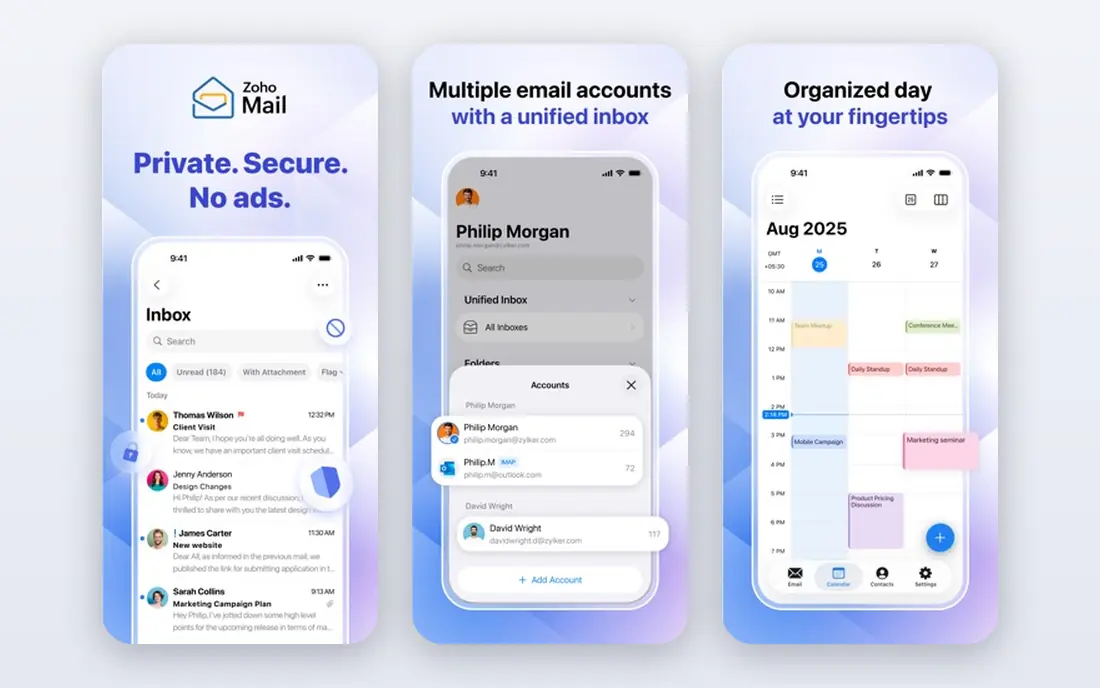
Zoho Mail is the cheapest credible route to a professional address. Mail Lite starts at $1 per user per month billed yearly, and a Forever Free plan covers up to 5 users, which suits a tiny team or a solo business testing a domain address. Paid plans add storage, mail app support, and admin controls, and Zoho also sells a wider Workplace bundle if you later need documents and chat.
The limit is the free plan. It is web only, so you cannot use Outlook, Apple Mail, or another mail app with it, and support and integrations are lighter than Google or Microsoft. For a small team that mainly uses webmail and wants the lowest bill, that trade is fair. For a team that lives in a desktop mail app, pay for Lite or choose a provider with full mail app support on every tier.
- Very low price
- Free plan for up to 5 users
- Clean webmail with calendar and contacts
- Free plan is web only, with no IMAP or POP support
- Smaller ecosystem than Google or Microsoft
Proton Mail for Business suits teams that put privacy first and are willing to pay for it. Mail Essentials, at $6.99 per user per month billed yearly in recent guides, gives a custom domain, 15 GB storage per user, and end to end encryption for mail between Proton users, with Swiss data residency. That model appeals to law, health, and consulting teams that handle sensitive mail.
The catch is workflow. Some mail app setups need Proton Mail Bridge, and encrypted mail to outside addresses works differently from plain mail, so clients may need to open a secure link. A free personal plan exists, but it does not support a custom domain, so businesses need a paid plan. If privacy is the main brief, Proton earns its price. If price is the main brief, Zoho or Fastmail fit better.
- End to end encryption for Proton to Proton mail
- Swiss jurisdiction
- Custom domain on business plans
- Higher price than Zoho or Fastmail entry tiers
- Full mail app use needs Proton Bridge on some setups
Fastmail is the pick for teams that want email done well, without being tied to Google or Microsoft. Business plans start around $5 per user per month for Standard in recent guides, with custom domains, generous alias support, and a 30 day trial. Its inbox is fast, its rules and folders are strong, and it works with standard mail apps, so you are not locked to one vendor's app.
The trade is scope. Fastmail does not include a full office suite, so teams that need shared documents, spreadsheets, and video meetings will still need other tools. For a team that mainly needs reliable, private, well organised email, that focus is a strength. For a team that wants one bundle for everything, Google Workspace or Microsoft 365 is simpler.
- Fast, clean inbox
- Strong custom domain and alias support
- Independent provider with no ad business
- No full office suite
- Smaller ecosystem than Google or Microsoft
Titan Email is often sold through hosting providers, which makes it a practical pick when you already buy hosting and a domain from the same company. It offers business mail on your domain, with calendar, scheduling, and follow up features aimed at small teams that want more than a bare inbox. Setup is usually guided by the host, so a non technical owner can get a professional address running quickly.
The downside is variation. Prices, storage, and features depend on the hosting partner and the bundle, so two Titan offers can look different. Check the exact plan from your host, including mail app support and storage, before you compare it with a direct provider such as Zoho or Fastmail. If the bundle price is right, Titan is a tidy option.
- Business email with scheduling and follow up tools
- Often bundled with hosting
- Simple setup for small teams
- Pricing varies by hosting partner
- Fewer integrations than major suites
IONOS suits small businesses that already host a website with IONOS and want email in the same account. Email plans are bundled with hosting and domain services at low entry prices in recent guides, which keeps billing simple for a one person business or a small shop with a brochure site. Setup follows the hosting dashboard, so a domain address can be live without a separate mail vendor.
The limit is depth. IONOS email is not a full productivity suite, and plan details vary by term and bundle, so the headline price may depend on a longer term. If you need advanced admin controls, shared documents, or deep integrations, a dedicated mail or suite provider fits better. If you need simple, low cost email next to your website, IONOS is a reasonable bundle.
- Low cost bundles with hosting and domains
- Straightforward email for small sites
- European hosting options
- Support and features vary by bundle
- Not a full office suite
GoDaddy Professional Email is a straightforward choice for very small businesses that already own a domain at GoDaddy. It gives a domain based address with webmail and mail app support on most plans, without asking a non technical owner to learn a new admin system. GoDaddy also sells Microsoft 365 plans, so a team can start with basic email and move to a fuller suite later through the same account.
The catch is that email only plans are basic compared with Google Workspace or Microsoft 365, and storage and features vary by plan and term. Check whether the plan you are buying includes the mail app support, calendar, and storage you need, rather than assuming every GoDaddy mail plan matches. For a solo owner who wants a professional address fast, it does the job.
- Simple setup through GoDaddy domains
- Familiar brand for domain owners
- Microsoft 365 options also available
- Basic features on email only plans
- Pricing and storage vary by plan
Neo Mail targets small businesses that need a professional address without a long setup. It offers business email with a free .co.site domain option for owners who do not yet own a domain, plus a trial to test the inbox before paying. That low friction start suits a new business that needs to send invoices and replies from a professional address this week, not after an IT project.
The trade is scale. Neo is a smaller provider than Google, Microsoft, or Zoho, so integrations, admin depth, and support hours are lighter. If your team grows into shared documents, advanced security rules, or complex mail routing, you may outgrow it. For a simple start, though, its clarity is a real advantage.
- Simple setup for small businesses
- Free .co.site domain option if you lack a domain
- Clean webmail
- Smaller provider
- Fewer integrations than major suites
How we picked these
We compared official pricing pages and recent provider guides checked in October 2026, and we kept only providers that are live, that support a custom domain, and that suit a small business inbox rather than bulk marketing sends. We excluded transactional sending services, because they are not a user inbox, and we excluded free personal mail that cannot use a custom domain for business. Prices are from vendor pages and recent guides, and we wrote See website where a firm current price could not be verified.
How to choose business email software
Start with the apps your team already uses. If your team writes in Google Docs and meets on Meet, Google Workspace will feel natural. If your team lives in Outlook, Excel, and Teams, Microsoft 365 will feel natural. If your team only needs email, do not pay for a suite. Pick Zoho Mail for the lowest cost, Fastmail for a clean independent inbox, or Proton Mail if privacy is the main requirement.
Next, check four details before you pay. First, storage per user and whether it is pooled or per mailbox. Second, whether the plan supports your mail app, because some free plans are web only. Third, trial length and migration help, because moving old mail takes time. Fourth, admin controls for adding staff, resetting passwords, and setting two factor sign in. Finally, set up SPF, DKIM, and DMARC with your domain host, test sending to a major mailbox, and check spam folders. A good provider with missing authentication still looks like spam.
Frequently asked questions
What is the best email platform for business?
For most small businesses, Google Workspace is the best all round platform, because it combines Gmail on your domain with Docs, Drive, Meet, and Calendar. Microsoft 365 is the best pick for teams that already use Outlook, Word, Excel, and Teams. For email only, Zoho Mail is the cheapest credible option, while Fastmail and Proton Mail suit privacy minded teams.
What is the cheapest business email?
Zoho Mail is the cheapest option on this list, with Mail Lite at $1 per user per month billed yearly and a free plan for up to 5 users. The free plan is web only and does not support other mail apps, so a team that needs Outlook or Apple Mail should budget for a paid plan. Hosting bundles from IONOS can also be low cost, but prices depend on term.
Is Google Workspace or Microsoft 365 better for small business?
It depends on the apps your team already knows. Google Workspace suits teams that work in Docs, Sheets, and Meet, and it is simpler to administer for many small teams. Microsoft 365 suits teams that work in Outlook, Word, Excel, and Teams, and it offers stronger desktop Office options on higher tiers. Try both trials with real mail and documents before you move a whole team.
Do I need a custom domain for business email?
Yes, for a professional business you should use an address on your own domain, such as [email protected], rather than a free mail domain. A custom domain looks more credible to clients, gives you control if you change providers, and lets you set SPF, DKIM, and DMARC to improve delivery. All providers on this list support custom domains on business plans.
How do I stop business email going to spam?
Set up SPF, DKIM, and DMARC records for your domain, use a consistent sending name, avoid purchased lists, and keep your list clean. Warm up a new domain with normal, wanted mail before large sends, and check spam folders after setup. If mail still lands in spam, check authentication records first, because that is the most common cause.
Can I keep my old emails when I switch providers?
In most cases yes, using the new provider's migration tool or IMAP import, but the process takes time and needs care with folders and labels. Run a trial with one mailbox first, check that old mail, contacts, and calendar items arrive correctly, and keep the old account active until the move is verified. Do not cancel the old provider on the same day you start the new one.
Sources
See where you really rank - block by block
ProMapRanker scans Google Maps across a grid of your service area. Simple monthly plans from $19, white-label on every plan.
Start freeKeep reading
 wpforms alternatives
Best WPForms Alternatives in 2026
We compare 9 wpforms alternatives for WordPress forms, with free and paid options, current pricing notes, and honest limits for small business sites in 2026.
Read → windows task scheduler alternatives
Best Windows Task Scheduler Alternatives in 2026
Looking for Windows Task Scheduler alternatives? We compare 9 schedulers for Windows and cross-platform work, from free tools to enterprise automation.
Read → which ai video service is best
Which AI Video Service Is Best in 2026
which ai video service is best? We compare 10 legitimate AI video services on price, avatars, editing and output quality to help you pick the right tool.
Read →