 ProMapRanker
Best Bookmark Manager Software in 2026

Key takeaways
- Raindrop.io is our pick for most people, because its free plan covers unlimited bookmarks and collections.
- Instapaper and Readwise Reader suit readers first, while Diigo and Linkwarden suit research and long-term archives.
- Pinboard is the cheapest plain option for people who want speed and a simple list, with no visual extras.
- Check export before you build a large library, since a manager is only useful if you can leave it with your links intact.
Quick comparison
| Pick | Great for | Pricing starts at | Free tier | |
|---|---|---|---|---|
 Raindrop.io | All-round bookmark libraries | $3 per month | Yes | Visit |
 Instapaper | Reading saved articles later | $5.99 per month | Yes | Visit |
 Diigo | Research and annotation | $40 per year | Yes | Visit |
 Pinboard | Simple, fast bookmarking | $22 per year | No | Visit |
 Start.me | Visual start pages | $20 per year | Yes | Visit |
 Bookmark Ninja | Tag-first organization | $1.99 per month | Yes | Visit |
 Linkwarden | Preserved page archives | $3 per user per month | No | Visit |
 GoodLinks | Apple-only reading lists | See website | Yes | Visit |
 Readwise Reader | Highlights and reading workflow | $9.99 per month | No | Visit |
The best bookmark manager software
Browser bookmarks break down once a collection passes a few hundred links. These tools add search, tags, collections, and a way to get back to a page months later. We looked at official feature pages, pricing pages, and app store listings, and we left out tools that have closed or no longer work as a bookmark manager.
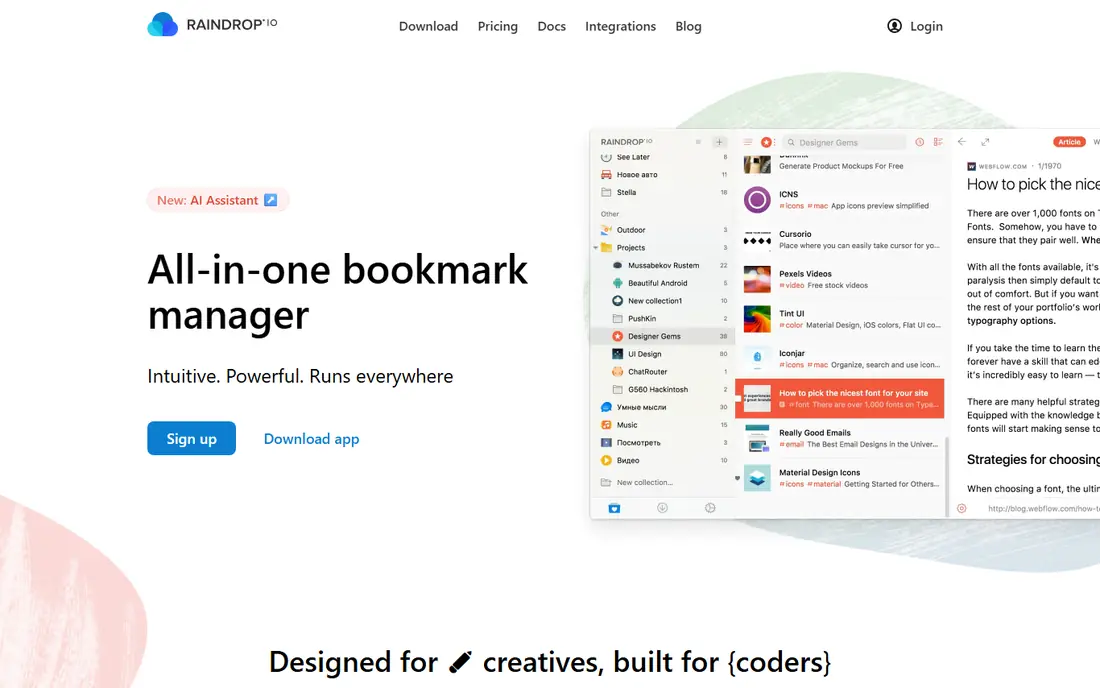
Raindrop.io feels like a proper library rather than a pile of links. You can sort saved pages into collections, add tags, and view them as cards, a list, or a mood board style grid. That range matters, because a research collection, a recipe collection, and a work reference collection do not need the same view. Sharing a collection with a colleague or a family member is straightforward, and public collections work well for reading lists and resource pages.
The free plan is genuinely usable for daily saving, which is why we put it first. Pro adds full-text search, a duplicate and broken link finder, reminders, annotations, and a larger file upload allowance. The catch is that the most useful finding tools sit behind that paywall, so a very large library can feel harder to search until you upgrade. Still, for most people, Raindrop.io is the safest starting point, and its export options make it easy to test without feeling trapped.
- Unlimited bookmarks and collections on the free plan
- Strong search and sharing
- Apps for major browsers and phones
- Full-text search and permanent page copies need Pro
- File upload limits apply on the free plan
Instapaper is not trying to be a general link library. It is built for articles you plan to read, and its stripped-down reading view is the main reason to choose it. Long pieces become easier to finish, and saved articles stay available offline on a phone, which helps on flights and commutes. If most of your saves are news, essays, and blog posts, this focus is a strength rather than a limit.
The trade-off shows up with other kinds of links. Product pages, tools, videos, and reference sites do not fit the reading queue as neatly, and organizing them into a lasting library takes more effort. Premium adds full-text search, unlimited highlights, and a speed reading option, but the free account already covers the core reading job. Choose Instapaper when reading comes first and a general bookmark archive is a second job.
- Clean reading view for long articles
- Offline reading on mobile
- Simple saving from browsers and phones
- Weaker for organizing non-article links
- Premium is needed for full-text search and unlimited highlights
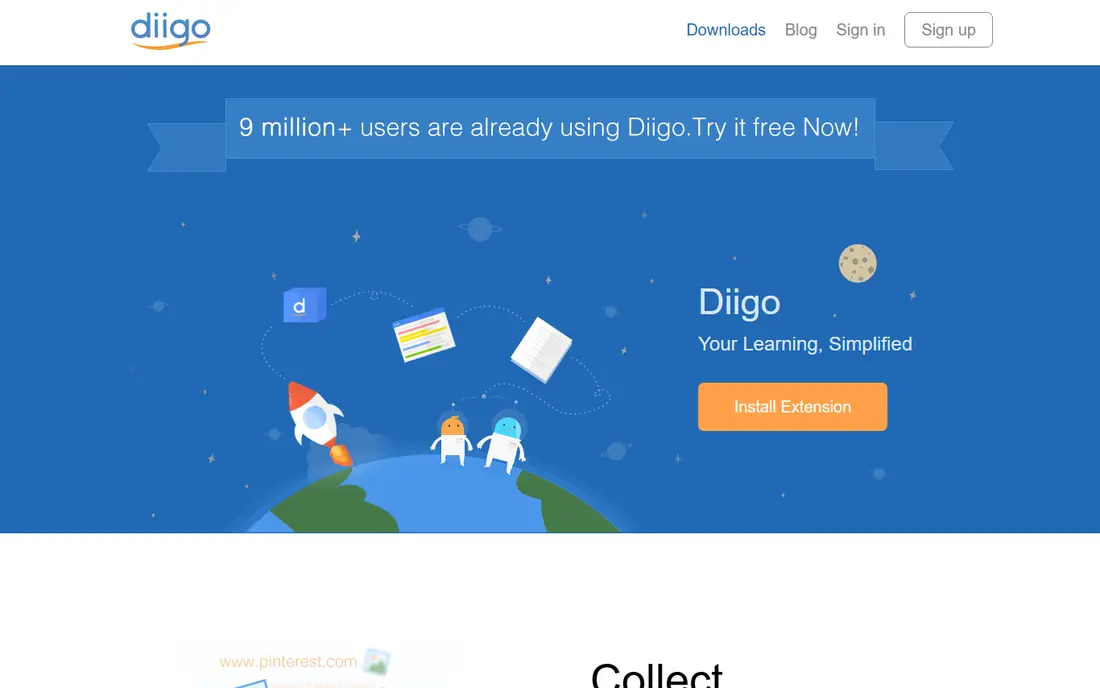
Diigo suits people who do more than save a link. You can highlight passages on a page, attach sticky notes, and keep those notes tied to the source, which is useful for students, journalists, and researchers who return to the same material. Lists and groups let a small team share sources without passing links around in chat. Tags and full-text search help when a project grows into hundreds of sources.
The look is functional rather than pretty, and new users may need a short session to learn where annotation tools live. The free plan covers basic saving and annotation, while the paid plan raises limits for highlights, images, and PDF storage. If your main job is reading and marking up sources, Diigo earns its place ahead of prettier tools that only store a title and a link.
- Highlights and sticky notes on web pages
- Strong tagging and lists
- Group sharing for research teams
- Interface looks dated next to newer tools
- Paid plan is needed for larger libraries and image storage
Pinboard has stayed small on purpose. It saves a link, a title, tags, and a short note, and it finds them quickly. There are no card previews, no social feed, and no extra workspace features to learn. For people who save links all day and want to retrieve one in seconds, that plain approach is a feature, not a gap. It also ages well, because a simple list has fewer parts that can break.
The cost is low, but there is no free tier to test at length, and readers who want a polished reading view will need a second tool. An archival option that stores copies of pages is available at a higher price. Pick Pinboard if you value speed, privacy, and a tool that stays out of the way, and skip it if you want visual collections or a built-in reader.
- Very fast and plain
- Dependable for large link lists
- Private by design with no visual clutter
- No free plan
- No built-in reading view or page archive on the basic plan
- Plain design may feel bare
Start.me turns bookmarks into a start page you actually open each day. Links sit in widgets you can arrange, group, and label, so a work dashboard, a news page, and a personal page can live side by side. That visual layout helps teams share a common set of tools and helps individuals reach daily links without digging through folders. Import and export are included, which makes moving an existing browser collection in and out fairly painless.
It is less suited to archiving thousands of research links, where search and annotation matter more than layout. Pro adds premium widgets, an archive for pages, a broken link checker, and live feeds, while the team plan adds private sharing and branding. Choose Start.me when you want your most used links in front of you every time you open a browser, not when you need a research database.
- Custom start page with bookmark widgets
- Easy import and export
- Useful for teams sharing a page of links
- Better as a dashboard than a deep archive
- Some widgets and checks need Pro
- Reading features are limited
Bookmark Ninja organizes by tags first, which suits people who dislike deep folder trees. A link can carry several tags, so the same source can appear under a project, a topic, and a client without being copied three times. Workspaces help separate work and personal collections, and public pages let you publish a curated list without handing over your whole library. That combination works well for freelancers and small teams who share resources often.
The tool is less well known than Raindrop.io or Diigo, so help articles and community tips are thinner. The free plan covers basic saving, while paid plans add more storage and team features. If tag-based finding matches how you think, Bookmark Ninja is worth a trial. If you want a visual library or a reading view, one of the earlier tools will fit better.
- Tags and workspaces keep large collections tidy
- Public pages for shared collections
- Browser extensions for major browsers
- Smaller user base than the leaders
- Some advanced features need a paid plan
- Design is plain in places
Linkwarden answers a problem other managers leave open: pages change, move, or disappear. It preserves a copy of the page, so a source you saved for a project is still readable later even if the live site changes. Full-text search, highlights, annotations, collections, and sharing round out a tool that feels closer to a personal archive than a simple bookmark list. A 14-day trial is available on hosted plans.
The main catch is price and effort. There is no free hosted plan, although the open source code can be self-hosted at your own cost and effort. Self-hosting gives control over data, but it also means you handle updates and backups. Choose Linkwarden when keeping the page itself matters as much as keeping the link, and choose a simpler tool when you only need to return to live sites.
- Saves full page copies for later
- Full-text search and annotations
- Self-hosting option for people who want control
- No free hosted plan
- Setup takes more care when self-hosting
- Newer and smaller than the main rivals
GoodLinks is a good fit if your whole setup runs on Apple devices. It saves articles and links, presents them in a clean reading view, and works offline, so it covers both the bookmark job and the read later job for iPhone, iPad, and Mac users. The app is focused and calm, with tagging and search that stay simple enough to use every day. A limited free option lets you test the core saving flow before paying.
The limit is plain: there is no Android or Windows version, so a mixed-device household will hit a wall. Teams that share links across platforms should pick a cross-platform tool instead. For a single Apple user who wants one tidy place for links and articles, GoodLinks is a strong, low-fuss choice, and its price in the app store should be checked before purchase since store prices vary by region.
- Clean Apple app with offline reading
- Article and link saving in one place
- One-time purchase option in app stores
- Apple devices only
- No Android or Windows version
- Smaller feature set than cross-platform managers
Readwise Reader is built around reading and remembering, not just saving. You can highlight passages, add notes, and export those highlights to note apps, which helps students and professionals who build on what they read. It handles articles, PDFs, newsletters, and feeds in one queue, so a reading habit that spans several sources becomes easier to manage. The interface is designed for finishing pieces, not for browsing a visual library.
That depth costs more than a basic manager, and there is no free plan, only a trial period. People who only need to store links and find them again will pay for features they never use. Pick Readwise Reader when highlights, notes, and review matter to your work, and pick Raindrop.io or Instapaper when saving and reading alone are enough.
- Strong highlighting and note export
- Handles articles, PDFs, and feeds
- Good for people who review what they read
- No free plan
- Costs more than a basic bookmark manager
- Overkill for simple link saving
How we picked these
We compared official feature pages, pricing pages, and app store listings for tools that save, organize, and retrieve bookmarks in October 2026. We kept only tools that are live and usable today, with a clear saving flow and a way to export or move links. We left out Pocket, which Mozilla shut down in July 2025, and we favored a mix of general libraries, reading tools, research tools, and archive tools so different saving habits are covered.
What to check before you commit
Start with how you actually save. A reader needs a clean reading view and offline access, while a researcher needs annotation and search, and a team needs sharing and workspaces. Test saving from your main browser and your phone, since a manager that only works well on desktop will collect fewer links over time.
Check the finding tools next. Tags, collections, full-text search, and duplicate detection decide how useful a library feels after a year. A tool can look tidy with 50 links and feel messy with 2,000, so import a real batch during a trial and try to find five older links by topic rather than by title.
Export, price, and privacy
Export your library during the trial, even if you plan to stay. A clean HTML or standard export means a future move is a chore, not a rebuild. Read the price limits too: free plans often cap file uploads or search, and paid plans often bill yearly for the lowest monthly rate. Finally, check what the service stores. A tool that keeps full page copies needs a clear privacy policy, and a tool used for work links should offer private collections by default.
Frequently asked questions
What is the best bookmark manager software for most people?
Raindrop.io is our pick for most people, because its free plan covers unlimited bookmarks and collections, and its paid plan adds full-text search and page copies at a low monthly price. People who mainly read articles may prefer Instapaper, and researchers may prefer Diigo.
Is there a good free bookmark manager?
Yes. Raindrop.io, Instapaper, Diigo, Start.me, Bookmark Ninja, and GoodLinks all offer a free option, although limits differ. Raindrop.io has the most generous free library, while Instapaper is the strongest free reading option. Check upload limits and search limits before you rely on a free plan for a large archive.
Can I import bookmarks from my browser?
Most tools on this list support import from browsers and from other bookmark managers, usually through an HTML file or a direct import tool. Start.me and Raindrop.io both list import and export clearly. Import a small batch first to check that folders, tags, and titles survive the move.
What happened to Pocket?
Mozilla shut Pocket down on July 8, 2025, and export-only access ended later that year. Former Pocket users who mainly saved articles often move to Instapaper or Readwise Reader, while users who mainly organized links often move to Raindrop.io. Export any remaining Pocket data promptly if you still have access through an archive.
Should I use a read later app or a bookmark manager?
Use a read later app when your main job is finishing articles, and use a bookmark manager when your main job is finding links again later. Many people use both: Instapaper or Readwise Reader for the reading queue, and Raindrop.io or Diigo for the lasting library. Overlap is fine as long as each tool has a clear job.
Sources
See where you really rank - block by block
ProMapRanker scans Google Maps across a grid of your service area. Simple monthly plans from $19, white-label on every plan.
Start freeKeep reading
 wpforms alternatives
Best WPForms Alternatives in 2026
We compare 9 wpforms alternatives for WordPress forms, with free and paid options, current pricing notes, and honest limits for small business sites in 2026.
Read → windows task scheduler alternatives
Best Windows Task Scheduler Alternatives in 2026
Looking for Windows Task Scheduler alternatives? We compare 9 schedulers for Windows and cross-platform work, from free tools to enterprise automation.
Read → which ai video service is best
Which AI Video Service Is Best in 2026
which ai video service is best? We compare 10 legitimate AI video services on price, avatars, editing and output quality to help you pick the right tool.
Read →