 ProMapRanker
Best Baseball Card Scanner Apps in 2026

Key takeaways
- CollX is our pick for most collectors because its free tier covers scanning, collection tracking, and a marketplace in one app.
- Ludex suits collectors with parallels and modern inserts, where identification accuracy matters more than a free price tag.
- Center Stage and Sports Card Pro help casual collectors check recent sales and build a collection list without a heavy subscription.
- Card Ladder and Sports Card Investor suit serious collectors who want price history from real sales, not just a single estimate.
- Every scanner value is an estimate, so check recent sold listings and card condition before buying, selling, or paying to grade a card.
Quick comparison
| Pick | Great for | Pricing starts at | Free tier | |
|---|---|---|---|---|
 CollX | Most collectors | Free | Yes | Visit |
 Ludex | Parallels and inserts | Free | Yes | Visit |
 Center Stage | Fast price checks | Free | Yes | Visit |
 Sports Card Pro | Free price guide | Free | Yes | Visit |
 Card Ladder | Price history | See website | Free trial | Visit |
 Beckett | Classic price guide | See website | Yes | Visit |
 Sports Card Investor | Market trends | See website | Free trial | Visit |
 130 Point | Recent sold prices | Free | Yes | Visit |
 PSA | Graded card verification | Free | Yes | Visit |
The best baseball card scanner apps
Scanning a baseball card should answer three questions fast. What card is this, what have similar cards actually sold for, and is it worth grading or selling? No single app answers all three perfectly, because condition and grade change value more than a photo scan can show. The nine apps below cover free scanning, accurate parallel identification, real sold prices, and graded card checks.
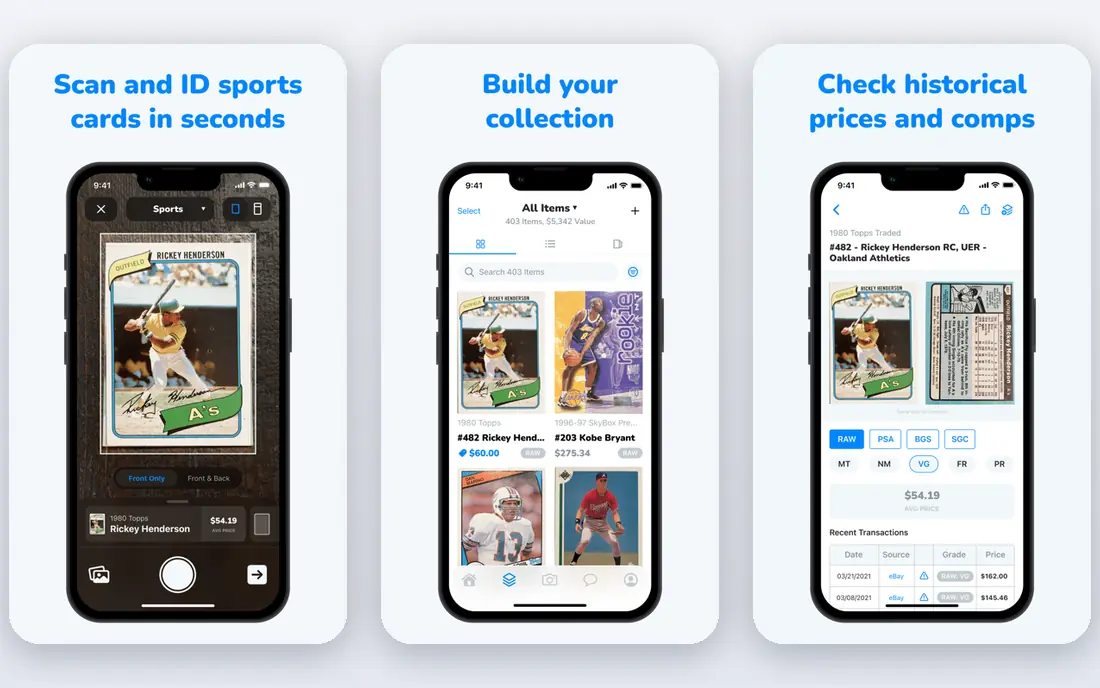
CollX is the easiest starting point for a baseball collector with a box to sort. Point the camera at a card, get a match for player, set, and card number, and save it to a collection with an estimated value. Bulk scanning helps with commons, and the marketplace means a card you scan can move toward a sale without exporting a list to another site.
The value figure needs a careful read. CollX blends marketplace estimates, so its number can sit above what the same card recently sold for, especially for graded or rare cards. Pro, listed at $9.99 per month or $99.99 per year in app store listings, adds charts and comp history, but it still shows estimates rather than a guaranteed sale price.
- Camera scanning for sports cards with collection tracking
- Built-in marketplace for buying and selling
- Free tier covers core scanning and tracking
- Values are estimates that can run above recent sold prices
- Parallel and rare insert identification is less accurate than Ludex
- Pro costs $9.99 per month for fuller data
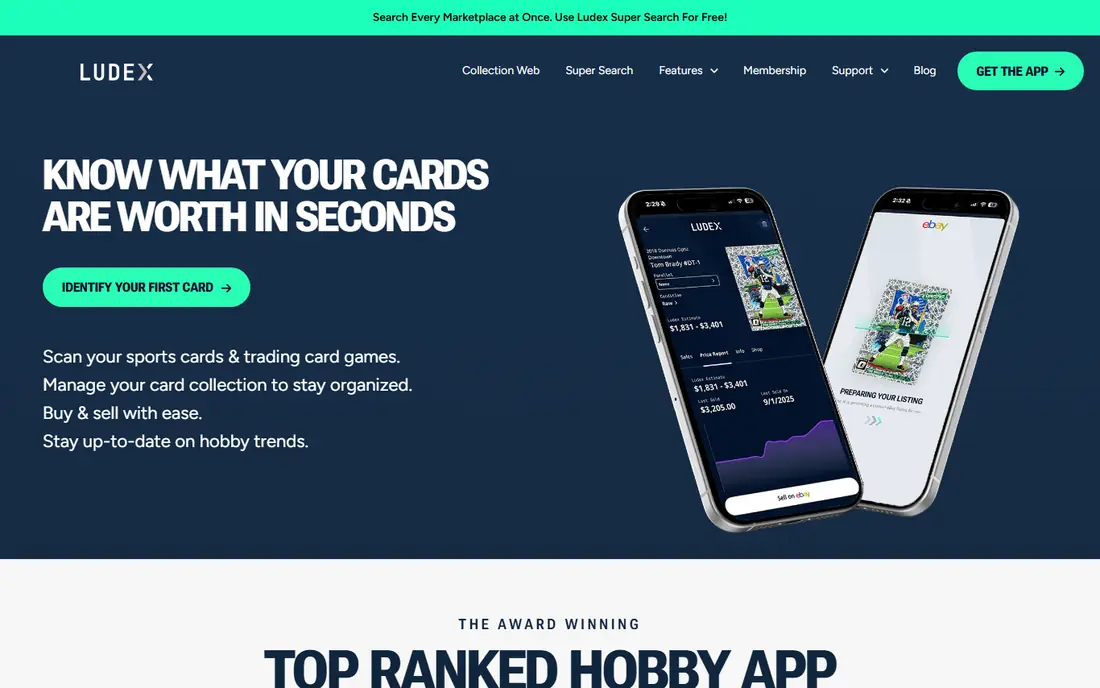
Ludex earns its place when cards get tricky. Base cards are easy for most scanners, but parallels, refractors, short prints, and modern inserts cause more misses, and Ludex handles those variations better than most free rivals. The app also covers trading card games, which helps collectors who hold baseball cards alongside other sets.
Free use is limited, with 200 scans per month and 60 portfolio cards in current published tiers, so serious collectors will look at Lite at $4.99 per month, Standard at $9.99 per month, or Pro at $24.99 per month. Paid plans raise scan limits, portfolio size, and monthly eBay listings. If your collection centers on modern parallels, the accuracy gain is worth testing against CollX on your own cards before paying.
- Strong identification for parallels and modern inserts
- Covers sports and trading card games in one app
- Portfolio totals and eBay listing tools on paid plans
- Free tier caps scans and portfolio size
- Lite starts at $4.99 per month and full plans cost more
- Values still need a sold-listing check
Center Stage focuses on speed. Scan a card, see a price guide result drawn from recent sales context, and save it to an album for sorting by sport, set, or player.
Limits appear with older or low-volume cards, where recent sales may be thin or missing, and a card without price data can be harder to save in some versions of the app. Free use covers 250 scans per month and 100 collection cards in published tiers, with Premium at $9.99 per month for 500 scans and Unlimited at $14.99 per month for unlimited scans.
- Fast scanning with recent sales context
- Collection albums for sorting cards
- Marketplace features for posting cards quickly
- Free tier caps scans and collection size
- Some cards lack recent price data
- Premium tiers cost $9.99 per month and up
Sports Card Pro is less of a camera-first app and more of a free price guide with collection tools, which is why it fits this list for value checking. Browse prices by sport, brand, and set, track a collection, and use tools such as a lot value calculator and hot card lists to spot movers. For collectors who already know the card and mainly need a price, the web guide is fast and free to start.
The trade-off is workflow. If you want to scan a stack of cards with a phone camera and build a collection in minutes, CollX or Ludex will feel smoother. Premium features are also paid, so check the current pricing page before relying on an advanced tool. As a free second check on values, especially for graded versus ungraded prices, Sports Card Pro is a useful companion app.
- Free price guide for graded and ungraded cards
- Collection tracker for portfolio value
- Tools for lot values and hot cards
- Scanner experience is web-first rather than a dedicated camera app
- Premium tools sit behind a paid tier
- Values depend on available market data
Card Ladder is the serious collector tool in this list. Instead of a single blended estimate, it builds price history from real eBay and auction-house sales, charts that history, and tracks a portfolio over time. That matters when you are deciding whether to buy, sell, hold, or grade, since a trend line tells you more than one number on one day.
Pricing is subscription-based and aimed at collectors making money decisions, with recent guides placing it near twenty dollars per month, so check the vendor site for the current plan. Even with real sales data, a portfolio total still assumes your copies match the condition and grade being priced, so inspect centering, corners, edges, and surface before acting. Use Card Ladder for decisions with money on the line, and a free scanner for everyday sorting.
- Price history built from actual eBay and auction sales
- Portfolio charts for collection value over time
- Grade-specific pricing for serious decisions
- Subscription pricing is aimed at serious collectors
- Collection totals still assume your card matches the grade priced
- Learning curve is higher than free scanners
Beckett has been a reference name in card pricing for decades, and its app brings that guide to a phone. Look up values for vintage and modern cards, follow hobby news, and track collecting interests in one place.
Modern scanning and collection features vary by version, so Beckett works best as a price guide and research companion rather than a sole camera scanner. Check the current app listing for which features sit behind a subscription, since guide access and premium tools have shifted. Pair Beckett values with recent sold listings, and you get a classic reference plus a current market check.
- Long-running price guide brand for sports cards
- Graded and ungraded values with hobby news
- App covers lookup, collecting, and market coverage
- Full price guide access may require a subscription
- Interface and pricing tiers have changed over time
- Scanner features vary by app version
Sports Card Investor, known for its Market Movers tool, suits collectors who track cards as assets. Indices, trend charts, and sales history help you see which players, sets, or grades are rising or falling, rather than judging one card in isolation. Portfolio tracking ties those trends to your own holdings, which helps with buy and sell timing.
The audience is narrower than a free scanner. Casual collectors who only want to identify a card will find the subscription and market focus more than they need, and trend data still cannot grade your specific copy. For collectors with a larger portfolio or a trading focus, Sports Card Investor adds market context that free scanners do not provide. Check current pricing on the vendor site, since plans and trial terms change.
- Market indices and trend data for cards treated as assets
- Portfolio tracking with sales history
- Coverage of movers and market news
- Subscription pricing suits investors more than casual collectors
- Trend data does not replace condition checks
- Some tools sit behind paid tiers
130 Point is the reality check every scanner list needs. It surfaces recent eBay sold listings, which is the closest public record of what buyers actually paid, rather than what sellers asked. Before you buy a card, accept a trade, or pay a grading fee, search the exact card and grade here and compare the result with any scanner estimate.
It is not a scanner in the camera sense, and it does not track a collection like CollX or Ludex. Use a scanner to identify and organize cards, then use 130 Point to verify value on the cards that matter. If a scanner estimate and recent sold prices disagree by a wide margin, trust the sold prices and check condition, grade, and sale date before deciding.
- Free access to recent eBay sold listings
- Useful for checking what a card actually sold for
- Simple search by card, player, or set
- Not a camera scanner for building a collection
- Interface is a price research tool, not a portfolio app
- Sold prices still need grade and condition matching
PSA, the Professional Sports Authenticator, is essential once a card is graded or you are considering grading. The PSA app and site let you verify a certification number, check population reports, and see how many copies exist at each grade. That scarcity context changes value far more than a raw scanner estimate, since a PSA 10 and a PSA 9 of the same card can sell for very different prices.
The limit is scope. PSA does not replace a general scanner for raw cards, ungraded collections, or other grading companies, and grading fees are separate from app access. For graded buying and selling, though, verification is a safety step, not an extra. Confirm the cert, check the population, and compare recent graded sales before paying a premium for a slab.
- Certification verification for PSA-graded cards
- Population reports and grade distributions
- Price and sales context for graded cards
- Only covers PSA-graded cards, not raw card scanning for a full collection
- Grading submission costs are separate
- Values depend on grade and market demand
How we picked these
We compared official app pages, app store listings, and current sports card guides for tools live in October 2026. We kept apps that scan, identify, price, track, or verify baseball and other sports cards as a core job, and we treated every in-app value as an estimate until checked against sold listings. Where a vendor sells only through app stores or changes tiers often, we used See website or the store price rather than printing a stale figure.
How to use a scanner without overpaying
Scan in good light with the card flat, square in the frame, and free of glare from sleeves or toploaders. Check the matched set, year, card number, and parallel before trusting a value, since a wrong parallel match can change the price by a large amount. If the app offers alternate matches, compare them and pick the one that matches the card in hand, including foil pattern, serial number, and back details.
For any card worth real money, run a second check. Look at recent sold listings for the same card and grade, note the sale dates, and discount for condition if your copy has soft corners, edge wear, or centering issues. A scanner cannot see condition the way a grader can, and a raw card price is not a graded card price. When grading makes sense, compare the grading fee and turnaround against the likely grade premium, not the highest possible grade.
Scanning tips that improve matches
Remove glare, keep the card flat, and scan the front first, then check the back details for set and variation clues. Bulk scanning works for commons, but slow down for parallels, autographs, and short prints, where a single wrong match matters more. Save uncertain cards for manual search rather than accepting the first result, and keep a photo of the card with your collection record.
Values, grades, and condition in plain terms
Raw means ungraded, while a graded card carries a numeric grade from a company such as PSA, Beckett, or SGC. Population reports show how many copies earned each grade, which affects scarcity and price. A scanner estimate blends data sources, while sold listings show completed transactions, so use both and weight sold listings higher for buying and selling decisions.
Frequently asked questions
What is the best sports card scanner app?
CollX is the best free scanner for most collectors because it covers camera scanning, collection tracking, and a marketplace. Ludex suits collectors with parallels and modern inserts, where identification accuracy matters more. For value decisions, pair either scanner with recent sold listings from 130 Point or Card Ladder.
What is the best app for trading card values?
Card Ladder and Sports Card Investor suit serious collectors who want price history and market trends from real sales. Sports Card Pro and Beckett offer free or guide-style price checks for everyday use. 130 Point gives a free sold-listing check that helps verify any value before a trade or sale.
Is there a free baseball card scanner app?
Yes. CollX offers a free tier for scanning and collection tracking, Ludex offers a free tier with scan and portfolio limits, and Center Stage offers free scans within monthly caps. Sports Card Pro and 130 Point also offer free price research. Paid tiers add unlimited scans, charts, and marketplace features, but free tiers cover sorting a starter collection.
How accurate are baseball card scanner apps?
Base card identification is generally strong, while parallels, variations, and rare inserts cause more misses. Ludex tends to handle modern parallels better than CollX in independent comparisons, but no scanner can judge condition from a quick photo. Always confirm the matched card details and check sold prices before acting on a value.
Should I grade a card based on a scanner value?
No, not on a scanner value alone. A scanner gives a raw or blended estimate, while grading value depends on the actual grade your card earns, plus fees and turnaround time. Check recent sales for the likely grade, inspect centering, corners, edges, and surface, and compare the grading cost against the realistic grade premium.
What is the best app for tracking a sports card collection?
CollX and Ludex cover casual collection tracking with scanning built in. Card Ladder suits larger portfolios that need price history and charts from real sales. PSA helps track graded cards with certification and population data. Pick based on collection size, since free tiers cap scans or portfolio cards.
Sources
See where you really rank - block by block
ProMapRanker scans Google Maps across a grid of your service area. Simple monthly plans from $19, white-label on every plan.
Start freeKeep reading
 free alternatives to grok imagine
Free Alternatives to Grok Imagine in 2026
We compared the best free alternatives to grok imagine for image generation, from fast daily credits to design tools, so you can create without paying.
Read → best tools for instagram content creation
Best Tools for Instagram Content Creation in 2026
Compare the best tools for Instagram content creation, from Canva and CapCut to Later and Buffer, on design, video, planning, scheduling, and price in 2026.
Read → best tool to split pdf files
Best Tool to Split PDF Files in 2026
We compared the best tool to split pdf files on split modes, file limits, privacy and price, so you can split a PDF cleanly and keep every page in one go.
Read →