 ProMapRanker
Best Barcode Scanner App in 2026

Key takeaways
- The best barcode scanner apps split into shopper tools for prices and product info, and business tools for inventory and asset tracking.
- ShopSavvy and Barcode Lookup suit shoppers, while Orca Scan, CodeREADr, and Scandit suit businesses that scan all day.
- Free scanner apps work well for occasional use, but business scanning needs batch modes, exports, and support for damaged or small codes.
- Check which barcode formats an app reads before you commit, since retail, warehouse, and asset codes differ.
Quick comparison
| Pick | Great for | Pricing starts at | Free tier | |
|---|---|---|---|---|
 Scandit | Enterprise scanning at scale | See website | Free trial | Visit |
 Orca Scan | No-code inventory scanning | $20 per month | Yes | Visit |
 CodeREADr | Business scanning with validation | See website | Free trial | Visit |
 ShopSavvy | Shopping price comparison | Free | Yes | Visit |
 ZXing Barcode Scanner | Free open-source scanning | Free | Yes | Visit |
 QR and Barcode Scanner | Simple everyday scanning | Free | Yes | Visit |
 Barcode Lookup | Product info from a scan | Free | Yes | Visit |
 ScanLife | Quick consumer scanning | Free | Yes | Visit |
The best barcode scanner app
A barcode scanner app turns a phone camera into a reader for product codes, inventory labels, and asset tags. The right one depends on volume: a shopper scanning a few items a week needs something different from a warehouse team scanning hundreds of items a day. We compared apps that read common 1D and 2D codes reliably on iOS and Android.
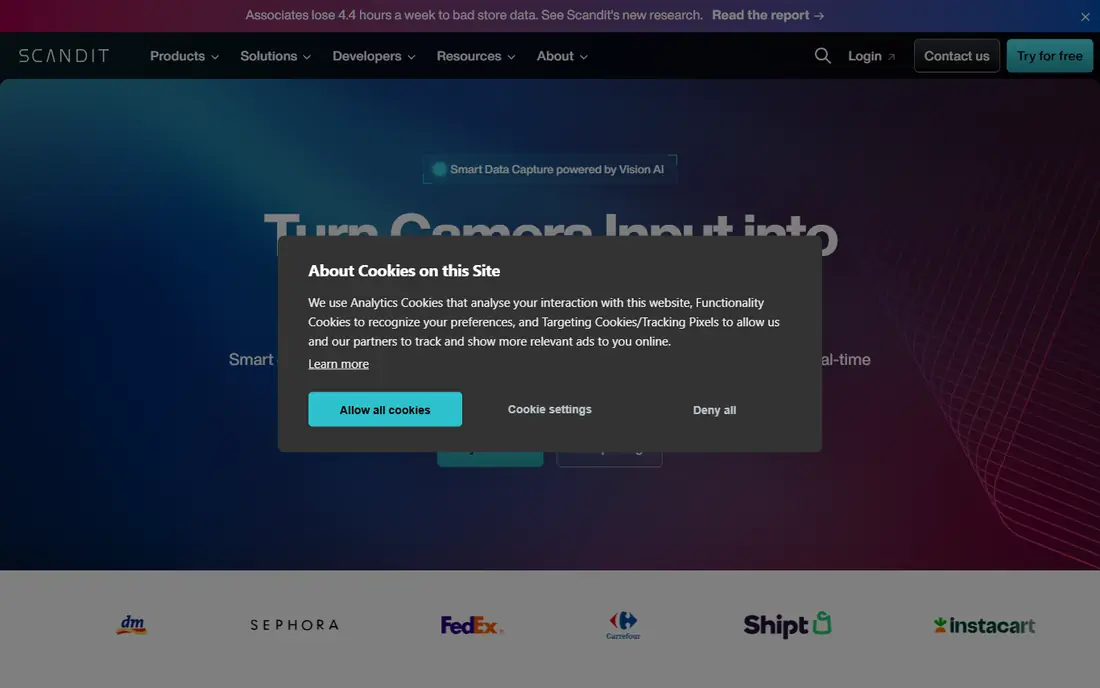
Scandit is the business-grade option for teams that scan constantly. Its smart data capture reads barcodes in tough conditions, including damaged labels, glare, and awkward angles, and it can scan multiple codes at once. Retailers, logistics firms, and field teams use it to replace dedicated scanners with phones, or to add scanning to an existing app through its software kit.
That power comes with enterprise pricing and a sales process, so casual users should look at the free consumer apps below instead. For a business where a missed scan slows a shift, Scandit is the most reliable pick here. Trial it on your actual labels, including your worst ones, before judging speed.
- Fast scanning even on damaged, small, or poorly lit codes
- Software for phones and dedicated devices
- Strong enterprise support and SDK options
- Enterprise pricing is not public for most plans
- Overkill for casual shoppers
- Setup needs planning for large deployments
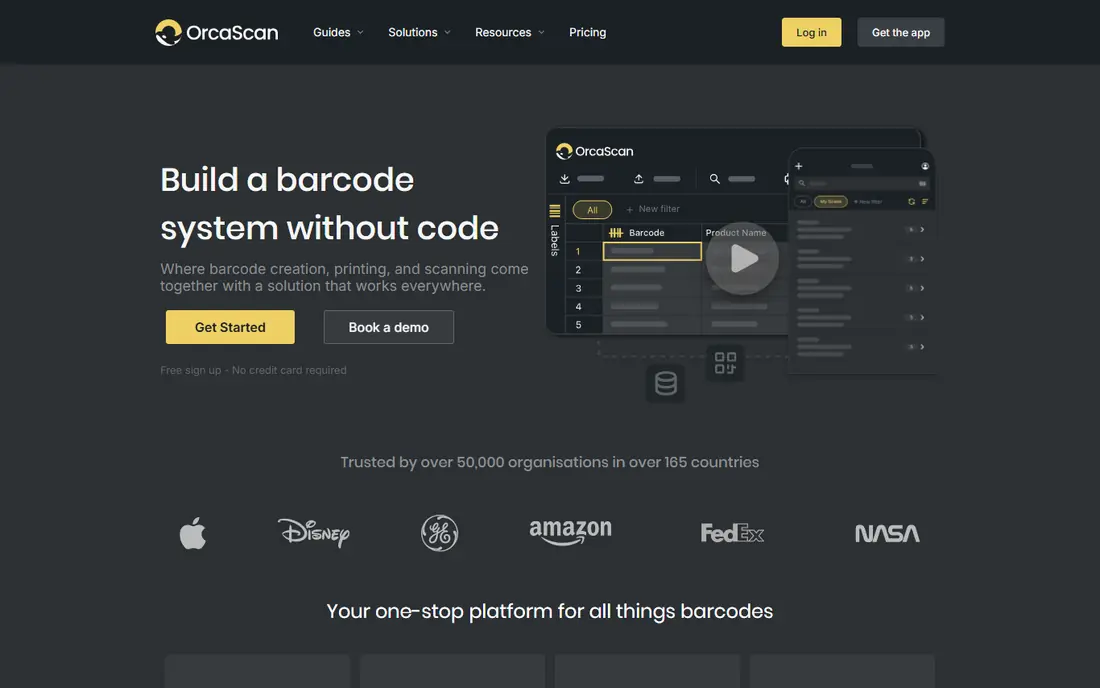
Orca Scan turns a phone into a full inventory system without code. You design a sheet with the fields you need, scan items in or out of stock, and sync the result to Excel, Google Sheets, or another system. Custom workflows can trigger actions such as low-stock alerts or emails when an item is marked damaged, and asset maps use location data to track items across sites.
Paid plans start at $20 per month, with a free plan for trying the core system. The limit is integration depth: Orca Scan connects to many tools, but it lacks an official Shopify integration, so Shopify sellers should check the workaround first. For small businesses, schools, and asset teams, Orca Scan offers the best balance of power and simplicity here.
- No-code system builder with custom fields
- Live sync with Excel and Google Sheets
- Barcode label designer and asset maps
- Free plan has limited functionality
- No official Shopify integration
- Advanced workflows need a paid plan
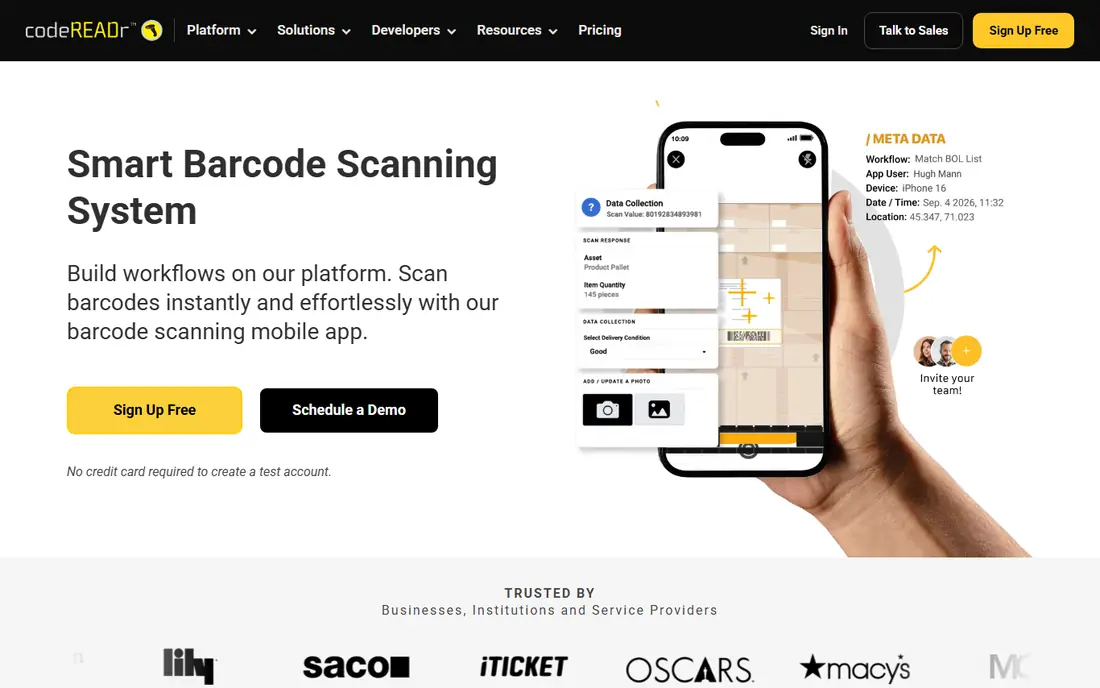
CodeREADr suits businesses that need to validate each scan, not just record it. You can check a code against a database, capture extra data such as condition or location, and work offline when a warehouse or event site has poor connectivity. That validation step prevents errors such as scanning the wrong item or recording a duplicate asset.
CodeREADr is a business tool, so expect plan-based pricing and a setup phase to define databases and forms. Consumer shoppers will find it heavy. For attendance, ticketing, inventory, and asset tracking where accuracy matters, its validation and offline modes justify the extra setup.
- Validation against online or offline databases
- Batch scanning and data capture forms
- Works on phones and dedicated scanners
- Pricing varies by plan and device count
- Setup takes more time than a consumer scanner
- Interface is business-focused
ShopSavvy is the shopper pick. Scan a product barcode in a store, and it shows prices from online and nearby retailers, along with reviews and product details. That makes it useful for big purchases where a few minutes of checking can save real money, and for comparing a store price with an online price before you buy.
Price coverage is not universal, so niche products or local stores may return few results. ShopSavvy also carries ads and promotional offers, which is the trade for a free app. For everyday shopping, it is the fastest way to answer the question that matters in the aisle: can I buy this cheaper elsewhere.
- Compares prices across retailers after a scan
- Product reviews and history
- Barcode and QR support
- Price coverage varies by product and retailer
- Ads and offers in the free app
- Less useful for business inventory
ZXing Barcode Scanner, from the long-running ZXing project, is the plain free scanner. It reads common barcodes and QR codes, shows the decoded value, and lets you share or search it, without an account or a subscription. Developers also use the ZXing library inside their own apps, which speaks to how widely tested the decoding is.
There is no inventory system, price comparison, or polished product page here. That simplicity is the point: if you need a free, private scanner for occasional use, ZXing does the job without ads or tracking extras. For business workflows, pair it with a spreadsheet or choose Orca Scan or CodeREADr instead.
- Free and open-source
- Reads many common barcode formats
- Lightweight with no account needed
- Interface is basic
- No inventory or price features
- Support depends on the open-source project
QR and Barcode Scanner by TeaCapps is the everyday app for people who scan codes a few times a week. It handles QR codes for links, Wi-Fi details, and tickets, plus product barcodes, with a clean interface that needs no setup. You point, scan, and act on the result, whether that means opening a link or searching for a product.
The free version includes ads, and it does not offer inventory tracking or validation. That is fine for personal use, where speed matters more than workflow. If you scan daily for work, a business tool will save more time than this simple scanner, but for casual use it is hard to beat on ease.
- Simple interface for QR and barcodes
- Fast scans for links, Wi-Fi, and product codes
- No account needed
- Free version includes ads
- No business inventory features
- Product info depth varies by code
Barcode Lookup answers a different question from ShopSavvy: what is this product, rather than where is it cheapest. Scan or type a barcode, and it returns product details from its database, which helps resellers listing items, shoppers checking a product, and small businesses identifying stock. That lookup focus makes it useful when a code has no price context or when you need a product name and description quickly.
Coverage varies, especially for new, regional, or private-label products, so some scans return thin results. For common retail products, it works well. Use Barcode Lookup when identification matters most, and ShopSavvy when price comparison matters most.
- Large product database for lookup
- Scan or type a code to find product details
- Useful for resellers and shoppers
- Database coverage varies by product type
- App features are narrower than ShopSavvy
- Some lookups return limited detail
ScanLife is a long-running consumer scanner for QR codes and barcodes. It suits shoppers and event visitors who need a quick scan without learning a business system: open the app, scan, and follow the link, coupon, or product result. The simplicity keeps it accessible for users who scan only occasionally.
ScanLife does not compete with business scanners on inventory, validation, or exports. If you need those features, choose Orca Scan, CodeREADr, or Scandit. If you need a free, straightforward scanner for personal use, ScanLife remains a practical option alongside the other consumer apps here.
- Quick QR and barcode scanning for consumers
- Simple result actions
- Long-running consumer scanner
- Fewer business features than Orca Scan or CodeREADr
- Product depth varies
- Free app includes promotions
How we picked these
We compared official product pages, pricing pages, and public app listings for barcode scanner apps available on iOS or Android in 2026. We favored apps that read common barcode formats reliably, state their pricing or free tier clearly, and fit a clear use case: shopping, personal scanning, or business inventory. We did not scan a warehouse of labels with each app, and where pricing varies by devices or plan, we point to the vendor page.
What to check before you choose
Start with your barcode types. Retail products use UPC and EAN codes, warehouses use Code 128 and Code 39, and tickets and links use QR codes. An app that reads QR codes well may still struggle with a small or damaged 1D code, so test it on your actual labels, including worn, curved, and poorly lit examples.
Next, decide what happens after the scan. A shopper needs a price or product page, while a business needs a record, a validation check, or an export to a spreadsheet. An app that scans fast but exports poorly will cost time later. Trial the full loop, from scan to saved record, with your real workflow before rolling it out to a team.
Finally, check device and offline needs. Business teams should confirm the app works on the phones staff already carry, supports any dedicated scanners they own, and works offline if coverage is weak. Consumer users should check permissions and ads, since a free scanner that asks for broad access is not worth the saving.
Frequently asked questions
What is the best barcode scanner app?
The best barcode scanner app depends on your use. ShopSavvy suits shoppers comparing prices, Orca Scan suits small business inventory, CodeREADr suits validation-heavy business scanning, and Scandit suits enterprise teams. For simple free scanning, ZXing Barcode Scanner and QR and Barcode Scanner work well.
What are the best barcode scanner apps for business?
Orca Scan, CodeREADr, and Scandit lead for business use. Orca Scan offers a no-code inventory system from $20 per month, CodeREADr adds validation and offline modes, and Scandit offers enterprise-grade scanning at scale. Choose Orca Scan for simplicity, CodeREADr for validation, and Scandit for high-volume or damaged-code scanning.
Is there a free barcode scanner app?
Yes. ZXing Barcode Scanner is free and open-source, ShopSavvy and Barcode Lookup offer free versions, and QR and Barcode Scanner and ScanLife are free for consumers. Orca Scan also offers a free plan with limited features. Free apps suit occasional use, while business scanning usually needs a paid plan.
Can a phone replace a dedicated barcode scanner?
For many small businesses, yes. Modern phone cameras with apps such as Orca Scan, CodeREADr, or Scandit handle most retail and inventory codes well. Dedicated scanners still win for very high-volume, harsh, or long-shift scanning, where battery, ergonomics, and trigger speed matter more than phone convenience.
Which barcode formats do these apps read?
Most apps here read common 1D formats such as UPC, EAN, Code 128, and Code 39, plus 2D formats such as QR codes and Data Matrix, though exact support varies by app. Check the vendor page for your specific format, and test with your real labels before committing, especially for small or damaged codes.
Do barcode scanner apps work offline?
Some do. CodeREADr and Scandit support offline modes for business scanning, while consumer apps such as ShopSavvy and Barcode Lookup need a connection to fetch prices or product data. If your warehouse or event site has weak coverage, choose a business app with offline validation and sync.
Sources
See where you really rank - block by block
ProMapRanker scans Google Maps across a grid of your service area. Simple monthly plans from $19, white-label on every plan.
Start freeKeep reading
 wpforms alternatives
Best WPForms Alternatives in 2026
We compare 9 wpforms alternatives for WordPress forms, with free and paid options, current pricing notes, and honest limits for small business sites in 2026.
Read → windows task scheduler alternatives
Best Windows Task Scheduler Alternatives in 2026
Looking for Windows Task Scheduler alternatives? We compare 9 schedulers for Windows and cross-platform work, from free tools to enterprise automation.
Read → which ai video service is best
Which AI Video Service Is Best in 2026
which ai video service is best? We compare 10 legitimate AI video services on price, avatars, editing and output quality to help you pick the right tool.
Read →