 ProMapRanker
Best Apps for Sleep Tracking in 2026

Smart alarm and phone based tracking · Pricing starts at: $29.99 per year
Key takeaways
- Sleep Cycle is the best starting point for most people, because it works on iPhone and Android without a watch and offers a smart alarm.
- Pillow and AutoSleep suit Apple Watch owners who want deeper heart rate, stage, and recovery data.
- Apple Sleep and Samsung Health cover basic tracking for free if you already own a compatible phone or watch.
- Rise suits readers who want circadian rhythm guidance, while SleepWatch suits readers who want a simple free start.
- Sleep trackers are wellness tools, not medical devices, and they estimate stages from movement and heart rate rather than measuring them directly.
Quick comparison
| Pick | Great for | Pricing starts at | Free tier | |
|---|---|---|---|---|
| Sleep Cycle | Smart alarm and phone based tracking | $29.99 per year | Yes | Visit |
 Pillow Pillow | Apple Watch owners who want detail | $4.99 per month | Yes | Visit |
 AutoSleep AutoSleep | Automatic tracking with no nightly setup | See website | No | Visit |
 Apple Sleep Apple Sleep | Free basic tracking for Apple users | Free | Yes | Visit |
 Samsung Health Samsung Health | Free tracking for Samsung phone and watch users | Free | Yes | Visit |
 Rise Rise | Circadian rhythm and sleep debt guidance | $39.99 per year | Yes | Visit |
 SleepWatch SleepWatch | Simple sleep scores on Apple devices | See website | Yes | Visit |
 SleepScore SleepScore | Phone based tracking with sleep improvement tips | See website | Yes | Visit |
The best apps for sleep tracking
Sleep apps promise better mornings, but the useful ones do a simpler job. They show how long you slept, how steady your bedtime is, and whether a change in habits lines up with better rest. The apps below range from free phone tracking to deep watch based analysis, so the right pick depends on your device and how much data you want.
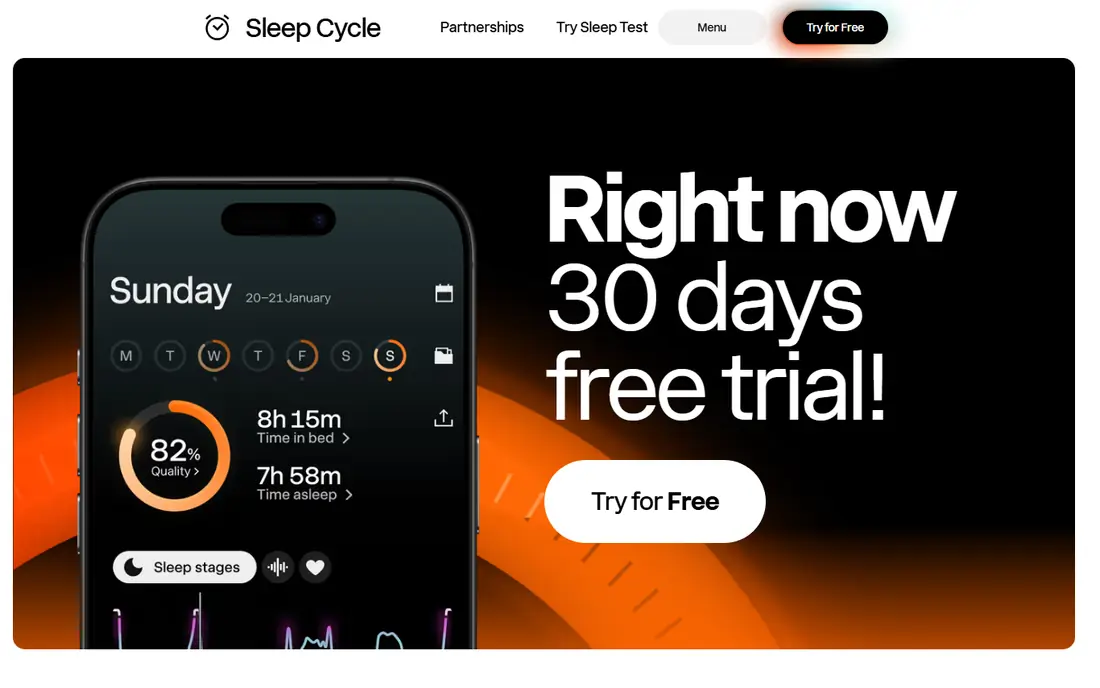
Sleep Cycle is the most accessible sleep tracker here. Place the phone near the bed, and it uses sound and movement analysis to estimate sleep stages and wake you during a light sleep phase within a set window. That smart alarm is the feature most users notice first, because waking during light sleep often feels easier than a fixed alarm.
Sleep notes let you log caffeine, exercise, stress, and other factors, then trends show whether those factors line up with better or worse nights. The free tier covers basic tracking, while premium adds deeper analysis and more history. If you do not own a watch, this is the natural first app to try.
- Works without a watch
- Smart alarm wakes during light sleep
- Sleep notes and trends
- Phone based tracking is less precise than watch data
- Battery use can be high overnight
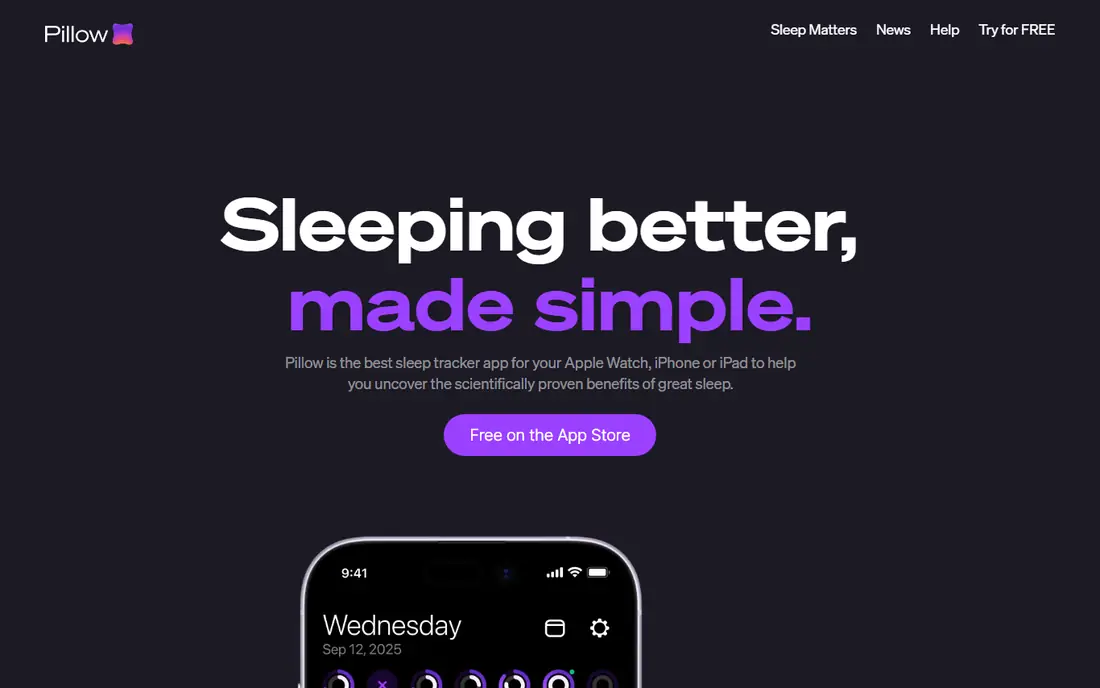
Pillow is built for Apple Watch users who want more than the built in Sleep app shows. It combines watch heart rate and movement data with audio recording, so you can see stages, heart rate trends, and recorded sounds from the night. That depth suits readers who already wear a watch to bed and want a richer morning report.
The app is Apple only, so Android users should skip it. The free tier gives a useful taste, but the fuller analysis sits behind premium. If you own an Apple Watch and want detailed charts without buying new hardware, Pillow is a strong pick.
- Detailed Apple Watch analysis
- Audio recording for snoring and sleep talk
- Clear sleep stage views
- IOS and Apple Watch only
- Premium price adds up over a year
AutoSleep appeals to people who forget to press start. With an Apple Watch, it tracks sleep automatically, then presents time asleep, sleep quality, heart rate, and readiness scores in one dashboard. That passive approach means fewer missed nights, which makes trends more reliable over weeks.
The interface packs a lot of data onto small screens, so casual users may find it busy at first. It is also Apple only, and it works best with a watch, not a phone alone. For data focused Apple Watch owners who want automatic tracking, AutoSleep is one of the best sleep tracking apps available.
- Automatic detection with Apple Watch
- Readiness and recovery scores
- No need to start tracking manually
- Apple only
- Interface is dense for casual users
Apple Sleep is the baseline every Apple user should try before paying. Set a sleep schedule, and the iPhone and Apple Watch track time asleep, show trends in the Health app, and support Wind Down and Sleep Focus to reduce late night notifications. There is no extra app to install and no subscription to weigh up.
The analysis is simpler than Pillow or AutoSleep, and there is no smart alarm that waits for light sleep. That matters less if you mainly want duration and bedtime consistency. Start here, learn your baseline for two weeks, and only pay for a third party app if you want deeper stage or recovery data.
- Free and built into iOS and watchOS
- Sleep Focus and Wind Down routines
- Health app trends
- No smart alarm based on sleep stage
- Analysis is more basic than paid apps
Samsung Health is the Android counterpart to Apple Sleep for Samsung owners. With a Galaxy Watch, it tracks sleep stages, snore detection, and blood oxygen during sleep where the device supports it, then shows trends and coaching tips in the app. Phone only users get more basic tracking, but the app is still useful for bedtime consistency.
The experience is best inside the Samsung ecosystem, so owners of other Android phones may prefer Sleep Cycle or Rise. For Samsung watch owners, there is little reason to pay for a separate tracker until you know what extra data you actually want.
- Free with Samsung devices
- Sleep stages and snore detection with a watch
- Coaching tips
- Best with Samsung hardware
- Depth varies by device
Rise takes a different angle from most trackers. Instead of leading with stage charts, it focuses on sleep debt, circadian rhythm, and when your energy is likely to peak and dip during the day. That guidance helps shift workers, travellers, and anyone with an irregular schedule, because it frames sleep as a pattern across days, not a single night score.
The free tier gives a useful introduction, while premium adds the full energy schedule and deeper history. Readers who want detailed stage charts may prefer Pillow or AutoSleep. Readers who want to know when to sleep, when to focus, and how much debt they carry will find Rise more actionable.
- Sleep debt and energy schedule views
- Circadian rhythm focus
- Clear daily guidance
- Less focused on raw sleep stage charts
- Premium needed for full guidance
SleepWatch keeps the morning report simple. A sleep score, time asleep, and trends give a quick read on the night, without the dense dashboards of AutoSleep. That simplicity suits readers who check one number in the morning and move on, rather than studying heart rate charts.
It is Apple focused, so Android users should choose Sleep Cycle or Rise instead. Premium adds more analysis and history, so check the current in app price before upgrading. For a low friction Apple Watch tracker, SleepWatch is a sensible free start.
- Simple sleep score and trends
- Works with Apple Watch
- Free tier for basic tracking
- Apple focused
- Deeper features need premium
SleepScore uses phone based sonar to measure breathing and movement without a wearable, which suits readers who dislike wearing a watch to bed. The app gives a sleep score, tracks trends, and offers improvement advice based on your patterns. That combination makes it a useful alternative to Sleep Cycle for phone only users.
Placement matters, since the phone needs a clear view of the bed for sonar tracking. Premium adds deeper analysis, so check the current price in the app store before subscribing. If you want the best free sleep tracking app experience without a watch, compare SleepScore and Sleep Cycle side by side for a week.
- Phone based sonar tracking
- Sleep score and improvement advice
- Works without a watch
- Accuracy depends on phone placement
- Premium features need a subscription
How we picked these
We compared official feature pages, pricing, app store listings, privacy notes, and public reviews, focusing on apps that are live in October 2026 and offer real sleep tracking, not just alarm clocks or meditation audio. We weighed device support, smart alarms, stage and heart rate data, sleep debt guidance, free plan limits, and price. We did not claim hands on testing we did not do, and we left out hardware only trackers that require a separate device purchase to function.
How to get useful data from a sleep tracker
Wear or place the device the same way every night for at least two weeks before judging the data. One bad night tells you little, while two weeks of bedtime, wake time, and total sleep show a pattern you can act on. Keep the phone charged, the watch charged, and the tracking setup consistent, or gaps will break the trend.
Next, focus on total sleep time and bedtime consistency before stage percentages. Stage estimates from consumer devices are approximate, and chasing a perfect deep sleep number can create more stress than better sleep. Log simple factors such as late caffeine, alcohol, exercise, and screen time, then look for patterns across weeks. If you snore heavily, wake gasping, or feel exhausted despite long sleep, speak to a clinician rather than relying on an app score. Sleep trackers are not medical devices, and they cannot diagnose sleep apnoea, insomnia, or other sleep disorders.
Frequently asked questions
What is the best sleep tracking app?
Sleep Cycle is the best starting point for most people, because it works without a watch and offers a smart alarm. Pillow and AutoSleep are better for Apple Watch owners who want deeper data, while Rise is better for circadian guidance. The best app for tracking sleep depends on your device and how much detail you want.
What is the best free sleep tracking app?
Apple Sleep and Samsung Health are the best free options if you already own a compatible phone or watch. Sleep Cycle and SleepScore offer free phone based tracking for other users, and SleepWatch offers a free tier for Apple Watch owners. Start free, check your baseline for two weeks, and only pay for deeper analysis if you use it.
What is the best app to track sleep on Apple Watch?
Pillow and AutoSleep are the strongest Apple Watch options, with detailed stages, heart rate, and recovery data. Apple Sleep covers the basics for free, and SleepWatch offers a simpler score based view. Choose Pillow for charts and audio, AutoSleep for automatic tracking, or Apple Sleep if you want no extra cost.
Can a sleep tracker diagnose sleep apnoea?
No, consumer sleep trackers are not medical devices and cannot diagnose sleep apnoea or other sleep disorders. They estimate sleep from movement and heart rate, and they can show patterns that prompt a conversation with a clinician. If you have loud snoring, witnessed breathing pauses, or daytime sleepiness, seek medical advice rather than relying on an app.
Do I need a watch for sleep tracking?
No, Sleep Cycle and SleepScore work with a phone alone, though watch based tracking is usually more detailed. A watch adds heart rate and movement data from the wrist, which improves stage estimates and recovery scores. If you dislike wearing a watch to bed, start with a phone app and see whether the data is useful enough.
What is the best sleep monitor app for Android?
Sleep Cycle and Rise are the strongest Android options, with Sleep Cycle offering a smart alarm and Rise offering circadian guidance. Samsung Health is the best free choice for Samsung watch owners. Check app store listings for your exact phone and watch model, since features vary by device.
Sources
See where you really rank - block by block
ProMapRanker scans Google Maps across a grid of your service area. Simple monthly plans from $19, white-label on every plan.
Start freeKeep reading
 zoom alternatives
Best Zoom Alternatives in 2026
Compare Zoom alternatives in 2026, with free meeting limits and prices, so you can pick the best alternative to Zoom for your team, class, or community.
Read → which software is best for remote work
Which Software Is Best for Remote Work in 2026
Answering which software is best for remote work, we compare Slack, Zoom, Asana, Notion, Teams and more, with pricing and honest tradeoffs in 2026 now.
Read → which ai tool is best for content writing
Which AI Tool Is Best for Content Writing in 2026
Wondering which ai tool is best for content writing? We compare ChatGPT, Claude, Jasper, Grammarly, and more on price, quality, and best use in 2026 now.
Read →