 ProMapRanker
Best Appliance Repair Software in 2026

Key takeaways
- Appliance repair needs more than generic scheduling: parts, warranty claims, and multi-appliance jobs shape the right choice.
- ApplianceOps and QuoteIQ are built for appliance shops, while Jobber and Housecall Pro suit general home-service teams that also do appliance work.
- Jobber starts at $29 per month and Housecall Pro at $59 per month on annual billing, while ServiceTitan is quote-based for larger operations.
- Service Fusion stands out for unlimited users at a flat plan price, which helps shops adding technicians quickly.
- Test dispatch, mobile invoicing, and parts handling with real jobs before you commit, since those daily tasks decide adoption.
Quick comparison
| Pick | Great for | Pricing starts at | Free tier | |
|---|---|---|---|---|
 ApplianceOps | Appliance-only shops | $35 per month | No | Visit |
 Jobber | Small general service teams | $29 per month | No | Visit |
 Housecall Pro | Growing home-service teams | $59 per month | No | Visit |
 Workiz | Phone-driven dispatch shops | See website | No | Visit |
 ServiceTitan | Large multi-location operations | See website | No | Visit |
 Service Fusion | Mid-size shops adding technicians | $208 per month | No | Visit |
 QuoteIQ | Estimating and self-booking | $29.99 per month | No | Visit |
 FieldEdge | Established contractors with office teams | See website | No | Visit |
The best appliance repair software
Appliance repair shops juggle bookings, dispatch, parts, warranty paperwork, and invoicing, often from a van with poor signal. We compared official pricing pages, feature pages, and recent field-service guides, and we kept only tools that are live in October 2026 and fit appliance repair work.
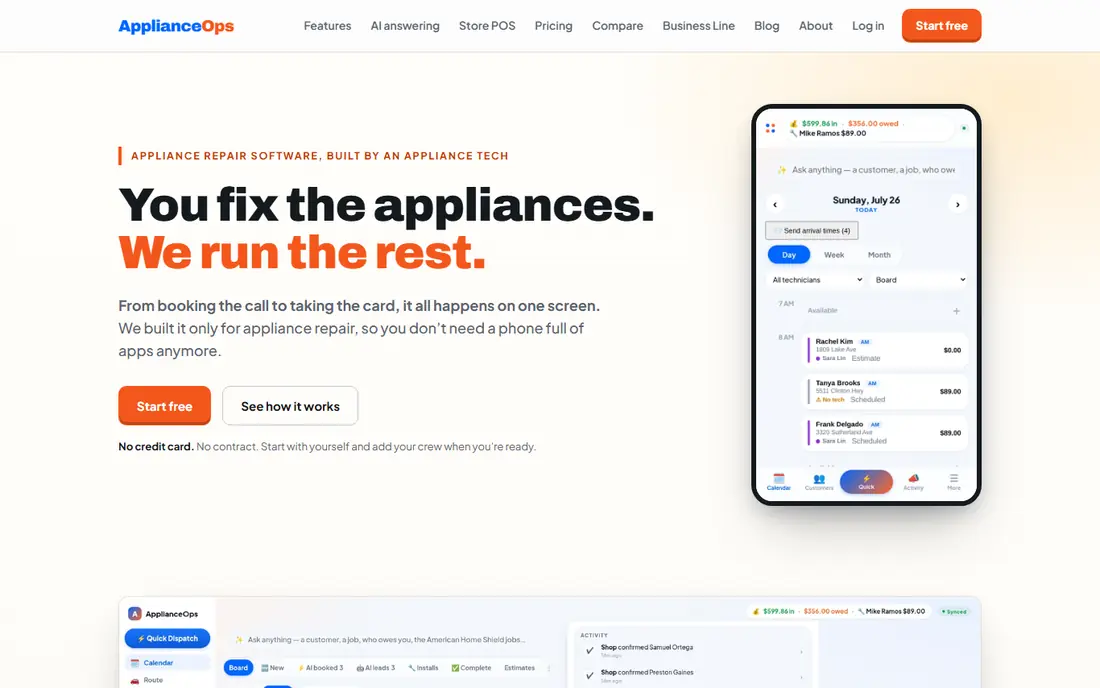
ApplianceOps is the only tool on this list built exclusively for appliance repair, and that focus shows in the workflows. Home-warranty split billing, per-machine pricing, multi-appliance invoices, and work-order fields for warranty numbers are first-class features, not workarounds. The vendor lists pricing from $35 per month plus $10 per additional seat, with all core CRM features on every plan.
The trade-off is polish and ecosystem. ApplianceOps runs in the browser rather than as a native app, and its integration range is smaller than Jobber or Housecall Pro. For a shop of one to ten technicians that lives on warranty work, the appliance-specific fit often matters more than a larger app marketplace.
- Built only for appliance repair
- Home-warranty split billing
- Per-machine price book and offline field work
- Browser-based rather than a native mobile app
- Smaller integration range than Jobber
- Phone features are a separate add-on
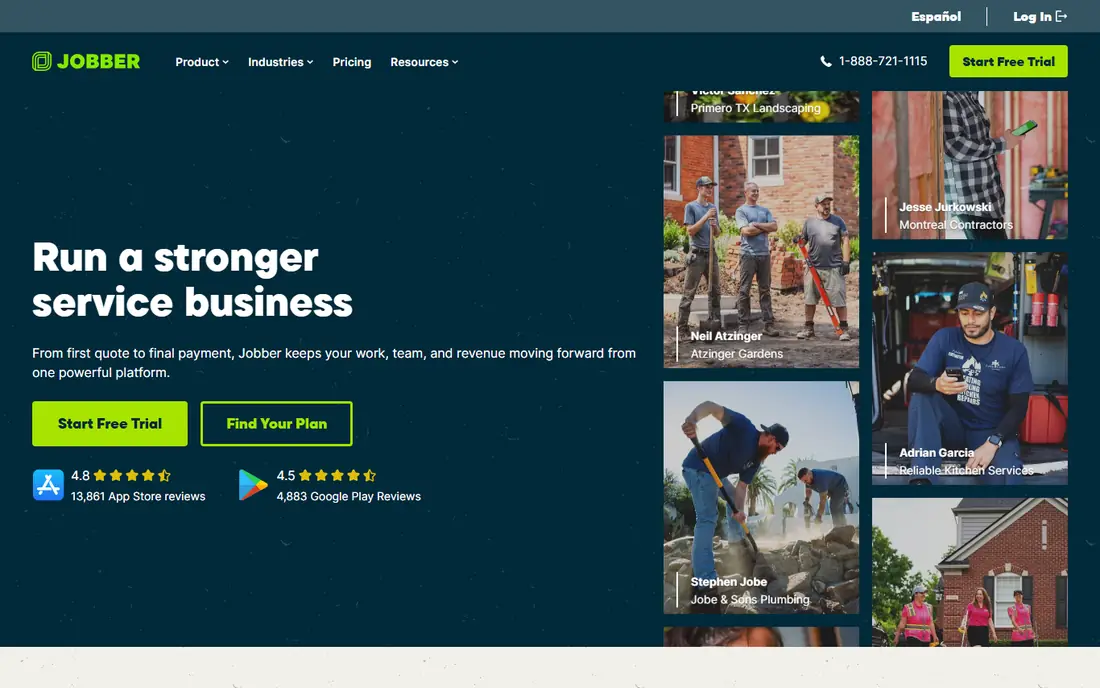
Jobber suits a small service business that does appliance repair alongside other home services. Scheduling, dispatch, quotes, invoices, and online booking work cleanly, and the mobile app is easy for technicians to learn. Published pricing starts at $29 per month on annual billing for the Core plan, with Connect, Grow, and Plus tiers above it.
The limit for appliance-only shops is specificity. Warranty split billing, per-machine price books, and used-appliance resale are not native in the same way as ApplianceOps. If your shop is mostly general home services, Jobber is a strong, safe pick. If warranty work dominates, compare ApplianceOps first.
- Clean mobile app and clear published pricing
- Strong scheduling, quoting, and invoicing
- Large integration range
- Generalist tool, so appliance-specific warranty workflows need workarounds
- Higher tiers needed for some automation
- Per-user costs rise with team size
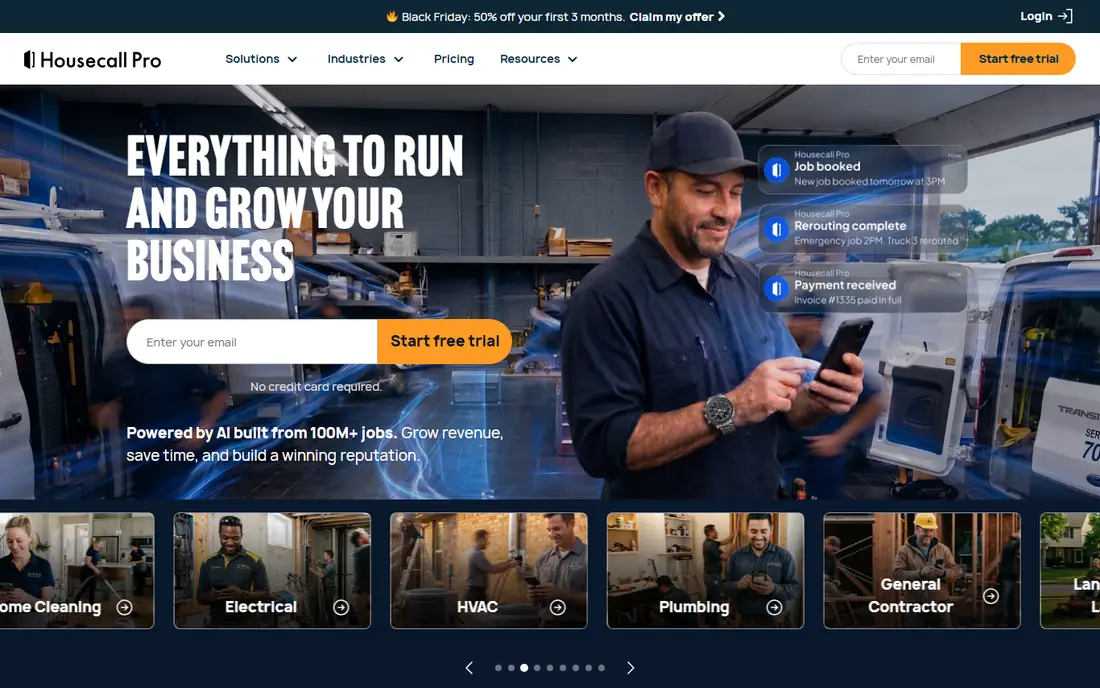
Housecall Pro fits a growing home-service team that wants strong customer communication. Automated reminders, on-my-way texts, online booking, and review requests help a shop win repeat work, and the mobile app covers scheduling, invoicing, and payments in the field. Annual pricing starts at $59 per month for Basic, with Essentials and Max tiers for larger teams.
For appliance-only work, Housecall Pro is a generalist, so warranty and parts workflows need setup rather than coming ready-made. For a team that values marketing and customer experience alongside dispatch, Housecall Pro is a strong choice.
- Polished customer communication and online booking
- Marketing tools for repeat work
- Clear tier structure for growing teams
- Higher starting price than Jobber
- Some features sit on higher tiers
- Appliance-specific workflows are generalist, not specialist
Workiz suits shops where the phone drives the day. Calls, texts, and job records connect in one system, so a dispatcher can see who called, what job was booked, and what happened next without switching tools. Automation for reminders, follow-ups, and reporting helps a busy office keep jobs moving.
Pricing needs a quote or a check of the current Workiz pricing page, since published figures vary by plan and add-ons. For a phone-heavy shop with a dispatcher, Workiz can save more time than a simpler scheduler. For a solo technician, Jobber or ApplianceOps will be easier to start with.
- Built-in phone system tied to the job record
- Strong automation and reporting
- Good for dispatcher-led shops
- Pricing is not published in a simple starting figure
- Setup needs care for complex workflows
- Smaller appliance-specific depth than ApplianceOps
ServiceTitan is the enterprise standard for larger trades operations, including appliance repair firms with many technicians and locations. Dispatch optimization, price book depth, technician scorecards, marketing attribution, and detailed reporting give managers control at scale. That depth is why larger firms accept a longer setup and a higher per-technician cost.
Small shops should not start here. Pricing is quote-based, onboarding takes time, and the platform needs dedicated office staff to get full value. For a shop with twenty or more technicians, ServiceTitan is worth a demo. For a shop under ten, Jobber, Housecall Pro, or ApplianceOps will be faster and cheaper.
- Deep dispatch, capacity planning, and reporting
- Strong marketing attribution
- Built for larger trades businesses
- Quote-based pricing, typically high per technician
- Longer onboarding
- More than a small shop needs
Service Fusion suits a mid-size shop that is adding technicians and does not want the bill to rise with every hire. Plans start at $208 per month on annual billing, with unlimited users at every tier, which changes the math for a growing team. Scheduling, dispatch, inventory, and invoicing cover the core field-service job well.
The starting price is higher than Jobber or ApplianceOps, so a solo technician will not see the value. For a shop moving from five to fifteen technicians, unlimited users can make Service Fusion cheaper overall than per-user tools, even with a higher headline price.
- Unlimited users on every plan
- Strong scheduling, dispatch, and invoicing
- Flat plan pricing helps growing teams
- Higher starting plan price than Jobber
- Some advanced features sit on higher tiers
- Interface feels functional rather than polished
QuoteIQ is built for appliance repair shops that want fast estimates and self-booking. Customers can book online, get an estimate the same day, and receive automated follow-ups, which helps a shop win jobs that would otherwise go to a faster competitor. Published pricing starts at $29.99 per month, with higher flat plans for larger shops.
The trade-off is ecosystem size. QuoteIQ does not yet match Jobber or Housecall Pro for integrations and third-party tools. For a shop where speed of estimate and booking is the bottleneck, QuoteIQ is worth a trial. For a shop that needs deep dispatch and reporting, compare Service Fusion or ServiceTitan.
- Same-day estimating and self-booking focus
- AI follow-up tools
- Flat plan pricing with unlimited users on the top tier
- Newer and smaller ecosystem than Jobber
- Some features depend on plan tier
- Less field-service depth than ServiceTitan
FieldEdge suits an established contractor with an office team and a need for price book depth. Flat-rate pricing, dispatch, technician tracking, and inventory tools support a larger operation, and QuickBooks integration helps the back office close jobs cleanly. That depth matters when a shop runs many jobs and many parts each day.
FieldEdge is quote-based, so small shops should get a written price before committing. It is also a general contractor tool, not an appliance-only system, so warranty-specific workflows need setup. For a larger, office-led contractor, FieldEdge remains a credible, stable choice.
- Deep flat-rate price book
- Strong QuickBooks integration
- Established contractor tooling for dispatch and inventory
- Quote-based pricing
- Interface feels dated next to newer tools
- Built for HVAC and plumbing as well as appliance work
How we picked these
We compared official pricing and feature pages and recent field-service guides for tools that are live in October 2026 and fit appliance repair or general home-service work. We favored tools with scheduling, dispatch, mobile invoicing, parts or inventory handling, and QuickBooks or accounting links. We left out tools that had closed, tools with no field-service focus, and pure CRM tools with no dispatch or job costing. Prices shown are starting prices from vendor pages where we could verify them, and we wrote See website where pricing is quote-based or varies by plan.
How to choose the right tool for your shop
Start with your daily bottleneck. If jobs are lost because estimates are slow, QuoteIQ or a strong quoting tool comes first. If warranty paperwork eats office time, ApplianceOps comes first. If dispatch chaos is the problem, Workiz or Service Fusion may help most. A tool that fixes your worst bottleneck will pay for itself faster than a tool with the longest feature list.
Test dispatch, parts, and invoicing with real jobs
Run a trial with real jobs, not sample data. Book a job, dispatch a technician, add parts, handle a warranty split if you do that work, invoice, and take payment from the mobile app. Check offline behavior too, since vans often lose signal. If any step needs retyping or a phone call to the office, that friction will repeat every day.
Check pricing by team size, not just the headline
Per-user pricing, flat plan pricing, and per-technician pricing produce very different totals as you grow. Model the cost at your current team size and at double that size, and include add-ons such as phone systems, marketing tools, and payment processing. A cheap headline price can become expensive if every technician adds a seat fee.
Plan for parts, warranty, and accounting
Confirm how parts are tracked, how warranty claims are recorded, and how jobs sync to QuickBooks or your accounting tool. Appliance shops live or die on parts accuracy and warranty recovery, so a tool that handles those cleanly will save more than a tool with a prettier dashboard.
Frequently asked questions
What is the best appliance repair software?
For appliance-only shops, ApplianceOps fits best, because it is built for warranty split billing and per-machine pricing. For general home-service teams, Jobber and Housecall Pro are strong picks, while ServiceTitan fits larger operations. The best appliance repair app for your shop depends on team size and how much warranty work you do.
How much does appliance repair software cost?
Published starting prices range from $29 per month for Jobber and $29.99 per month for QuoteIQ to $59 per month for Housecall Pro and $208 per month for Service Fusion, with ServiceTitan and FieldEdge quote-based. Add seat fees, phone add-ons, and payment costs to get the true monthly total.
Do I need appliance-specific software, or will general field-service software work?
General tools work well if appliance repair is one of several trades you cover. Appliance-specific tools help more when warranty claims, per-machine pricing, and multi-appliance jobs are a large share of your work, since those workflows are built in rather than worked around.
Can appliance repair software handle parts and inventory?
Most tools on this list handle parts and inventory at some level, with depth varying by plan. ServiceTitan, FieldEdge, and Service Fusion offer deeper inventory and price book tools, while ApplianceOps adds per-machine parts pricing. Test parts handling on a trial with real jobs before you commit.
Does appliance repair software work offline in the field?
Offline support varies. ApplianceOps highlights full offline field work, while other tools offer partial offline access or need a connection for payments and sync. Check offline invoicing, payment, and signature support if your technicians work in basements, rural areas, or buildings with poor signal.
Sources
See where you really rank - block by block
ProMapRanker scans Google Maps across a grid of your service area. Simple monthly plans from $19, white-label on every plan.
Start freeKeep reading
 wpforms alternatives
Best WPForms Alternatives in 2026
We compare 9 wpforms alternatives for WordPress forms, with free and paid options, current pricing notes, and honest limits for small business sites in 2026.
Read → windows task scheduler alternatives
Best Windows Task Scheduler Alternatives in 2026
Looking for Windows Task Scheduler alternatives? We compare 9 schedulers for Windows and cross-platform work, from free tools to enterprise automation.
Read → which ai video service is best
Which AI Video Service Is Best in 2026
which ai video service is best? We compare 10 legitimate AI video services on price, avatars, editing and output quality to help you pick the right tool.
Read →