 ProMapRanker
Best App for Tracking Weekly Spending in 2026

Key takeaways
- Weekly spending is easier to control when an app shows a seven day total, not just a monthly budget.
- PocketGuard gives the clearest single safe to spend figure, while YNAB gives the most hands on control.
- Monarch Money and Copilot Money suit people who want bank sync, investments and spending in one view.
- Goodbudget, EveryDollar and Rocket Money all offer a usable free tier, with limits on sync or envelopes.
- No app on this list can fix overspending on its own. The weekly review habit matters more than the tool.
Quick comparison
| Pick | Great for | Pricing starts at | Free tier | |
|---|---|---|---|---|
 YNAB | Hands on weekly budgeting | $14.99 per month | Free trial (34 days) | Visit |
 PocketGuard | A safe to spend number | Free | Yes | Visit |
 Monarch Money | Household money in one place | $14.99 per month | Free trial (7 days) | Visit |
 Copilot Money | Apple users who like clean design | $13 per month | Free trial (1 month) | Visit |
 Rocket Money | Subscriptions and bills | Free | Yes | Visit |
 Goodbudget | Envelope budgeting by hand | Free | Yes | Visit |
 Spendee | Shared wallets and simple tracking | Free | Yes | Visit |
 EveryDollar | Simple zero based budgets | Free | Yes | Visit |
 Simplifi by Quicken | Cash flow forecasting | $5.99 per month | Free trial | Visit |
The best apps for tracking weekly spending
Weekly tracking works best when the numbers are fresh and the categories are few. These nine apps cover that job in different ways, from strict budgeting to light tracking.
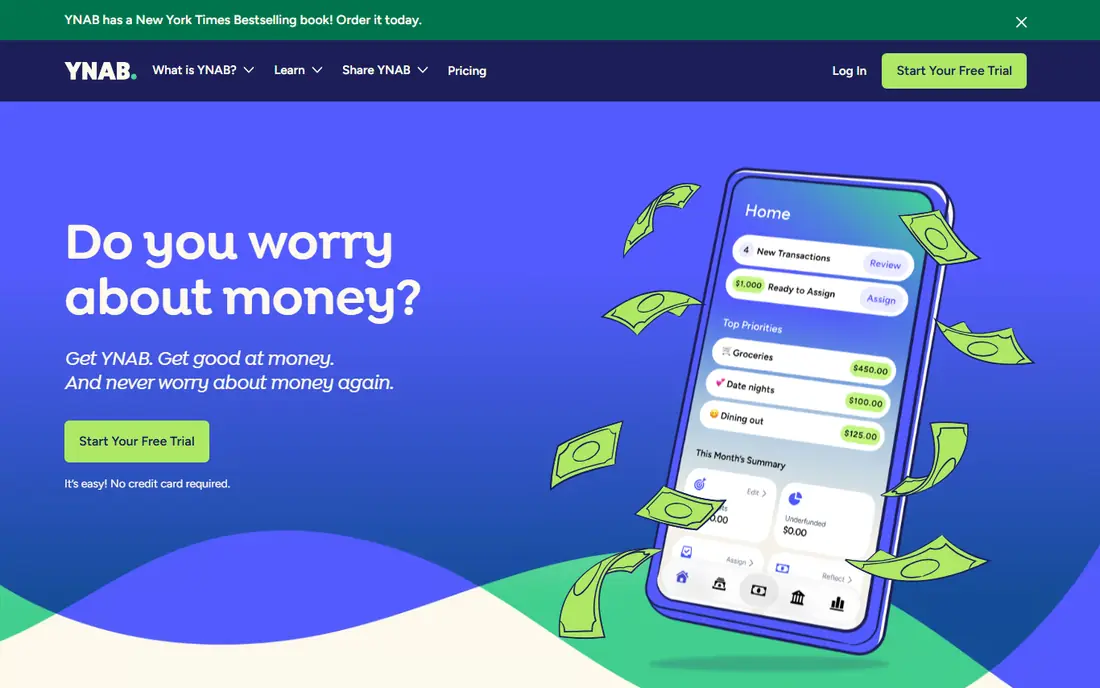
YNAB asks you to give every dollar a job before you spend it, which makes a weekly check feel concrete rather than vague. You can see what is left in groceries, transport or dining for the week, and move money between categories when plans change. That control is the reason many people stick with it after the first month.
The catch is the setup work. The first week takes time, and the method feels strict if you only want a quick spending total. At $14.99 per month or $109 per year, it is also one of the pricier options here. We think it fits people who want to change habits, not just watch them.
- Clear zero based method
- Bank sync on paid plans
- Strong goal and debt tools
- Steep learning curve
- No free tier after the trial
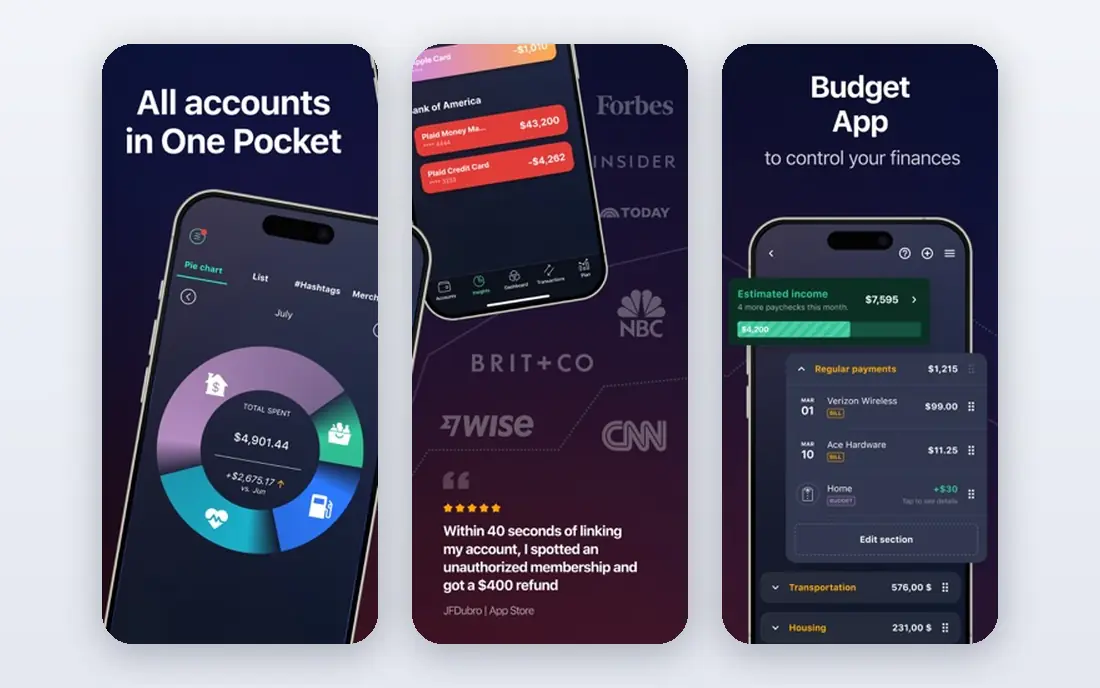
PocketGuard answers one question fast: after bills, goals and savings, what can you spend this week without trouble. That single figure is shown up front, so you do not need to dig through charts to know where you stand. Linked accounts update the picture as transactions arrive.
Paid Plus, at $12.99 per month or $74.99 per year, adds more accounts, categories and planning features. The free tier is enough to test the core idea, but it will feel thin if you run several accounts or want detailed reports. For a low effort weekly habit, it is hard to beat.
- Simple In My Pocket figure
- Bank sync
- Bill and subscription views
- Free tier is limited
- Fewer planning tools than YNAB or Monarch
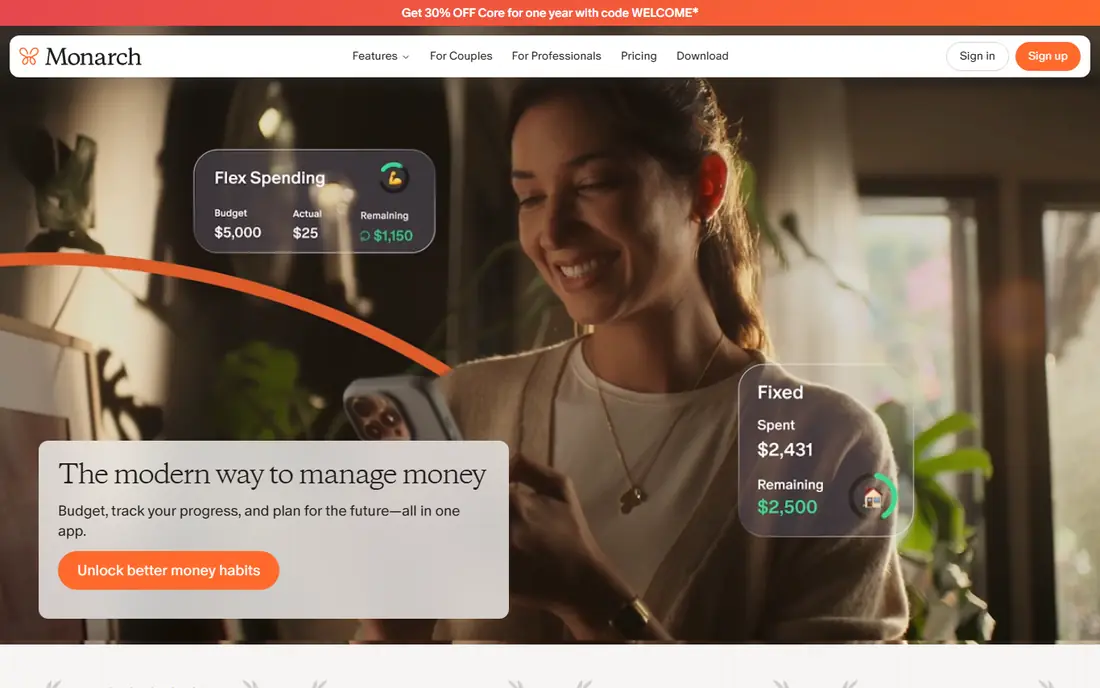
Monarch Money pulls budgeting, accounts, investments and net worth into one dashboard, which helps when weekly spending is only part of a larger household picture. Partners can share a view without sharing everything, and budgets can roll over from one period to the next. Weekly totals are easy to find once categories are set.
The price is $14.99 per month or $99.99 per year, and the seven day trial is short for a tool this broad. New users may also need a week to learn where everything lives. If your household wants one shared source of truth, that cost can still make sense.
- Shared household view
- Net worth and investments
- Flexible budgets and rollovers
- No free tier
- Short trial
- Screens can feel dense at first
Copilot Money is built for iPhone, iPad and Mac, and it shows in how quickly you can review a week of spending. Transactions are categorized with little fuss, recurring charges are easy to spot, and the layout stays readable even when a week is busy. It is a tracker first, with investment views alongside spending.
Android users should look elsewhere, since there is no Android app. The price is $13 per month or $95 per year after a one month trial. If everyone in your home uses Apple devices, Copilot is our pick for the least annoying daily check.
- Fast transaction review
- Smart categorization
- Calm and readable design
- No Android app
- US institutions only
- No free tier after the trial
Rocket Money starts from a different angle: it finds recurring charges and subscriptions that quietly drain a weekly budget. Canceling one or two forgotten subscriptions can change a weekly total more than any chart. The free tier covers basic tracking and subscription views, while Premium is priced on a pay what you want basis from about $7 per month.
The trade off is depth. Budgeting and reporting are simpler than in YNAB or Monarch, and the Premium price is less predictable than a fixed plan. As a first free step toward weekly control, though, it is a strong and honest starting point.
- Subscription tracking
- Bill reminders
- Free basic tools
- Premium price varies
- Some features need a paid plan
Goodbudget turns the old cash envelope system into a phone app. You fill envelopes for groceries, fuel or eating out, then log each purchase against an envelope. When an envelope is empty, the week is done for that category, which is a blunt and useful rule. A partner can share the same envelopes.
Manual entry is the whole deal, so missed purchases make the numbers drift. The free tier covers 20 envelopes, while Plus at $10 per month or $80 per year adds bank sync and more envelopes. If you do not want to link a bank at all, this is the most private option here.
- No bank login needed
- Shared envelopes
- Clear weekly limits
- Manual entry takes discipline
- Bank sync needs Plus
Spendee keeps weekly tracking simple, with shared wallets that suit couples, roommates or a family trip fund. You can add spending by hand or link accounts where supported, then check a week at a glance without wading through investment tools. The design stays light, which helps a daily habit survive.
Bank connections are not as broad in the US as in some other markets, so check your bank before you rely on sync. Premium, listed at about $35.99 per year in recent comparisons, removes limits and adds features. For shared spending, Spendee is a practical middle ground.
- Shared wallets
- Clean weekly views
- Works on iOS and Android
- Bank sync varies by country
- Premium features need a paid plan
EveryDollar is the simplest zero based budget on this list, and that simplicity is its strength. You set a plan, log spending, and see what is left. The free version uses manual entry, which keeps costs at zero and keeps the habit visible. It suits people who found other apps too busy.
Premium, at $17.99 per month or $79.99 per year, adds bank connection and faster entry. Without it, a busy week means more typing. If you want a free, no fuss way to plan each week, EveryDollar is a sensible first try.
- Very easy to learn
- Free manual version
- Clear monthly and weekly planning
- Bank sync needs Premium
- Reporting is basic
Simplifi by Quicken focuses on a spending plan and what is coming next, not just what already happened. Projected cash flow helps you see if a heavy week will still leave room for bills later in the month. Watchlists let you follow the categories that tend to run over.
The standard price is $5.99 per month billed annually, with first year offers sometimes lower. There is no permanent free tier, only a trial. For people who want forecasting at a lower paid price than Monarch or YNAB, Simplifi is worth a look.
- Spending plan with projections
- Watchlists
- Low annual cost for a paid tracker
- No free tier
- Fewer envelope or method tools than YNAB
How we picked these
We compared official pricing pages, feature pages and app store listings, and recent independent comparisons of budgeting apps. We kept only apps that exist and work in October 2026, that track spending week by week, and that fit ordinary US consumers. We left out Mint, which was shut down in 2024, and apps that only track investments or only offer a spreadsheet.
What to check before you pay
Start with the weekly view, not the feature list
Open the weekly or seven day view first. If you cannot see this week at a glance, the app will not help you change course midweek. A monthly total that only makes sense at month end is too late for most spending decisions.
Decide on bank sync early
Bank sync saves time, but it means sharing account access through the app's aggregator. Manual entry costs time, but it keeps your bank login out of a third party app and often makes spending feel more real. Pick the trade off you will actually keep, since a perfect app you stop opening is worthless.
Keep categories small
Five to eight categories cover most weekly spending. More categories mean more sorting and more chances to quit. You can split a category later if one keeps running over, but start simple and let the weekly total do the talking.
Test the free tier for two full weeks
Two weeks covers a normal pay cycle and a weekend, which is enough to judge sync speed, categorization and if you enjoy opening the app. If the free tier feels cramped in that time, the paid tier may help. If you simply do not open it, a different app will not fix that.
Frequently asked questions
What is the best app for tracking weekly spending?
It depends on how much control you want. PocketGuard is best for a quick safe to spend number, YNAB is best for strict weekly budgeting, and Monarch Money is best for a household view. Start free with Rocket Money or Goodbudget if you are unsure, then move to a paid app only if you hit a real limit.
Can I track weekly spending without linking my bank?
Yes. Goodbudget and the free version of EveryDollar are built for manual entry, and most paid apps also allow manual transactions. Manual entry takes more time, but it keeps bank credentials out of the app and can make each purchase feel more deliberate.
How often should I check my weekly spending?
A short check two or three times a week works better than one long monthly review. Midweek checks let you shift money between categories before the week ends. A Sunday check to set the next week also helps, since it turns tracking into a routine rather than a rescue job.
Is a paid budgeting app worth it?
A paid app is worth it only if bank sync or a specific method saves you time or stops repeated overspending. Free tiers from Rocket Money, Goodbudget and EveryDollar cover basic weekly tracking well. Pay when sync, shared access or forecasting solves a problem you actually have.
Do these apps work for couples or shared budgets?
Yes, with differences. Monarch Money and Goodbudget offer shared views, Spendee offers shared wallets, and YNAB allows sharing with household members. Check how many people are included in the price before you buy, since some plans charge per person.
Sources
See where you really rank - block by block
ProMapRanker scans Google Maps across a grid of your service area. Simple monthly plans from $19, white-label on every plan.
Start freeKeep reading
 free alternatives to grok imagine
Free Alternatives to Grok Imagine in 2026
We compared the best free alternatives to grok imagine for image generation, from fast daily credits to design tools, so you can create without paying.
Read → best tools for instagram content creation
Best Tools for Instagram Content Creation in 2026
Compare the best tools for Instagram content creation, from Canva and CapCut to Later and Buffer, on design, video, planning, scheduling, and price in 2026.
Read → best tool to split pdf files
Best Tool to Split PDF Files in 2026
We compared the best tool to split pdf files on split modes, file limits, privacy and price, so you can split a PDF cleanly and keep every page in one go.
Read →