 ProMapRanker
Best App for Booking Flights on Mobile in 2026

Key takeaways
- Skyscanner is our pick for most travellers, since it compares airlines and booking sites well and handles flexible dates.
- Hopper is the best app for deciding when to buy, with price predictions and fare freeze options.
- Kayak suits power users who want trip management, filters and mixed airline fares in one app.
- Booking through an app adds a middleman, so check the airline price directly before you pay.
- The cheapest fare on screen is not always the cheapest trip once bags, seat choice and change fees are added.
Quick comparison
| Pick | Great for | Pricing starts at | Free tier | |
|---|---|---|---|---|
 Skyscanner | All-round fare comparison | Free | Yes | Visit |
 Kayak | Trip management and filters | Free | Yes | Visit |
 Hopper | Price predictions | Free | Yes | Visit |
 Momondo | Lowest fare hunting | Free | Yes | Visit |
 Kiwi.com | Unusual multi airline routes | Free | Yes | Visit |
 Expedia | Flight plus hotel bundles | Free | Yes | Visit |
 Trip.com | Bundles with 24/7 support | Free | Yes | Visit |
 CheapOair | Last minute US flights | Free | Yes | Visit |
 WayAway | Cashback on bookings | Free | Yes | Visit |
The best mobile apps for booking flights
Mobile flight booking is really two jobs: finding the fare and buying the ticket. Some apps do both well, some are better for research than for purchase, and some find clever routes that carry extra risk. The apps below are live in October 2026 on iOS and Android. We compared fare coverage, flexible date tools, price alerts, booking fees as stated by the vendor, and what happens when a flight changes. All are free to download, and you pay for the flight itself, not the app.
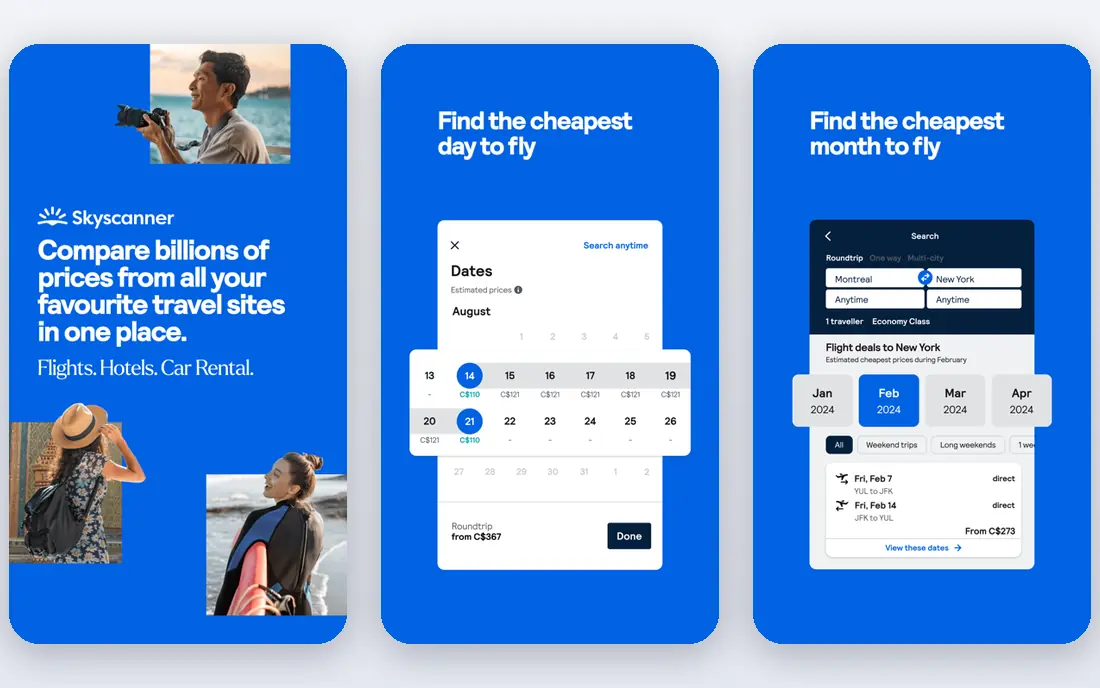
Skyscanner is the safest default for mobile flight search. Type a route, switch to the whole month view to find cheap days, or search Everywhere if the destination is flexible. Results cover full service airlines, low cost carriers and booking sites, so you see a broad fare range in one place.
The catch is that Skyscanner is mainly a search tool. Tapping a fare usually sends you to an airline or booking site to complete the purchase, which means the final terms come from that seller. Check bags, seat selection and change rules before you pay. For finding the fare on your phone, it is still our first pick.
- Compares many airlines and booking sites in one search
- Flexible Everywhere and whole month views
- Price alerts by route
- Booking usually happens with a partner, not Skyscanner itself
- Cheapest fares may exclude bags
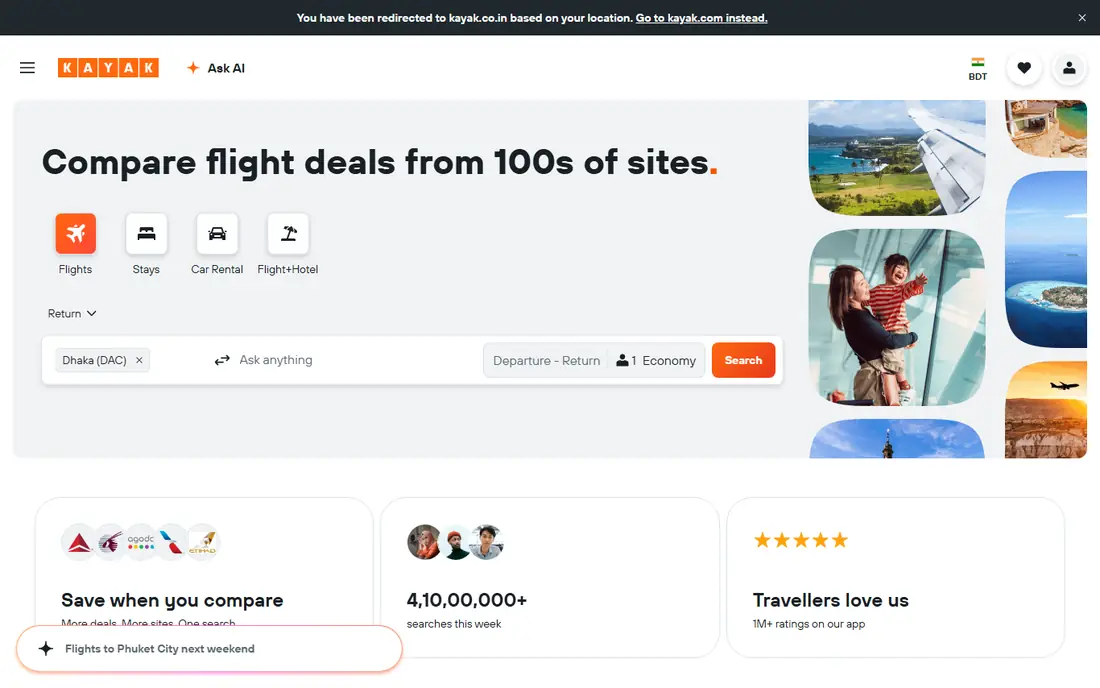
Kayak suits travellers who want control. Filters for departure times, airports, stops and airlines are deeper than most rivals, and Hacker Fares combine outbound and return legs from different airlines to lower the total. The Trips tool pulls bookings into one itinerary view, which helps on multi leg trips.
Mixed fares need care. Two separate tickets mean a missed connection is your problem, not the airline's, and change rules differ by ticket. Read the fare details before you book a Hacker Fare. For complex trips managed from a phone, Kayak is the most capable app here.
- Strong filters for stops, times and airports
- Hacker Fares mix airlines to cut cost
- Trips tool organises bookings
- Mixed airline fares mean separate tickets and separate change rules
- Partner booking terms vary
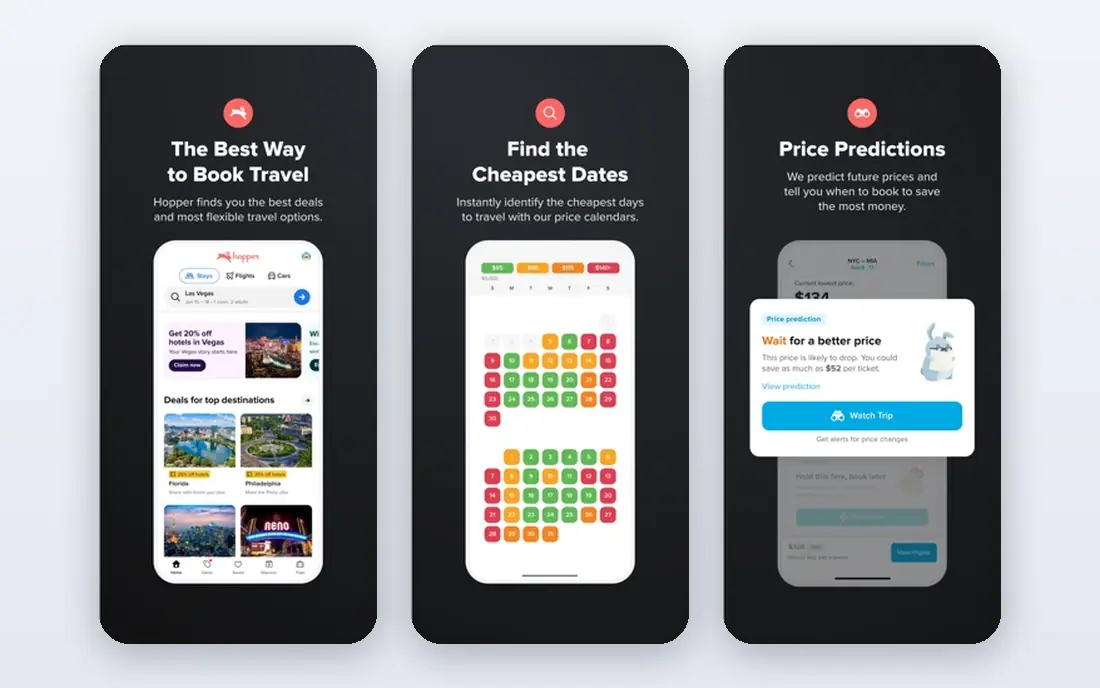
Hopper answers the question every traveller asks: should I book now or wait. Its calendar shows predicted price movement, and alerts tell you when a watched route drops. On some bookings you can freeze a fare while you decide, which is rare and genuinely useful.
Predictions can still be wrong. Fuel prices, schedule cuts and demand spikes move fares in ways no model can guarantee. Use Hopper for timing, then compare the airline direct price before you buy. If timing advice is what you value most, Hopper is the pick.
- Buy now or wait predictions with colour coded calendars
- Price freeze on some bookings
- Push alerts for fare drops
- Predictions are forecasts, not promises
- Booking through Hopper adds a middleman
Momondo, from the same group as Kayak, is the bargain hunter of this list. It searches a wide set of booking sites, including smaller ones that larger apps miss, and its price graphs make cheap days easy to spot. On international routes it often surfaces a lower fare than the headline apps.
That low fare can come from a seller you have never heard of, with slower support if plans change. Check seller reviews and the total price, including bags, before you commit. If the absolute lowest fare is your goal and you are comfortable vetting the seller, Momondo is hard to beat.
- Often finds the lowest fare, especially internationally
- Clear price graphs by day
- Searches smaller booking sites
- Cheapest results may come from lesser known sellers
- Booking terms vary by seller
Kiwi.com finds trips other apps cannot see. By combining airlines that do not codeshare, it builds routes through cities and carriers that would not appear in a standard search. The Nomad tool is useful for multi city trips where the order of stops is flexible.
Self transfer is the risk. If your first flight is late, the second airline owes you nothing, since the tickets are separate. Kiwi offers guarantee options on some bookings, but read what they cover. For adventurous travellers who understand that trade, Kiwi opens routes no one else will show you.
- Finds routes that combine carriers that do not partner
- Virtual interlining opens new connections
- Flexible Nomad multi city tool
- Self transfer connections carry missed connection risk
- Support and refunds can be slower on complex tickets
Expedia earns its place when you need a whole trip, not just a flight. Bundling a flight with a hotel can cut the total, and the app handles both bookings in one place with customer support behind them. Rewards members earn points on eligible bookings.
For a flight alone, Expedia rarely beats Skyscanner or Momondo on price. Compare the bundle total against booking the flight and hotel separately before you assume a saving. If you want one app, one support line and a package price, Expedia is the practical choice.
- Flight plus hotel packages can save money
- Large inventory and customer support
- Rewards programme for members
- Flight only fares are rarely the cheapest
- Bundle savings depend on the hotel chosen
Trip.com is a full travel app with strong international coverage, especially in Asia Pacific. You can book flights, hotels and trains in one place, and support is available around the clock, which matters when a disruption happens in a different time zone.
The app packs in promotions and extra offers, so the interface can feel busy. Fares still need the usual checks on bags and change rules. For travellers who want one app across regions and a support line at any hour, Trip.com is a solid pick.
- Flights, hotels and trains in one app
- 24/7 customer support
- Strong coverage in Asia Pacific
- Fares and fees vary by route and seller
- App can feel busy with promotions
CheapOair focuses on US travellers, with a long record in last minute and domestic bookings. The app shows flexible date options and fare choices, and support is available by phone as well as in the app, which some travellers prefer when plans change quickly.
Service fees can apply on some bookings, so compare the final total, not just the headline fare. Change rules on the cheapest tickets are often strict. If you book US domestic trips at short notice, CheapOair is worth checking alongside Skyscanner and Kayak.
- Strong for last minute US domestic fares
- Phone and app support
- Flexible date and fare options
- Service fees may apply on some bookings
- Cheapest fares may have strict change rules
WayAway adds a cashback angle to flight search. The free app compares fares and sends price alerts, while the paid Plus membership returns a percentage of flight and hotel bookings as cashback. For frequent travellers, that rebate can add up over a year.
Cashback only works if you book through eligible partners and follow the terms, and the Plus fee needs to be weighed against how much you actually travel. If you fly often and already compare fares across apps, WayAway can turn the same booking into a small return.
- Cashback on flight and hotel bookings with a Plus plan
- Fare comparison across sellers
- Price alerts
- Cashback needs a paid Plus membership
- Base app is a search tool rather than a booking agent
How we picked these
We compared official feature pages, app store listings and current booking models for apps live in October 2026, and we favoured apps with broad airline coverage, clear price alerts and a real mobile booking flow. We noted where an app is mainly a search tool and where it sells the ticket itself, since that changes who handles changes and refunds. We did not claim hands-on testing, and fares change constantly, so no price in this article should be treated as a live quote.
How to book flights on mobile without overpaying
Start with two or three apps, not one. Search Skyscanner for breadth, Hopper for timing and Kayak for complex trips, then compare the same route across them. Fares differ by seller and by search history, so check the total price after bags, seat choice and any booking fee, not the first number on screen.
Next, decide where to buy. Booking direct with the airline usually gives faster help during disruption, smoother refunds and full frequent flyer credit. Booking through an app or booking site can save money, especially on bundles or unusual routes, but it adds a middleman when you need to change a flight. If the saving is small, book direct. If the saving is large, check the seller's change and refund terms first.
Finally, use alerts and flexible dates. Set a price alert for your route, search whole month views, and consider nearby airports and a day either side of your preferred date. Small shifts often save more than any app trick. Read the fare rules before you pay, keep the booking reference and airline confirmation separate, and save both in your phone for the airport.
Frequently asked questions
What is the best app for booking flights on mobile?
Skyscanner is our pick for most travellers, since it compares many airlines and booking sites and handles flexible dates well. Hopper is better for timing advice, and Kayak is better for complex trips and trip management.
What are the best mobile apps for booking flights cheaply?
Skyscanner, Momondo and Kayak are the strongest for cheap fares, with Hopper for timing and Kiwi.com for unusual routes. Compare at least two apps for the same route, since each covers different sellers and fares change often.
Is it better to book flights in the app or direct with the airline?
Booking direct with the airline usually gives faster support during delays and cancellations, easier refunds and full frequent flyer credit. Booking through an app can save money on bundles or complex routes, but adds a middleman when you need changes.
Do flight booking apps charge fees?
The apps in this list are free to download, and most earn money from booking partners. Some sellers add service fees, so compare the final total at checkout, including bags and seat choice, rather than the headline fare.
Which app is best for flight price predictions?
Hopper has the strongest buy now or wait predictions and fare freeze options in this list. Kayak also offers price forecasts. Treat any prediction as a forecast, not a promise, since fares can move with fuel prices and schedule changes.
Can I book flights on mobile without an app?
Yes. Google Flights in a mobile browser is a strong research tool for price tracking and flexible date searches, though it has no dedicated app. Use it to research, then book in an app or direct with the airline.
Sources
See where you really rank - block by block
ProMapRanker scans Google Maps across a grid of your service area. Simple monthly plans from $19, white-label on every plan.
Start freeKeep reading
 wpforms alternatives
Best WPForms Alternatives in 2026
We compare 9 wpforms alternatives for WordPress forms, with free and paid options, current pricing notes, and honest limits for small business sites in 2026.
Read → windows task scheduler alternatives
Best Windows Task Scheduler Alternatives in 2026
Looking for Windows Task Scheduler alternatives? We compare 9 schedulers for Windows and cross-platform work, from free tools to enterprise automation.
Read → which ai video service is best
Which AI Video Service Is Best in 2026
which ai video service is best? We compare 10 legitimate AI video services on price, avatars, editing and output quality to help you pick the right tool.
Read →