 ProMapRanker
Best Alternatives to ServiceTitan in 2026

Key takeaways
- Jobber and Housecall Pro publish clear starting prices, while several larger tools still ask you to request a quote.
- Service Fusion stands out for teams that want unlimited users on a flat monthly plan.
- ServiceM8 gives small crews a low entry price, but its mobile experience is strongest on Apple devices.
- The right pick depends less on the feature list and more on how many technicians need logins and how you charge for jobs.
Quick comparison
| Pick | Great for | Pricing starts at | Free tier | |
|---|---|---|---|---|
 Jobber | Quote-led home service businesses | $29 per month | Free trial (14 days) | Visit |
 Housecall Pro | Small crews that need GPS and flat-rate pricing | $59 per month | Free trial (14 days) | Visit |
 Workiz | Teams that live on phone calls and messages | See website | Free trial (7 days) | Visit |
 Service Fusion | Growing teams that want unlimited users | $208 per month | No | Visit |
 FieldEdge | HVAC, plumbing, and electrical shops | See website | No | Visit |
 FieldPulse | Shops that want strong accounting links | See website | No | Visit |
 ServiceM8 | Small crews that want a low entry price | $29 per month | Yes | Visit |
 Tradify | Trades businesses that bill per user | $47 per month | Free trial | Visit |
 simPRO | Larger trade businesses with inventory needs | See website | No | Visit |
The best alternatives to ServiceTitan
These tools cover the same daily work: scheduling, dispatch, estimates, invoicing, and customer records. We compared official pricing pages, feature pages, and public reviews to see where each one fits.
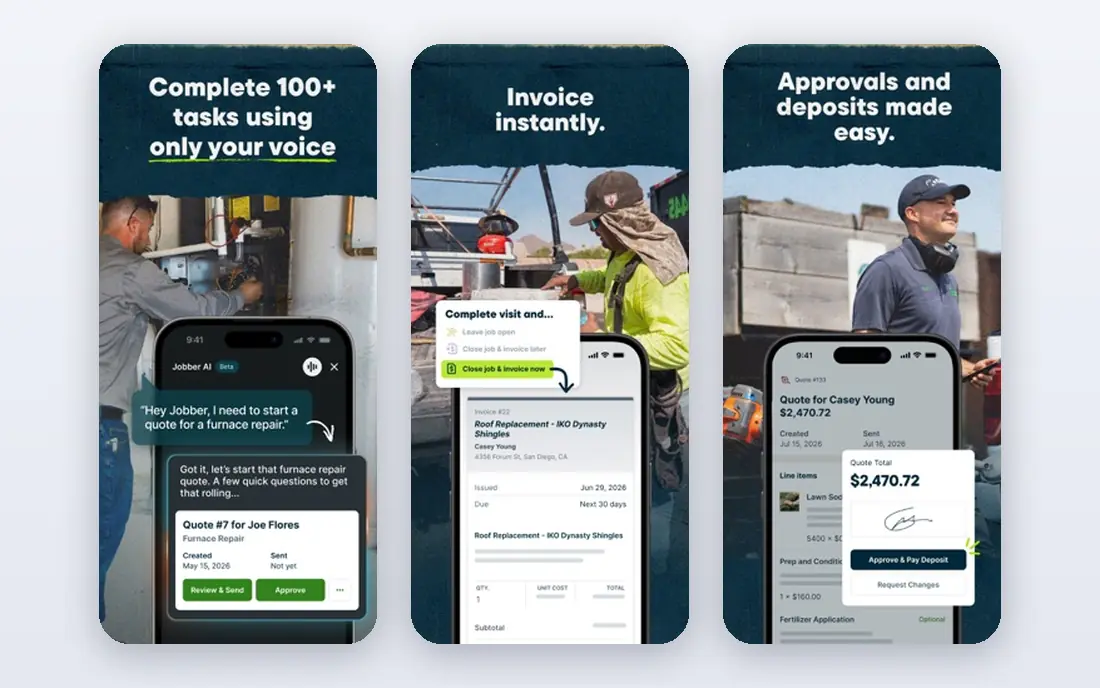
Jobber suits businesses where the quote comes first. You can send a polished estimate, let the customer approve it online, and turn it into a job without retyping the details. The client hub keeps service history, photos, and messages in one place, which helps when a customer calls back months later.
The catch is the per-user model. The entry price covers one user, and each extra user adds to the bill, so a growing crew should price the team size, not just the headline plan. Higher tiers add automations, job costing, and marketing tools, so check which tier holds the feature you actually need before you sign up.
- Clear published pricing
- Strong quoting and client hub
- Good fit for solo operators and small crews
- Most plans are priced per user
- Advanced reporting sits on higher tiers

Housecall Pro is built around the working day of a technician. Scheduling, dispatch, estimates, invoicing, and payments sit in one app, and the Essentials plan adds routes, checklists, GPS tracking, and QuickBooks Online sync. For plumbing, HVAC, electrical, and cleaning crews, that combination covers most daily needs without extra tools.
The basic plan is a solo plan in practice. It has no QuickBooks sync and no extra seats, so most teams land on Essentials or MAX. Card processing and add-ons such as marketing and phone tools are priced separately, so ask for the full monthly total during the trial.
- Published pricing
- Flat-rate price book on higher plans
- GPS tracking and QuickBooks sync on Essentials
- Basic covers only one user
- Extra users on Essentials are costly
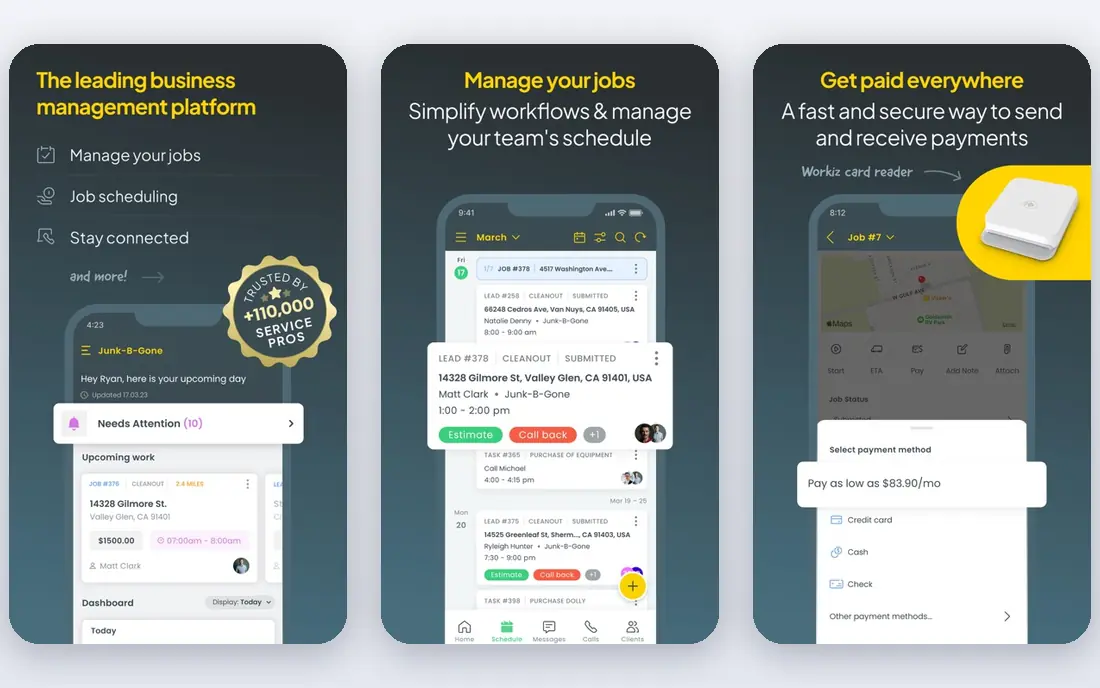
Workiz puts communication at the center. It includes a phone system, messaging, and automation that can follow up on leads and remind customers about appointments. That matters for shops where missed calls turn into lost jobs, and where the office needs to see the whole conversation next to the job record.
The trade-off is pricing clarity. Workiz does not publish a single starting price in the same way Jobber and Housecall Pro do, so you need a quote for your team size. The trial is short at seven days, so line up a few real jobs and test the phone and dispatch flow before it ends.
- Built-in phone system and messaging
- Automation for follow-ups
- Modern interface
- Pricing is quote-based in current listings
- Some advanced tools are add-ons
Service Fusion is the pick to check first when headcount is the problem. Its plans do not charge per user, so adding technicians does not push the subscription up in the same way per-seat tools do. That predictability helps larger crews budget for the year, and the flat price includes scheduling, dispatch, invoicing, and GPS tracking.
The downside is the buying process. There is no free plan, and you will usually start with a demo rather than a self-serve trial. It also links to both QuickBooks Online and Desktop, which is useful for shops that have not moved fully to the cloud version of their accounting software.
- Unlimited users on paid plans
- Flat monthly pricing
- QuickBooks Online and Desktop links
- No free plan
- Demo-led sales process
- Mobile admin tools are less deep
FieldEdge is a trade-focused platform with deep support for flat-rate pricing, service agreements, and equipment records. Technicians can present consistent prices in the field, and the office can track which agreements are due for renewal. For HVAC and plumbing shops, that sales and agreement workflow is often the main reason to choose it.
Pricing is the weak point for comparison shoppers. FieldEdge does not publish list prices, and third-party estimates put it around $100 to $125 per user per month, but that figure is not a vendor quote. Treat any estimate as a starting point only, and get a written quote that covers seats, add-ons, and training.
- Strong flat-rate pricing tools
- Good QuickBooks links
- Built for the trades
- No published pricing
- Demo required
- Implementation costs vary by contract
FieldPulse covers scheduling, estimates, invoicing, and customer communication in one system, with an emphasis on forms and job documentation. Teams that need safety forms, inspection checklists, or custom job paperwork can build those into the workflow rather than handling them on paper. It also connects to several accounting tools, which helps shops that use Xero or MYOB instead of QuickBooks.
The main drawback is that pricing requires a quote, so you cannot compare it line by line without talking to sales. Set aside time for a demo that uses your own job types and forms, because the value of FieldPulse shows up in how well those forms fit your daily work.
- Links to QuickBooks Online, Desktop, Xero, and MYOB
- Custom forms
- Customer messaging
- Pricing is quote-based
- No self-serve free trial in current listings
ServiceM8 is a good first step away from spreadsheets for a small trade business. The entry plan starts at $29 per month, and a free tier covers low job volumes, so a solo operator can test real jobs before paying. Quoting, scheduling, invoicing, and online booking are covered, and customers can book around the clock.
The limits show up as you grow. The iOS app is the strongest mobile experience, while Android support is thinner, and larger businesses may outgrow its inventory and customization options. If your team is mostly on iPhones and your job flow is straightforward, those limits may never matter.
- Low entry price
- Free plan for small job volumes
- Online booking and invoicing
- Best mobile experience is on Apple devices
- Inventory and customization have limits
Tradify is a straightforward job management tool for trades businesses. It handles scheduling, quoting, invoicing, and job tracking without a long list of enterprise features that a small team will never open. The per-user price is published, so you can work out the monthly total for your crew before you start a trial.
That per-user model is also the catch. A team of ten pays far more than a team of two, and the Plus tier is priced on request for larger groups. Tradify fits best when the crew is small and stable, and when simple, reliable job tracking matters more than deep inventory or fleet tools.
- Clear per-user pricing
- Job scheduling and invoicing
- Good fit for small trade teams
- Costs rise with each user
- Higher tiers needed for larger teams
simPRO is the most complete tool on this list for a growing trade business. It covers estimating, scheduling, inventory control, fleet tracking, and asset maintenance in one system, with accounting links to Xero, QuickBooks Online, and NetSuite. That depth helps electrical, HVAC, plumbing, and security businesses that manage stock, vehicles, and recurring maintenance work.
The price of that depth is complexity. Pricing is tailored to team size and add-ons, so you need a quote, and staff will need time to learn the system properly. Smaller shops may find it more than they need, but a business that is already feeling the limits of a simpler tool will get real value from the extra structure.
- Deep estimating, inventory, and fleet tools
- Links to Xero, QuickBooks, and NetSuite
- Asset maintenance planning
- No published starting price
- Learning curve is steep
- Per-seat costs add up
How we picked these
We compared official feature pages, pricing pages, and public reviews for tools that cover scheduling, dispatch, estimates, invoicing, and payments for field service businesses. We kept only tools that are live and sold in October 2026, and we left out tools that only handle one part of the job, such as a standalone scheduling app. Where a vendor does not publish pricing, we wrote See website instead of repeating a third-party estimate as a fact.
What to check before you switch
Start with your crew size and your price book. Per-user tools look cheap for one person and costly for ten, while flat-rate tools like Service Fusion look costly for one person and fair for a team. Write down how many people need a login, including office staff, and price each option for that exact number.
Next, check your accounting link and your payment flow. If you run QuickBooks Desktop, Xero, or MYOB, that alone can narrow the list. Ask each vendor what card processing costs, what the contract term is, and what happens to your job history if you cancel. A short trial with real jobs, real customers, and real invoices will tell you more than a demo with sample data.
Frequently asked questions
What are the best alternatives to ServiceTitan?
Jobber and Housecall Pro are strong starting points for small and mid-size crews because they publish pricing and cover scheduling, estimates, and invoicing. Service Fusion fits larger teams that want unlimited users, while FieldEdge and simPRO fit trade shops that need deeper pricing, inventory, or agreement tools.
Are there free alternatives to ServiceTitan?
ServiceM8 offers a free tier for low job volumes, which is the clearest free starting point on this list. Most other tools offer a free trial instead of a free plan, so plan to test during the trial period and export your data before it ends if you decide not to continue.
Which ServiceTitan alternative is cheapest for a solo operator?
Jobber at $29 per month on annual billing and ServiceM8 at $29 per month are the lowest published starting prices we found. The best value depends on your trade, because a solo operator who needs flat-rate pricing or QuickBooks sync may need a higher tier on either tool.
Which alternative is best for a growing team?
Service Fusion is worth a close look because its plans do not charge per user, so the bill does not rise with every hire. If your team is growing but still small, Housecall Pro Essentials covers up to five users, and Jobber lets you add users one at a time.
Do these tools work with QuickBooks?
Yes, most of them do. Jobber, Housecall Pro, FieldEdge, FieldPulse, Service Fusion, and simPRO all link to QuickBooks in some form, but the exact version matters. Confirm whether your plan covers QuickBooks Online, Desktop, or both before you buy.
Sources
- https://getjobber.com
- https://www.housecallpro.com
- https://www.workiz.com
- https://www.servicefusion.com
- https://www.fieldedge.com
- https://www.fieldpulse.com
- https://www.servicem8.com
- https://www.tradifyhq.com
- https://www.simprogroup.com
- https://fieldservicepro.io/blog/jobber-pricing/
- https://www.anygen.io/showcase/house-call-pro/index.html
- https://contractortoolstack.com/software/service-fusion/
- https://www.itqlick.com/fieldedge/pricing
- https://www.selecthub.com/field-service-software/simpro-vs-servicem8/
See where you really rank - block by block
ProMapRanker scans Google Maps across a grid of your service area. Simple monthly plans from $19, white-label on every plan.
Start freeKeep reading
 wpforms alternatives
Best WPForms Alternatives in 2026
We compare 9 wpforms alternatives for WordPress forms, with free and paid options, current pricing notes, and honest limits for small business sites in 2026.
Read → windows task scheduler alternatives
Best Windows Task Scheduler Alternatives in 2026
Looking for Windows Task Scheduler alternatives? We compare 9 schedulers for Windows and cross-platform work, from free tools to enterprise automation.
Read → which ai video service is best
Which AI Video Service Is Best in 2026
which ai video service is best? We compare 10 legitimate AI video services on price, avatars, editing and output quality to help you pick the right tool.
Read →