 ProMapRanker
Best AI Tools for Making Worksheets in 2026


teachers who want many worksheet and planning tools in one account · Pricing starts at: $8.33 per month billed annually
Key takeaways
- MagicSchool AI suits teachers who want many worksheet, quiz and planning tools under one login.
- Diffit suits classes with mixed reading levels, since the same topic can be offered at several levels.
- Brisk Teaching suits Google Workspace classrooms, since it works inside Docs and Slides.
- Twee suits language teachers, while Canva for Education suits visual, print-ready sheets.
- Every AI draft needs a teacher check for facts, reading level and fit with the class before use.
Quick comparison
| Pick | Great for | Pricing starts at | Free tier | |
|---|---|---|---|---|
| MagicSchool AI | teachers who want many worksheet and planning tools in one account | $8.33 per month billed annually | Yes | Visit |
 Diffit | teachers who need the same material at several reading levels | $14.99 per month | Yes | Visit |
 Eduaide | teachers who want pedagogy detail in the draft | See website | Yes | Visit |
 Brisk Teaching | teachers who plan and mark inside Google Docs and Slides | See website | Yes | Visit |
 Twee | language teachers who need CEFR-aligned practice material | See website | Yes | Visit |
 Curipod | teachers who want live, interactive practice alongside worksheets | See website | Yes | Visit |
 Education Copilot | teachers who need clean, print-ready worksheet documents fast | See website | Yes | Visit |
 Monsha | teachers who want plans, worksheets and quizzes from one prompt set | See website | Yes | Visit |
 Canva for Education | verified K-12 teachers who want visual worksheets and posters | Free | Yes | Visit |
The best AI tools for making worksheets
A good worksheet tool saves a teacher time without handing the learning to the machine. The picks below are framed for teacher-created materials: the teacher sets the topic, level and purpose, checks the output, and then gives students practice that matches the lesson. Students use the finished sheet to practise, not to generate answers for marked work.
MagicSchool AI
Great for: teachers who want many worksheet and planning tools in one account

MagicSchool AI is a strong match for teachers who want many worksheet and planning tools in one account. Breadth is the win, since a teacher can move from a worksheet to a quiz and a rubric without opening a new product. In practice, that helps when a teacher needs a usable sheet for tomorrow, at the right level, without spending the evening building it from scratch.
The catch is worth stating plainly. The large library can feel busy at first, so start with two or three tools and add more only when they save time. Check the plan limits and the export or reporting options before you commit, since those details decide whether the tool fits your workflow. Our view is that MagicSchool AI earns its place for teachers who want many worksheet and planning tools in one account, as long as you buy it for that job and not for every job at once.
- More than 80 teacher tools
- Worksheet, quiz and rubric generators
- Student tools with teacher controls
- Free tier has usage limits
- Output needs teacher checking
For teachers who need the same material at several reading levels, Diffit stands out because differentiation is handled directly, which helps a class with mixed reading levels use the same topic at a fair level. That matters in daily work, since a teacher needs a usable sheet for tomorrow, at the right level, without spending the evening building it from scratch.
There is a trade-off to weigh. It is strongest for reading-based worksheets, so hands-on subjects need other formats too. Look at the current pricing page and test the tool on a real example before paying, since a demo can hide limits that only show up in daily use. For teachers who need the same material at several reading levels, Diffit remains a solid pick when that trade-off is acceptable.
- Leveled passages and questions from a text
- Vocabulary support
- Differentiation focus
- Resource history is limited on the free plan
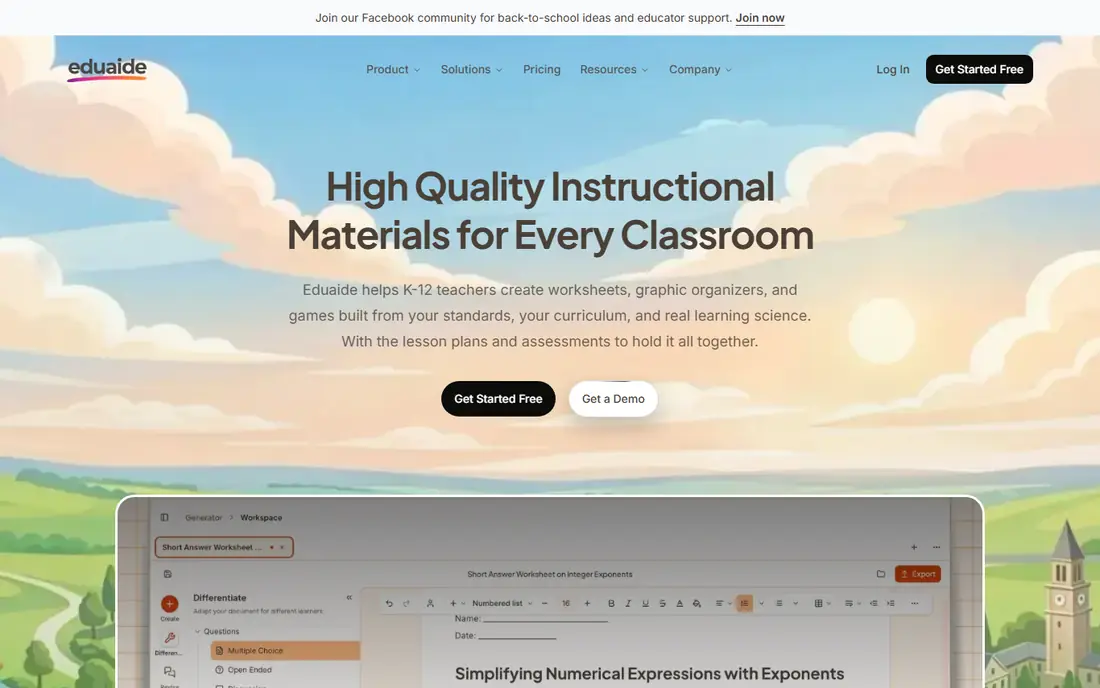
Eduaide fits teachers who want pedagogy detail in the draft well. Drafts carry more teaching structure than a bare outline, which gives a teacher something concrete to edit. The practical effect is clear when a teacher needs a usable sheet for tomorrow, at the right level, without spending the evening building it from scratch.
Be clear-eyed about the limit. Every draft still needs a check for accuracy, reading level and fit with the class. Confirm what the plan includes, try a realistic task, and compare the result with your current tool. For teachers who want pedagogy detail in the draft, Eduaide is worth shortlisting, provided the limit above does not block your main use.
- Many generator types
- Feedback and planning content
- Structured drafts
- Pricing page details change, so confirm before paying
Brisk Teaching
Great for: teachers who plan and mark inside Google Docs and Slides
Brisk Teaching is a strong match for teachers who plan and mark inside Google Docs and Slides. Working inside the document removes the export step, so a worksheet can go from draft to classroom copy quickly. In practice, that helps when a teacher needs a usable sheet for tomorrow, at the right level, without spending the evening building it from scratch.
The catch is worth stating plainly. Teachers outside Google Workspace will get less from it than those already using Docs and Slides. Check the plan limits and the export or reporting options before you commit, since those details decide whether the tool fits your workflow. Our view is that Brisk Teaching earns its place for teachers who plan and mark inside Google Docs and Slides, as long as you buy it for that job and not for every job at once.
- Chrome extension over Google Workspace
- Feedback and worksheet tools in the document
- Works best inside Google Workspace
- School features are quoted
For language teachers who need CEFR-aligned practice material, Twee stands out because for language classes, the subject focus shows in question types and level choices that general tools often miss. That matters in daily work, since a teacher needs a usable sheet for tomorrow, at the right level, without spending the evening building it from scratch.
There is a trade-off to weigh. Other subjects are not its strength, so keep it as a specialist tool rather than a whole-school pick. Look at the current pricing page and test the tool on a real example before paying, since a demo can hide limits that only show up in daily use. For language teachers who need CEFR-aligned practice material, Twee remains a solid pick when that trade-off is acceptable.
- Language teaching focus
- Many languages
- Dialogue and question generators
- Free runs are limited
- Language niche is narrower than general tools
Curipod
Great for: teachers who want live, interactive practice alongside worksheets
Curipod fits teachers who want live, interactive practice alongside worksheets well. Live response adds a check on understanding that a printed worksheet alone cannot give. The practical effect is clear when a teacher needs a usable sheet for tomorrow, at the right level, without spending the evening building it from scratch.
Be clear-eyed about the limit. It suits lessons with devices in the room better than paper-only classes. Confirm what the plan includes, try a realistic task, and compare the result with your current tool. For teachers who want live, interactive practice alongside worksheets, Curipod is worth shortlisting, provided the limit above does not block your main use.
- Interactive lessons with student responses
- Writing practice
- Live feedback
- School and district plans are quoted, not listed
Education Copilot
Great for: teachers who need clean, print-ready worksheet documents fast
Education Copilot is a strong match for teachers who need clean, print-ready worksheet documents fast. When the goal is a tidy printed sheet for tomorrow, a simple tool beats a large platform with many unused features. In practice, that helps when a teacher needs a usable sheet for tomorrow, at the right level, without spending the evening building it from scratch.
The catch is worth stating plainly. Teachers who want deep differentiation may need a second tool for leveled reading. Check the plan limits and the export or reporting options before you commit, since those details decide whether the tool fits your workflow. Our view is that Education Copilot earns its place for teachers who need clean, print-ready worksheet documents fast, as long as you buy it for that job and not for every job at once.
- Print-ready handouts
- Lesson and rubric templates
- Simple workflow
- Template range is narrower than the largest toolkits
Monsha
Great for: teachers who want plans, worksheets and quizzes from one prompt set
For teachers who want plans, worksheets and quizzes from one prompt set, Monsha stands out because keeping plan, worksheet and quiz in one flow helps the practice match what was actually taught. That matters in daily work, since a teacher needs a usable sheet for tomorrow, at the right level, without spending the evening building it from scratch.
There is a trade-off to weigh. Check output closely, since a linked set can carry the same error from the plan into the worksheet. Look at the current pricing page and test the tool on a real example before paying, since a demo can hide limits that only show up in daily use. For teachers who want plans, worksheets and quizzes from one prompt set, Monsha remains a solid pick when that trade-off is acceptable.
- Plans, worksheets and quizzes in one flow
- Classroom-ready formats
- Newer and smaller than the biggest teacher platforms
Canva for Education
Great for: verified K-12 teachers who want visual worksheets and posters
Canva for Education fits verified K-12 teachers who want visual worksheets and posters well. Design quality is the draw, since a clear layout helps younger learners follow instructions without extra explanation. The practical effect is clear when a teacher needs a usable sheet for tomorrow, at the right level, without spending the evening building it from scratch.
Be clear-eyed about the limit. Teachers outside verified K-12 eligibility will use the standard Canva plans instead. Confirm what the plan includes, try a realistic task, and compare the result with your current tool. For verified K-12 teachers who want visual worksheets and posters, Canva for Education is worth shortlisting, provided the limit above does not block your main use.
- Free for verified K-12 teachers
- Strong design templates
- Easy printing and sharing
- AI worksheet generation is less specialised than dedicated teacher tools
How we picked these
We compared official product and pricing pages for teacher-focused AI tools that can generate worksheets and related practice material. We favoured tools built for educators, with teacher controls and classroom use in mind, and we left out general chat tools that are not framed for teacher-created classroom material. Prices were taken from vendor pages or marked See website where they were not clearly listed.
How to pick a worksheet tool for your classroom
Start from the lesson, not the generator
Decide what students should practise, at what level, and in what format. A reading worksheet, a maths practice sheet and a language dialogue need different tools. A general generator can fill a gap, but a specialist tool often gives a better first draft.
Check every draft before it reaches students
AI tools can invent facts, set the wrong reading level or include confusing wording. Read the sheet as a student would, check answers, and adjust instructions. Keep the teacher as the author of record, even when AI drafted the first version.
Think about printing, devices and privacy
Some classes need paper, some use devices, and some mix both. Check export, print quality and student data handling before a school-wide choice. A tool that needs student accounts adds a privacy step that a printable sheet avoids.
Frequently asked questions
Can AI make a worksheet from my lesson topic?
Yes, most of these tools take a topic, grade level and format, then draft questions and activities. The draft is a starting point. A teacher should edit it for accuracy, level and classroom fit before printing or sharing.
How do I handle different reading levels in one class?
Diffit and similar differentiation tools can produce the same passage at several levels. Pair the leveled text with shared questions so the class can discuss the same topic, even when reading support differs.
Should students use these tools to complete homework?
These picks are framed for teacher-created materials. Students should practise on sheets their teacher prepared and checked. Using a generator to produce answers for marked work undermines the practice the work is meant to give.
Are these tools free for teachers?
Many offer a free tier, and Canva for Education is free for verified K-12 teachers. Paid tiers usually remove usage limits or add school controls. Check the current plan page, since free limits change.
What should I check in an AI worksheet?
Check facts, answer keys, reading level, instructions and cultural fit. Look for questions that are unclear, too easy or too hard, and for any content that does not match your curriculum. Fix those points before the sheet reaches students.
Sources
See where you really rank - block by block
ProMapRanker scans Google Maps across a grid of your service area. Simple monthly plans from $19, white-label on every plan.
Start freeKeep reading
 wpforms alternatives
Best WPForms Alternatives in 2026
We compare 9 wpforms alternatives for WordPress forms, with free and paid options, current pricing notes, and honest limits for small business sites in 2026.
Read → windows task scheduler alternatives
Best Windows Task Scheduler Alternatives in 2026
Looking for Windows Task Scheduler alternatives? We compare 9 schedulers for Windows and cross-platform work, from free tools to enterprise automation.
Read → which ai video service is best
Which AI Video Service Is Best in 2026
which ai video service is best? We compare 10 legitimate AI video services on price, avatars, editing and output quality to help you pick the right tool.
Read →