 ProMapRanker
AI Portrait Retouching Software: 6 Options Compared in 2026

Flat fee retouching with culling and editing · Pricing starts at: $20 a month (billed yearly)
Direct answer
If you need flat fee retouching with culling and editing, Aftershoot is the first tool to look at here. Listed starting prices: Aftershoot from $20 a month, PortraitPro from $79.95 one-time and Retouch4me from $124 per plugin (one-time). PortraitPro is better for slider control for faces and skin, and Retouch4me is better for Photoshop portrait retouching. The full list of 6 tools follows, with prices and free plan facts.
Choosing AI portrait retouching software usually comes down to price, fit and limits. This ProMapRanker guide sets 6 tools side by side on those three points, with the facts kept short and checkable.
Key takeaways
- Aftershoot takes the first slot, best suited to flat fee retouching with culling and editing.
- One limit worth knowing about PortraitPro: RAW and DNG support is held back for Studio and Studio Max.
- For the cheapest start, look at Aftershoot: $20 per month.
- 2 of 6 tools offer a free plan: PortraitPro, Retouch4me.
Quick comparison
| Pick | Great for | Pricing starts at | Free tier | |
|---|---|---|---|---|
| Aftershoot | Flat fee retouching with culling and editing | $20 a month (billed yearly) | Free trial (30 days) | Visit |
 PortraitPro | Slider control for faces and skin | $79.95 one-time | Yes | Visit |
 Retouch4me | Photoshop portrait retouching | $124 per plugin (one-time) | Yes | Visit |
 Luminar Neo | One-time desktop editing with portrait tools | $99 one-time (Desktop Only) | Free trial (14 days) | Visit |
 Topaz Photo | Face recovery, denoise and sharpening | $199 per year | No | Visit |
 Evoto AI | High volume portrait exports | $89 per year (800 credits) | Free trial (7 days) | Visit |
6 options for AI portrait retouching software in detail
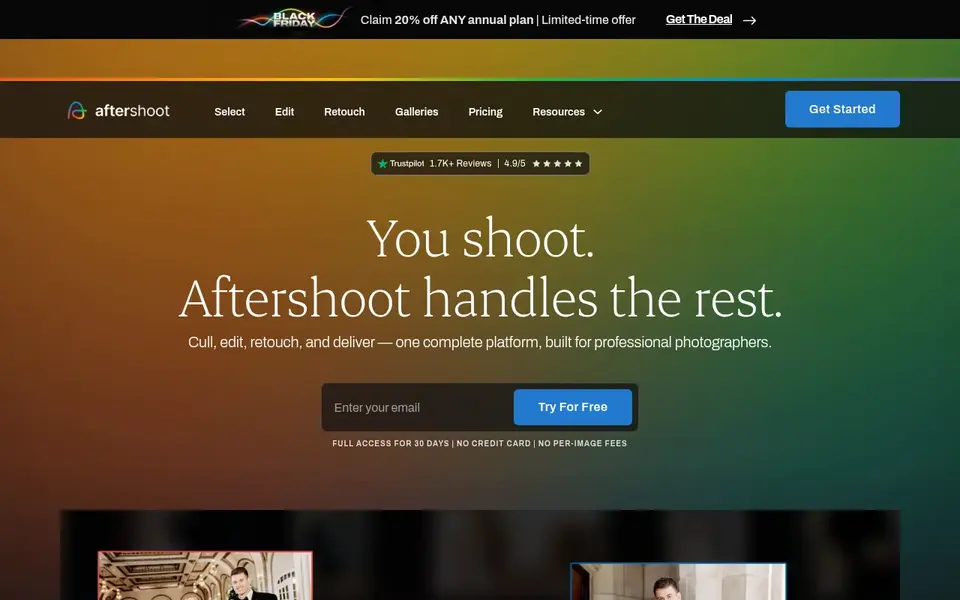
In short, Aftershoot is for flat fee retouching with culling and editing. One limit: Retouch on its own is a single module.
Trade-offs to know: above the Retouch price.
Highlights: every plan starts with a 30-day free trial.
So a photographer who also needs culling and editing will spend $45 a month for Complete, not $20. Worth adding: retouch costs $20 a month on annual billing or $25 a month on monthly billing. Price to start with Aftershoot: $20 per month. Free access: Free trial (30 days).
- Flat fee with unlimited images on every plan
- Retouch contains blemish
- Retouch alone does not include culling or editing
PortraitPro is a good fit for slider control for faces and skin. PortraitPro finds the face and its features on its own, then hands control back to the photographer with sliders for skin smoothing, blemish removal, One limit: the Standard edition does not bundle RAW support or the Photoshop plugin, so a RAW shooter must spend a minimum of $119.95 for Studio.
Points against: completely automatic batch processing is a Studio Max feature only.
The starting price for PortraitPro: $79.95 one-time. PortraitPro includes a free tier.
- Free trial available
- One-time license with no monthly bill
- RAW and DNG support is held back for Studio and Studio Max
Retouch4me targets Photoshop portrait retouching. Heal lists at $124, Skin Tone lists at $124, White Teeth lists at $124, and Dodge and Burn lists at $149, as one-time purchases. More specifically, in the cloud, 1 photo costs 1 credit, no matter how numerous plugins are applied.
More specifically, the cloud app Arams can be downloaded at no cost. A new account gets a Trial Pack with 20 retouching credits. The starting price for Retouch4me: $124 per plugin. Free access exists with Retouch4me.
Highlights: Single purpose tools for skin; free plugins for Frequency Separation and Color Match.
Where it falls short: above the $124 entry price; Dodge and Burn lists at $149.
- Works as a plugin or standalone app
- Eyes and tone
- Each plugin is sold on its own, so a full set costs more

Luminar Neo is a good fit for one-time desktop editing with portrait tools. Luminar Neo, now sold just as Luminar, is a desktop editor for Mac and Windows with Face AI, Skin AI, sky replacement, relighting and object removal. The key limit is time, not features.
Beyond that, the Desktop Only license lists at $99 one-time. On top of that, after that period, a Luminar Prime renewal is needed to restore access to those tools, whereas the core app keeps working. On cost, Luminar Neo starts like this: $99 one-time. Trial and free access: Free trial (14 days).
Watch-outs: above the Desktop Only price; All Platforms costs $139 one-time.
Reasons to shortlist it: works as a plugin for Photoshop and Lightroom.
- Face AI and Skin AI tools for portraits
- One-time license with no monthly bill for the core app
- AI tools are included for 365 days only
Topaz Photo serves face recovery, denoise and sharpening. The older one-time purchase model for Photo AI is no longer the featured option on the Topaz pricing page.
Where it is weaker: Personal use is restricted to organisations under $1M in annual revenue, with Pro needed above that line.
The current lineup is sold by subscript On cost, Topaz Photo starts like this: $199 per year. There is no free plan with Topaz Photo.
Where Topaz Photo stands out: unlimited local rendering.
- Sharpen and Upscale in one app
- Lightroom Classic and Capture One
- No permanent free plan
Evoto AI is designed for high volume portrait exports. Evoto AI uses credits, and most features cost 1 credit per exported image. A new account gets 50 free welcome credits and one 7-day free trial per account.
More specifically, the Starter plan lists at $89 a year for 800 credits. In practice, entry-level lists at $149 a year for 1,600 credits, Basic Plus lists at $269 a year for 3,600 credits, Standard lists at $579 a year for 9,000 credits, and Standard Plus lists at $1,339 a year for 24,000 credits. From a buyer's view, entry-level color adjustments, cropping and file management are credit free. What you pay to start with Evoto AI: $89 per year. Free options: Free trial (7 days).
Honest limits: the Starter plan supports only 2 devices.
- Most exports cost 1 credit per photo
- 50 free welcome credits to test premium features
- Advanced AI tools can cost more than 1 credit per export
What went into this list
Selection started from tools commonly considered for AI portrait retouching software, then narrowed to 6 that have clear pricing information or a clear quote process. Prices and plan limits come from vendor pages and can change, so confirm them on the vendor site before you buy. Tools are placed by general fit for AI portrait retouching software, with price clarity and free access as tie-breakers. A different team can reasonably rank them differently.
What to confirm before you sign up
- Prices are a starting point; Aftershoot shows $20 per month to start, so verify what your seat count would cost.
- Look at free plan limits closely: PortraitPro and Retouch4me have one, and the caps decide whether it is usable for real work.
- Run a trial of Aftershoot, Luminar Neo and Evoto AI with real work before paying for a year; your own workflow is the best test.
- Read the limits listed for Aftershoot first: retouch alone does not contain culling or editing.
- Before rolling out Luminar Neo, verify the integrations your workflow depends on.
- Pick one real project and run it in Topaz Photo first; a small pilot shows fit faster than a checklist.
Frequently asked questions
Is Aftershoot the right pick for everyone comparing AI portrait retouching software?
No single tool suits every team. Aftershoot comes first because it fits flat fee retouching with culling and editing, while PortraitPro suits slider control for faces and skin and Retouch4me suits Photoshop portrait retouching. Match the tool to your own size, budget and workflow before deciding.
What is the best ai portrait retouching software for most photographers?
For most readers this guide would start with Aftershoot, built for flat fee retouching with culling and editing. PortraitPro is the alternative for slider control for faces and skin, and Retouch4me for Photoshop portrait retouching. The right answer depends on budget and workflow.
Which options for AI portrait retouching software have a free plan?
On this list, PortraitPro and Retouch4me include a free plan. Caps on seats, usage or features are common, so test the free plan against your real workload. Several others offer a trial instead.
What is the cheapest option for AI portrait retouching software in this list?
On published monthly entry prices, Aftershoot is the lowest here at $20 per month. Entry price is only part of the cost, because seats, add-ons and billing terms can change the total.
How are the tools for AI portrait retouching software ordered?
Aftershoot sits first and Evoto AI last because the order follows typical fit for AI portrait retouching software, then price clarity and free access. It is a judgement call, so read each profile for fit and limits.
Sources
See where you really rank - block by block
ProMapRanker scans Google Maps across a grid of your service area. Simple monthly plans from $19, white-label on every plan.
Start freeBrowse all guides
← Best AI Inference Platforms for Enterprise (2026)Best AI RFP Response Automation Software in 2026 →
 best ai gateways software
Best AI Gateways Software (2026)
Compare 6 picks for the best AI gateways software, with prices, free plans and who each fits. Trade-offs are spelled out for each entry. Reviewed this month.
Read → best ai avatar generator app
AI Avatar Generator app: 5 Options Compared in 2026
Best AI avatar generator app: 5 contenders ranked by fit, with entry costs and free tiers. The weak spots sit next to the strengths. Built for quick decisions.
Read → aragon ai alternatives
5 Aragon AI Alternatives Compared (2026)
Compare 5 picks for Aragon AI alternatives, with prices, free plans and who each fits. Price notes and drawbacks come with each one. Updated for 2026.
Read → best ai grading app
Best AI Grading App in 2026: 8 Apps Compared
Compare the best AI grading app options for teachers with our detailed 2026 guide to eight AI grading tools for essays and feedback for 2026 readers today.
Read → best ai chat apps with no filter
Best AI Chat Apps With No Filter in 2026
Compare the best AI chat apps with no filter claims, focusing on legitimate general chat and roleplay apps with safety, privacy, and moderation practices.
Read → best uncensored ai alternatives to grok
Best Uncensored AI Alternatives to Grok in 2026
Compare uncensored AI alternatives to Grok, with legitimate general-purpose chat tools, open models, privacy options, local running, and responsible use notes.
Read →More in AI Tools · All guides A to Z by date · Latest guides