 ProMapRanker
Best AI Platform for Worksheet Creation in 2026


Teachers who want one toolkit for many prep tasks · Pricing starts at: $8.33 per month billed annually
Key takeaways
- MagicSchool gives teachers the widest single toolkit, with a free plan for educators and a paid plan from $8.33 per month billed annually.
- Diffit stands out for reading passages at several levels from one source text, which helps mixed-ability classes.
- Every worksheet in this list still needs a teacher check for facts, reading level, and fit with the class before it is handed out.
- Free plans are useful for trying a tool, but generation limits and export limits are the usual reason to upgrade.
Quick comparison
| Pick | Great for | Pricing starts at | Free tier | |
|---|---|---|---|---|
| MagicSchool AI | Teachers who want one toolkit for many prep tasks | $8.33 per month billed annually | Yes | Visit |
 Diffit | Teachers who need one text at several reading levels | $14.99 per month | Yes | Visit |
 Education Copilot | Teachers who want worksheets, plans, and rubrics in one affordable toolkit | $9 per month | Yes | Visit |
 QuestionWell | Teachers who turn readings and videos into question sets | See website | Yes | Visit |
 Wayground | Teachers who want AI generation plus a large library of ready activities | See website | Yes | Visit |
 Brisk Teaching | Teachers who work inside Google Docs and Slides | See website | Yes | Visit |
 Eduaide | Teachers who want pedagogy details in the draft | See website | Yes | Visit |
 Canva for Education | Teachers who want visual, print-ready worksheet design | Free for verified K-12 teachers | Yes | Visit |
The best AI platforms for worksheet creation
We compared teacher tools that turn a topic, a reading, or a set of standards into a worksheet a class can actually use. The focus here is legitimate teaching help: materials a teacher creates, checks, and assigns for learning, practice, and review. We left out tools framed around doing student work for them.

MagicSchool AI is the broadest option in this list, and that breadth is the point. A teacher can draft a worksheet, then build a rubric and a short quiz around the same topic without opening a different product for each step. The worksheet tools cover question types, reading levels, and topic prompts, so a first draft can be ready in minutes rather than after a long evening of formatting.
The catch is editing, not generation. The first draft is a starting point, and a teacher still needs to check facts, remove questions that do not fit the lesson, and adjust the reading level for the group in front of them. For teachers who already use the platform for lesson plans, keeping worksheets in the same account saves the most time. For a teacher who only needs worksheets, a narrower tool may feel simpler.
- More than 80 teacher tools in one account
- Worksheet, rubric, and quiz tools sit together
- Exports to common document formats on paid plans
- The size of the library can feel busy at first
- Free plan has generation limits
Diffit is built around a problem many teachers face every week: one class, several reading levels, and one lesson to teach. A teacher supplies a topic, a passage, or a link, and Diffit produces reading material at different levels with questions and vocabulary to go with it. That makes it a strong pick for mixed-ability classes and for learners who need the same ideas in simpler language.
Its limits show up outside reading work. A teacher looking for heavy maths practice or science lab sheets may find the reading focus less useful, and the free plan keeps a shorter history than the paid plan. Still, for English and reading practice, the combination of leveled text plus ready questions is hard to beat, and the print output is clean enough for classroom use.
- Passages adapted to several grade levels
- Comprehension questions and vocabulary included
- Accepts text, links, and files as source material
- Strongest for reading and language arts
- Some exports sit behind the paid plan
Education Copilot
Great for: Teachers who want worksheets, plans, and rubrics in one affordable toolkit
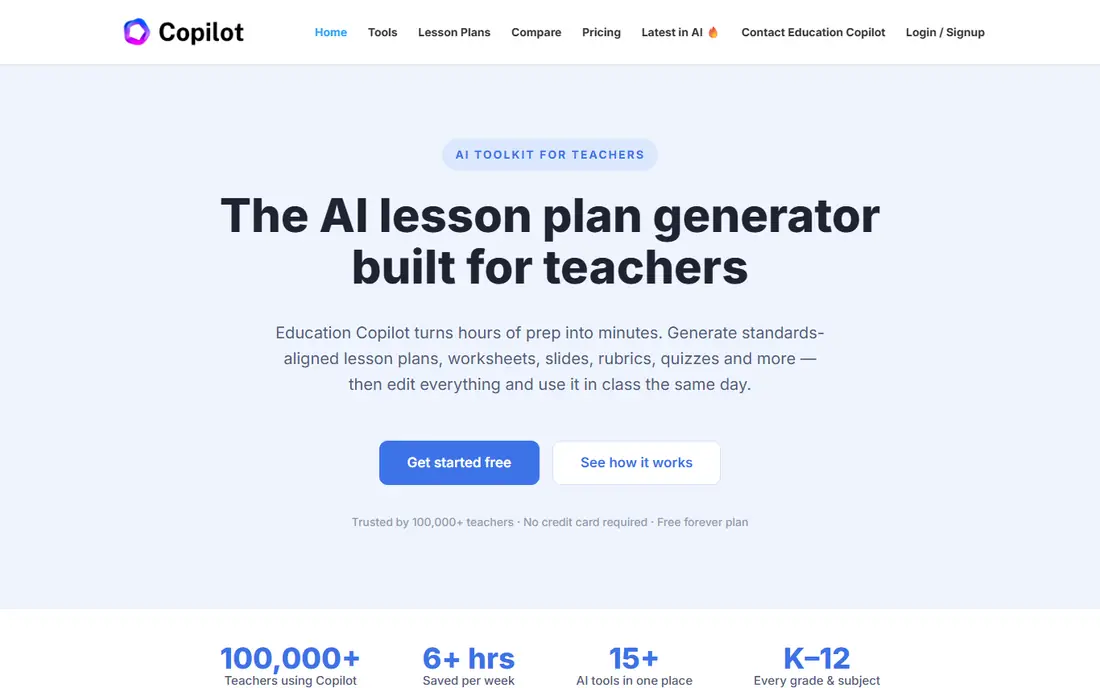
Education Copilot takes a simpler approach: a small set of teacher tools that do the common jobs well, at a price that is easy to explain to a department budget. Worksheets, lesson plans, and rubrics sit in one account, and the output is designed to be printed or copied into a document without much cleanup. For a teacher who wants a tidy toolkit rather than a huge library, that focus is a strength.
The trade-off is depth. It does not try to match the largest platforms tool for tool, and teachers who want interactive student activities or detailed analytics will need another product alongside it. Where it wins is speed and price: a teacher can test the free plan, see whether the worksheet style fits their class, and upgrade only if the volume of work justifies it.
- Free forever plan for trying the tools
- Worksheet, lesson plan, and rubric tools in one place
- Straightforward document output
- Smaller tool library than the largest platforms
- Paid features needed for heavier use
QuestionWell
Great for: Teachers who turn readings and videos into question sets
QuestionWell starts from material a teacher already trusts, such as a reading passage, a video transcript, or a web page, and turns it into a set of questions. That is a useful shortcut for checks for understanding, exit tickets, and short practice sheets, because the questions stay tied to the source rather than drifting into a generic topic. Teachers can then pick the questions that fit and drop the rest.
It is not a full worksheet design studio, so teachers who want polished layouts, varied activity types, and answer keys in one pass may need to finish the sheet in a document editor. Used for what it is, though, it saves real time on the part of worksheet creation that is most repetitive: writing ten solid questions about a text the class has just read.
- Turns a reading, video, or website into questions
- Supports several question types
- Useful for quick checks for understanding
- Focused on questions rather than full worksheet design
- Output still needs a teacher review
Wayground
Great for: Teachers who want AI generation plus a large library of ready activities
Wayground, formerly known as Quizizz, combines two things teachers often need at once: a large library of activities made by other educators, and AI tools for creating new material. A teacher who is short on time can start from a ready activity, adapt it, and add their own questions, rather than building every sheet from a blank page. That library is the main reason to look at it first.
The worksheet angle here is practical rather than fancy. The platform is strongest when the goal is practice, review, and quick feedback, and less suited to a teacher who wants a highly designed printable sheet with a specific layout. For classroom use, though, the combination of ready material and AI drafting covers a lot of weekly prep, and the free teacher plan keeps the cost barrier low.
- Large library of ready-made activities
- AI generation for new material
- Free for teachers
- Works for class practice and review
- Worksheets are one part of a wider platform
- Some features depend on school or district plans
Brisk Teaching meets teachers where much of their work already happens: inside Google Docs, Slides, and the browser. Through its extension, a teacher can turn an article or video into teaching material, adjust reading level, and create questions without copying text between tools. For schools that run on Google Workspace, that placement removes a whole step from prep.
The obvious limit is fit. A school that does not use Google tools will get less from it, and the free educator plan does not open every feature. Teachers who do work in Google Docs will find the workflow natural, though, and the ability to generate material from a page already open in the browser is genuinely handy during lesson planning.
- Works inside Google Docs and Slides through a browser extension
- Free plan for educators
- Turns articles and videos into materials
- Best value depends on a Google-based workflow
- Paid plan needed for full feature access
Eduaide appeals to teachers who care about how a worksheet is structured, not just what it contains. Its tools reference teaching frameworks and differentiation options, so a draft can include varied question types and levels rather than a flat list of similar items. Export options to Google Docs, Forms, Word, and PDF make it easy to take the draft into the format a school already uses.
New users may need a session or two to learn where everything sits, since the tool set is wider than a single-purpose generator. Once that is done, the payoff is a worksheet that needs less restructuring before class. Teachers in schools with strict requirements around lesson structure will likely value that extra care more than teachers who just need a quick practice sheet.
- Tools built around teaching frameworks and differentiation
- Exports to Google Docs, Forms, Word, and PDF
- Free tier available
- Interface has a learning curve for new users
- Some exports and features sit behind paid plans
Canva for Education
Great for: Teachers who want visual, print-ready worksheet design
Canva for Education is the design-first pick in this list. Teachers get a huge template library and simple design tools, so a worksheet can look polished, with clear headings, images, and space for answers, without design training. For verified K-12 teachers, the education plan is free, which makes it an easy addition to a classroom toolkit even if another tool generates the first draft.
It is not a dedicated worksheet generator in the same way as the specialist tools here, so teachers should expect to write or paste questions themselves and use AI features as a helper rather than the whole workflow. The strength is presentation: when a sheet needs to be clear, attractive, and easy to print for a whole class, Canva for Education is hard to beat.
- Free for verified K-12 teachers and students
- Strong visual design and templates
- Easy printing and sharing
- AI features are part of a design platform, not a dedicated worksheet generator
- Verification required for the education plan
How we picked these
We compared official feature pages, pricing pages, and education plans, and we checked that each product is aimed at teacher-created classroom material. We favoured tools with clear free plans, answer keys or question variety, differentiation options, and clean print or document output. We did not count tools whose main pitch was completing student assignments, since that is not legitimate teaching help.
Choosing a worksheet tool without wasting the free trial
Start with the kind of sheet you make most often. If most of your sheets are reading practice, a differentiation tool such as Diffit will matter more than a huge library. If you make a bit of everything, a broad toolkit such as MagicSchool or Education Copilot will cover more weeks. Try the free plan with a real lesson, not a test topic, and check three things: whether the questions match your source, whether the reading level fits your class, and whether the print output looks right on paper.
Check the answer key and the edit step before you commit. A tool that gives a clear answer key saves marking time, and a tool that exports cleanly to Docs or Word saves reformatting time. Also check your school rules on student data and AI use, since some tools are designed to avoid collecting student data while others are built for student accounts. Pick the option that fits your school policy, then keep the teacher review step in every workflow, because no generator knows your class as well as you do.
Frequently asked questions
What is the best ai platform for worksheet creation for a new teacher?
MagicSchool is a safe starting point because its free teacher plan covers worksheets plus plans and rubrics, so one account handles most prep. If reading differentiation is the main need, Diffit is the stronger specialist pick. Try both free plans with a real lesson before paying.
Are there good best ai tools for worksheet creation reviews for free options?
Yes. MagicSchool, Diffit, Education Copilot, QuestionWell, Brisk Teaching, and Eduaide all offer a free plan or free tier for teachers, and Canva for Education is free for verified K-12 teachers. Free plans usually limit generations or exports, so check those limits against how many sheets you make each week.
Can these tools make worksheets at different reading levels?
Diffit and Eduaide are the strongest here, since differentiation is central to their design. MagicSchool and Brisk Teaching also offer level controls. Always read the output yourself, because an assigned level label is not a guarantee that every question fits every learner in the group.
Do these platforms replace lesson planning?
No. They draft material quickly, but the teacher still chooses the topic, checks facts, sets the level, and decides what the class actually needs. The best use is faster first drafts and more time for teaching, feedback, and follow-up with students.
How should teachers check AI-generated worksheets before class?
Read every question and answer, check facts against a trusted source, remove items that do not match the lesson, and adjust language for your class. Keep student data out of prompts where possible, and follow your school policy on AI tools and privacy.
Sources
See where you really rank - block by block
ProMapRanker scans Google Maps across a grid of your service area. Simple monthly plans from $19, white-label on every plan.
Start freeKeep reading
 wpforms alternatives
Best WPForms Alternatives in 2026
We compare 9 wpforms alternatives for WordPress forms, with free and paid options, current pricing notes, and honest limits for small business sites in 2026.
Read → windows task scheduler alternatives
Best Windows Task Scheduler Alternatives in 2026
Looking for Windows Task Scheduler alternatives? We compare 9 schedulers for Windows and cross-platform work, from free tools to enterprise automation.
Read → which ai video service is best
Which AI Video Service Is Best in 2026
which ai video service is best? We compare 10 legitimate AI video services on price, avatars, editing and output quality to help you pick the right tool.
Read →