 ProMapRanker
Best AI Landscape Design Software in 2026

Photorealistic concepts with plant lists · Pricing starts at: See website
Key takeaways
- Photo-to-design tools give the fastest first view of a yard, while planning tools give more control over measurements and plant lists.
- Free options exist, but they often limit designs per day, resolution, or plant details, so check the free tier before starting a project.
- Plant choices should match your climate and hardiness zone, and AI suggestions still need a check against local nurseries.
- Yardzen suits people who want human design help, while Gardenly and Neighborbrite suit people who want fast AI concepts.
- AI concepts are a starting point, not a construction plan, so confirm drainage, utilities, and local rules before building.
Quick comparison
| Pick | Great for | Pricing starts at | Free tier | |
|---|---|---|---|---|
| Gardenly | Photorealistic concepts with plant lists | See website | Free trial | Visit |
 Neighborbrite | Free AI redesigns | Free | Yes | Visit |
 Remodel AI | Quick photo redesigns | See website | Free trial | Visit |
 iScape | AR placement at real scale | Free | Yes | Visit |
 Planner 5D | Drawn 2D and 3D plans | Free | Yes | Visit |
 DreamzAR | AR previews on your phone | Free | Yes | Visit |
 OutdoorBrite | Realistic photo concepts | See website | No | Visit |
 Yardzen | Human designer plus AI tools | See website | No | Visit |
 FlorAI | Daily free AI designs on mobile | Free | Yes | Visit |
The best ai landscape design software
We compared official feature pages, pricing pages, and app store listings for AI garden and yard design tools live in October 2026. The list covers photo redesign, AR placement, drawn planning, and designer-led services.
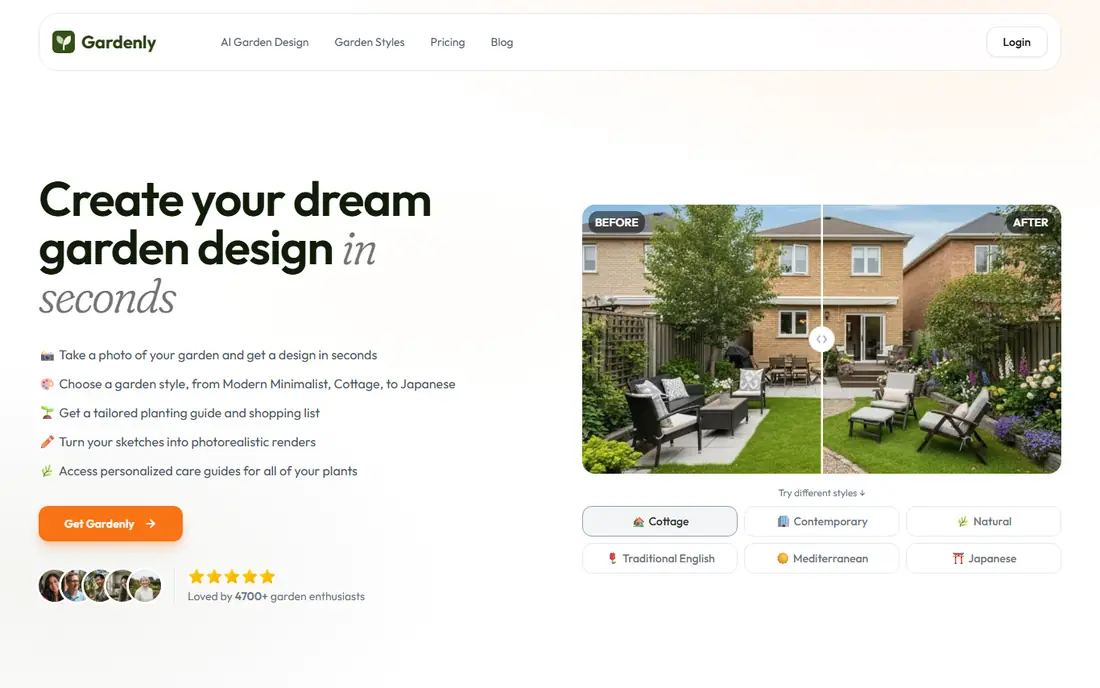
Gardenly turns a photo of your yard into a redesigned view, with plant suggestions filtered to your hardiness zone. That combination is useful because a pretty concept is only helpful if the plants can grow where you live. You can compare several concepts for the same space, then take a plant list to a nursery for availability and pricing.
The main limit is that an AI render is not a planting plan. Soil, sun, drainage, and mature plant size still need checking, and some suggested plants may be hard to find locally. Gardenly suits homeowners who want a realistic first view and a species-level starting list, with a willingness to verify details before planting.
- Photorealistic redesigns from a yard photo
- Plant lists filtered by zone
- Multiple concepts per photo
- Paid plans needed for full use
- AI plant lists still need local checking
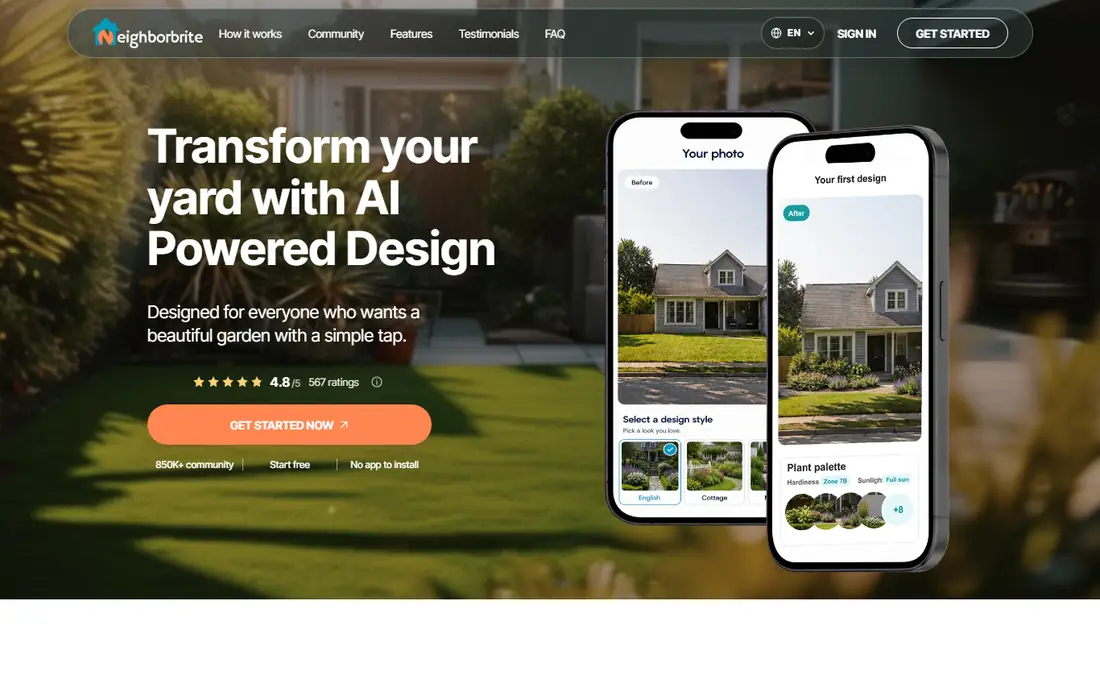
Neighborbrite is the best starting point when your budget is zero. It generates basic AI redesigns from a yard photo without requiring a card for basic use, which lets you test styles and layouts before spending money. That freedom helps when you are still deciding between a patio, more planting, or a simpler lawn.
Free designs are basic by design, so do not expect a full plant list or a measured plan from the free tier. Neighborbrite suits early exploration: gather ideas, share concepts with family, and then move to a paid tool or a designer when you are ready to build. For a first look at a yard, it is hard to beat for value.
- Free basic redesigns
- No card needed for basic use
- Fast photo concepts
- Basic tier lacks detailed plant lists
- Paid features needed for deeper plans
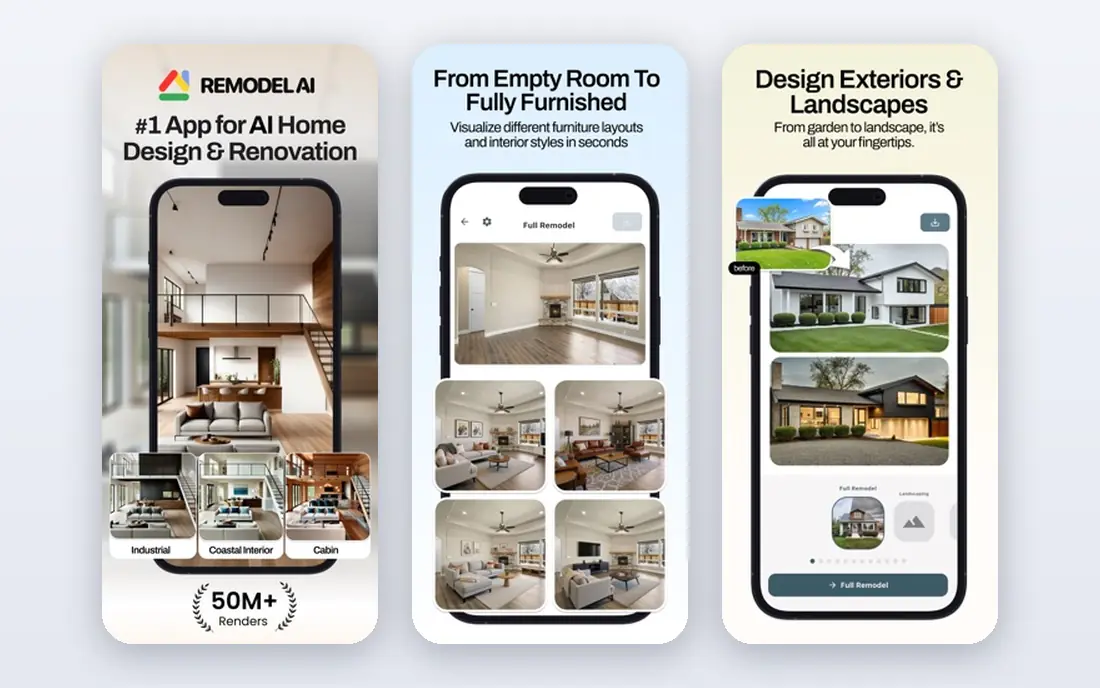
Remodel AI covers home exteriors and yards with a simple photo workflow: upload a photo, pick a style, and get a redesigned view. New users get a small number of free designs, which is enough to test whether AI concepts help your decisions. The speed suits people who want ideas before a contractor visit or a weekend project.
Like other photo tools, Remodel AI gives concepts, not construction documents. You will still need measurements, material choices, and plant checks before work starts. It suits homeowners who want a quick visual shortlist, especially for front yards and patios where style matters most.
- Fast photo-to-design concepts
- Several free designs for new users
- Simple workflow
- Free designs are limited
- Concepts need manual follow-up for planting
iScape works differently from photo redesign tools. Instead of generating a whole scene, it lets you place plants, trees, and features into a live camera view at real scale. That control helps when you want to test a tree size, a path width, or a seating area in your actual yard, rather than trusting a generated image.
Manual placement takes longer than a one-tap AI render, and the free tier limits the number of designs. iScape suits gardeners who want precise control and a realistic sense of scale, and who enjoy building a design piece by piece. It also helps when showing a plan to a contractor or family member on site.
- AR placement through your phone camera
- Large plant and product library
- Design sharing
- Free tier limits designs
- Manual placement takes time
Planner 5D is a planning tool first and an AI tool second. You draw a yard layout in 2D, view it in 3D, and place plants, furniture, paths, and structures to scale. That measured approach suits larger projects where layout, spacing, and sight lines matter more than a single pretty render.
The free tier allows many projects but watermarks exports, so a clean plan for a contractor may need a paid plan. Planner 5D suits homeowners who like to plan carefully, test layouts, and keep a record of dimensions. Pair it with a photo tool if you also want a realistic style preview.
- Unlimited free projects with limits
- 2D and 3D views
- Large object catalog
- Free exports carry a watermark
- AI features are less central than in photo tools
DreamzAR uses augmented reality to preview plants and features in your yard through your phone. Walking around a space with a virtual tree or planter in view gives a better sense of scale than a flat photo alone. It suits renters and homeowners who want to test ideas without committing to a full design service.
AR quality depends on your phone, lighting, and camera tracking, so results vary by device and time of day. Free use has limits, and deeper features sit behind a paid plan. DreamzAR is best as a try-before-you-buy tool for plants and outdoor features, used alongside a measured plan for any building work.
- AR previews in your yard
- Plant and product placement
- Mobile friendly
- Free tier limits apply
- AR accuracy depends on phone and light
OutdoorBrite focuses on realistic photo-to-design concepts for gardens, yards, patios, and front yards. You upload a photo, choose a style, describe changes in plain words, and refine the result with an editing tool. Plant ideas are matched to climate and hardiness zone, which helps the concept feel plantable rather than purely decorative.
The clear drawback is price access: there is no free plan, trial, or free credits, so you pay from the first design. That makes OutdoorBrite a better fit when you already know you want a realistic concept and are ready to pay for it. For free exploration, start with Neighborbrite or Planner 5D first.
- Realistic photo concepts
- Climate-matched plant ideas
- Style presets and editing
- No free plan or trial
- Paid from the first design
Yardzen pairs design software with a human designer who reviews your yard, goals, and budget, then produces a detailed plan. That human step helps with tricky sites, slopes, drainage, and local plant choices that AI alone may miss. Packages can include plant lists and guidance for contractors, which matters for larger builds.
Yardzen costs more than a standalone app and takes longer than an instant AI render, since a designer is involved. It suits homeowners planning a major yard project who want a plan they can hand to a builder with confidence. For a quick style idea, an AI-only tool is faster and cheaper.
- Human designer input
- Detailed plans and plant lists
- Contractor-ready packages
- Higher cost than software alone
- Turnaround takes longer than AI-only tools
FlorAI is a mobile-first garden design app that offers a set of free AI designs each day, plus plant identification and care features. That daily allowance suits people who want to explore many ideas over time without paying upfront. The app covers balconies, small yards, and full backyards, with web access for larger planning sessions.
Unlimited use needs a paid plan, and pricing differs between web and app stores, so check the price in the store you will actually use. FlorAI suits casual gardeners and renters who want regular inspiration and plant help in one app, rather than a single detailed construction plan.
- Free daily AI designs
- Mobile and web apps
- Plant identification features
- Paid plans needed for unlimited use
- Mobile pricing differs by store
How we picked these
We compared official feature pages, pricing pages, and app store listings for AI garden and yard design tools live in October 2026. We favored tools with a clear AI or AR design function, a real official homepage, and a usable free tier or trial where stated. We left out tools that only sell plants, tools with no design function, and services that could not be verified as active.
How to use AI designs without costly mistakes
Treat an AI concept as a visual brief, not a final plan. Measure your yard, note sun and shade through the day, and check soil and drainage before choosing plants. Confirm that suggested plants are available locally, suit your zone, and will not outgrow the space or invade nearby beds.
Check local rules for fences, trees near boundaries, drainage, and utilities before digging. Call your local utility marking service before any excavation, and confirm permits for structures, patios, and retaining walls. A designer or nursery can review an AI concept for a modest fee, which often saves far more than it costs on a large project.
Frequently asked questions
What is the best ai app for garden design free?
Neighborbrite offers free basic AI redesigns, Planner 5D offers free drawn plans with watermarked exports, and FlorAI offers a set of free designs each day. Pick Neighborbrite for fast photo ideas, Planner 5D for measured plans, and FlorAI for daily mobile ideas.
Can AI design my yard from a photo?
Yes. Gardenly, Neighborbrite, Remodel AI, OutdoorBrite, and FlorAI all accept a yard photo and return a redesigned view. Results vary by photo quality, so use a clear daytime photo taken from a natural viewing angle.
Do AI garden tools know which plants grow in my area?
Some do. Gardenly, OutdoorBrite, and iScape filter suggestions by hardiness zone or climate in their descriptions, but you should still confirm choices with a local nursery, since zone alone does not cover soil, water, and sun.
Can an AI design replace a professional designer?
For ideas and early planning, often yes. For complex sites, drainage, structures, and large builds, a human designer or contractor review is still wise, since AI tools do not survey your site or handle permits.
How much does AI garden design software cost?
Free tiers cover basic ideas, while paid plans and designer services cost more. Check if you pay per design, per month, or per project, and whether plant lists and clean exports are included in the tier you choose.
Should I use AR or photo AI for my yard?
Use photo AI for fast style ideas, and AR for checking scale in place. Many homeowners use both: a photo tool for the overall look, then iScape or DreamzAR to test a tree, planter, or seating area at real size.
Sources
See where you really rank - block by block
ProMapRanker scans Google Maps across a grid of your service area. Simple monthly plans from $19, white-label on every plan.
Start freeKeep reading
 wpforms alternatives
Best WPForms Alternatives in 2026
We compare 9 wpforms alternatives for WordPress forms, with free and paid options, current pricing notes, and honest limits for small business sites in 2026.
Read → windows task scheduler alternatives
Best Windows Task Scheduler Alternatives in 2026
Looking for Windows Task Scheduler alternatives? We compare 9 schedulers for Windows and cross-platform work, from free tools to enterprise automation.
Read → which ai video service is best
Which AI Video Service Is Best in 2026
which ai video service is best? We compare 10 legitimate AI video services on price, avatars, editing and output quality to help you pick the right tool.
Read →