 ProMapRanker
Best AI Design App Free in 2026

Key takeaways
- Canva and Adobe Express offer the widest free template libraries, while Microsoft Designer is the simplest free AI-first option.
- Free plans all limit AI credits, premium templates or exports in some way, so test the free tier on a real project before you rely on it.
- Kittl and Recraft suit specific jobs, such as typography-led merch and AI vectors, better than general template apps.
- Check commercial use terms before selling work made with a free plan, since some free tiers limit commercial use or keep generations public.
- Figma and Pixlr suit users who want more control, but they ask for more learning time than template-first apps.
Quick comparison
| Pick | Great for | Pricing starts at | Free tier | |
|---|---|---|---|---|
 Canva | Widest free template library | Free | Yes | Visit |
 Adobe Express | Adobe-quality AI with a free plan | Free | Yes | Visit |
 Microsoft Designer | Free AI designs from plain prompts | Free | Yes | Visit |
 VistaCreate | Free social graphics with scheduling | Free | Yes | Visit |
 Kittl | Typography-led merch and logos | Free | Yes | Visit |
 Recraft | AI vectors, icons and brand imagery | Free | Yes | Visit |
 Pixlr | Free photo editing with AI tools | Free | Yes | Visit |
 Snappa | Fast simple social graphics | Free | Yes | Visit |
 Figma | Precise reusable design systems | Free | Yes | Visit |
The best free AI design apps
A free AI design app should let you make a finished graphic without paying, not just preview one behind a paywall. We compared official pricing and feature pages plus recent design guides, and we kept apps with a genuine free plan in October 2026. All of the apps below offer a free tier, but AI credits, premium templates, brand kits and export options vary, so read the free-plan limits for the job you actually do.
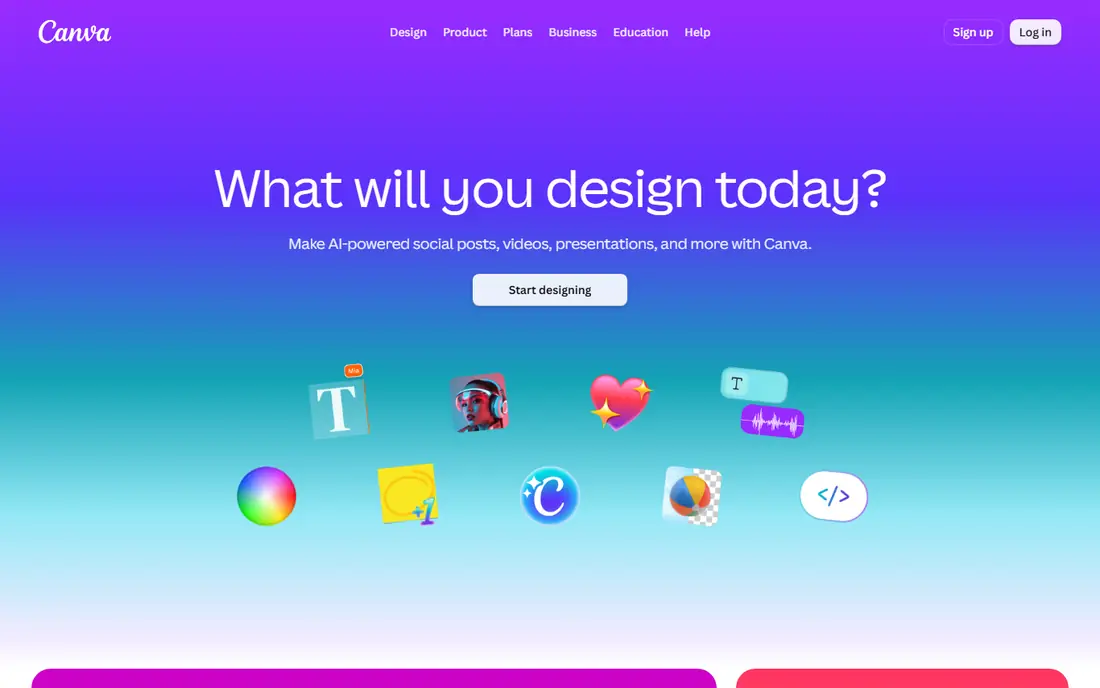
Canva remains the default free AI design app for most people because the free plan is genuinely useful, not just a trial. Templates cover social posts, flyers, presentations, videos and documents, and Magic Studio AI tools can generate images, write copy, expand photos and turn text into presentations. For a small business that needs weekly social posts and sale flyers, Canva handles most of the work in one editor.
The limit is depth. Paid plans add the full AI toolset, background remover and brand kits, and the free plan caps some AI uses. Popular templates also show up in many feeds, so a design can look familiar even when the text is yours. If you need speed, collaboration and the widest library at no cost, Canva is still the first free app to try.
- Huge template and stock library
- Magic Studio AI tools for images, copy and presentations
- Real-time collaboration
- Full AI toolset, background remover and brand kits need paid plans
- Popular templates can look familiar
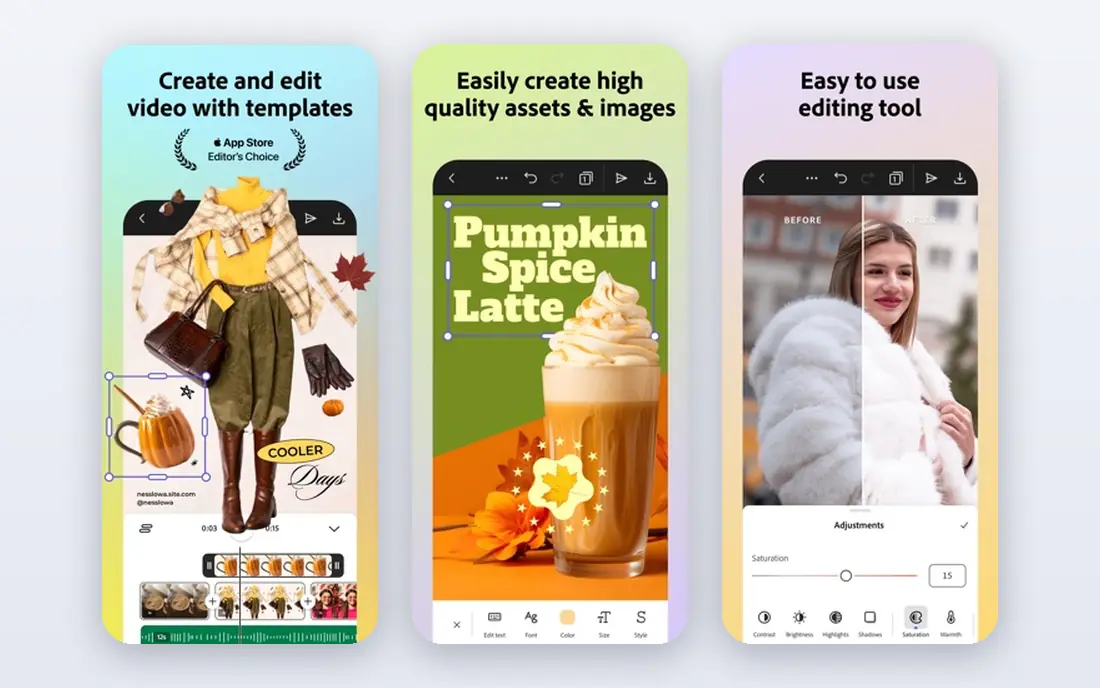
Adobe Express is the closest free alternative to Canva for many creators, with a template-first editor plus Adobe Firefly AI image generation. The free plan includes thousands of templates, Adobe Fonts and core design tools, with monthly Firefly credits for AI images. Premium, listed in recent guides at $9.99 per month, adds more credits, premium templates, brand kits and extra storage.
Free-plan limits matter here. Generative credits run out, premium templates are locked, and brand kit features are thinner than Canva Pro in some comparisons. Output quality is the reason to choose Express: Firefly images and Adobe stock assets suit users who care about print quality and a more polished look. If you already use Adobe products, Express fits that workflow well.
- Large template library with Firefly AI image tools
- Adobe Fonts and stock assets
- Quick resize and background tools
- Free plan has monthly generative credit limits
- Premium templates and brand kits need Premium
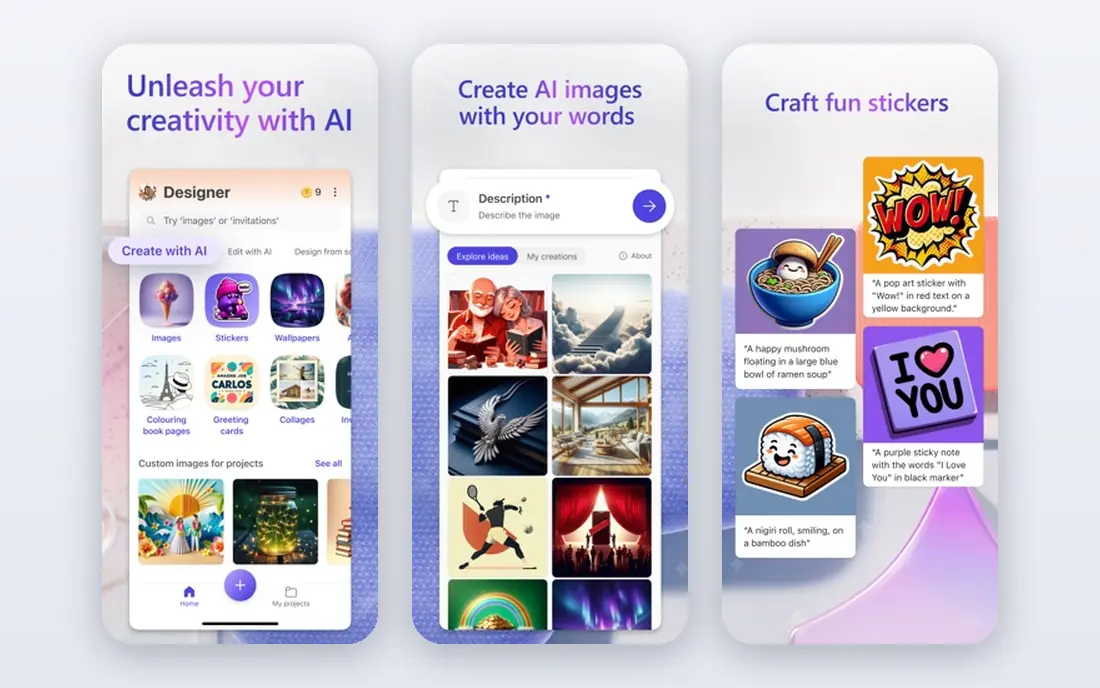
Microsoft Designer is the simplest free AI design app in this list. Describe a flyer, post or invitation in a sentence, and Designer proposes finished layouts with images and text you can edit. It is free with a Microsoft account, and it suits occasional users who need one graphic today rather than a full design system. Integration with Microsoft 365 documents also helps office users who design inside Word or PowerPoint workflows.
The trade-offs are library size and credits. Designer has fewer templates than Canva or Adobe Express, and AI usage is limited by credits, so heavy users will hit a ceiling. Some guides also note non-commercial limits for the free version, so check the current licence terms before using Designer output for paid client work. For personal and occasional business graphics at no cost, it is hard to beat for simplicity.
- Free with a Microsoft account
- Describe a design in plain words and get finished layouts
- Simple editor for quick graphics
- Smaller template library than Canva or Express
- AI usage limited by credits
- Non-commercial limits described in some guides
VistaCreate suits social media managers who want free templates plus scheduling in one place. The free plan covers many templates, assets, a brand kit and scheduling in recent guides, which is more generous than some rivals. Animation tools and background removal help social posts stand out without moving to a separate video or photo app.
VistaCreate is still a template tool, not a professional vector editor, so power users will hit a customisation ceiling. Pro, listed in guides at $10 per month, adds premium assets and fuller features. For a small team that posts daily and wants free scheduling beside design, VistaCreate is a strong free pick, especially as a second app beside Canva.
- Large free template library
- Brand kit and scheduling on the free plan in guides
- Animation and background tools built in
- Less deep customisation than professional tools
- Pro plan needed for full premium assets
Kittl is the free AI design app for product brands, merch and logos rather than general social posts. Its typography effects, vintage textures and illustration tools suit T-shirts, posters, labels and packaging, where lettering carries the design. AI-assisted tools help generate and adapt artwork, while templates for merch and print give a faster start than a blank canvas.
Free-plan limits need attention. Exports, premium assets and commercial licence terms are tighter on free than on paid plans, so read the licence page before selling work made with Kittl. For a merch seller testing designs, the free plan is a useful trial. For a brand selling at volume, a paid plan with a clear commercial licence is the safer choice.
- Strong typography, illustration and texture tools
- Merch, logo and label templates
- AI-assisted design for product brands
- Free plan limits exports and premium assets
- Commercial licence details sit on paid plans, so check terms before selling merch
Recraft suits designers who need original imagery rather than another template. Its AI models generate vectors, icons, illustrations and brand-consistent images that stay sharp at any size, which matters for logos, app icons and web graphics. Free daily credits let you test the tool without paying, and paid plans add more credits and commercial terms.
Recraft is not a replacement for Canva or Express for finished social layouts. It makes the imagery, while layout, text and export for a full post often happen elsewhere. Pair Recraft with a template editor if you need both original art and fast layouts. For icon sets, illustrations and brand imagery on a free plan, it is one of the strongest AI design tools available.
- AI-generated vectors, icons and illustrations
- Brand-consistent imagery tools
- Free daily credits in guides
- Not a full template editor for social posts
- Free credits limit heavy image generation
Pixlr is the free AI design app for photo work. It runs in a browser, supports layers, masks and retouching, and adds AI tools for image generation and effects, which suits users who need to edit a photo rather than build a post from a template. It opens common image formats and works on desktop without a download, which helps on shared or school computers.
The free experience is ad-supported in guides, and template coverage is thinner than Canva, Express or VistaCreate. Paid Plus plans are listed in guides from $2.49 per month, which removes some limits. Choose Pixlr when the job is photo editing with AI help, and a template app when the job is a finished social layout from scratch.
- Browser-based layers, masks and retouching
- AI image tools and effects
- No install needed for basic editing
- Ad-supported free experience in guides
- Template library is thinner than Canva or Express
Snappa suits non-designers who want speed above all. Preset sizes for each social platform, a large stock photo library and a simple drag-and-drop editor mean a post can be finished in minutes, without learning a complex tool. That speed matters for a solo founder who designs between other jobs and does not want a design project for every post.
Free limits are the catch. Downloads and premium features are capped on the free version, and Pro pricing in guides varies, with figures from $10 to $15 per month depending on billing and source, so we advise checking the live pricing page. For occasional, simple graphics at no cost, Snappa is a good fit. For daily design at volume, Canva or Express offer deeper free libraries.
- Very fast preset sizing for social platforms
- Large stock photo library in guides
- Simple editor with a low learning curve
- Free version limits downloads and features
- Pro price in guides varies, so check the current plan page
Figma is the free AI design app for users who want precision and reuse rather than speed on a single post. Components, auto layout and shared styles keep a weekly series consistent, which template apps struggle to do once a series grows. The free Starter plan suits individuals and small projects, with real-time collaboration built in.
The learning curve is real. Figma asks for a few hours of learning before it feels fast, and its AI features and team tools are fuller on paid plans. It is also stronger for interface and system design than for one-off flyers. Choose Figma if you produce a recurring series, a brand system or interface work and want free, precise control. Choose Canva or Express if you need one flyer today.
- Free Starter plan for individuals
- Components and auto layout keep series consistent
- Real-time collaboration
- Steeper learning curve than template apps
- AI features and fuller team tools sit on paid plans
How we picked these
We compared official pricing and feature pages plus recent free design guides, and we kept apps with a genuine free plan in October 2026, not just a short trial. We favoured a mix of template apps, AI image tools, photo editors and one precise design system, so readers can match the app to the job rather than forcing every job into one editor. Where free-plan limits were unclear, we stated the limit in general terms and advised checking the current plan page.
How to choose a free AI design app
Start with your most common job. Social posts and flyers suit Canva, Adobe Express, VistaCreate or Microsoft Designer. Merch, logos and labels suit Kittl. Original icons and illustrations suit Recraft. Photo edits suit Pixlr. A recurring series or interface system suits Figma. Picking by job beats picking by ranking, since the best free app for a logo is rarely the best free app for a weekly social series.
Next, test the free tier on a real project. Make the exact graphic you need, export it at the size you need, and check whether AI credits, premium templates, watermarks or export limits block you. A free plan that looks generous for one post can run out of credits mid-series. Check commercial use terms too, especially if you sell merch, client work or ads made with free AI output.
Finally, keep portable master files where you can. Save editable files and exported images in your own storage, not only inside one app, so a plan change or a price rise does not lock your brand assets inside a single service. Test two apps on the same project for a week, then keep the one whose free limits fit your real volume.
Frequently asked questions
What is the best free AI design app?
Canva is the best free AI design app for most people, with the widest template library and a genuinely useful free plan. Adobe Express is the closest alternative for Adobe-quality AI images, while Microsoft Designer is the simplest free option for quick graphics from plain prompts. The best pick depends on your most common design job.
What is the best free AI design tool for personal use?
Microsoft Designer suits personal use best for quick, free graphics, since it is free with a Microsoft account and builds layouts from plain prompts. Canva Free also suits personal projects, with more templates and collaboration. Check commercial use terms if personal work later becomes paid work.
What are the best free AI design tools?
The strongest free AI design tools in this list are Canva, Adobe Express, Microsoft Designer, VistaCreate, Kittl and Recraft. Canva and Express lead on templates, Designer leads on simplicity, VistaCreate leads on free scheduling, Kittl leads on typography-led merch, and Recraft leads on AI vectors and icons.
Can I use AI-generated designs commercially on a free plan?
It depends on the tool and plan. Adobe Firefly is designed for commercial use with licensed training data, while Recraft and other tools grant fuller commercial rights on paid plans. Free tiers often limit commercial use or keep generations public, so read the licence terms on the vendor pricing page before using free output in client or merch work.
Is Canva free really free?
Yes, Canva offers a free plan with templates, stock assets and some Magic Studio AI tools at no cost. Paid Pro plans add the full AI toolset, background remover, brand kits and more storage. The free plan is enough for many weekly social posts, but heavy AI users and brand teams will hit limits that push them toward Pro.
What is the best free AI design app for logos?
Kittl suits logo work best among free AI design apps in this list, with typography, illustration and merch templates built for brand marks. Canva and Adobe Express also offer logo templates and AI tools, while Recraft suits icon and vector marks. For a final brand logo, export vector files where possible and check the licence for commercial use.
Sources
- https://www.canva.com
- https://www.adobe.com/express
- https://designer.microsoft.com
- https://create.vista.com
- https://www.kittl.com
- https://www.recraft.ai
- https://pixlr.com
- https://snappa.com
- https://www.figma.com
- https://rankite.com/blog/best-ai-graphic-design-software
- https://www.socialdigi.com/2026/10/best-free-canva-alternatives-for-social.html
See where you really rank - block by block
ProMapRanker scans Google Maps across a grid of your service area. Simple monthly plans from $19, white-label on every plan.
Start freeKeep reading
 best rank tracking software
Best Rank Tracking Software in 2026
Searching for the best rank tracking software? We compare 8 tools for daily keyword tracking, local rankings, client reports, and competitor checks in 2026.
Read → best platform for ecommerce website
Best Platform for Ecommerce Website in 2026
Find the best platform for ecommerce website builds in 2026. We compare Shopify, WooCommerce, BigCommerce, Wix and more on price, fees and scale for stores.
Read → best math apps
Best Math Apps in 2026: 8 Apps Compared
Find the best math apps for homework, revision, and deeper study in our 2026 comparison of 8 free and paid solvers, courses, and visual tools for students.
Read →