 ProMapRanker
Best Accounting Software for Tax Returns in 2026

Key takeaways
- FreeTaxUSA and Cash App Taxes offer the lowest federal filing cost for confident DIY filers.
- TurboTax and H&R Block suit filers who want guided help, expert review, or in-person support.
- TaxAct and TaxSlayer sit in the middle on price, with solid coverage for self-employed and rental returns.
- Drake, ProSeries, and Lacerte serve accountants and firms that file many returns for clients.
- This guide gives general information only and is not tax advice; check current IRS rules for your situation.
Quick comparison
| Pick | Great for | Pricing starts at | Free tier | |
|---|---|---|---|---|
 TurboTax | Guided filing with expert help | Free | Yes | Visit |
 H&R Block | Free filing with in-person backup | Free | Yes | Visit |
 TaxAct | Budget guided filing | Free | Yes | Visit |
 FreeTaxUSA | Cheapest confident DIY filing | Free | Yes | Visit |
 TaxSlayer | Value for self-employed filers | Free | Yes | Visit |
 Cash App Taxes | Fully free federal and state filing | Free | Yes | Visit |
 Jackson Hewitt Online | Flat-rate filing for all situations | $25 | No | Visit |
 Drake Tax | Firms filing many client returns | See website | No | Visit |
 ProSeries | Firms wanting Intuit pro tools | See website | No | Visit |
 Lacerte | Firms with complex returns | See website | No | Visit |
The best accounting software for tax returns
These ten tools cover DIY filers, self-employed workers, and professional preparers. We chose them because each one files real US returns today and serves a clear type of filer.

TurboTax suits filers who want a step-by-step interview and are willing to pay for polish. Its Free Edition covers simple returns, while Deluxe, Premium, and Self-Employed tiers add investment, rental, and business coverage. Live help options let filers ask a tax expert or hand the return to a professional, which helps when a new life event complicates the filing.
The price is the main drawback. Costs rise as forms are added, and state filing adds a further charge on paid tiers. Confident filers with simple returns may save money elsewhere, but filers who value guidance often find the interview worth the premium.
- Polished guided interview
- Broad form coverage
- Live expert help options
- Higher prices than budget rivals
- Paid tiers rise with return complexity

H&R Block bridges DIY filing and in-person help. Its Free Online tier covers simple returns, while paid tiers add investment, rental, and self-employed coverage. The office network matters when a filer wants to sit with a preparer, drop off documents, or ask a question face to face.
Online filers should still watch the total. Deluxe, Premium, and Self-Employed tiers cost more than budget rivals, and state filing adds a fee. For filers who want a free start plus a real office as backup, H&R Block offers a useful combination.
- Free online tier for simple returns
- In-person offices
- Expert review options
- Prices rise with complexity
- State fees apply on paid tiers
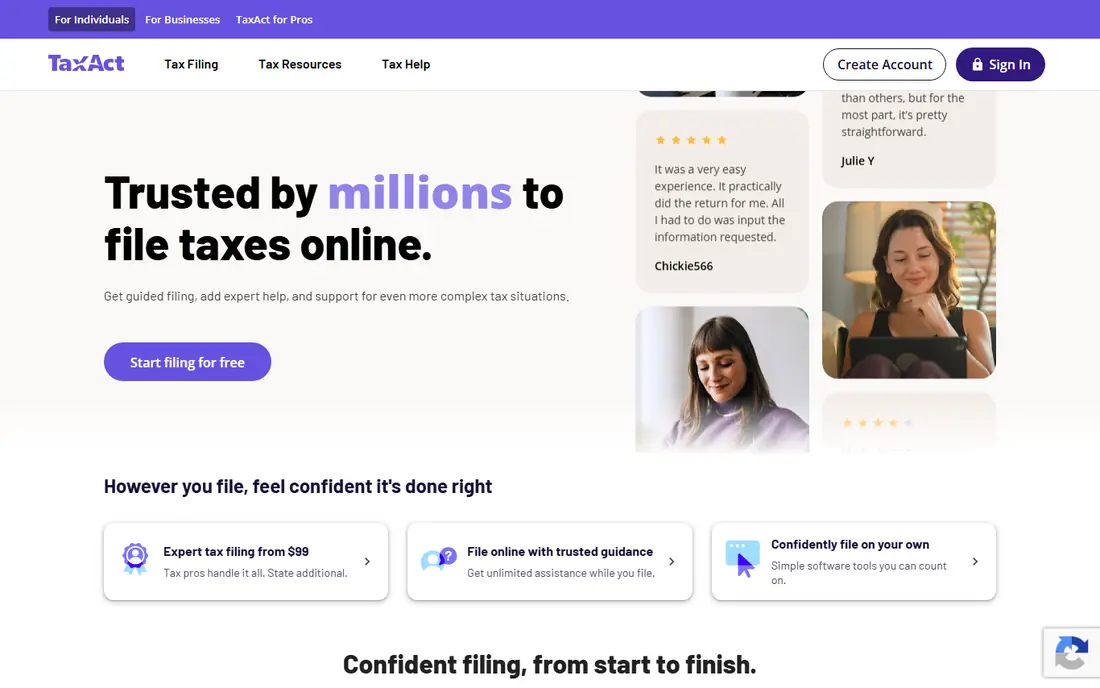
TaxAct appeals to filers who want a mainstream guided product without TurboTax prices. Its free tier covers simple returns, while paid tiers add investment, rental, and self-employed coverage. Business filers can also use TaxAct Business for partnerships and corporations, which keeps personal and business filing in one family of products.
The interface is functional rather than elegant, and some filers prefer the smoother TurboTax flow. Price, though, is the reason most people choose TaxAct. Compare the federal and state total for your forms before you decide, since state fees change the saving.
- Lower prices than TurboTax
- Business return options
- Clear guided flow
- Interface feels less polished
- State fees apply on paid tiers
FreeTaxUSA charges nothing for federal filing, whatever the return type, and adds a low per-state fee. That model suits confident filers who know their forms and do not need a long interview. Self-employed, rental, and investment returns all file at the same federal price, which keeps the total predictable.
Guidance is thinner than TurboTax or H&R Block, so new filers may feel less supported. A paid Deluxe upgrade adds audit support and expert help, but the core filing remains free. For filers who value accuracy and low cost over coaching, FreeTaxUSA is hard to beat.
- Federal filing free for all situations
- Low state fee
- Broad form coverage
- Less hand-holding than TurboTax
- Expert help is a paid upgrade
TaxSlayer suits value shoppers with moderately complex returns. Its Simply Free tier covers simple returns, while Classic, Premium, and Self-Employed tiers add investment, rental, and business coverage at lower prices than TurboTax. Military filers may also qualify for free federal filing, which makes TaxSlayer worth checking first for service members.
The free tier covers fewer situations than FreeTaxUSA, so many filers will pay for a tier. State fees also apply. For self-employed filers who want a guided product at a mid-range price, TaxSlayer offers a sensible balance.
- Low prices for Classic and Self-Employed tiers
- Military free federal option
- Solid form coverage
- Free tier has narrow eligibility
- Interface is plain
Cash App Taxes files federal and state returns at no cost, with no paid tiers to navigate. That simplicity appeals to filers who want one price, namely zero, and a straightforward online flow. Many common forms are covered, including self-employed and investment situations that other free tiers exclude.
Support options are thinner than H&R Block or TurboTax, and there is no office to visit. Filers with very complex returns or a need for professional review should check form coverage carefully. For straightforward to moderate returns, Cash App Taxes offers the simplest free deal in this guide.
- Federal and state filing free
- No paid tiers
- Covers many common forms
- No in-person help
- Fewer expert services than major rivals
Jackson Hewitt Online charges a flat price for federal and state filing, whatever the return complexity. That model helps multi-state filers and filers with rentals or investments, who often face rising tier prices elsewhere. The flat fee makes the total easy to predict before you start.
There is no free tier, so simple filers may pay more than they would with a free product. Office locations also give filers a backup when an online question needs a person. For complex returns where other tools charge much more, the flat price can save real money.
- Flat price for federal and state
- Covers complex situations
- Office backup available
- No free tier
- Online experience is simpler than TurboTax
Drake Tax serves accountants and tax firms that file returns for clients, not individual DIY filers. The program handles many federal and state returns, with tools for client data, e-filing, and review. Firms that handle high volumes each season often choose Drake for its preparer-focused workflow.
Individual filers should not buy Drake Tax, since it requires a preparer setup and is priced for firms. Pricing is not published as a simple consumer price, so firms should request a quote based on return volume. For professional use, Drake remains a long-standing and widely used choice.
- Built for preparers and firms
- Broad state and federal coverage
- Strong client management
- Not for DIY filers
- Pricing requires a quote or preparer account
ProSeries gives firms Intuit tax software without the higher cost and complexity of Lacerte. Pay-per-return options suit smaller firms, while larger plans cover higher volumes. The program handles individual and business returns across federal and state forms, with review tools that help preparers catch errors before filing.
Pricing depends on the plan and return volume, so firms should compare the pay-per-return and unlimited options carefully. New preparers may need training time, since professional software assumes tax knowledge. For firms already using Intuit products, ProSeries offers a familiar path.
- Intuit professional engine
- Pay-per-return options
- Broad form coverage
- Priced for firms
- Learning curve for new preparers
Lacerte suits firms that handle complex, high-value returns with multi-state filings and detailed schedules. Its engine covers a wide range of federal and state forms, and its review tools help preparers manage large client lists. Firms with complex K-1, rental, and business work often choose Lacerte for that depth.
Cost and setup are the trade-offs. Lacerte pricing is quote-based for larger plans, and the program needs trained staff to use well. Small firms with simple returns may find ProSeries or Drake Tax more cost-effective. For complex firm work, Lacerte remains a leading professional choice.
- Deepest Intuit professional engine
- Strong multi-state coverage
- Suited to complex client work
- Highest Intuit pro prices
- Needs trained staff and setup time
How we picked these
We compared vendor pricing pages and tax software roundups updated for 2026, and we kept tools that file real US returns today. We included DIY tools for simple, self-employed, and rental filers, plus professional tools for firms, so readers can see the full range. We left out tools that only calculate estimates, that had closed, or that did not publish clear filing coverage.
How to choose accounting software for tax returns
The best accounting software for tax returns depends on your return type, your confidence, and whether you file for yourself or for clients. Use the guide below to narrow the list.
Start with your return type
Simple W-2 returns can use any free tier on this list. Investment, rental, and self-employed returns need a tier that covers those forms, so check form coverage before price. Business returns for partnerships and corporations need TaxAct Business, TurboTax Business, or a professional tool, depending on who prepares them.
Decide how much help you need
Confident filers save money with FreeTaxUSA or Cash App Taxes. Filers who want a guided interview and expert help should look at TurboTax or H&R Block. Firms that file for clients need Drake, ProSeries, or Lacerte, since consumer tools do not cover preparer workflows.
Compare the total, not just the federal price
Add state fees, expert review, and audit support before you compare. A free federal tier with a high state fee can cost more than a low flat-rate plan for multi-state filers. Check whether the price shown covers all states you need, and whether it changes near the filing deadline.
Keep records and check the return before filing
Save W-2, 1099, and expense records in one place, and review each schedule before you submit. Software checks help, but they cannot fix a missing form or a wrong number. When a return involves a new business, a rental, or a complex investment, consider professional review even if you prepare the return yourself.
Frequently asked questions
Which accounting software is best for tax returns for most people?
FreeTaxUSA suits many confident DIY filers because federal filing is free for all situations. TurboTax suits filers who want the most guidance and expert help, while H&R Block suits filers who want in-person backup. The best pick depends on your forms and your comfort level.
Is free tax software really free?
Some free tiers cover only simple returns, while FreeTaxUSA and Cash App Taxes cover more situations at no federal cost. State fees, expert review, and audit support may still cost extra. Read the eligibility rules for each free tier before you start, so the total matches your expectation.
Can accounting software handle self-employed tax returns?
Yes, TurboTax Self-Employed, H&R Block Self-Employed, TaxAct Self-Employed, TaxSlayer Self-Employed, FreeTaxUSA, and Cash App Taxes all cover Schedule C returns. Check whether the tier includes expense tracking, quarterly estimate help, and the state forms you need. Professional tools serve firms, not individual self-employed filers.
Should a small business use consumer or professional tax software?
A small business owner filing their own return can use a consumer business tier such as TaxAct Business or TurboTax Business. A firm that files returns for many clients needs Drake, ProSeries, or Lacerte. The dividing line is whether you file for yourself or for clients.
Is this guide tax advice?
No, this guide gives general information only and is not tax advice. Tax rules change, and your situation may involve credits, deductions, or state rules that software alone cannot judge. When a return is complex or a large amount is at stake, speak to a qualified tax professional.
Sources
- https://turbotax.intuit.com
- https://www.hrblock.com
- https://www.taxact.com
- https://www.freetaxusa.com
- https://www.taxslayer.com
- https://cash.app/taxes
- https://www.jacksonhewitt.com
- https://www.drakesoftware.com
- https://proseries.intuit.com
- https://proconnect.intuit.com/lacerte
- https://rankite.com/blog/best-tax-software
See where you really rank - block by block
ProMapRanker scans Google Maps across a grid of your service area. Simple monthly plans from $19, white-label on every plan.
Start freeKeep reading
 wpforms alternatives
Best WPForms Alternatives in 2026
We compare 9 wpforms alternatives for WordPress forms, with free and paid options, current pricing notes, and honest limits for small business sites in 2026.
Read → windows task scheduler alternatives
Best Windows Task Scheduler Alternatives in 2026
Looking for Windows Task Scheduler alternatives? We compare 9 schedulers for Windows and cross-platform work, from free tools to enterprise automation.
Read → which ai video service is best
Which AI Video Service Is Best in 2026
which ai video service is best? We compare 10 legitimate AI video services on price, avatars, editing and output quality to help you pick the right tool.
Read →