 ProMapRanker
Best Accounting Software for Reporting in 2026


Deep dimensional and multi-entity reporting · Pricing starts at: See website
Key takeaways
- Sage Intacct is our pick for reporting depth, with dimensional reporting and multi-entity consolidation that smaller tools cannot match.
- QuickBooks Online Advanced suits growing firms that need custom reports, budgets and forecasting without an enterprise project.
- Xero, Zoho Books and FreshBooks cover standard reports well, but check custom report limits before you choose a low cost plan.
- A good report is only useful if the underlying data is clean, so test drill down, filters and export options on your own chart of accounts.
Quick comparison
| Pick | Great for | Pricing starts at | Free tier | |
|---|---|---|---|---|
| Sage Intacct | Deep dimensional and multi-entity reporting | See website | No | Visit |
 Oracle NetSuite | Enterprise reporting across the business | See website | No | Visit |
 QuickBooks Online | Growing firms needing custom reports | $38 per month | Free trial | Visit |
 Xero | Clean standard reports for growing teams | $25 per month | Free trial | Visit |
 Zoho Books | Low cost reporting with custom options | Free | Yes | Visit |
 FreshBooks | Simple client and project reports | $23 per month | Free trial | Visit |
 Wave | Basic reports for very small firms | Free | Yes | Visit |
 Microsoft Dynamics 365 Business Central | Microsoft shops needing deep reporting | See website | Free trial | Visit |
 Acumatica | Flexible reporting for mid-market firms | See website | No | Visit |
The best accounting software for reporting
Reporting software should answer a question in minutes, not after a spreadsheet rebuild. We compared official feature pages, report libraries and pricing pages, and we focused on how each tool handles custom reports, dimensions, consolidation and drill down to transaction detail.
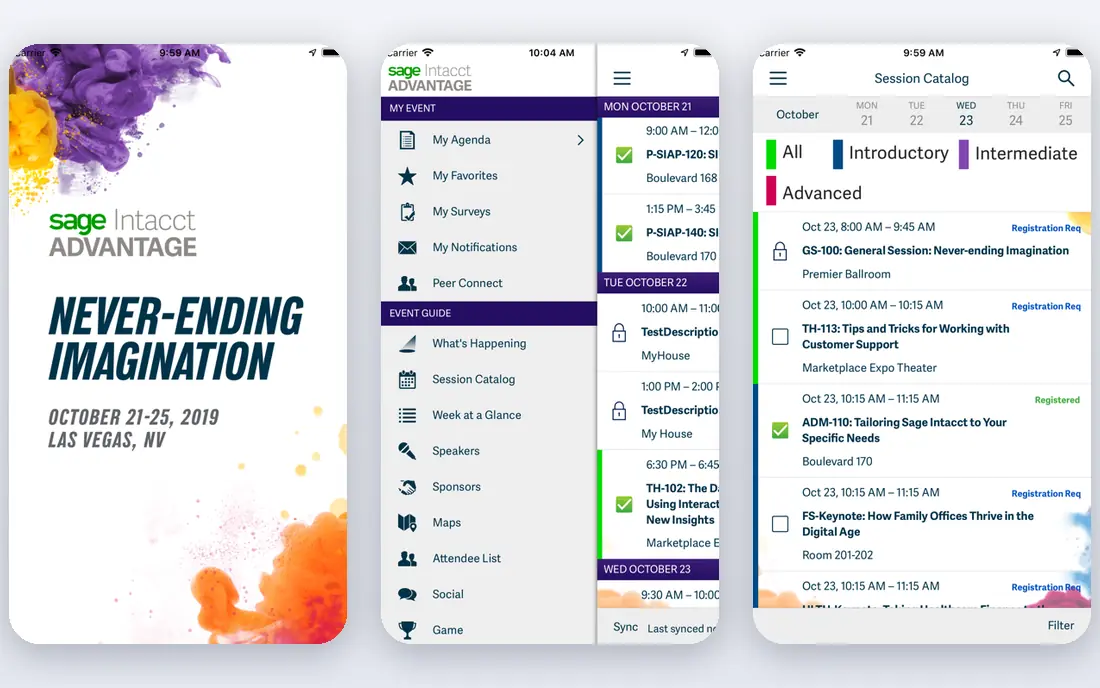
Sage Intacct treats reporting as a core strength, not an add-on. Dimensions let finance teams slice results by department, location, project or other categories without rebuilding the chart of accounts, and multi-entity consolidation brings subsidiaries together in one view. The built-in report library covers standard financial statements, and custom reports can drill down to transaction detail, which helps an auditor or a manager trace a number back to its source.
That depth comes with enterprise trade offs. Pricing is quoted, implementation often needs a partner, and new users face a learning curve before they build reports with confidence. Mobile reporting is also lighter than desktop reporting. For a growing or mid-market firm that lives on management reports and consolidation, Sage Intacct is the reporting benchmark in this list.
- Dimensional reporting
- Multi-entity consolidation
- Large built-in report library
- Quote only pricing
- Long implementation
- Steep learning curve for new users
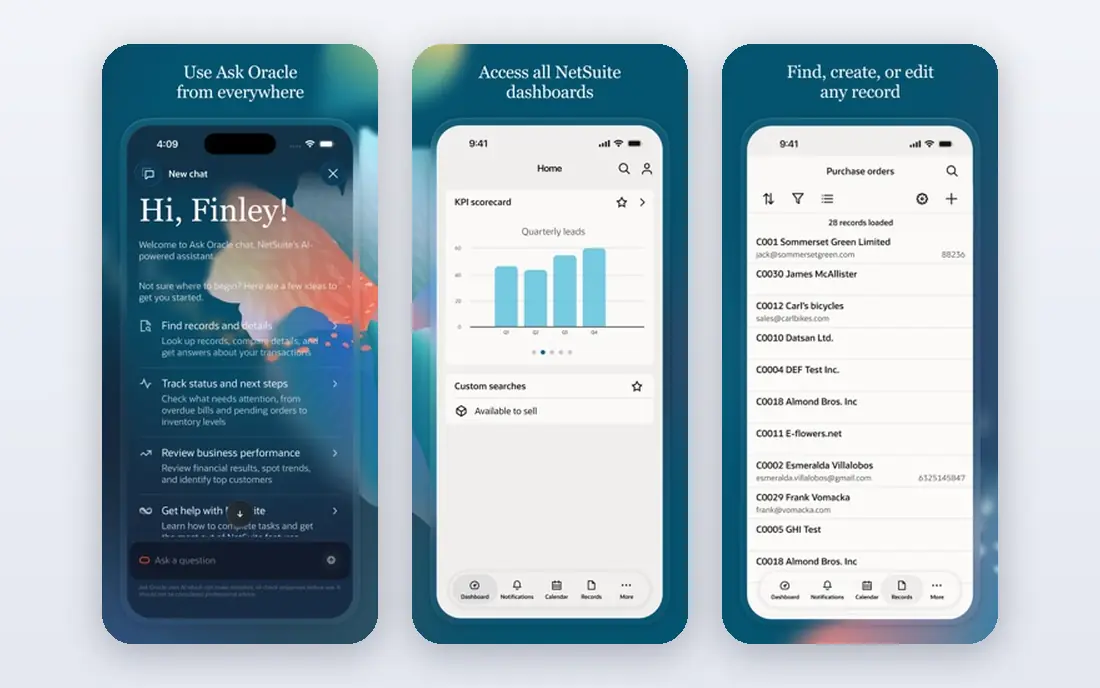
NetSuite reports across finance, inventory, sales and operations in one system, so a manager can connect a revenue figure to orders, stock and cash without joining separate tools. Saved searches, dashboards and role based reports let each team see the numbers that matter to its work, while multi-entity and multi-currency support helps firms with subsidiaries or global sales. That breadth is the main reason larger firms choose NetSuite for reporting.
Cost and complexity are the honest limits. Pricing is quoted, implementation takes time, and a small firm will pay for reporting depth it does not need. A firm should also budget for training, since saved searches and custom reports reward users who learn the system well. For a mid-market or enterprise firm that wants one reporting source across the business, NetSuite is a strong choice.
- Finance plus operations reporting in one system
- Multi-entity and multi-currency views
- Saved searches
- Quote only pricing
- Long implementation
- Heavy for small firms

QuickBooks Online covers the reports most firms use every month, including profit and loss, balance sheet, cash flow, sales by customer and accounts receivable aging. Higher plans add custom reports, class and location tracking, budgets and forecasting, which let a growing firm compare actual results with plan and slice results by segment. The Advanced plan also adds workflow automation and deeper permissions for larger teams.
The limit is tiering. Simple Start and Essentials cover general and enhanced reports, but the most flexible custom reporting sits on Advanced, priced at 340 dollars per month at list. A firm that needs only standard reports can stay on a lower plan, while a firm that needs custom fields and approval workflows should price Advanced from the start. For most US firms that want strong reports without an enterprise project, QuickBooks Online is the practical pick.
- Wide report range
- Custom reports on higher plans
- Class and location tracking
- Advanced reporting needs the Advanced plan
- One user on Simple Start
- Per plan user limits
Xero reports are clean, fast and easy to share with an accountant or a manager. Standard financial statements, budgets, tracking category reports and cash flow views cover most monthly needs, and unlimited users mean a manager can view reports without a seat negotiation. Tracking categories let a firm split results by department, project or location at a basic level.
Custom reporting depth is the limit. Xero does not match Sage Intacct for dimensional analysis or multi-entity consolidation, and a firm with many entities may need a separate consolidation tool. The Early plan also caps invoices and bills, which can affect a busy firm. For a growing team that wants clear standard reports and easy access, Xero is a calm and capable choice.
- Clean report interface
- Unlimited users
- Tracking categories for segments
- Entry plan caps invoices and bills
- Custom reporting is lighter than Intacct
- US payroll via partner
Zoho Books gives a small firm real reports at no monthly cost when revenue sits under the free plan limit, including profit and loss, balance sheet, cash flow and sales reports. Paid plans add custom reports, reporting tags, workflow approvals and inventory reports, which help a growing firm slice results by item, customer or project. The low entry cost makes Zoho Books a good first reporting tool for a new firm.
Limits appear as reporting needs grow. The free plan has a revenue cap and fewer users, and the deepest reporting features sit on higher tiers. A firm with multi-entity needs or complex consolidation should look at Sage Intacct or NetSuite instead. For a small firm that wants solid reports and a low bill, Zoho Books offers strong value.
- Free plan with reports
- Custom reports on paid plans
- Low cost entry
- Free plan revenue limit
- Advanced reporting needs higher tiers
- User limits by plan
FreshBooks reports suit a service firm that bills clients and projects. Profitability by client or project, outstanding invoices, expense summaries and tax summaries give an owner a clear view of who pays, who owes and which work makes money. Reports are easy to read and easy to share, which helps a small team without a finance specialist.
Accounting depth is the limit. FreshBooks is not built for complex double entry reporting, multi-entity consolidation or deep inventory analysis, and lower plans limit billable clients. A firm that needs full financial statements with custom dimensions should choose QuickBooks, Xero or Zoho Books instead. For a service firm that values client and project insight over accounting depth, FreshBooks is a good fit.
- Clear client and project profitability reports
- Polished invoices
- Easy tax summaries
- No deep double entry reporting
- Client limits on lower plans
- Inventory reporting is basic
Wave covers basic reporting for a very small firm at no subscription cost. Profit and loss, sales tax, cash flow and customer statements give an owner enough to track income, expenses and tax categories without paying for a larger system. Setup is simple, and the free plan has no revenue cap, which suits a side business or a new firm.
Custom reporting is limited, and Starter lacks automatic bank import, so a firm that needs detailed segment reports or fast reconciliation will outgrow Wave. Payments and payroll add fees, and support is lighter than on paid rivals. For a tiny firm that needs basic, correct reports and a zero subscription bill, Wave is a sensible start.
- Free basic reports
- Simple profit and sales views
- Easy setup
- Limited custom reporting
- No automatic bank import on Starter
- Support is lighter
Microsoft Dynamics 365 Business Central
Great for: Microsoft shops needing deep reporting
Business Central suits a firm already running Microsoft tools and needing deeper reporting than a small business ledger offers. Financial reports, dimensions, budgets and Power BI dashboards let finance teams build management views that connect accounting with inventory, sales and operations. Integration with Microsoft 365, Teams and Excel also helps teams that already work in those tools.
Complexity is the catch. Pricing and licensing need a careful vendor conversation, implementation can take time, and the system rewards teams with Microsoft experience. A small firm without that background may find QuickBooks or Xero faster to adopt. For a Microsoft centered firm that wants reporting depth and Power BI views, Business Central is a strong enterprise leaning choice.
- Deep financial reporting
- Power BI links
- Strong Microsoft integration
- Quote and plan complexity
- Implementation can be long
- Needs Microsoft expertise
Acumatica gives mid-market firms a flexible report designer, dashboards and multi-entity views in a cloud system that covers finance, inventory and project work. Finance teams can build custom reports, schedule distribution and drill into detail without exporting every number to a spreadsheet. That flexibility suits firms with varied reporting needs across departments or locations.
Pricing is quoted and implementation often involves a partner, so a firm should budget for setup and training, not just the license. Report design also takes learning time, and a small firm may find the depth more than it needs. For a mid-market firm that wants reporting flexibility without moving to a full enterprise suite, Acumatica is worth a demo.
- Flexible report designer
- Multi-entity support
- Cloud access for distributed teams
- Quote only pricing
- Partner implementation common
- Learning curve for report design
How we picked these
We compared official feature pages, report documentation and pricing pages, and we kept only tools that exist and work in October 2026 and that offer meaningful financial reporting, not just a profit and loss printout. We weighted custom report design, dimensions and tracking categories, multi-entity consolidation, drill down to transactions, dashboard quality and export options. We did not claim hands-on testing, and we did not include tools that only export raw data for reporting elsewhere.
What to check before you buy reporting software
Start with the five reports you actually use each month. Build each one in a trial with your own chart of accounts, and check filters, date ranges, segment splits and drill down to the transaction. A report library that looks large in a demo can still miss the one split your board or your accountant needs.
Next, check consolidation and currency handling if you have more than one entity or sell abroad. Confirm how intercompany transactions, eliminations and currency translation work, and whether consolidation is native or a manual export. A manual consolidation step will cost hours every month.
Finally, test sharing and scheduling. Confirm who can view, edit and export each report, whether reports can be scheduled by email, and whether dashboards update from live data. A report that only one finance user can build becomes a bottleneck, while a shared dashboard keeps managers informed without a monthly request queue.
Frequently asked questions
What is the best accounting software for reporting?
Sage Intacct is our pick for reporting depth, with dimensional reporting and multi-entity consolidation. QuickBooks Online Advanced is our pick for growing firms that need custom reports without an enterprise project. Xero and Zoho Books cover standard reports well at a lower cost.
Which accounting tool has the best reporting tools for small firms?
QuickBooks Online and Xero lead for small firms, with clear standard reports, budgets and segment tracking. Zoho Books is the low cost option, with reports included on its free plan for smaller businesses. Choose based on custom report needs, user count and accountant familiarity.
Can accounting software create custom reports?
Yes, but depth varies by plan. QuickBooks Online Advanced, Sage Intacct, NetSuite, Business Central and Acumatica offer custom report design and drill down. Lower plans on Xero, Zoho Books and FreshBooks offer standard reports with some customization, so check the tier that includes the custom fields you need.
Do I need multi-entity reporting?
You need it if you run more than one legal entity, location group or subsidiary and must report combined results. Sage Intacct, NetSuite, Business Central and Acumatica support multi-entity reporting natively. Single entity firms can usually manage with tracking categories or classes in QuickBooks, Xero or Zoho Books.
How do I compare reporting software fairly?
Use the same five reports, the same chart of accounts and the same segment splits in every trial. Time how long each report takes to build, check drill down to transactions, and confirm export and sharing options. A fair trial on your own data reveals limits that a vendor demo will not show.
Sources
See where you really rank - block by block
ProMapRanker scans Google Maps across a grid of your service area. Simple monthly plans from $19, white-label on every plan.
Start freeKeep reading
 wpforms alternatives
Best WPForms Alternatives in 2026
We compare 9 wpforms alternatives for WordPress forms, with free and paid options, current pricing notes, and honest limits for small business sites in 2026.
Read → windows task scheduler alternatives
Best Windows Task Scheduler Alternatives in 2026
Looking for Windows Task Scheduler alternatives? We compare 9 schedulers for Windows and cross-platform work, from free tools to enterprise automation.
Read → which ai video service is best
Which AI Video Service Is Best in 2026
which ai video service is best? We compare 10 legitimate AI video services on price, avatars, editing and output quality to help you pick the right tool.
Read →