 ProMapRanker
Best Accounting Software for Nonprofits in 2026


Small nonprofits and churches needing fund accounting · Pricing starts at: $79 per month
Key takeaways
- Aplos is our pick for small nonprofits that want true fund accounting without a long setup project.
- QuickBooks Online works best when your board or accountant already knows it and your restricted funds are few.
- Sage Intacct and Blackbaud Financial Edge NXT suit larger organizations with grants, programs, and many funds.
- Wave is the cheapest starting point, but it is not built for fund accounting or grant reporting.
- Check whether a plan covers fund reports, donor restrictions, and audit-ready records before you compare monthly prices.
Quick comparison
| Pick | Great for | Pricing starts at | Free tier | |
|---|---|---|---|---|
| Aplos | Small nonprofits and churches needing fund accounting | $79 per month | Free trial | Visit |
 QuickBooks Online QuickBooks Online | Small nonprofits that already use QuickBooks | $38 per month | Free trial | Visit |
 Sage Intacct Sage Intacct | Mid-sized and large nonprofits with complex reporting | See website | No | Visit |
 Blackbaud Financial Edge NXT Blackbaud Financial Edge NXT | Large nonprofits already using Blackbaud fundraising tools | See website | No | Visit |
 MIP Fund Accounting MIP Fund Accounting | Grant-heavy nonprofits and government-funded agencies | See website | No | Visit |
 Wave Wave | Very small nonprofits with simple, unrestricted books | Free | Yes | Visit |
 Xero Xero | Small charities with a Xero-fluent bookkeeper | See website | Free trial | Visit |
 Zoho Books Zoho Books | Budget-minded small nonprofits in the Zoho ecosystem | See website | Free trial | Visit |
The best accounting software for nonprofits
Nonprofit books are different from business books because donors, grants, and boards want to see exactly how each dollar was used. The tools below range from free general bookkeeping to dedicated fund accounting, so the right choice depends on how many restricted funds you manage.
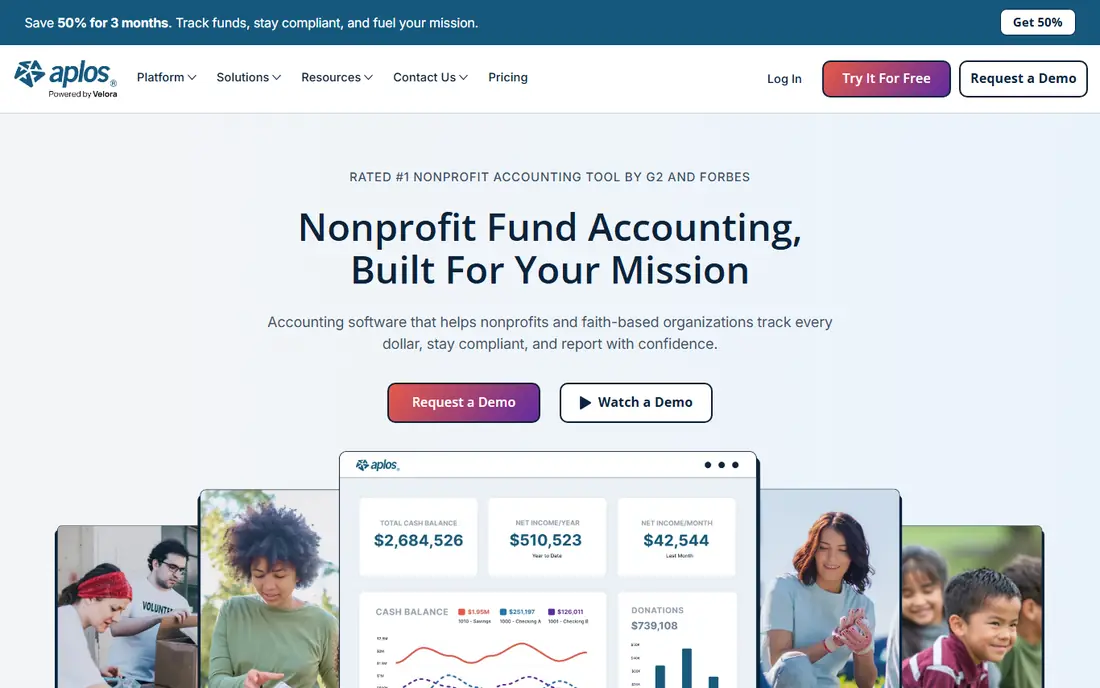
Aplos speaks the language of nonprofits from the start, with funds instead of classes and donations instead of sales. That matters when a volunteer treasurer has to produce a fund balance report for the board without building workarounds in a spreadsheet. Its Lite plan covers core accounting and donation tracking, while Core adds payables, receivables, and budgeting for teams that are growing.
The honest catch is scale. Two users on the entry plans may be enough for a small charity, but a larger staff or a need for fixed assets and deeper reporting will push you toward Advanced or custom pricing. Still, for a small nonprofit that wants fund accounting at a published monthly price, Aplos is a clear and practical starting point.
- Built-in fund accounting
- Donor and donation tracking
- Nonprofit-style reports
- Entry plan has limits on users and advanced features
- Larger needs move you to higher-priced plans
QuickBooks Online
Great for: Small nonprofits that already use QuickBooks
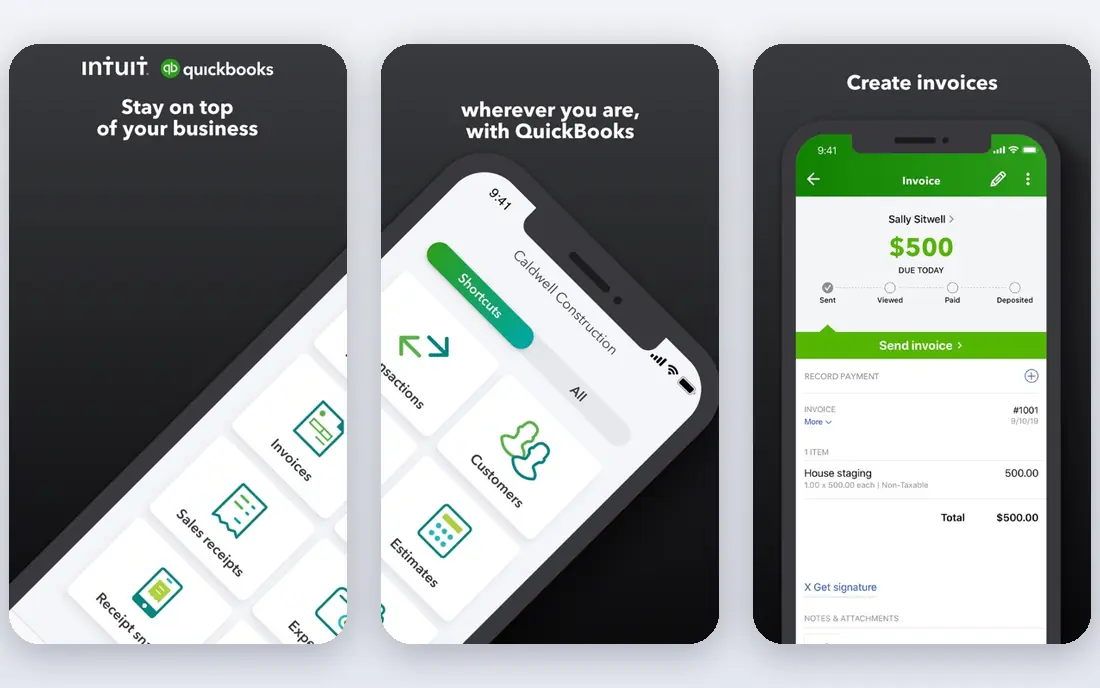
QuickBooks Online is the default choice for many small US nonprofits, and familiarity is a real benefit when you hire a bookkeeper or change treasurers. Bank feeds, invoicing, expense tracking, and a large set of integrations make day-to-day bookkeeping quick, and most accountants can open your file without extra training. For an organization with one main fund and a few simple restricted gifts, that may be all you need.
The limit appears as restricted grants pile up. Class tracking can show program spending, but it is not the same as a fund accounting system that keeps restricted and unrestricted balances clean by design. If your grant reporting is getting messy, or your auditor keeps asking for fund-level statements, that is the signal to move to a dedicated nonprofit tool rather than adding more classes.
- Very familiar to accountants and bookkeepers
- Wide app ecosystem
- Strong invoicing and bank feeds
- Not true fund accounting
- Restricted funds are handled through classes and workarounds
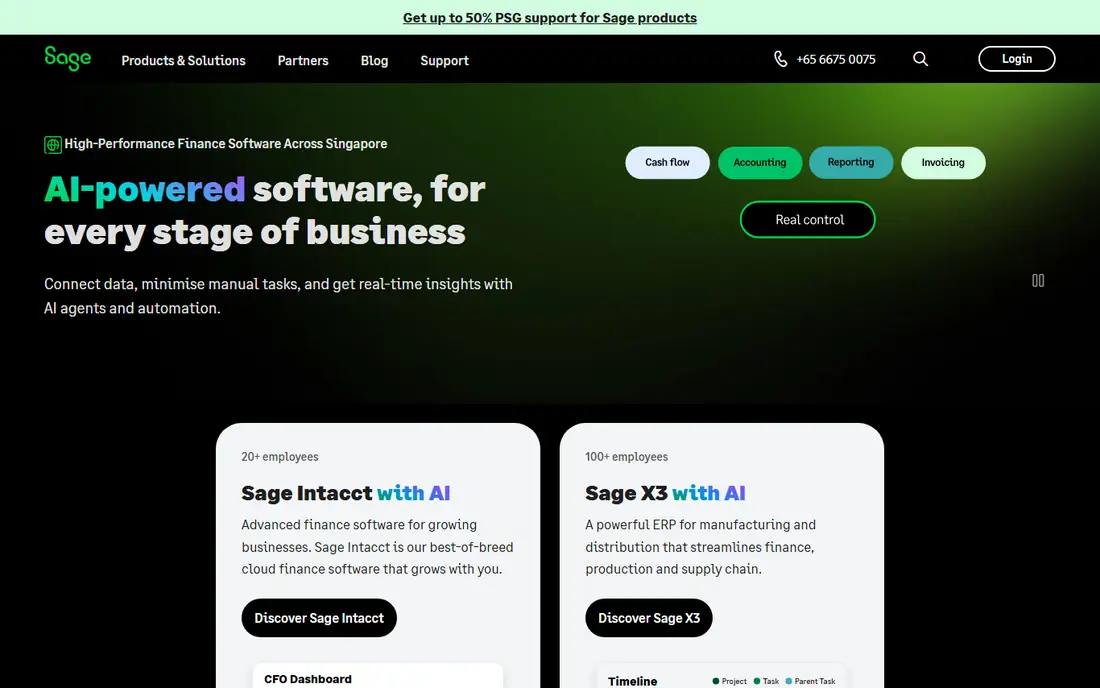
Sage Intacct is built for finance teams that need to slice the same numbers many ways, by fund, grant, program, location, and entity, without rebuilding the chart of accounts each time. That dimensional approach is why larger nonprofits use it for board reporting, grant compliance, and consolidation across related organizations. It also handles approvals, audit trails, and multi-entity work that small tools struggle with.
The trade-off is effort and cost. Pricing is quoted, not published as a simple monthly plan, and implementation takes planning, especially if you connect a donor system or payroll. Small nonprofits should not start here. Larger organizations with several grants and a finance team that will use the reporting depth will get far more value from it.
- Dimensional reporting across funds, grants, and entities
- Strong grant tracking
- Multi-entity consolidation
- Custom pricing and a larger implementation
- More than a small nonprofit needs
Blackbaud Financial Edge NXT
Great for: Large nonprofits already using Blackbaud fundraising tools
Blackbaud Financial Edge NXT is the accounting side of a much larger nonprofit platform, and its strength shows when gifts, grants, and the ledger need to stay in step. Fund accounting, subfund tracking, grants, projects, and endowments are part of the core design, not add-ons bolted onto a business ledger. For a large charity, school, or arts organization already running Raiser's Edge NXT, that connection can cut duplicate entry and reconciliation work.
The downside is that it is an enterprise-style purchase. You will need a quote, a scoped implementation, and a team that can manage the system after go-live. A small nonprofit with a single fund would be paying for depth it will never use. For a large organization that already lives in the Blackbaud world, though, it is one of the most complete options on this list.
- Purpose-built fund accounting
- Grant, project, and endowment tracking
- Links to Raiser's Edge NXT
- Pricing is not published
- Setup and scope can be heavy for small teams
MIP Fund Accounting
Great for: Grant-heavy nonprofits and government-funded agencies
MIP Fund Accounting, from Community Brands, is a long-standing choice for nonprofits and government agencies that live on grants. Its modular design starts with the general ledger and lets you add payables, receivables, payroll, budgeting, fixed assets, and grant administration as needed. Encumbrance tracking, which shows money already committed but not yet spent, is especially useful for agencies that must avoid overspending a grant.
The catch is that flexibility brings decisions. You need to scope modules, users, and deployment, cloud or on-premise, before you get a clear price, and that scoping work matters because a missing module can change how reports work. Organizations with heavy grant and compliance needs will find that effort worthwhile. Smaller charities with simple books will find it heavier than they need.
- Modular fund accounting
- Encumbrance and grant administration options
- Cloud and on-premise choices
- Pricing is quoted
- Module choices take careful scoping
Wave is the honest budget answer for a brand-new nonprofit that mainly needs invoices, expenses, and basic reports. The free Starter plan covers unlimited invoicing and bookkeeping, which is enough for a volunteer-run group with one bank account and few transactions. At that stage, paying for fund accounting you do not yet need would be wasteful.
Do not stretch Wave past its design. It does not do fund accounting, and automatic bank imports and receipt scanning require the Pro plan. Once you hold restricted donations, run several programs, or need grant reports for a funder, you will spend more time on workarounds than the free plan saves. Use Wave to get started, and plan to move when restricted funds arrive.
- Free Starter plan for invoicing and bookkeeping
- Simple to learn
- Low cost to start
- No native fund accounting
- Automation and bank imports sit behind the paid Pro plan
Xero appeals to small charities that want modern, easy bookkeeping and already work with a bookkeeper who knows the platform. Bank reconciliation is smooth, the mobile app is practical, and the app marketplace covers payroll, donations, and reporting add-ons. Tracking categories let you tag income and spending by program, which gives a small nonprofit a workable view of where money went.
The limit is the same as with QuickBooks, only in a different shape. Tracking categories are a workaround, not a fund accounting ledger, so organizations with many restricted funds or strict grant reporting will eventually outgrow it. If your bookkeeper is already on Xero and your funds are simple, it is a solid fit. If fund reporting is the core job, a dedicated tool will serve you better.
- Clean interface
- Strong bank feeds and app marketplace
- Tracking categories for programs
- Fund accounting is handled through tracking categories, not a native fund ledger
Zoho Books is a sensible pick for a small nonprofit that already uses Zoho for email, CRM, or other office work and wants bookkeeping in the same family. Invoicing, expenses, bank feeds, and basic reports are well covered, and pricing is generally lower than the larger accounting brands. For a small charity with straightforward books, that combination is hard to ignore.
As with other general tools, the nonprofit fit depends on discipline. You will need a consistent way to tag programs or funds, and grant-level reporting will take more manual work than in Aplos or Sage Intacct. If your main need is affordable, tidy bookkeeping and you use Zoho already, it fits well. If restricted fund reporting drives your choice, put a dedicated fund accounting tool ahead of it.
- Low-cost plans
- Good invoicing and expense tools
- Connects with other Zoho apps
- Not purpose-built for nonprofit fund accounting
- Grant reporting needs manual structure
How we picked these
We compared official feature pages, pricing pages, and public documentation for tools that serve nonprofits in the US, and we kept only products that exist and work now. We favored dedicated fund accounting for organizations with restricted funds, and we kept general tools only where they are a realistic fit for small, simple books. Prices shown are list prices from vendor pages or recent vendor-linked sources, and where pricing is quoted rather than published, we wrote See website instead of guessing a number.
What to check before you buy nonprofit accounting software
Start with your fund list, not the feature list. Write down every restricted grant, program, and donor restriction you must report on, then ask each vendor to show that exact report, not a generic demo. Next, check who will do the books each month and whether that person already knows the tool, because a powerful system that nobody on your team will open is worse than a simpler one they use well. Also confirm bank feeds, payroll connections, donation imports, and how your auditor will receive fund statements at year end. Finally, compare total cost, including users, modules, implementation, and any donor or payroll add-ons, rather than the headline monthly price alone. A short trial with your real chart of accounts will tell you more than any sales call.
Frequently asked questions
What is the best accounting software for nonprofits?
It depends on size and fund complexity. Aplos is a strong pick for small nonprofits that need fund accounting, QuickBooks Online suits small teams that already know it, and Sage Intacct or Blackbaud Financial Edge NXT fit larger organizations with many grants and funds.
What is the best nonprofit accounting software for small nonprofits?
For a small nonprofit, Aplos and QuickBooks Online are the usual starting points. Aplos gives you native fund accounting, while QuickBooks Online gives you familiarity and a wide app ecosystem. Wave can work for a very small group with simple, unrestricted books.
What is the best financial software for nonprofits with grants?
Grant-heavy organizations should look at Sage Intacct, Blackbaud Financial Edge NXT, or MIP Fund Accounting. These tools track grants, programs, and funds in a structured way, which makes funder reporting and audits easier than tracking grants through classes or spreadsheets.
What is the best bookkeeping software for nonprofits on a tight budget?
Wave is the cheapest option because its Starter plan is free for invoicing and bookkeeping. Zoho Books and QuickBooks Online are low-cost paid steps up when you need bank automation, more users, or stronger reporting.
Can a charity use regular accounting software instead of nonprofit software?
Yes, for simple books, and many small charities do. The risk appears when restricted donations and grants grow, because general tools need workarounds to show fund balances. At that point, dedicated nonprofit accounting software usually saves time and reduces audit problems.
Sources
See where you really rank - block by block
ProMapRanker scans Google Maps across a grid of your service area. Simple monthly plans from $19, white-label on every plan.
Start freeKeep reading
 zoom alternatives
Best Zoom Alternatives in 2026
Compare Zoom alternatives in 2026, with free meeting limits and prices, so you can pick the best alternative to Zoom for your team, class, or community.
Read → which software is best for remote work
Which Software Is Best for Remote Work in 2026
Answering which software is best for remote work, we compare Slack, Zoom, Asana, Notion, Teams and more, with pricing and honest tradeoffs in 2026 now.
Read → which ai tool is best for content writing
Which AI Tool Is Best for Content Writing in 2026
Wondering which ai tool is best for content writing? We compare ChatGPT, Claude, Jasper, Grammarly, and more on price, quality, and best use in 2026 now.
Read →