 ProMapRanker
Best 2FA Authenticator Apps in 2026

Key takeaways
- Google Authenticator and Microsoft Authenticator are our picks for most people, since they are free, simple, and widely supported.
- Authy suits users who want encrypted multi-device backup, while Aegis and 2FAS suit privacy-focused users who want open-source apps.
- 1Password and Bitwarden suit users who already use a password manager and want codes stored alongside logins.
- Duo Mobile suits work accounts, and Ente Auth suits users who want end-to-end encrypted cloud sync across devices.
- Back up your codes before you need them, since losing a phone without a backup can lock you out of accounts.
Quick comparison
| Pick | Great for | Pricing starts at | Free tier | |
|---|---|---|---|---|
 Google Authenticator | Simple free 2FA | Free | Yes | Visit |
 Microsoft Authenticator | Microsoft and work accounts | Free | Yes | Visit |
 Authy | Encrypted multi-device backup | Free | Yes | Visit |
 1Password | Password manager with 2FA | See website | Free trial | Visit |
 Bitwarden | Open-source password manager 2FA | Free | Yes | Visit |
 Duo Mobile | Work and enterprise accounts | Free | Yes | Visit |
 Ente Auth | Encrypted cloud sync | Free | Yes | Visit |
 Aegis Authenticator | Privacy-first Android 2FA | Free | Yes | Visit |
 2FAS | Free cross-platform 2FA | Free | Yes | Visit |
 LastPass Authenticator | LastPass users | Free | Yes | Visit |
The best 2fa authenticator apps
These ten apps generate time-based one-time codes for two-factor authentication, and all are live in October 2026. We compared official product pages, app listings, and security guides, and we kept only apps that support standard TOTP codes for third-party accounts. Prices here refer to the authenticator itself; password manager plans may cost more for full features.
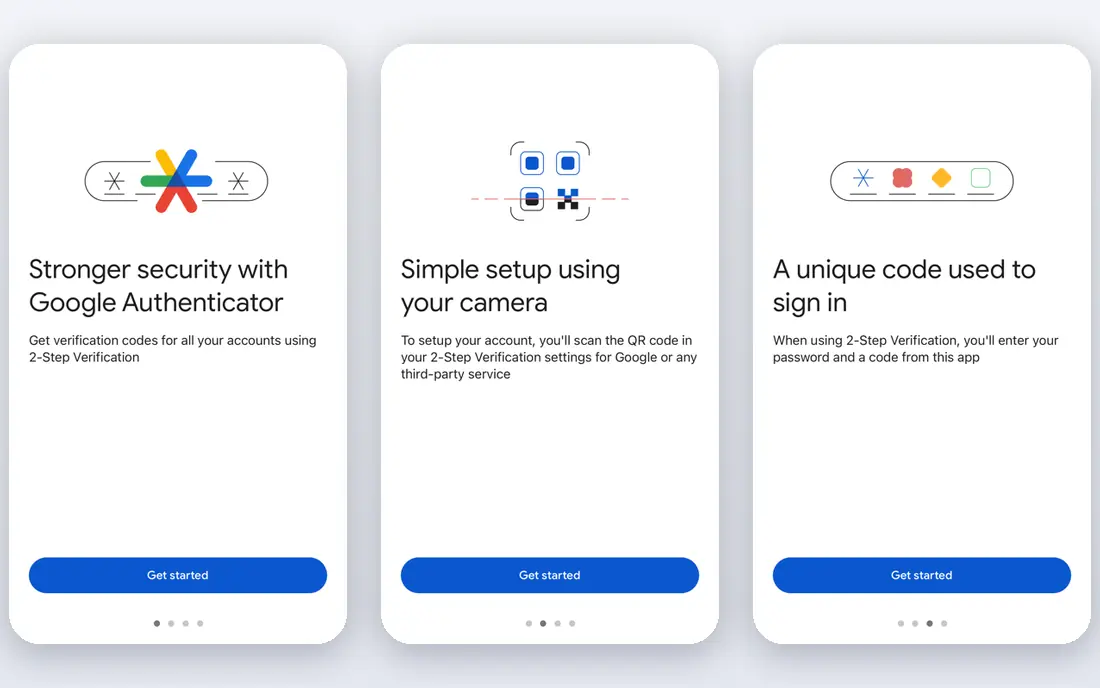
Google Authenticator is the simplest authenticator app for most people. You scan a QR code when you turn on two-factor authentication, and the app shows a six-digit code that changes every 30 seconds. It works offline, since codes are generated from a shared secret and the current time, not from a network connection.
The main decision is backup. Google Authenticator offers cloud sync to a Google account, which helps if you change phones, but it ties recovery to that account. Keep backup codes from each service in a safe place as well, so a lost phone does not lock you out. For straightforward personal accounts, Google Authenticator is hard to beat for simplicity.
- Free and easy to set up with QR codes
- Works with any service that supports TOTP
- Optional cloud sync to a Google account
- Backup is tied to a Google account
- Fewer organization features than password managers
Microsoft Authenticator suits anyone with Microsoft 365, Outlook, or work accounts managed by Microsoft. It supports passwordless approvals for Microsoft sign-ins, plus standard TOTP codes for other services such as GitHub, Dropbox, and banks that support authenticator apps. Cloud backup to a Microsoft account helps with phone changes.
The trade-off is vendor tie-in. Backup lives in your Microsoft account, so losing access to that account complicates recovery. Save service backup codes separately. For Microsoft-heavy users, this app is the natural pick, and it works well as a second authenticator for other accounts too.
- Free with passwordless sign-in for Microsoft accounts
- Cloud backup to a Microsoft account
- Supports standard TOTP accounts
- Backup is tied to a Microsoft account
- No desktop version for most users
Authy suits users who switch phones often or use more than one device. Encrypted backups let you restore codes on a new phone, and multi-device sync means a tablet can show the same codes as your phone. Codes still generate offline once set up, so a weak signal does not block sign-in.
Authy needs a phone number for its account, which privacy-focused users may dislike, and its desktop app is no longer offered. If you want multi-device backup without a password manager, Authy remains one of the easiest options. Guard your backup password carefully, since losing it can block recovery from an encrypted backup.
- Free with encrypted cloud backup
- Multi-device sync for phones and tablets
- Offline code generation
- Requires a phone number for an account
- Closed source
- Desktop app was removed, so mobile is the focus
1Password suits users who already pay for a password manager and want codes in the same vault. When you sign in to a site, 1Password can fill both the password and the one-time code, which speeds up logins across phone, desktop, and browser. Sync across devices means a new phone restores codes with the rest of the vault.
The security trade-off deserves a note. Storing a password and its second factor in the same vault is less separated than keeping them in different apps, though 1Password's encryption and device controls reduce that risk. For high-value accounts such as email and banking, some users keep those codes in a separate authenticator. For everyday accounts, 1Password is convenient and well supported.
- Codes stored alongside passwords with sync across devices
- Watchtower-style security alerts
- Strong family and team plans
- Paid password manager, so 2FA is not free on its own
- Storing codes with passwords reduces separation of factors
Bitwarden suits users who want an open-source password manager with authenticator support. The free plan covers password storage, while the premium plan adds integrated TOTP code generation and autofill. A separate free Bitwarden Authenticator app also exists for users who want codes apart from passwords.
Setup takes a little more care than Google Authenticator, since you need to understand vault, premium, and authenticator options. Once set, Bitwarden syncs across devices and browsers, which helps households and small teams. For open-source fans who also need a password manager, Bitwarden is a strong pick.
- Open-source password manager with TOTP support
- Sync across devices
- Affordable premium tier for full authenticator integration
- Full in-app code autofill needs a premium plan
- Setup takes more steps than a standalone authenticator
Duo Mobile suits work accounts protected by Cisco Duo. Many employers and schools use Duo for multi-factor authentication, and the app supports push approvals, passcodes, and third-party TOTP accounts. Duo Restore helps with phone changes when your organization enables it.
For personal accounts alone, Duo Mobile is less compelling than Google or Microsoft Authenticator, since its strengths show up in managed environments. If your employer uses Duo, install it and follow your IT team's enrollment steps. Do not rely on Duo alone for personal accounts unless you also keep backup codes.
- Free app with push approvals for work accounts
- Duo Restore for device changes
- Admin-managed options for organizations
- Full enterprise features need a paid Duo plan
- Less useful as a personal-only authenticator
Ente Auth suits privacy-focused users who still want cloud sync. Codes are encrypted end to end, so Ente servers cannot read them, and the code is open source for review. Apps cover phones, desktop, and web, which helps users who work across devices.
Free storage has limits, and paid tiers add more storage for users with many accounts or photos in the wider Ente service. For authenticator-only use, the free tier covers most needs. Ente Auth is a good middle ground between a fully local app such as Aegis and a vendor-tied app such as Google Authenticator.
- End-to-end encrypted cloud sync
- Open source
- Apps for iOS, Android, desktop, and web
- Free storage tier has limits
- Smaller user base than Google or Microsoft apps
Aegis Authenticator is the pick for Android users who want maximum privacy. It stores codes in a local encrypted vault, needs no account or phone number, and its code is open source. Fingerprint or PIN locks add protection if someone picks up your phone.
The catch is backup discipline. With no cloud sync, you must export and store an encrypted backup yourself, in a safe place separate from your phone. If you lose the phone and the backup, recovery depends on each service's backup codes. For Android users willing to manage backups, Aegis is one of the most trustworthy authenticator apps available.
- Free and open source
- Local encrypted vault with no account needed
- Fingerprint and PIN lock options
- Android only
- No automatic cloud sync, so backups are manual
2FAS suits users who want a free, cross-platform authenticator without ads. It covers Android and iOS, supports standard TOTP accounts, and offers a browser extension for desktop use. That cross-platform reach helps households with mixed phones.
Cloud sync is the main paid feature, so free users should export backups regularly. For a simple, free authenticator that works on both major phone platforms, 2FAS is a solid alternative to Google and Microsoft apps, especially for users who dislike vendor tie-in.
- Free and ad-free for core use
- Covers Android and iOS
- Browser extension and sync options available
- Full cloud sync sits on a paid tier
- Some advanced features need a subscription
LastPass Authenticator suits existing LastPass users who want codes alongside their vault. It supports push approvals for LastPass logins and standard TOTP codes for other services, with backup through a LastPass account. That integration speeds up sign-ins for LastPass households.
Users outside LastPass gain little from this app over Google or Microsoft Authenticator, and some users remain cautious after past LastPass security incidents. If you already trust and use LastPass, its authenticator is convenient. If you do not, pick a standalone app instead.
- Free app with push approvals for LastPass
- Supports standard TOTP accounts
- Backup through a LastPass account
- Best value only inside the LastPass ecosystem
- LastPass has faced past security incidents that some users weigh heavily
How we picked these
We compared official product pages, app listings, and security guides for authenticator apps that are live in October 2026 and support standard TOTP codes. We favored free core use, offline code generation, and a clear backup story, and we covered standalone apps, password-manager options, work apps, and open-source picks. We did not claim hands-on security testing. Backup and sync details change, so check the official page for the app you choose.
Choosing the best authenticator app for you
Start with your phone and accounts. Google Authenticator suits simple personal use, Microsoft Authenticator suits Microsoft and work accounts, and Authy suits multi-device users. Password manager users should check 1Password or Bitwarden first, since codes in the vault save time.
Next, decide on backup. Cloud sync is convenient but ties recovery to one vendor account. Local vaults such as Aegis give more privacy but need manual backups. Either way, save each service's backup codes in a safe place separate from your phone, such as a printed copy in a locked drawer or a secure note in a password manager you trust.
Finally, turn on two-factor authentication for email first, then banking, cloud storage, and social accounts. Email recovery often opens access to other accounts, so protecting it matters most. Test a code, confirm backup codes work, and only then remove an old authenticator from a service.
Frequently asked questions
What is the best 2FA authenticator app?
Google Authenticator is the best authenticator app for most people, since it is free, simple, and widely supported. Microsoft Authenticator is best for Microsoft users, Authy is best for multi-device backup, and Aegis is best for privacy-focused Android users. The best app is the one you will actually use and back up.
Is Google Authenticator or Microsoft Authenticator better?
Google Authenticator is simpler for personal accounts, while Microsoft Authenticator is better for Microsoft 365, Outlook, and work accounts with passwordless sign-in. Both are free and support standard TOTP codes for third-party services. Many users run one for personal accounts and the other for work.
What is the best authenticator app for 2FA with backup?
Authy offers encrypted multi-device backup for free, and Ente Auth offers end-to-end encrypted cloud sync. 1Password and Bitwarden back up codes with the rest of a password vault. Whichever app you pick, also save each service's backup codes separately, since app backup alone is not a complete recovery plan.
Do authenticator apps work without internet?
Yes, time-based authenticator apps generate codes offline from a shared secret and the current time. You need internet only for initial setup and for cloud backup or sync. If your phone clock is wrong, codes may fail, so keep automatic time enabled on your device.
What happens if I lose my phone with my authenticator app?
Use the backup codes from each service, or restore from an encrypted cloud backup if your app offers one. If neither is available, use each service's account recovery process, which may take time and identity checks. That risk is why setting up backup codes before you lose a phone matters so much.
Should I store 2FA codes in my password manager?
It is convenient, and 1Password and Bitwarden do it well, but it puts both factors in one vault. For everyday accounts, that trade-off is acceptable to most users. For high-value accounts such as primary email and banking, consider keeping codes in a separate authenticator app for stronger separation.
Sources
- https://support.google.com/accounts/answer/1066447
- https://www.microsoft.com/en-us/security/mobile-authenticator-app
- https://authy.com
- https://1password.com
- https://bitwarden.com
- https://duo.com/product/multi-factor-authentication-mfa/duo-mobile-app
- https://ente.io/auth
- https://getaegis.app
- https://2fas.com
- https://www.lastpass.com/products/authenticator
See where you really rank - block by block
ProMapRanker scans Google Maps across a grid of your service area. Simple monthly plans from $19, white-label on every plan.
Start freeKeep reading
 wpforms alternatives
Best WPForms Alternatives in 2026
We compare 9 wpforms alternatives for WordPress forms, with free and paid options, current pricing notes, and honest limits for small business sites in 2026.
Read → windows task scheduler alternatives
Best Windows Task Scheduler Alternatives in 2026
Looking for Windows Task Scheduler alternatives? We compare 9 schedulers for Windows and cross-platform work, from free tools to enterprise automation.
Read → which ai video service is best
Which AI Video Service Is Best in 2026
which ai video service is best? We compare 10 legitimate AI video services on price, avatars, editing and output quality to help you pick the right tool.
Read →