 ProMapRanker
Best Basecamp Alternatives in 2026


Cross-functional teams and portfolios · Pricing starts at: $10.99 per user per month
Key takeaways
- Asana is the closest all-round replacement for Basecamp teams that need timelines, dependencies, and portfolios.
- Trello suits teams that want Basecamp simplicity with a kanban board, at a lower starting price.
- ClickUp offers the most features per dollar, with a free plan for unlimited members, but it needs an owner to keep it tidy.
- monday.com wins on visual boards and fast onboarding, while Notion wins when docs and tasks must live in one workspace.
- Free Basecamp alternatives exist, but the best free plan depends on team size, since Asana free now covers only two users.
Quick comparison
| Pick | Great for | Pricing starts at | Free tier | |
|---|---|---|---|---|
| Asana | Cross-functional teams and portfolios | $10.99 per user per month | Yes | Visit |
 Trello | Simple kanban boards | $5 per user per month | Yes | Visit |
 monday.com | Visual boards and fast onboarding | $9 per seat per month | Yes | Visit |
 ClickUp | Most features per dollar | $7 per user per month | Yes | Visit |
 Notion | Docs and tasks in one workspace | $10 per user per month | Yes | Visit |
 Jira | Software and IT teams | See website | Yes | Visit |
 Wrike | Structured cross-department work | $10 per user per month | Yes | Visit |
 Smartsheet | Spreadsheet-native operations | $9 per user per month | Free trial | Visit |
 Todoist | Simple shared task lists | $4 per user per month | Yes | Visit |
 Teamwork | Client work and agencies | See website | Free trial | Visit |
The best Basecamp alternatives
We compared alternatives to Basecamp on project views, collaboration, pricing rules, free plans, and how quickly a small team can adopt each tool. Basecamp itself is not listed here, since this list covers replacements only.
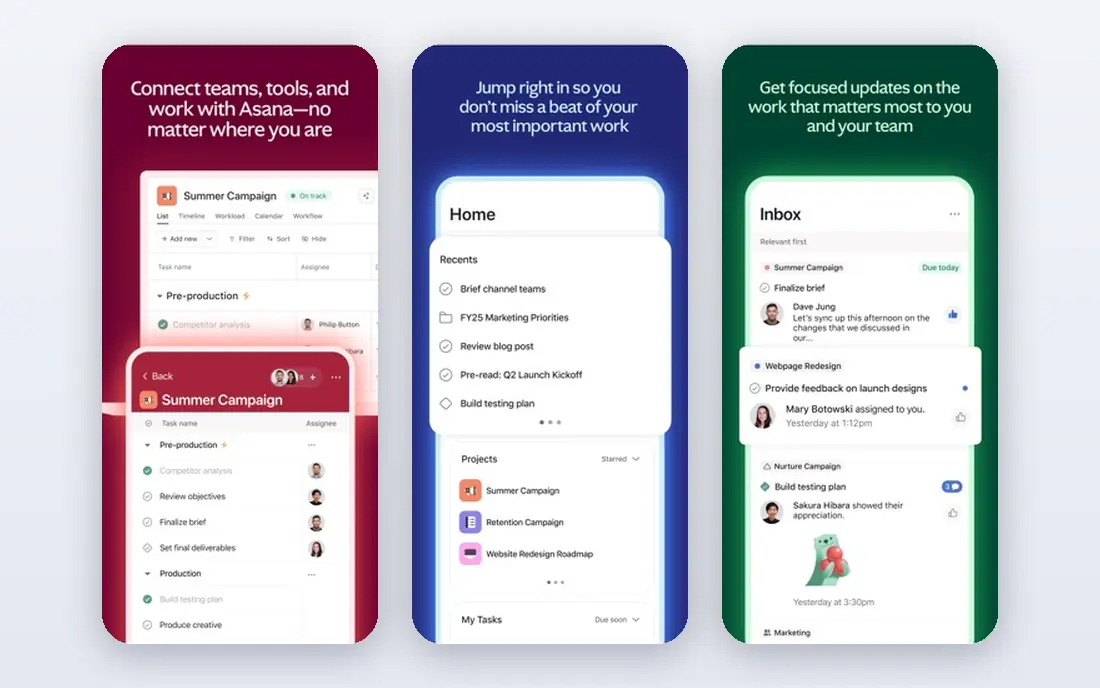
Asana is the most direct upgrade path for a Basecamp team that has outgrown simple to-do lists. It offers list, board, timeline, and calendar views, plus task dependencies, custom fields, and portfolios that roll many projects into one overview. Campaigns, launches, and repeatable processes fit Asana well, since templates and rules can standardize how work moves. Its integration catalog also covers common tools such as Slack, Google Workspace, and Microsoft Teams.
The pricing catch is the free plan. Asana free now covers only two users, so a real team will pay from the Starter plan at $10.99 per user per month billed annually. Advanced reporting and some automation features sit on higher tiers. If your team needs structure and can pay per seat, Asana is our pick for most Basecamp switchers.
- Timelines and dependencies
- Portfolios for multiple projects
- Broad integrations
- Free plan covers only two users
- Advanced features need higher tiers
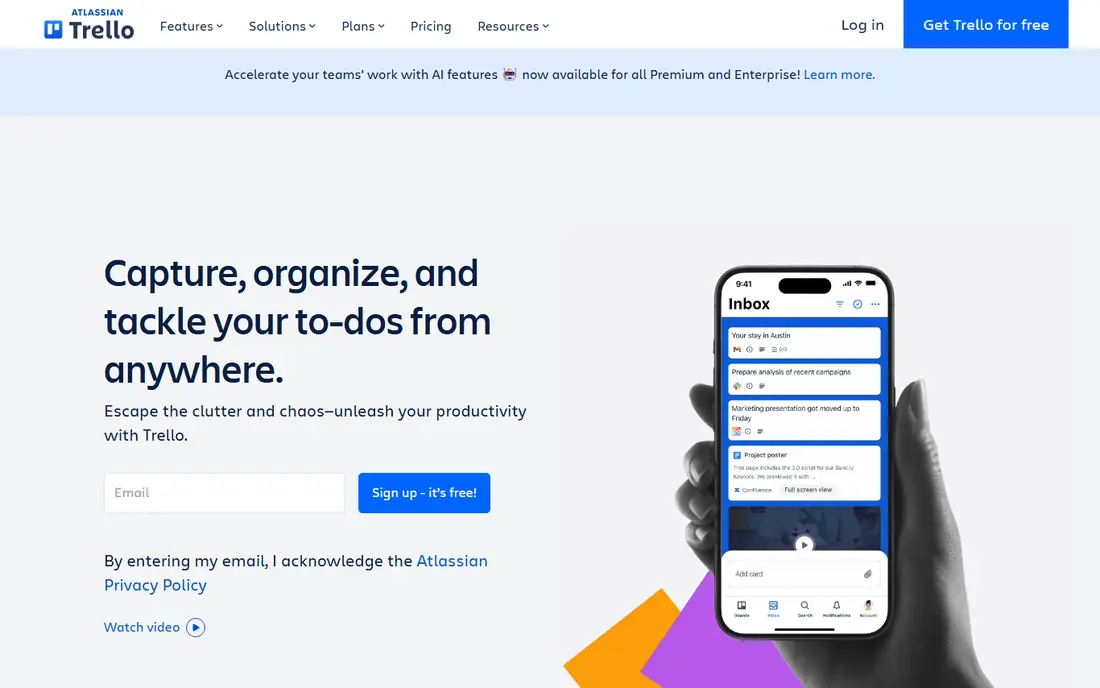
Trello keeps the Basecamp promise of simplicity, but in kanban form. You create boards, add lists, and move cards across stages, with checklists, due dates, attachments, and comments on each card. Small teams can start in minutes without training, and the Standard plan at $5 per user per month billed annually adds unlimited boards and more automation. Power-Ups extend Trello with calendars, custom fields, and integrations.
Trello is not a full project portfolio tool. Reporting is basic, dependencies are limited, and larger programs will feel the lack of timelines and workload views unless you pay for Premium. For teams whose work is task lists and status updates, Trello is the cheapest real team tool here and the easiest switch from Basecamp.
- Fastest learning curve
- Visual kanban boards
- Low starting price
- Limited reporting
- Timelines and advanced views need paid plans
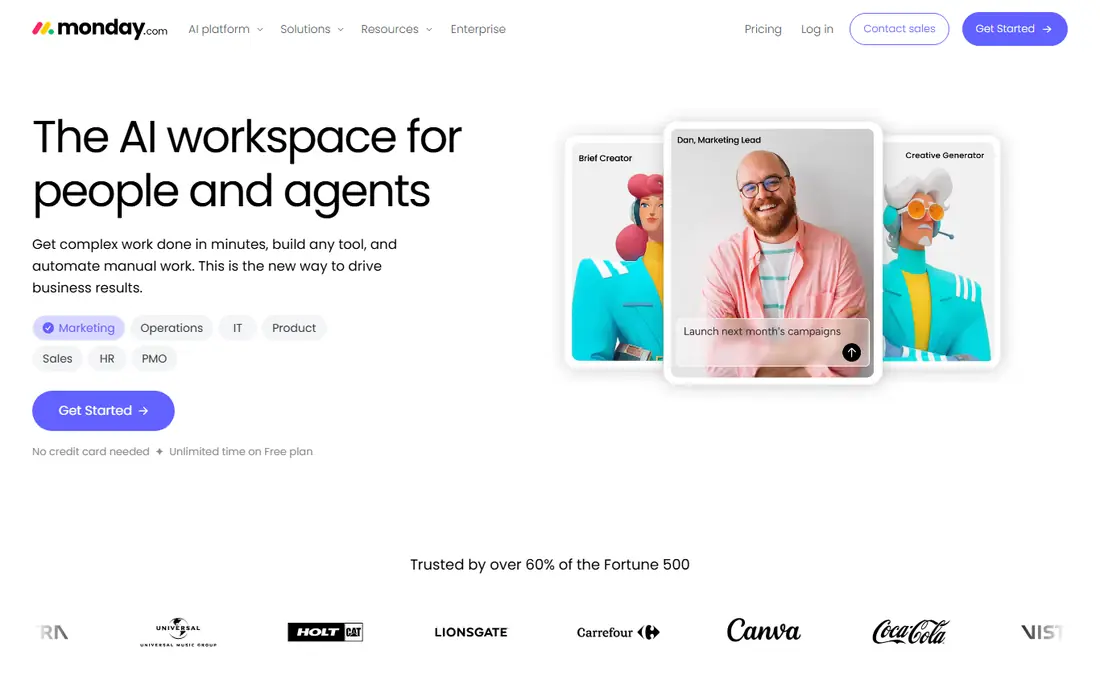
monday.com builds work around visual boards that show status, owners, dates, and progress at a glance. Teams that found Basecamp plain will like the color, customization, and templates for marketing, sales, operations, and product work. Onboarding is fast, and the board structure is flexible enough to track projects, clients, and content calendars in one place.
Pricing needs care. The Basic plan starts at $9 per seat per month billed annually, with a three-seat minimum, and timeline views start on the Standard plan. Automation is metered by actions, so heavy automation users should check limits. If visual clarity and quick adoption matter most, monday.com is a strong Basecamp alternative.
- Colorful visual boards
- Fast onboarding
- Strong automation options
- Three-seat minimum on paid plans
- Higher tiers needed for timelines and advanced automation
ClickUp packs more features into its price than any other tool here. The free plan covers unlimited members and tasks, while the Unlimited plan at $7 per user per month billed annually adds unlimited storage, Gantt charts, custom fields, and time tracking. Teams can use lists, boards, calendars, timelines, docs, and goals without buying separate tools. That breadth makes ClickUp the value leader for teams willing to invest in setup.
Breadth is also the risk. ClickUp ships so many options that a team without an owner ends up with messy workspaces and inconsistent habits. Turn off unused features, appoint an admin, and start from a template. If your team will do that work, ClickUp replaces Basecamp with far more capability for a similar or lower price.
- Free plan for unlimited members
- Many views including Gantt
- Native time tracking on paid plans
- Interface can feel overwhelming
- Setup needs an owner
- AI features cost extra
Notion suits teams that want project work and documentation in one place. You can build a wiki, a meeting notes hub, and a task database in the same workspace, linking docs to projects without switching tools. Templates cover roadmaps, content calendars, and team wikis, and databases let you filter work by owner, status, and date. For knowledge-centered teams, that combination beats a task-only tool.
Notion is less structured than Asana for complex project management. Dependencies, workload views, and advanced reporting are thinner, and teams running many parallel projects may miss portfolio tools. The Plus plan at $10 per user per month billed annually suits most small teams. If docs matter as much as tasks, Notion is the best Basecamp alternative here.
- Docs, wikis, and tasks together
- Flexible databases
- Strong templates
- Project management is less structured than Asana
- AI costs extra on some plans
Jira is the standard choice for software and IT teams running scrum, kanban, or mixed agile work. It offers boards, backlogs, sprints, issue types, and workflows that Basecamp never attempted, plus reporting on velocity and release progress. The free plan covers up to 10 users, which makes Jira the cheapest serious option for a small software team willing to handle setup.
Jira is overkill for simple shared task lists. Configuration, workflows, and permissions take time to learn, and non-technical teams may find it heavy. Pricing for larger teams varies with team size, so use the Atlassian calculator before budgeting. For software teams leaving Basecamp, Jira is the natural upgrade.
- Free for up to 10 users
- Strong agile boards
- Deep issue tracking
- Configuration takes time
- Overkill for simple task lists
- Pricing varies by team size
Wrike suits teams that run structured, cross-department work with approvals, dependencies, and reporting. It offers Gantt charts, workload views, custom workflows, and dashboards that help managers see who is overloaded and which projects are at risk. Agencies and larger teams often choose Wrike when Basecamp feels too simple but ClickUp feels too open-ended.
The Team plan starts at $10 per user per month billed annually, with a free plan for small teams. Setup takes longer than Trello, and some advanced features sit on higher tiers. If your work needs structure, approvals, and cross-team visibility, Wrike is a disciplined Basecamp alternative.
- Structured workflows
- Workload views
- Strong for agencies and enterprises
- Learning curve above Trello
- Some features need higher tiers
Smartsheet will feel familiar to any team that runs projects in spreadsheets. It keeps the grid view, adds Gantt charts, card views, forms, and automation, and lets operations teams track budgets, vendors, and timelines in one sheet-based system. Teams that live in Excel or Google Sheets often adopt Smartsheet faster than a board-only tool.
Smartsheet has no permanent free plan, only a 30-day trial, and the Pro plan starts at $9 per member per month with a member limit on that tier. It charges mainly for editors, so viewers cost less, but you should model your real editor count before comparing prices. For spreadsheet-native operations teams, Smartsheet is a strong Basecamp alternative.
- Familiar spreadsheet grid
- Gantt and card views
- Strong for operations teams
- No free plan, only a trial
- Charges mainly for editors
- Automation limits need checking
Todoist is the simplest tool on this list, and that is its appeal. It excels at capturing tasks fast, setting due dates in plain language, and sharing lists with a small team. The Pro plan costs $4 per user per month billed annually, making it the cheapest paid option here. Individuals and tiny teams that mainly need shared lists will find Todoist faster than any full project tool.
Todoist is not a project management platform. Collaboration features are thin for real project work, timelines and boards are basic, and reporting is limited. If your Basecamp use was mostly to-do lists and check-ins, Todoist is a clean, cheap replacement. If you need portfolios or dependencies, choose Asana or ClickUp instead.
- Fast task capture
- Natural-language due dates
- Lowest paid price here
- Thin collaboration for real project work
- No timelines or boards as core views
Teamwork is built for agencies and client-service teams that need to manage client projects, track time, and keep client communication organized. It offers project templates, milestones, workload views, and time tracking, with client user roles that keep internal work separate from client-visible updates. That client focus sets it apart from general tools such as Asana and Trello.
Pricing varies by plan and team size, so check the current Teamwork pricing page before budgeting. Setup takes more effort than Trello, and smaller teams may not need its client billing depth. For agencies leaving Basecamp for client work, Teamwork is one of the most purpose-built alternatives.
- Client-facing project tools
- Time tracking and billing links
- Workload views
- Pricing needs a quote check for larger teams
- Learning curve above Trello
How we picked these
We compared official pricing pages, feature pages, and current project management guides for tools active in October 2026. We required each tool to offer real multi-user project capability, a credible free or low-cost entry point, and a working path for a Basecamp team to move tasks and files. We excluded Basecamp itself, since this list covers alternatives only. We did not claim hands-on testing. Our ranking rests on published plans, documented features, and aggregated buyer reviews.
Which free Basecamp alternative should you pick
Free plans differ more than their labels suggest. ClickUp free covers unlimited members, which suits a whole small team. Trello free covers up to 10 boards, which suits a team with few projects. Notion free suits individuals and small teams that need docs. Asana free covers only two users, so it is a trial for a team, not a team plan. Jira free covers up to 10 users, which suits a small software team.
Match the free plan to your team size before you fall in love with a tool. A free plan that fits three people will not help a team of twelve, and a paid plan that looks cheap per seat can grow fast with seat minimums. Run a real project through the free tier for two weeks, with the same people who will use it daily. Adoption by the team, not the feature list, decides whether the tool survives after the switch.
Frequently asked questions
What is the best free Basecamp alternative?
ClickUp offers the strongest free plan for teams, since it covers unlimited members and tasks. Trello free suits teams with few boards, and Notion free suits docs-centered teams. Asana free is limited to two users, so it works as a personal trial rather than a team plan.
Is there a Basecamp alternative with flat pricing?
Basecamp itself is known for flat pricing, but among alternatives, pricing is mostly per seat. ClickUp, Trello, and Todoist keep per-seat prices low, while Teamwork and Wrike vary by plan. If flat pricing is essential, price your real team size across per-seat tools and compare the total monthly bill, not just the per-seat rate.
Which Basecamp alternative is simplest?
Trello is the simplest alternative here, with kanban boards that need almost no training. Todoist is even simpler for task lists, but it lacks project views. If your team liked Basecamp for its simplicity, start with Trello and only move to Asana or ClickUp if you need timelines and reporting.
Can I migrate projects from Basecamp to Asana or Trello?
Yes, most alternatives offer import tools or CSV import for tasks, and some offer dedicated Basecamp importers. Check the import guide for your chosen tool before switching, and export a backup from Basecamp first. Complex structures such as message boards and campfires may not migrate cleanly, so plan to rebuild those parts manually.
What is the best Basecamp alternative for agencies?
Teamwork and Wrike suit agencies best, since they offer client roles, time tracking, and workload views. Asana also works for agencies that need portfolios and templates. Choose Teamwork if client billing and client visibility matter most, and Wrike if cross-department structure matters most.
Do Basecamp alternatives include team chat?
Some do, and some rely on integrations. ClickUp includes chat views, and most tools integrate with Slack or Microsoft Teams for chat. If built-in chat was a core Basecamp feature for you, test chat in ClickUp or confirm the Slack or Teams integration for Asana, Trello, and monday.com before committing.
Sources
See where you really rank - block by block
ProMapRanker scans Google Maps across a grid of your service area. Simple monthly plans from $19, white-label on every plan.
Start freeKeep reading
 free alternatives to grok imagine
Free Alternatives to Grok Imagine in 2026
We compared the best free alternatives to grok imagine for image generation, from fast daily credits to design tools, so you can create without paying.
Read → best tools for instagram content creation
Best Tools for Instagram Content Creation in 2026
Compare the best tools for Instagram content creation, from Canva and CapCut to Later and Buffer, on design, video, planning, scheduling, and price in 2026.
Read → best tool to split pdf files
Best Tool to Split PDF Files in 2026
We compared the best tool to split pdf files on split modes, file limits, privacy and price, so you can split a PDF cleanly and keep every page in one go.
Read →