 ProMapRanker
Best Alternatives to AutoCAD in 2026


DWG drafting with a familiar workflow · Pricing starts at: See website
Key takeaways
- BricsCAD and DraftSight are the closest DWG drafting replacements, with familiar commands and lower prices than AutoCAD.
- LibreCAD and FreeCAD cost nothing and cover real 2D and 3D work, though they need more patience and community support.
- SketchUp and Fusion 360 suit 3D concept and product design better than pure 2D drafting.
- Onshape is the strongest pick for teams that want browser-based collaboration without desktop installs.
- Check DWG compatibility with your own files before paying, since small differences in blocks and layouts cause real rework.
Quick comparison
| Pick | Great for | Pricing starts at | Free tier | |
|---|---|---|---|---|
| BricsCAD | DWG drafting with a familiar workflow | See website | Free trial | Visit |
 DraftSight | Budget professional 2D drafting | $299 per year | Free trial | Visit |
 LibreCAD | Free 2D drafting | Free | Yes | Visit |
 FreeCAD | Free parametric 3D modelling | Free | Yes | Visit |
 SketchUp | Fast 3D concept models | $129 per year | Yes | Visit |
 Fusion 360 | Product design with CAM | $680 per year | Yes | Visit |
 Onshape | Cloud CAD for teams | $1,500 per year | Yes | Visit |
 nanoCAD | Low-cost DWG drafting on Windows | See website | Yes | Visit |
 QCAD | Cheap professional 2D drafting | $48 one-time | Yes | Visit |
The best alternatives to AutoCAD
AutoCAD remains the reference tool for DWG work, but its subscription price pushes many firms to look elsewhere. The tools below are not all direct clones. Some match AutoCAD for 2D drafting, others are better for 3D modelling, and a few are free. The right pick depends on the files you must deliver and the people who must open them.

BricsCAD is the alternative most AutoCAD users settle into fastest. It opens, edits and saves DWG files, uses familiar drafting commands and supports LISP routines that many firms rely on. For a practice that produces construction drawings and needs clients and consultants to open files without fuss, that compatibility is the whole argument.
BricsCAD comes in Lite, Pro, Mechanical, BIM and Ultimate editions, so the price depends on the work you actually do. A 2D drafting seat costs far less than a full BIM or mechanical seat, and buyers should compare editions rather than assuming one price covers everything. The trial is worth using with your own drawings, blocks and plot styles, since those details decide whether a switch is painless or merely possible.
- Strong DWG compatibility
- Familiar commands and interface
- Perpetual licence options have been offered
- Pricing varies by edition and region
- Advanced BIM and mechanical tools sit in higher editions

DraftSight, from Dassault Systemes, is built for teams that mainly create and edit 2D DWG or DXF drawings. The Professional plan has been listed at $299 per year, which makes it a straightforward budget seat for small firms, contractors and solo drafters. If your deliverable is a clean 2D drawing set, DraftSight covers the core work without paying for 3D and BIM features you will not use.
The limits are equally clear. DraftSight is not a 3D modelling or BIM platform, and buyers should check that the edition they choose includes the specific tools they need, such as PDF import and LISP customisation. Test your existing blocks and routines during the trial. For pure 2D work on a tight budget, it is one of the easiest recommendations in this list.
- Professional 2D DWG and DXF drafting
- Familiar drafting tools
- Lower price than AutoCAD
- 3D tools are limited compared with full CAD suites
- Some features vary by edition
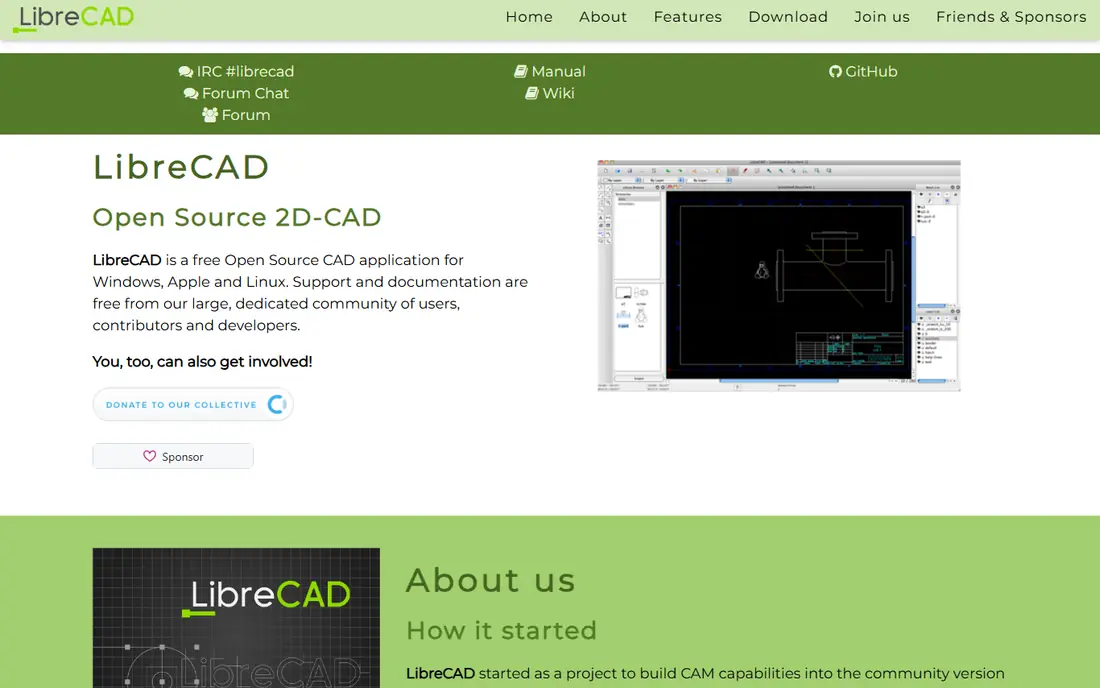
LibreCAD is the zero-budget answer to 2D drafting. It is free, open source and runs well on modest hardware, which makes it a good learning tool and a practical option for small jobs, hobby projects and firms that only need occasional drawings. The interface is plain and the toolset covers lines, arcs, layers, dimensions and blocks for everyday 2D work.
The honest catch is DWG handling. LibreCAD works best with DXF files, and native DWG support is limited, so files shared with AutoCAD users may need conversion and checking. It also offers no 3D modelling. If your clients demand native DWG files, pair LibreCAD with a paid tool or choose BricsCAD or DraftSight instead. If cost is the deciding factor and DXF is acceptable, LibreCAD is hard to beat.
- Completely free and open source
- Light on old hardware
- Good for learning 2D drafting
- DWG support is limited
- No 3D modelling
- Community support only
FreeCAD is a free, open-source parametric 3D modeller, and it is the closest free route to professional mechanical design. Changes to a sketch or dimension update the model, which teaches the parametric habits used across the industry. It also exports clean files for 3D printing and covers assemblies, sheet metal, technical drawings and simulation through workbenches and add-ons.
FreeCAD is not a drop-in AutoCAD replacement for 2D documentation. Its 2D drafting tools exist, but the workflow is built around 3D parts rather than drawing sheets. New users should expect a learning curve and rely on community tutorials and documentation. For makers, students and small product teams with no budget, FreeCAD offers capability that would have cost thousands a few years ago.
- Free parametric modelling
- Strong for mechanical parts and 3D printing
- Runs on Windows, Mac and Linux
- Learning curve is steep
- Interface feels less polished than paid tools
SketchUp is the tool non-CAD people actually learn. Its push and pull modelling lets architects, interior designers and woodworkers build a readable 3D concept in hours rather than weeks, and the free web version is enough to learn the basics. The 3D Warehouse library of ready models speeds up early design, and the paid Go plan has been listed from $129 per year, with Pro adding LayOut for documentation.
SketchUp is not the right tool for precise DWG production on its own. Detailed construction drawings still belong in a drafting tool, and firms that need strict DWG output should pair SketchUp with BricsCAD or DraftSight. As a concept and presentation tool that clients understand at a glance, SketchUp remains one of the best values in CAD.
- Very easy to learn
- Fast concept modelling
- Large library of ready models
- Not a full 2D drafting replacement
- Precise documentation needs the paid Pro tools
Fusion 360 is Autodesk's own alternative path, aimed at product and mechanical design rather than 2D drafting. It combines parametric modelling, sheet metal, CAM toolpaths, simulation and rendering in one subscription, listed at about $680 per year for paid plans. A free personal use tier covers non-commercial work with limits, which makes it a practical learning route.
The workflow differs from AutoCAD in important ways. Fusion 360 is built around 3D parts and manufacturing, not drawing sheets, and its cloud storage model suits teams that share files online but frustrates users with poor connectivity. If you design parts to be machined or printed, Fusion 360 is a stronger pick than AutoCAD. If you document buildings in DWG, it is a complement, not a replacement.
- CAD, CAM, simulation and rendering in one tool
- Free personal use tier
- Strong for manufacturable parts
- Cloud-based workflow needs a good connection
- Personal tier has document limits
Onshape is a cloud-native CAD platform from PTC, and its strength is teamwork. Because it runs in a browser, team members can open the same model, comment and edit without installs, licence servers or file conflicts, and built-in version control tracks every change. That model suits distributed product teams and firms with mixed Mac, Windows and Chromebook hardware.
The price is the barrier. The Standard plan has been listed at $1,500 per year, with Professional higher, which puts Onshape above Fusion 360 for solo users. The free tier covers non-commercial work but makes documents public, so it is not suitable for client projects. If collaboration and version control are your main pain points, Onshape earns its price. If you work alone, a desktop tool costs less.
- Runs in a browser with no install
- Real-time team collaboration
- Built-in version control
- Professional pricing is high
- Free tier documents are public
nanoCAD is a Windows CAD tool built around DWG compatibility, with a free tier for basic drafting and paid editions for professional work. Its interface feels familiar to AutoCAD users, which shortens the learning period, and its price has historically sat well below AutoCAD for comparable 2D work. Small firms on Windows that need DWG files without a large subscription should give it a trial.
The main limits are platform and edition spread. nanoCAD is Windows only, so Mac and Linux users must look elsewhere, and the exact feature set depends on the edition chosen. Check that your required tools, such as 3D modelling or advanced automation, are in the edition you plan to buy. For straightforward Windows drafting, nanoCAD is a solid budget option.
- DWG-compatible drafting
- Free tier for basic use
- Familiar AutoCAD-style interface
- Windows only
- Paid features and support vary by edition
QCAD is a 2D CAD tool with a community edition that is free and a Professional edition listed at about $48 as a one-time purchase. That price makes it one of the cheapest professional drafting options available, and it runs on Windows, Mac and Linux. For small drawings, plans, schematics and workshop sheets, QCAD covers the essentials without a subscription.
QCAD does not do 3D work, and full DWG write support is a Professional feature, so free-tier users working in DXF should plan for that step. The interface is functional rather than polished, and support comes mainly from documentation and community forums. If you want a cheap, honest 2D drafting seat with no monthly bill, QCAD is a strong final pick.
- Very low one-time price
- Clean 2D drafting
- Runs on Windows, Mac and Linux
- No 3D modelling
- DWG write support sits in the paid edition
How we picked these
We compared official feature pages, pricing pages, app listings and public reviews, and kept only tools that are live and genuinely used for CAD drafting or design. We favoured DWG compatibility for drafting picks and real modelling capability for 3D picks, and we marked pricing as See website where the vendor does not publish a single clear US price. No tool was included only because it was free; each one had to fit a real AutoCAD use case.
How to choose between 2D and 3D tools
The first question is what you deliver. If clients and consultants require DWG drawing sets, start with BricsCAD, DraftSight, nanoCAD or QCAD, and test your own files in the trial. If you deliver 3D models, renders or parts for manufacturing, start with SketchUp, Fusion 360, Onshape or FreeCAD, depending on budget and team size. Many firms end up with two tools: one for drawings and one for models.
Budget, platform and file checks
Free tools remove the subscription cost but add learning time and support limits, while paid tools add polish, support and compatibility. Check the operating system each tool supports, since nanoCAD is Windows only and Onshape needs only a browser. Before paying, open a real project file, test blocks, layers, dimensions and plot output, and confirm that the people who receive your files can open them without rework.
Frequently asked questions
Can I open AutoCAD DWG files in these alternatives?
BricsCAD, DraftSight and nanoCAD are built for DWG work and handle it best. QCAD Professional also supports DWG writing, while LibreCAD works best with DXF and may need conversion. Always test your own files, since complex blocks, external references and custom objects can behave differently across tools.
What is the best free alternative to AutoCAD?
LibreCAD is the best free pick for 2D drafting, and FreeCAD is the best free pick for parametric 3D modelling. SketchUp Free and Onshape Free cover browser-based 3D concept work, with limits on privacy and commercial use. For paid client work that requires DWG files, a low-cost paid tool is usually the safer choice.
Is BricsCAD really compatible with AutoCAD?
BricsCAD is highly compatible for most 2D drafting work, including DWG files, familiar commands and LISP routines. Compatibility is not perfect for every AutoCAD vertical toolset or custom application, so firms with deep customisation should trial BricsCAD with their own drawings and routines before switching a whole team.
Do I still need AutoCAD if clients require DWG files?
Not always. Many clients accept DWG-compatible files from BricsCAD or DraftSight without question, especially when the drawings are clean and well layered. You still need AutoCAD when a client or contract explicitly requires native AutoCAD files, a specific vertical toolset or an AutoCAD-only workflow.
Which alternative is easiest for beginners?
SketchUp is the easiest 3D tool to learn, and LibreCAD is the gentlest introduction to 2D drafting. Fusion 360 takes longer to learn but teaches professional product design habits, while FreeCAD rewards patience with free parametric modelling. Pick the tool that matches the work you want to learn first, not the one with the longest feature list.
Sources
See where you really rank - block by block
ProMapRanker scans Google Maps across a grid of your service area. Simple monthly plans from $19, white-label on every plan.
Start freeKeep reading
 wpforms alternatives
Best WPForms Alternatives in 2026
We compare 9 wpforms alternatives for WordPress forms, with free and paid options, current pricing notes, and honest limits for small business sites in 2026.
Read → windows task scheduler alternatives
Best Windows Task Scheduler Alternatives in 2026
Looking for Windows Task Scheduler alternatives? We compare 9 schedulers for Windows and cross-platform work, from free tools to enterprise automation.
Read → which ai video service is best
Which AI Video Service Is Best in 2026
which ai video service is best? We compare 10 legitimate AI video services on price, avatars, editing and output quality to help you pick the right tool.
Read →