 ProMapRanker
Top Contract Management Software Comparisons in 2026


Large legal teams and complex workflows · Pricing starts at: See website
Key takeaways
- Ironclad and Icertis suit large legal teams with complex workflows, while PandaDoc and Concord fit smaller teams that need a faster start.
- DocuSign CLM makes most sense for companies already standardised on DocuSign for signing.
- ContractWorks and Concord publish entry pricing, which helps smaller teams budget without a sales call.
- Juro and SpotDraft appeal to teams that want to negotiate inside the document rather than across email threads.
- Agiloft stands out for organisations that need deep configuration without heavy custom code.
Quick comparison
| Pick | Great for | Pricing starts at | Free tier | |
|---|---|---|---|---|
| Ironclad | Large legal teams and complex workflows | See website | No | Visit |
 PandaDoc | Small and mid-size teams needing documents and signing | $19 per user per month | Free trial | Visit |
 DocuSign CLM | Companies already using DocuSign eSignature | See website | No | Visit |
 Concord | Business teams that self-serve routine contracts | $499 per month | No | Visit |
 ContractWorks | Fast searchable repository setup | $700 per month | Free trial | Visit |
 Juro | Negotiating inside the document | See website | No | Visit |
 Agiloft | Highly configurable contract workflows | See website | No | Visit |
 Icertis | Large enterprises with global contract volume | See website | No | Visit |
 SpotDraft | Mid-market teams wanting AI-native contract work | See website | No | Visit |
The best contract management software comparisons
Contract management software covers a wide range, from a searchable place to store signed agreements to a full lifecycle platform with drafting, negotiation, approval and obligation tracking. Comparing tools fairly means matching the tool to the job, since a repository and an enterprise workflow platform solve different problems. This comparison groups tools by that fit, with pricing where vendors publish it.
Ironclad comes up in nearly every enterprise contract conversation, and its workflow tools explain why. Legal teams can design approval chains, route contracts to the right reviewers, and keep negotiation in one shared workspace instead of scattered email threads. AI features extract key data and flag issues across signed agreements, which helps teams answer questions about their portfolio without opening every file.
The trade-off is scale and cost. Pricing is quote-based, and a full rollout is a project, not a weekend setup. Teams that mainly need storage and search will find Ironclad more platform than they need, while teams drowning in approval bottlenecks will get the most from it.
- Strong workflow designer for approvals
- Collaborative redlining in one place
- AI extraction across the portfolio
- Quote-based pricing
- Implementation can take months
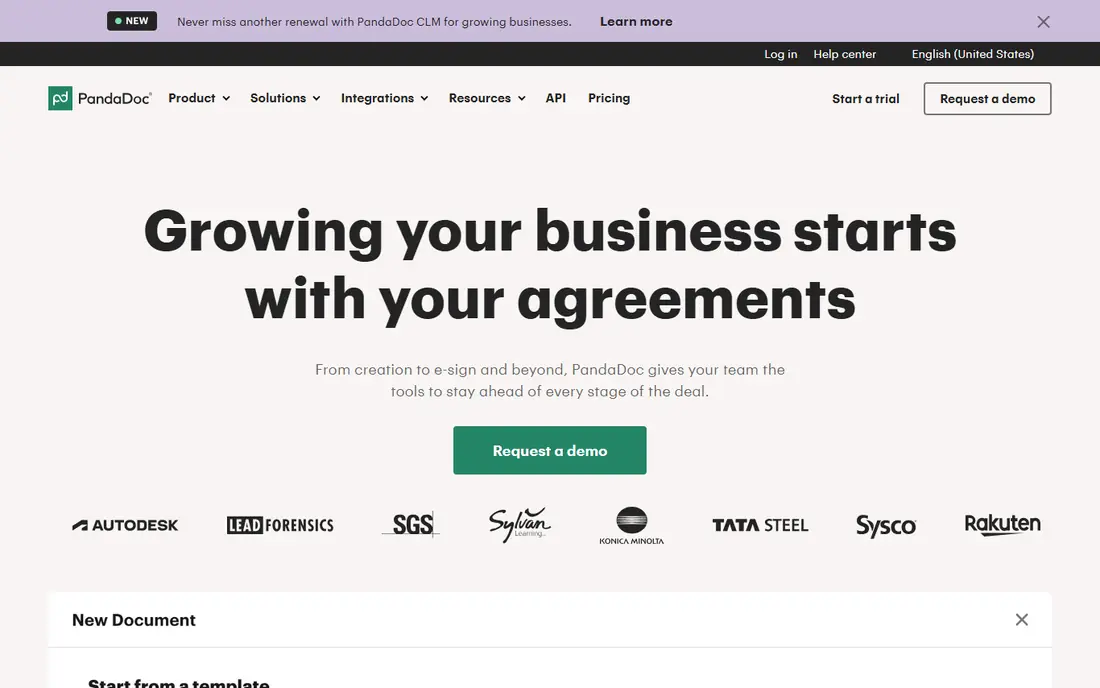
PandaDoc suits teams that create, send and sign documents every day and want one tool for the whole flow. Templates speed up proposals and agreements, eSignatures close the loop, and analytics show when a recipient opens or signs. For sales and operations teams, that combination covers most contract work without a dedicated legal platform.
It is not a full enterprise lifecycle system. Complex approval chains, deep obligation tracking and large-scale contract intelligence are thinner here than in tools built for legal departments. Teams should check whether their heaviest need is document flow, where PandaDoc shines, or portfolio governance, where another tool fits better.
- Document creation plus eSignature in one tool
- Templates and analytics included
- Published entry pricing
- Less depth for enterprise lifecycle workflows
- Advanced features sit on higher tiers
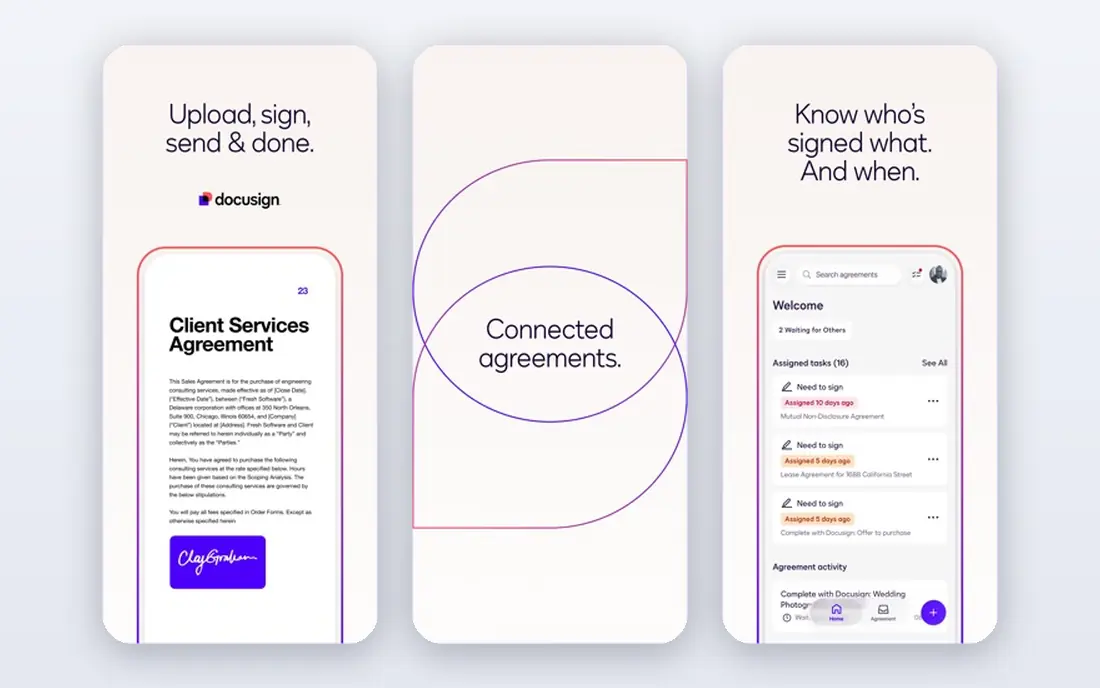
DocuSign CLM builds on the signing tool many companies already use. Contracts move from drafting and negotiation into signature and storage without leaving the DocuSign family, which reduces handoffs and keeps an audit trail in one place. Search, version control and approval workflows support teams that handle steady contract volume.
The honest catch is fit. A company with no DocuSign history may find a standalone platform simpler or cheaper, while a company already standardised on DocuSign gains the most from staying inside that system. Pricing is quote-based, so budget planning needs a sales conversation.
- Tight link to DocuSign signing
- Central repository with search
- Workflow automation for approvals
- Quote-based pricing
- Best value depends on existing DocuSign use
Concord targets business teams that want to handle routine contracts without waiting on legal for every step. Unlimited eSignatures, template libraries, approval workflows and deadline reminders cover the daily work of creating and tracking agreements. The published entry price, for five users on annual billing, helps small teams compare costs honestly.
Concord is less of an AI-first platform than some newer rivals, and teams chasing deep contract intelligence may want more. For teams whose main pain is scattered documents, missed renewals and slow approvals, though, its straightforward approach is a strength rather than a gap.
- Unlimited eSignatures on paid plans
- Deadline reminders and audit trails
- Published entry price
- Monthly entry price suits teams, not solo users
- AI features are less central than in newer rivals
ContractWorks pitches itself on speed: a central, searchable repository with alerts, permissions and eSignature, up and running quickly. Unlimited users on its plan means a growing team does not pay per seat as headcount rises, which changes the maths for mid-size companies. Dedicated support is part of the offer, which helps teams without a large IT function.
The limit is depth. Teams needing complex multi-stage approvals, clause libraries and AI-driven negotiation support will outgrow a repository-first tool. For teams whose core problem is finding contracts and never missing a renewal, ContractWorks answers the brief directly.
- Quick implementation
- Unlimited users on the plan
- Alerts for key dates and renewals
- Less workflow depth than enterprise platforms
- Monthly price is fixed regardless of team size
Juro keeps negotiation inside the contract document rather than in email attachments and tracked changes. Parties comment, suggest and approve in one browser-based workspace, and structured templates turn contract terms into searchable data. That design cuts version confusion, which is a real source of delay in many deals.
Juro is a strong fit for legal and commercial teams that negotiate often and want a modern interface. Its ecosystem is smaller than the biggest enterprise suites, and pricing requires a conversation, so teams should test the negotiation flow with a real contract type before committing.
- Browser-based negotiation in the document itself
- Templates with structured data
- Clean interface
- Quote-based pricing
- Smaller ecosystem than the largest enterprise platforms
Agiloft suits organisations whose contracts cross departments, countries and approval rules that off-the-shelf tools cannot express. Its no-code configuration lets teams build custom workflows, fields and permissions around their actual process, rather than bending the process to the tool. Reporting and audit controls support regulated environments.
That flexibility has a cost in setup time. A team needs someone to own the configuration, or the platform can grow complicated. Organisations with straightforward contracts will move faster on a simpler tool, while complex operations will value Agiloft's ability to match their rules.
- Deep configuration without heavy coding
- Handles multi-jurisdiction workflows
- Strong permissions and reporting
- Configuration takes time to get right
- Quote-based pricing
Icertis is built for enterprises managing thousands of agreements across business lines and countries. Its contract intelligence tools surface obligations, risks and terms from the portfolio, and integrations push that data into the systems finance, procurement and sales already use. Templates and clause libraries support common agreement types at scale.
Small and mid-size teams should look elsewhere. Icertis pricing is quote-based and enterprise-scale, and implementation is a multi-month programme. For a global company, that investment buys a single source of truth for contracts; for anyone else, it buys complexity.
- Contract intelligence across huge portfolios
- Obligation tracking
- Integrations with ERP and CRM systems
- Enterprise-scale pricing and rollout
- Far more than small teams need
SpotDraft aims at mid-market legal teams that want AI help without enterprise complexity. Drafting, review and repository features sit in one platform, with AI tools that summarise contracts and flag key terms. That positioning fills a gap between simple repositories and heavyweight enterprise suites.
The platform is younger than Ironclad or Icertis, so teams should check integrations and references in their own industry. For a legal team that wants modern AI features and a faster rollout than an enterprise platform demands, SpotDraft is worth a serious trial.
- AI-assisted drafting and review
- Central repository with search
- Designed for mid-market legal teams
- Quote-based pricing
- Younger platform than the enterprise incumbents
How we picked these
We compared official product and pricing pages, documentation and public reviews, and kept only tools that exist and work in October 2026 and truly cover contract management. We included repository-first tools, document-and-signing tools and full lifecycle platforms, because the search term covers all three. Where vendors do not publish pricing, we wrote See website rather than guessing a figure.
Comparing contract tools without getting misled
Start by naming the job. A team that loses signed contracts needs a repository with search and renewal alerts. A team stuck in approval queues needs workflow design and redlining. A team managing thousands of supplier agreements needs obligation tracking and portfolio intelligence. Vendors often sell all three jobs at once, so a demo should use your contract types, not theirs.
Pricing comparisons need the same care. Per-user pricing, flat monthly pricing and quote-based enterprise pricing do not compare directly, and seat minimums change the total fast. Ask for the total annual cost for your team size, including implementation, training and any AI add-ons. A tool that looks cheap per user can cost more once add-ons and services are added.
Trials should test the painful step. Upload a messy legacy contract and search it, run a real approval chain with a difficult reviewer, and check how renewal alerts reach the person who acts on them. If a tool handles those three moments well, it will handle daily work. If it only shines on a polished demo contract, keep looking.
Frequently asked questions
What is the best contract management software comparison for small teams?
PandaDoc and Concord usually fit small teams best, since both cover drafting, signing and tracking without enterprise setup. ContractWorks also works when a searchable repository is the main need. Larger platforms add cost and rollout time that small teams rarely need.
What is the top contract management software comparison for enterprises?
Ironclad and Icertis lead for large legal teams, with Agiloft close behind for highly configurable workflows. Ironclad suits workflow-heavy legal operations, while Icertis suits global portfolios needing contract intelligence. Both need a serious implementation budget.
How much does contract management software cost?
Published entry prices here range from $19 per user per month for PandaDoc to $499 per month for Concord and $700 per month for ContractWorks. Enterprise platforms are quote-based, so costs depend on volume, users and implementation scope. Always ask for the full annual total.
Does DocuSign CLM require DocuSign eSignature?
It does not strictly require it, but its value is strongest for teams already using DocuSign for signing. The shared audit trail and signing flow reduce handoffs for those teams. Teams without DocuSign history should compare standalone platforms on equal terms.
Can contract software replace a lawyer?
No, it organises drafting, approval and storage, and AI tools can flag terms and summarise documents, but legal judgement still sits with people. Use software to remove admin work and surface risk, and keep lawyers involved in negotiation and high-risk decisions. This article is general information, not legal advice.
What should a team check before buying?
Test search on real legacy contracts, run a genuine approval chain, and confirm renewal alerts, permissions and integrations with your CRM or ERP. Check total annual cost, implementation time and exit terms for your data. Those checks reveal more than any feature list.
Sources
See where you really rank - block by block
ProMapRanker scans Google Maps across a grid of your service area. Simple monthly plans from $19, white-label on every plan.
Start freeKeep reading
 who has best internet service
Who Has the Best Internet Service in 2026
Who has best internet service for US homes? We compare fiber, cable, fixed wireless and satellite providers on speed, price, availability and terms today.
Read → which survey tool has the best analytics
Which Survey Tool Has the Best Analytics in 2026
Find which survey tool has the best analytics in 2026, comparing Qualtrics, SurveyMonkey, Typeform, Alchemer, and more on reports, text, and stats today.
Read → which streaming service has the best movies
Which Streaming Service Has the Best Movies in 2026
Answering which streaming service has the best movies, with Netflix, Max, Criterion and more compared on libraries, prices and free options in this guide.
Read →